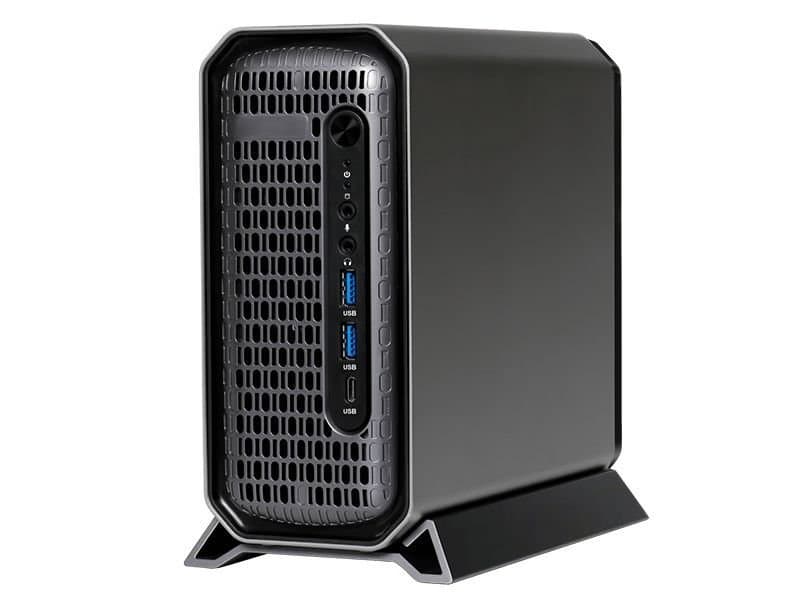
The new ACEMAGIC G3A packs an LGA1700 socket, dual‑slot GPU support and laptop‑grade memory into a 3.5‑liter chassis, offering a middle ground between mini PCs and full‑size towers for power users and developers who need a small yet upgradeable workstation.
ACEMAGIC G3A Brings Desktop‑Class CPU and GPU Flexibility to a Compact Form Factor
What the G3A changes
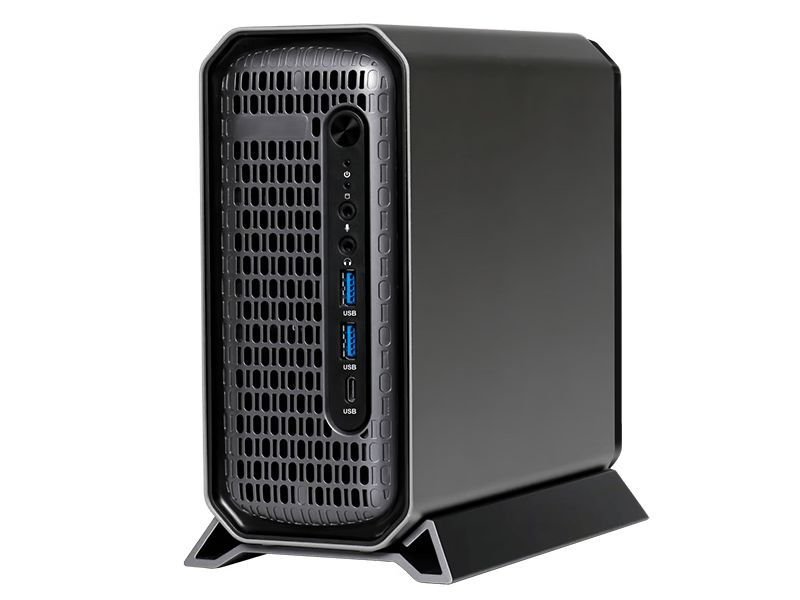
The ACEMAGIC G3A is a 212 × 189 × 86 mm desktop that accepts a 13th‑ or 14th‑gen Intel Core processor via an LGA1700 socket. Unlike most mini PCs, it also has a half‑height, dual‑slot space for a discrete GPU. The chassis can hold up to 135 W of combined CPU‑GPU heat, which means you need to stay within low‑to‑mid‑range power envelopes.
Key specifications:
- CPU: LGA1700 socket, supports Intel 13th/14th‑gen desktop CPUs
- GPU: Dual‑slot, half‑height slot (compatible with RTX 2000 Ada and RTX PRO 4000 Blackwell SFF editions)
- Memory: Two SODIMM slots (laptop‑size DDR5, up to 64 GB total)
- Storage: Two M.2 2280 PCIe Gen 4 x4 slots + one 2.5 in SATA bay
- Networking: 2.5 GbE and Gigabit Ethernet ports
- I/O: USB‑C 3.2 Gen 2, multiple USB‑A ports, HDMI, DisplayPort, COM 6E, audio jack
The device is slated for a China launch on May 30 2026, with global availability to follow later. Pricing details have not been released yet.
Why developers should care
Upgrade path for workstation‑style workloads
For developers who run IDEs, local builds, or containerised services, the ability to install a desktop‑grade CPU in a small box means you can keep a powerful workstation at the edge of a desk or even on a shelf. The dual‑slot GPU slot opens the door to CUDA‑enabled workloads, AI model inference, or GPU‑accelerated rendering without needing a full tower.
Memory and storage that match modern toolchains
Two DDR5 SODIMM slots let you reach 64 GB, which is enough for most JVM‑based builds, large Docker images, or in‑memory databases. PCIe Gen 4 x4 M.2 drives provide up to 8 GB/s sequential throughput, cutting down on clone times for large codebases and speeding up local package caches.
Port selection for peripheral‑heavy setups
Having both HDMI and DisplayPort means you can drive two 4K monitors directly, a common requirement for developers who spread code, documentation and terminal windows across screens. The presence of a COM 6E port is a surprise for anyone working with legacy serial hardware, such as embedded development kits.
Practical migration considerations
Choosing the right CPU
Because the cooling solution tops out at 135 W, you should avoid the highest‑TDP models (e.g., i9‑14900K). A 125 W i7‑14700 or an i5‑14600K provides a good balance of single‑core performance for compile‑time tasks and multi‑core throughput for container workloads.
Selecting a GPU that fits
The half‑height restriction eliminates full‑size cards. The RTX PRO 4000 SFF edition is a safe bet; it stays under 75 W and fits the chassis. If you already own a low‑profile RTX 3060 or an Ada‑based RTX 2000, they will also work, provided the total board power does not exceed the cooling budget.
Memory module compatibility
Since the board uses laptop‑type slots, you must buy SODIMM DDR5 modules. Look for kits rated at 1.2 V and CL‑36 or better. Mixing capacities (e.g., 16 GB + 32 GB) works, but dual‑channel performance is optimal with matched pairs.
Cooling and case airflow
The G3A relies on a single top‑mounted exhaust fan. If you plan to push the CPU close to its TDP limit, consider applying high‑quality thermal paste and ensuring the fan operates at its maximum PWM setting. Ambient room temperature above 25 °C will noticeably raise sustained load temperatures.
Software setup
The motherboard ships with a UEFI that supports Windows 11 and major Linux distributions. For developers preferring Linux, the latest kernels (≥ 6.8) already include drivers for the integrated NICs and the PCIe Gen 4 controller. Installing a distribution that supports the latest NVIDIA driver stack (e.g., Ubuntu 24.04 LTS) will give you immediate CUDA access.
Bottom line
The ACEMAGIC G3A fills a niche that has been missing from the compact‑PC market: a small chassis that does not force you to sacrifice upgradeability. By allowing a desktop‑class CPU, a discrete GPU and up to 64 GB of DDR5, it gives developers a portable yet powerful platform for compile‑heavy, GPU‑accelerated, or multi‑monitor workflows. The main trade‑off is thermal headroom, so careful component selection is essential.
For the latest specifications and firmware updates, keep an eye on the official ACEMAGIC product page and the accompanying GitHub repository for BIOS tools.
Comments
Please log in or register to join the discussion