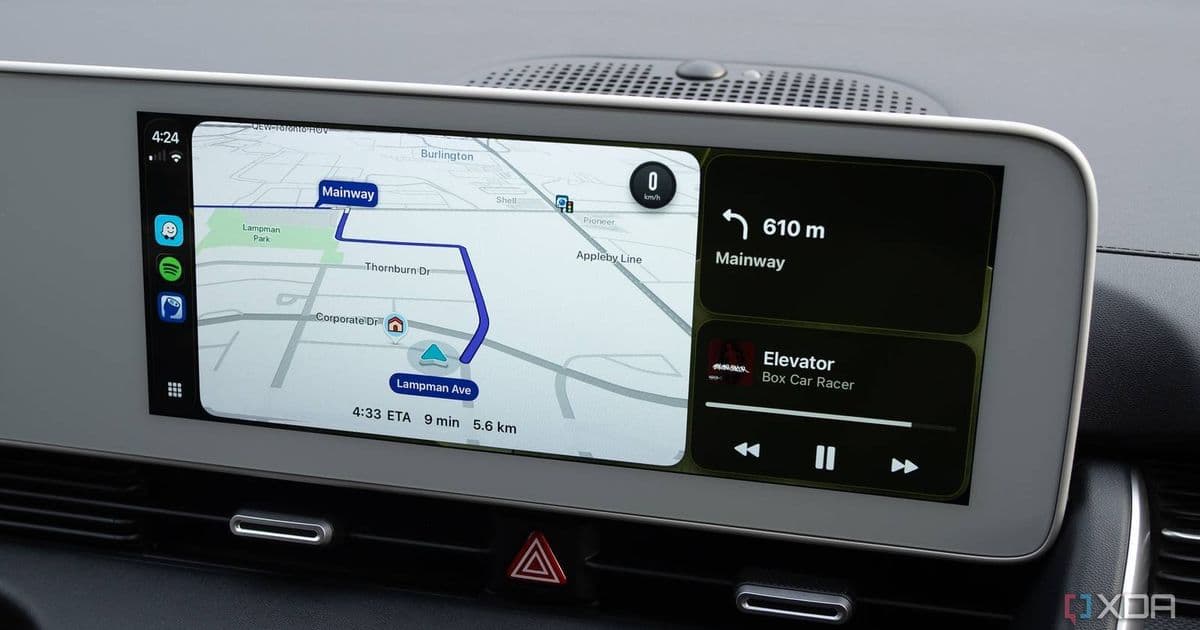
A recent iOS update to the Spotify app is causing track‑listing errors, blank screens, and occasional playback stops on Apple CarPlay. Users can temporarily fix it by restarting the app, but a proper fix is still pending from Spotify.
 )
)
Spotify on CarPlay is showing the wrong track information, sometimes a completely blank screen, and even halting playback – a problem that appeared right after the latest iOS version of the Spotify client rolled out. The issue is being reported across Reddit, Threads, and the official Spotify Community, and it appears to be limited to CarPlay; Android Auto users are not seeing the same behavior.
What’s happening?
When you launch Spotify from a CarPlay‑enabled head unit, the UI that normally displays the album art, track title, and artist can either:
- Show a completely unrelated song title (often the previous track in the queue).
- Render a blank screen with only the CarPlay navigation bar visible.
- Stop playback altogether, leaving the car’s speakers silent until you switch back to the iPhone’s native Spotify app and press play again.
In my own testing, the bug manifested after I updated to Spotify 8.9.1 on iOS 17.5. Re‑opening the app from the CarPlay home screen usually restores the correct metadata for a few minutes, but the problem returns unpredictably.
Why does it matter?
CarPlay’s appeal is that it lets drivers keep their eyes on the road while still accessing familiar apps. When the music app can’t reliably show what’s playing, drivers are forced to glance at their phones or guess the track, which defeats the safety purpose of the platform. For commuters who rely on Spotify’s curated playlists or podcasts during long drives, the glitch can be especially disruptive.
Temporary work‑arounds
While Spotify’s engineering team works on a permanent fix (no ETA has been announced), there are a few steps that can mitigate the annoyance:
- Force‑quit and relaunch: Double‑tap the CarPlay home button, swipe up on Spotify, then open it again. This forces the app to re‑sync its metadata with the iPhone.
- Use Apple Music or another streaming service: Switching to a different app sidesteps the bug entirely. Apple Music, YouTube Music, and Amazon Music have all been reported to work fine on CarPlay.
- Keep the phone unlocked: Some users have noticed that if the iPhone stays unlocked (or uses Face ID instead of a passcode), the bug appears less frequently. This is likely because the app can maintain a live connection to the iOS media framework.
How to report the issue
If you haven’t already, post a concise description on the Spotify Community forum and include:
- iOS version (e.g., iOS 17.5)
- Spotify app version (visible in Settings → About)
- CarPlay hardware model (e.g., Ford SYNC 4, Chevrolet MyLink)
- Whether you’re using a wired or wireless CarPlay connection
Providing these details helps Spotify reproduce the problem in their internal testing labs.
Ecosystem context
The bug underscores a broader challenge for Apple’s CarPlay ecosystem: third‑party apps must stay in lockstep with iOS updates. When an app like Spotify pushes a major UI overhaul, it can unintentionally break the thin bridge that CarPlay uses to display content. Apple’s own Music app rarely suffers from such glitches because it’s tightly integrated with the OS, but any external service must rely on the public CarPlay APIs, which can be less forgiving.
For users who value a consistent in‑car experience, this incident may reinforce the appeal of Apple‑first solutions. However, the sheer popularity of Spotify means that most drivers will wait for the fix rather than switch ecosystems entirely.
Looking ahead
Spotify has confirmed that a bug‑fix build is in the pipeline, but the company has not committed to a release window. In the meantime, keeping the app updated, using the temporary work‑arounds, and staying tuned to official Spotify channels will be the best approach.
If you’re experiencing the issue, try the steps above and share your results on the community threads. Once the fix lands, the CarPlay experience should return to the smooth, glance‑free operation that made it popular in the first place.
Related: 3 simple fixes I used to stop CarPlay from disconnecting
Comments
Please log in or register to join the discussion