Discover how the structure of ZIP files enables inspecting massive archives without full downloads by leveraging HTTP range requests. This deep dive reveals the elegant engineering behind partial content retrieval and its transformative potential for web applications handling large datasets.
Imagine needing to check a single file inside a 50GB ZIP archive without waiting hours for the download. For developer Ritik Sahni, this challenge sparked a journey into the guts of the ZIP format—revealing an elegant solution hiding in plain sight. The key? ZIP files are designed like books with a table of contents at the end, enabling surgical access to content with minimal data transfer.
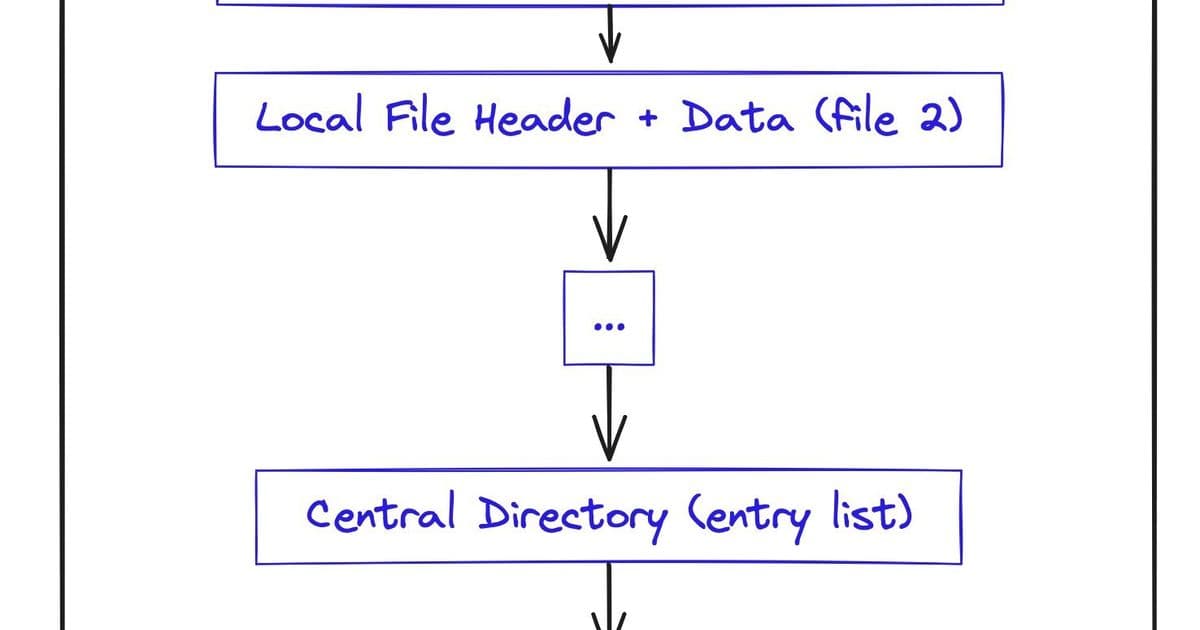
 Architecture of a ZIP file (Credit: Ritik Sahni)
The Hidden Blueprint: ZIP's Ingenious Structure
ZIP files aren't just compressed blobs—they're meticulously organized data structures. As Sahni discovered, every ZIP contains three critical components:
- Local File Headers (LFH): Per-file metadata (compression method, timestamps, CRC checks) followed by compressed data.
- Central Directory (CD): A compact index listing all files, their attributes, and byte offsets to their LFHs—effectively the archive's "table of contents."
- End of Central Directory (EOCD): A 22-byte trailer acting as a roadmap to the CD, storing its location, size, and total file count.
This backward-readable design lets applications append files indefinitely while keeping the index accessible at the end—a 1989 innovation that's now a web developer's superpower.
The Browser-Powered Inspection Hack
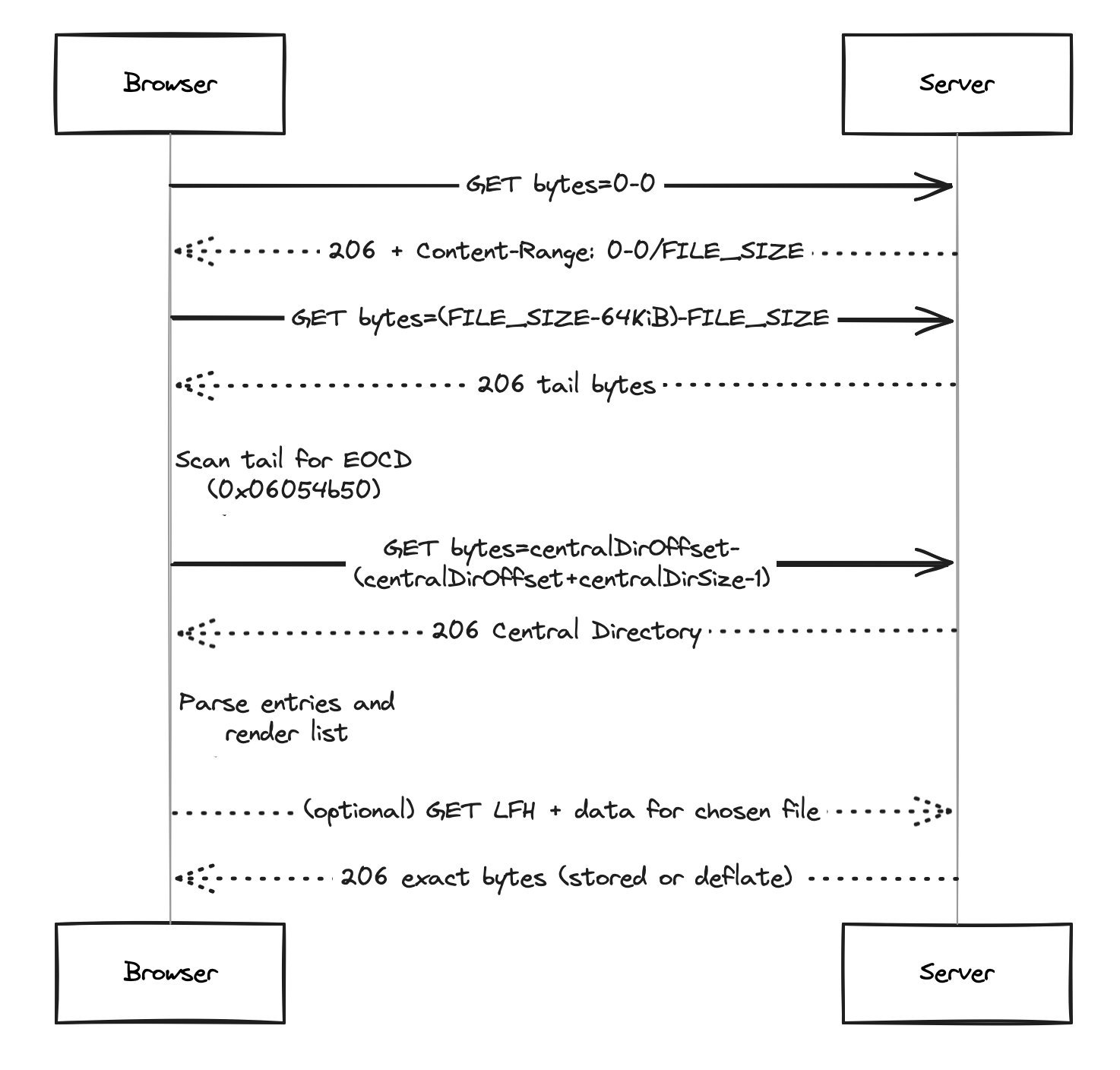
Sahni's browser demo exploits this structure through HTTP range requests, fetching mere kilobytes to navigate gigantic archives:
{{IMAGE:3}} HTTP range request sequence for ZIP inspection (Credit: Ritik Sahni)
- Fetch the archive size: A
Range: bytes=0-0request returns headers revealing total file size. - Locate the EOCD: Retrieve the last ~64KB of the file, scan backward for the EOCD signature (
0x06054b50), and extract CD location/size. - Download the index: Fetch only the Central Directory using the EOCD's coordinates.
- Render or retrieve: List all files instantly. Need one file? Jump to its LFH offset, download its compressed bytes, and decompress client-side.
"ZIPs become readable stories," Sahni observes, with solutions for edge cases like ZIP64 (for >4GB files) and variable-length fields.
Why This Matters: Beyond the Technical Curiosity
This approach transforms web interactions with large archives:
- Bandwidth efficiency: Inspect terabyte-scale datasets on mobile connections.
- Rapid prototyping: Instantly validate cloud-stored archives during development.
- Resource-constrained environments: Enable archive browsing on low-memory devices.
As Sahni's open-source demo proves, combining vintage file formats with modern web capabilities unlocks powerful patterns—like treating remote ZIPs as queryable databases. For developers wrestling with data bloat, it’s a reminder that sometimes the smartest solutions hide in the bytes you don’t download.
Source: Peeking Inside Gigantic ZIPs by Ritik Sahni
Comments
Please log in or register to join the discussion