
A deep dive into CSS Clicker, an innovative idle game built entirely with HTML and CSS that challenges our assumptions about web technologies and programming languages.
When most developers think about CSS, they picture stylesheets that make websites look pretty. But what if I told you that CSS could be used to build a fully functional idle game? That's exactly what rebane2001 accomplished with CSS Clicker, an innovative project that pushes the boundaries of what's possible with pure HTML and CSS.
The Technical Marvel
At first glance, CSS Clicker appears to be a standard idle game where you click to earn currency, purchase upgrades, and watch your progress grow. But here's the twist: it contains absolutely no JavaScript. None. Zero. Zilch. The entire game logic, state management, and user interactions are handled through clever CSS techniques.
The game uses CSS counters to track your currency, checkboxes to manage game state, and the :checked pseudo-class to trigger state changes. It's a brilliant demonstration of how CSS can be used for more than just presentation—it can actually drive application logic.
Why Build a Game in CSS?
The creator's motivation goes beyond just technical curiosity. In their own words, they wanted to create "something in CSS that felt like a fully featured game." But there's a deeper purpose here. The project serves as a statement against the common dismissal of HTML and CSS as "not real programming languages."
This sentiment is particularly important because such dismissals often carry undertones of devaluing certain groups of people in tech. By building a complete, functional game using only CSS, rebane2001 demonstrates that these technologies require genuine programming skill and creativity.
How It Works
The magic happens through several CSS techniques working in concert:
CSS Counters: Used to track your currency and upgrade levels. These counters increment when you click and decrement when you purchase upgrades.
Checkbox Hack: Hidden checkboxes serve as the game's state variables. When you click a button, you're actually toggling a checkbox that CSS uses to determine what to display.
Sibling Selectors: The :checked state of one element can control the display of completely unrelated elements through clever use of the ~ (general sibling) selector.
Media Queries: Even the game's ability to detect whether JavaScript is enabled comes from using the scripting media query—a relatively new CSS feature.
The User Experience
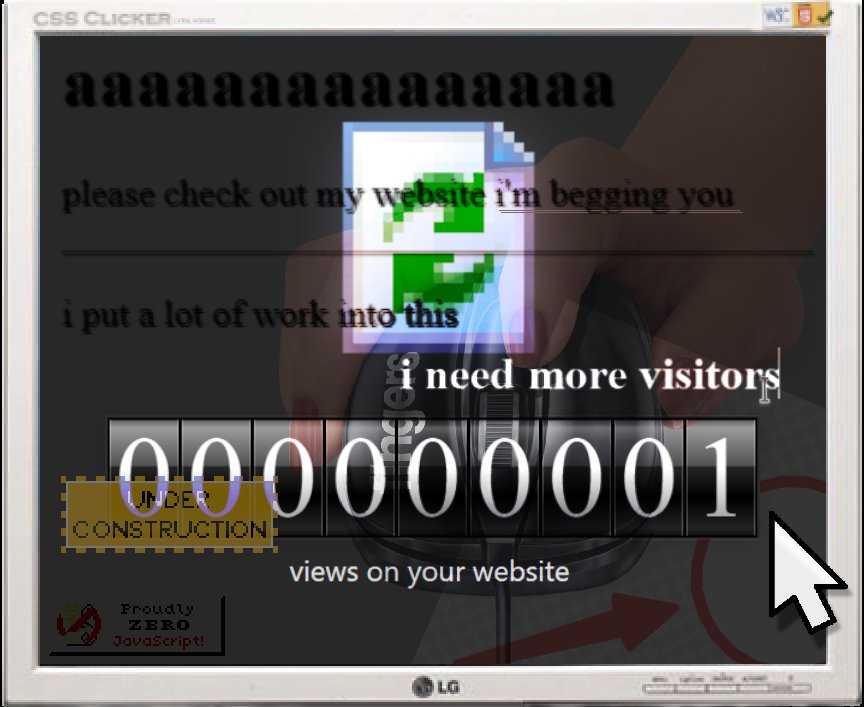
Despite being built with such unconventional technology, CSS Clicker delivers a surprisingly polished experience. The game includes:
- An upgrades store with multiple tiers of purchases
- A views counter that animates as it increases
- Monitor glow effects for visual feedback
- Customizable settings for cursors and audio
- Mobile compatibility (though desktop is recommended)
The game even includes save functionality through browser state persistence, though it comes with the caveat that you shouldn't refresh the page or you'll lose progress.
Browser Compatibility
CSS Clicker was developed and tested on Chrome versions 134-136 and Firefox version 136. The creator acknowledges that other browsers may encounter issues, which is understandable given the experimental nature of the techniques used. This highlights an important consideration when pushing web technologies to their limits—compatibility can be challenging.
The Community Impact
The project draws inspiration from the "CSS crimes" community on Cohost, where developers pushed the boundaries of what's possible with inline CSS. The creator specifically credits Blackle Mori and others for inspiring this work.
This speaks to a broader trend in web development where developers are finding creative ways to use existing technologies in unexpected ways. It's not just about building things that work—it's about exploring the boundaries of what's possible.
What This Means for Web Development
CSS Clicker challenges our assumptions about the separation of concerns in web development. Traditionally, we think of HTML for structure, CSS for presentation, and JavaScript for behavior. But this project blurs those lines in fascinating ways.
It raises interesting questions: Could we build more complex applications with CSS alone? What other limitations could we push? While CSS will likely never replace JavaScript for most applications, projects like this expand our understanding of what's possible.
The Educational Value
Beyond being a fun game, CSS Clicker serves as an excellent educational tool. It demonstrates:
- Advanced CSS selector usage
- Creative problem-solving with limited tools
- The importance of understanding browser capabilities
- How to think outside traditional programming paradigms
For developers looking to improve their CSS skills, studying how CSS Clicker works could provide valuable insights into selectors, counters, and state management.
Getting Involved
The source code is available on GitHub, and the creator encourages people to take ideas and assets from the project. They've also made it easy to share your progress by providing instructions for taking screenshots or saving high-quality PDFs of your website.
Conclusion
CSS Clicker is more than just a clever technical demo—it's a statement about the nature of programming and the capabilities of web technologies. It challenges us to think differently about what's possible with the tools we already have.
In an era where web development often focuses on the latest frameworks and libraries, projects like CSS Clicker remind us that there's still plenty of innovation to be found in the fundamentals. Sometimes the most impressive achievements come not from adding more complexity, but from finding creative ways to work within constraints.
The next time someone tells you that HTML and CSS aren't "real programming languages," point them to CSS Clicker. It's proof that with enough creativity and technical skill, you can build amazing things with even the most basic web technologies.
Comments
Please log in or register to join the discussion