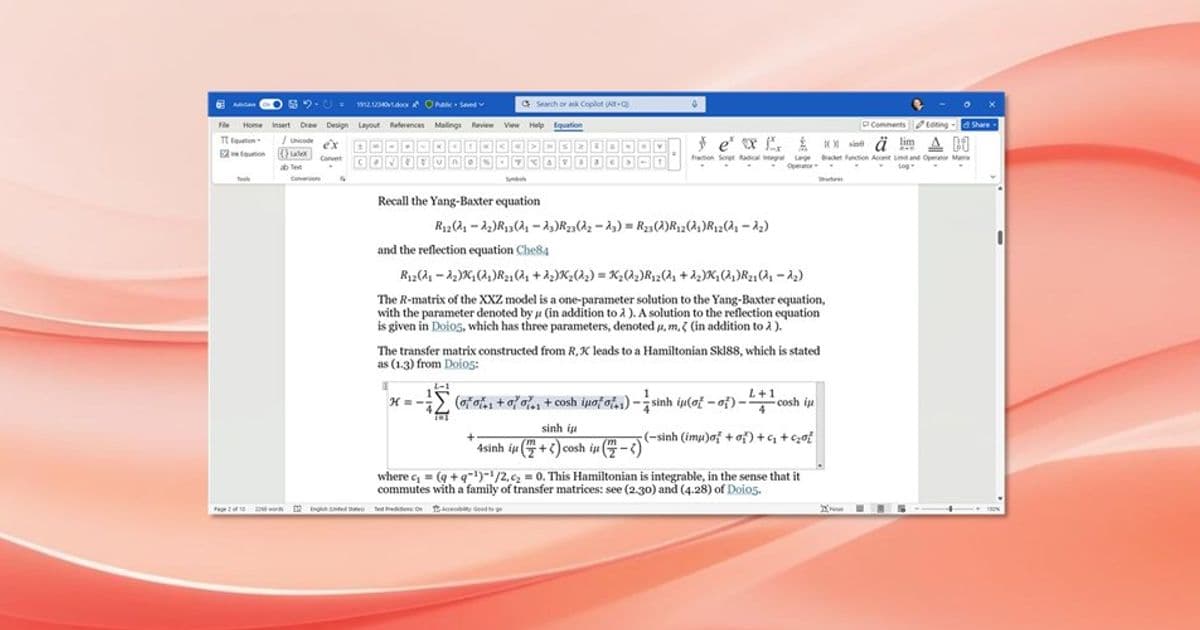
Microsoft 365 has introduced a comprehensive set of accessibility improvements for math content, making it easier for students, researchers, and professionals to create, edit, and consume mathematical equations regardless of ability.
Microsoft is making math more inclusive than ever with a comprehensive set of accessibility improvements across Microsoft 365 applications. These enhancements, developed in collaboration with the DAISY Consortium, researchers, educators, and instructional designers, ensure that everyone—from economists forecasting market trends to engineering students designing prosthetic limbs—can effectively work with mathematical content.
Enhanced Keyboard Shortcuts for Math Input
Creating mathematical equations is now faster and more accessible with new keyboard shortcuts that mirror LaTeX functionality. Users can quickly insert and edit native Office Math without relying on a mouse, making the process more efficient for everyone.
Key shortcuts include:
- Insert math zone: Alt + Equals (Windows), Control + Equals (Mac)
- Convert to professional format: Ctrl + Equals (Windows), Command + Equals (Mac)
- Convert to linear format: Ctrl + Shift + Equals (Windows), Command + Shift + Equals (Mac)
These shortcuts are particularly valuable for users who cannot easily use pointing devices and provide a familiar workflow for those accustomed to LaTeX.
Audio Feedback for Math Zones
Microsoft 365 apps for Windows now provide audio feedback when entering and exiting math zones. This feature prevents accidental insertion of content inside or outside math zones by clearly indicating when you're working within mathematical content.
To enable this feature, go to File > Options > Accessibility and check "Provide feedback with sound."
Improved Screen Reader Experience
When editing math with screen readers like Narrator, the experience has been dramatically improved. As you navigate through equations, the screen reader reads both the content to the right of the insertion point and provides context information, helping users understand exactly where they are within complex mathematical expressions.
For example, when navigating the equation for the area of a circle (A = πr²), users receive clear auditory feedback about their position, including whether they're in the base or superscript portions of the equation.
Enhanced PDF Accessibility
When saving or exporting documents as PDFs, PowerPoint and Word now include MathML in the PDF structure. This means that when users open these PDFs in Adobe Reader with screen readers like JAWS or NVDA (using MathCAT), they can read mathematical content part-by-part, ensuring nothing is missed.
Cross-Application Math Compatibility
Microsoft has significantly improved math interoperability across applications and web platforms:
- OneNote integration: MathML content copied from webpages like Wikipedia or Microsoft 365 Copilot can now be pasted directly into OneNote as native Office Math
- Paste Special: Word and PowerPoint now offer MathML as a paste option, giving users more control over how mathematical content is imported
- Mobile support: MathML from iOS keyboards can be copied directly into OneNote
Legacy Equation Conversion
For organizations with older documents containing Equation Editor or MathType objects, Microsoft now provides seamless conversion to native Office Math. This conversion is available on both Windows and Mac, with a "Convert All to Office Math" command that can process entire documents at once.
Real-World Impact
The accessibility improvements have already made a significant difference in educational settings. Patrick Binning, Department Chair at Johns Hopkins University, praised the LaTeX input capability as a "massive time saver." Sara Shunkwiler, a disabled engineer and instructional designer, noted that her team was able to make an entire companion course 99% accessible in just weeks, describing the updates as "life changing for neurodivergent and disabled students, faculty, and staff."
Availability and Feedback
These features are rolling out across different Microsoft 365 applications and platforms. Users can check specific version requirements for each feature in the availability section of the announcement.
Microsoft encourages users to share their experiences and creations using #Microsoft365Math on social media. The company actively seeks feedback through the Help > Feedback menu in applications to continue improving the math accessibility experience.
These comprehensive improvements demonstrate Microsoft's commitment to making mathematical content accessible to everyone, regardless of ability or preferred input method, ensuring that math truly becomes inclusive for all users.
Comments
Please log in or register to join the discussion