

The latest COSMIC release adds a system-wide frosted-glass theme, GPU power readings and a fuller Bluetooth device list. App developers must update libcosmic before their software can use the new visual system.

The COSMIC desktop has gained a frosted-glass theme with Epoch 1.3.0, giving Linux users new control over transparency, blur and panel styling. System76 published the release July 14, and the update targets distributions that package the open-source COSMIC environment.
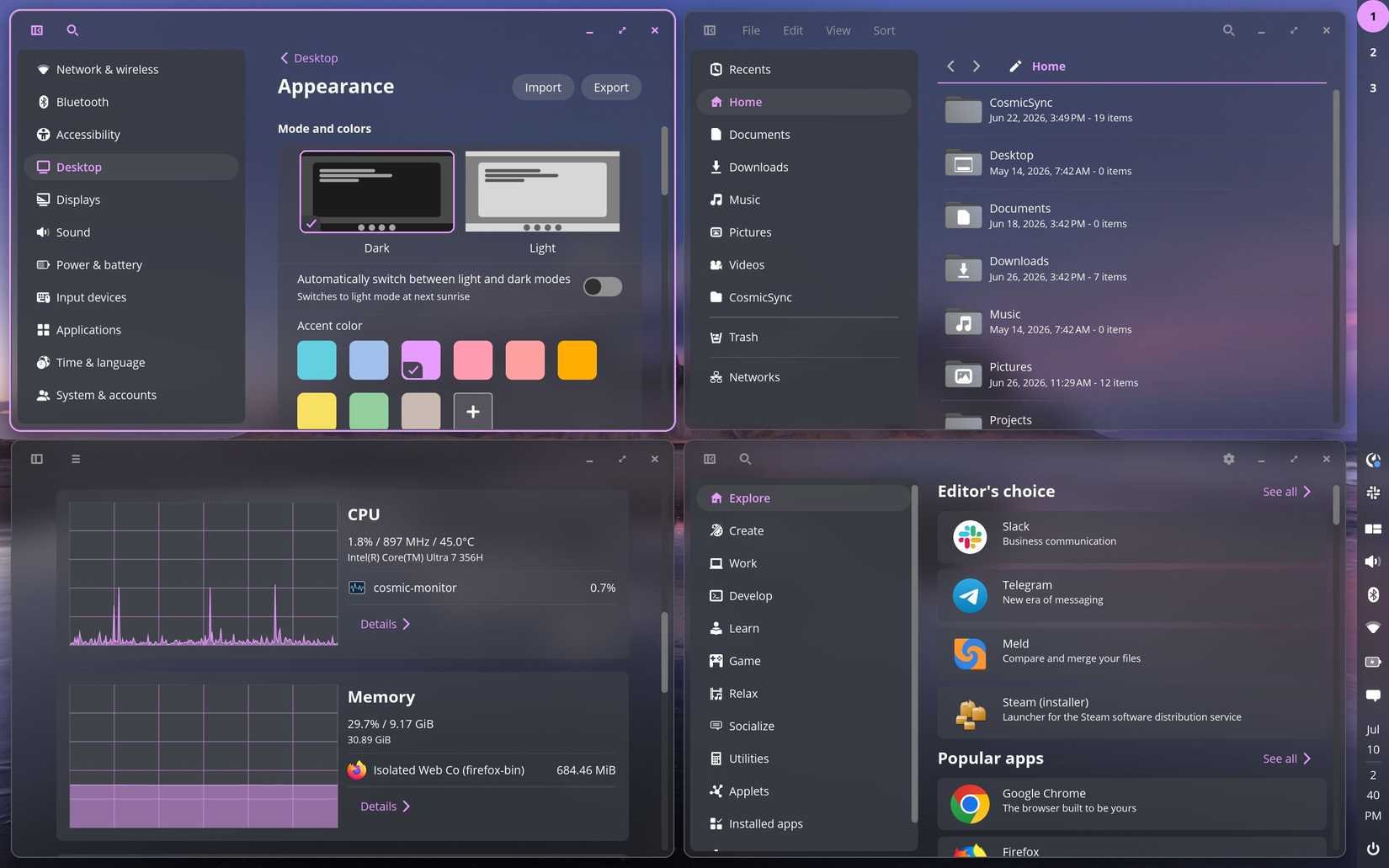
The visual refresh reaches across COSMIC's desktop components. Open COSMIC Settings, select Desktop, choose Appearance, then select Frosted glass under Style. You can adjust the effect from that page instead of editing configuration files.
The theme depends on app support, so the change will reach the COSMIC ecosystem in stages. Developers must update their applications and applets to a compatible version of libcosmic, the Rust toolkit that COSMIC uses for its desktop software. Users may see the new treatment in COSMIC's own components before third-party applications adopt it.
A theme with a developer cost
Frosted glass requires more than a color palette. An application must expose the right surfaces and render them through the updated toolkit. Developers who maintain COSMIC software need to pull in the new libcosmic code, rebuild their projects and test each window, menu and applet against the new appearance settings.
The toolkit supports Wayland client windows and includes GPU-accelerated rendering through WGPU. Developers can review the libcosmic API documentation and use the application or applet templates as starting points for updates.
That dependency creates a familiar trade-off for Linux desktop projects. A centralized toolkit can keep applications visually consistent, but maintainers must follow its release cycle. Applications that use GTK, Qt or another framework will not gain COSMIC's frosted-glass treatment through a libcosmic update alone.
New hardware and Bluetooth details
Epoch 1.3.0 also adds power readings for AMD and Intel GPUs in cosmic-monitor. The feature gives laptop users and desktop builders a way to inspect GPU power use while testing workloads, external displays or power-saving profiles.
The Bluetooth applet now shows all known devices in its list. That makes paired hardware easier to find when several keyboards, controllers, headphones or phones share the same system. The change also gives users a fuller view of the devices that COSMIC has seen before.
What users need to know
COSMIC Epoch updates depend on the Linux distribution that packages them. The project's installation guidance lists Pop!_OS 24.04 as the supported Pop!_OS base for the current Epoch line. The project says Pop!_OS 22.04 no longer receives COSMIC Epoch updates because its dependencies cannot support the latest fixes and features.
Pop!_OS users should install the update through the distribution's normal package manager. Users on another distribution need to wait for their maintainer to publish compatible COSMIC packages or follow the project's build instructions. A system-extension build can help with testing, but the project warns that it links against libraries on the host system and does not suit long-term deployment.
Before upgrading, check the COSMIC package versions supplied by your distribution. The desktop combines several components, including the compositor, settings app, applets and toolkit. Mixing packages from different release points can produce missing theme controls or inconsistent behavior.
A gradual visual migration
The release gives COSMIC a stronger visual identity, but users will not see one uniform frosted interface on day one. COSMIC's own software can adopt the new style as its maintainers update each component. Independent developers must make their own changes, publish new builds and account for the effect in their layouts.
That process makes Epoch 1.3.0 more than a cosmetic update. It gives COSMIC a new rendering model for desktop surfaces, adds practical hardware telemetry and expands Bluetooth discovery. Developers who support COSMIC should start with the Epoch 1.3.0 release, then test their applications against the matching libcosmic version.
Comments
Please log in or register to join the discussion