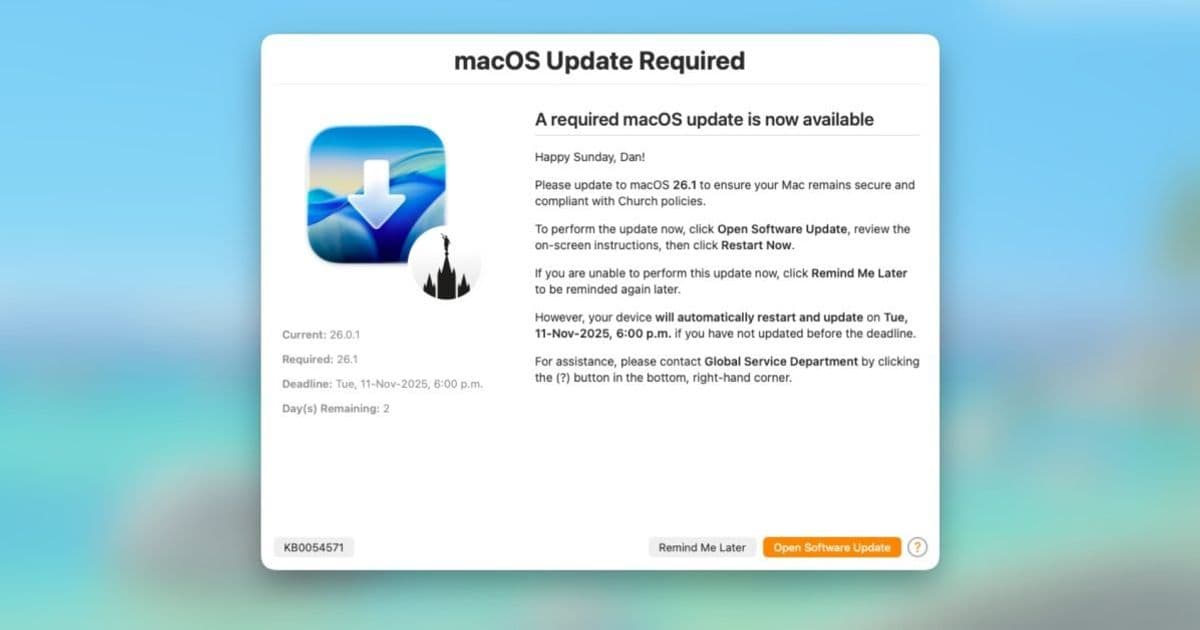
A new tool bridges the gap between Apple's Declarative Device Management software updates and end-user awareness, preventing surprise forced restarts.
Apple's Declarative Device Management (DDM) has revolutionized how IT administrators handle software updates across macOS devices. By shifting the logic from servers to devices themselves, DDM makes update enforcement faster, more autonomous, and more reliable. However, this technological leap forward introduced an unexpected challenge: Apple's native notifications for DDM-managed updates are so subtle that end users often miss them entirely, leading to surprise forced restarts and lost work.
Enter DDM OS Reminder 2.0, a tool that transforms Apple's minimalist approach into an intelligent, user-friendly notification system that respects both IT requirements and end-user productivity.
The problem with Apple's native DDM notifications
When Apple introduced DDM for software updates, it was a significant upgrade from legacy management systems. IT teams could set deadlines, and devices would automatically enforce them. The problem? Apple designed these notifications to be unobtrusive—perfect for home users but problematic for enterprise environments.
In a workplace setting, knowledge workers often have multiple applications open with unsaved work. Apple's subtle banners and alerts frequently go unnoticed, leaving users unaware that a forced restart is imminent. This disconnect between IT enforcement and user awareness created friction in organizations adopting DDM.
How DDM OS Reminder 2.0 solves the notification gap
DDM OS Reminder operates as a local agent on managed devices, using a LaunchDaemon to monitor /var/log/install.log for specific entries indicating pending DDM software updates with enforced deadlines. When it detects an approaching deadline, the tool leverages swiftDialog to display clear, actionable notifications to users.
What makes DDM OS Reminder particularly clever is its "intelligently intrusive" approach. The tool attempts to detect whether a user is in an online meeting using Zoom or Microsoft Teams before displaying alerts, preventing interruptions during presentations or important calls. Users receive a clear countdown and the option to initiate the update on their own terms before the forced restart occurs.
Version 2.0: Configuration profiles and demo mode
The latest release addresses one of the biggest pain points from the initial version: configuration complexity. Previously, administrators had to edit the script directly to modify settings, icons, or messaging. Version 2.0 introduces Configuration Profile support, allowing IT teams to deploy standard .mobileconfig profiles via their device management solution to control the app's behavior.
This separation of logic from configuration means administrators can update messaging or adjust deadline thresholds without redeploying the entire package to users. It's a significant improvement in deployment efficiency and maintainability.
Another standout feature is the new Demo Mode, which solves a common testing challenge. Previously, administrators had to wait for an actual macOS update to become available to test the notification experience. Now, they can simulate the entire process, seeing exactly what end users will experience without waiting for Apple to release a new update.
The update also refines the "Blur Screen" feature, which captures user attention as deadlines approach. Version 2.0 moves this logic to a seconds-based calculation rather than days, giving administrators much tighter control over the final alerting experience.
The future of DDM OS Reminder
Looking ahead, version 3.0.0 is already in its first alpha release and promises support for multiple languages, expanding the tool's utility for global organizations. This commitment to continuous improvement demonstrates the tool's value in the evolving DDM ecosystem.
Why this matters for Apple device management
As DDM becomes the standard for managing macOS software updates, tools like DDM OS Reminder become essential infrastructure. They bridge the gap between Apple's reliable enforcement mechanisms and the human element of IT management—ensuring users are informed, prepared, and able to maintain productivity while still meeting organizational security and compliance requirements.
The beauty of DDM OS Reminder lies in its simplicity and effectiveness. It doesn't try to replace Apple's DDM framework; instead, it enhances it by adding the communication layer that Apple's native notifications lack. For IT administrators managing fleets of Macs, this means fewer support tickets, less user frustration, and a smoother overall update experience.
Organizations adopting DDM OS Reminder report fewer surprise restarts, better user compliance with update schedules, and reduced disruption to workplace productivity. In an era where Apple device management is increasingly declarative and autonomous, having tools that maintain the human connection becomes more important than ever.
For IT teams looking to implement DDM OS Reminder, the tool is available through the developer's website, with comprehensive documentation covering deployment scenarios and configuration options. As Apple continues to expand DDM capabilities across its device management ecosystem, expect to see more tools emerging that address the human factors in automated device management.
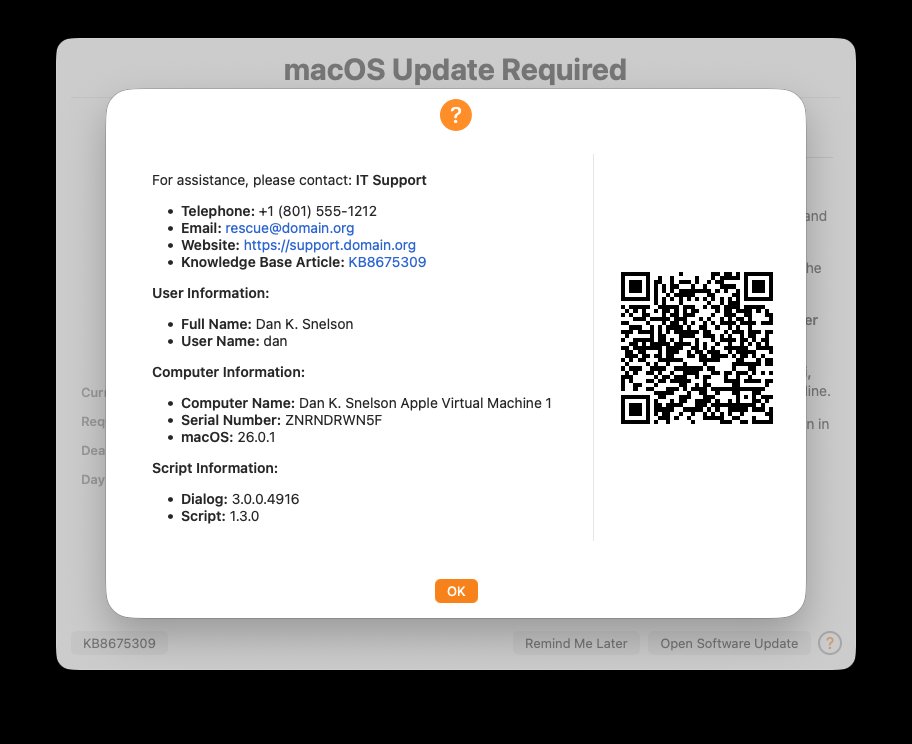
DDM OS Reminder 2.0 provides clear countdown notifications for pending software updates, giving users control over their update timing while ensuring IT compliance requirements are met.
Comments
Please log in or register to join the discussion