Keyboard introduces a universal Model Context Protocol server enabling developers to securely connect AI assistants like Claude to third-party applications. By executing approved code in isolated GitHub Codespaces, it maintains API key privacy while automating complex workflows between AI and external services.
As AI assistants like Claude become workflow staples, developers face a critical challenge: how to securely connect these systems to external applications without compromising sensitive credentials. Keyboard, a new open-source Model Context Protocol (MCP) server, tackles this by leveraging GitHub Codespaces as a secure execution environment between AI clients and third-party APIs.
How Keyboard's Secure Handshake Works
Keyboard operates through a three-step human-in-the-loop workflow:
- Task Initiation: Users request an action (e.g., "Create Typeform survey via API") through their AI client
- Code Review: Keyboard generates Node.js scripts in the background, presenting them for explicit user approval via its Electron desktop app
- Sandboxed Execution: Approved code runs in the user's personal GitHub Codespace, isolated from Keyboard's infrastructure
flowchart LR
    A[📱 Claude Request] -->|Task Request| B[🔍 Keyboard Generates Code]
    B -->|Code Preview| C[✅ User Approval]
    C -->|✅ Approved| D[☁️ Executes in GitHub Codespace]
    D -->|Results| A
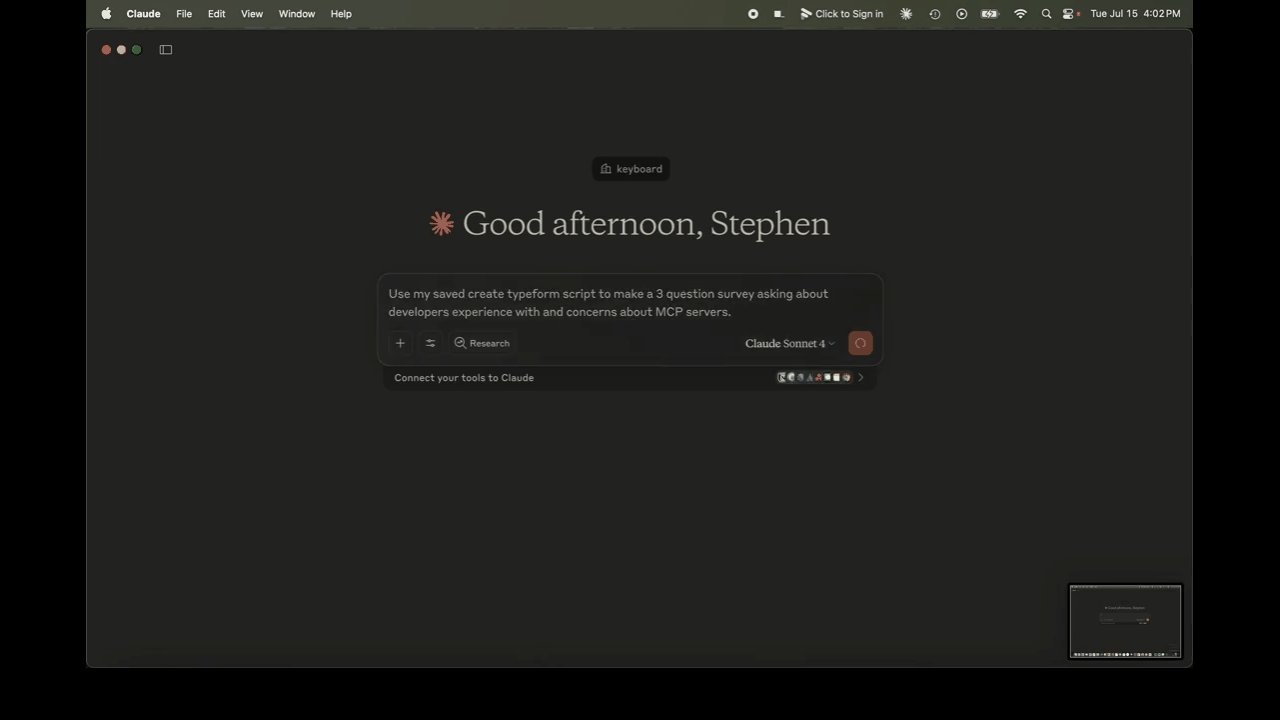
{{IMAGE:5}} Demo showing Claude creating a Typeform survey via Keyboard
Critical Security Architecture
Unlike traditional integrations, Keyboard never accesses user API keys directly. The execution environment operates within the user's GitHub account, maintaining three layers of control:
- 🔑 API keys remain exclusively in the user's Codespace
- ✋ All code requires manual approval before execution
- 🛡️ Results return to the AI client only after explicit user consent
"This shifts security responsibility to the user's controlled environment while preventing Keyboard from becoming a single point of failure," explains the project's documentation.
When Developers Should Adopt Keyboard
Ideal use cases include:
- Automating API-driven tasks through natural language requests
- Connecting multiple services (Slack, Gmail, Jira) through a single MCP gateway
- Maintaining compliance when working with sensitive data pipelines
- Experimenting with AI-assisted workflow automation in development environments
Getting Started and Contribution
Keyboard is Apache 2.0 licensed and available via:
git clone --recursive https://github.com/keyboard-dev/keyboard-local.git
The project encourages contributions to its Electron approver client and MCP server, while emphasizing that the monorepo serves primarily as a development convenience.
 {{IMAGE:3}} {{IMAGE:4}}
The Control Paradox in AI Automation
Keyboard represents a nuanced approach to the central tension in AI tooling: the balance between automation power and security oversight. By anchoring execution in developer-controlled GitHub environments while maintaining human approval gates, it offers a template for responsible AI augmentation. As language models increasingly interact with production systems, solutions like Keyboard that prioritize auditability over pure automation speed may define the next era of assistive coding tools.
Source: Keyboard GitHub Repository
Comments
Please log in or register to join the discussion