
After years of playing catch-up, Google is bringing home screen widgets to Android Auto, bringing parity with Apple's CarPlay feature. This update opens new possibilities for developers and improves user experience in vehicles.
Android Auto users have something to celebrate as Google announces the rollout of home screen widgets, a feature that CarPlay users have enjoyed for several years. This long-awaited addition represents a significant step toward feature parity between the two major in-car infotainment systems and opens new opportunities for developers creating automotive applications.
What's Coming in Android Auto 15.0
The latest version of Android Auto, expected to roll out with Android 15 later this year, will introduce home screen widgets that can be directly accessed from the vehicle's infotainment interface. According to documentation shared during Google's I/O 2026 keynote, these widgets will allow developers to display relevant information and provide quick actions without requiring users to open full applications.
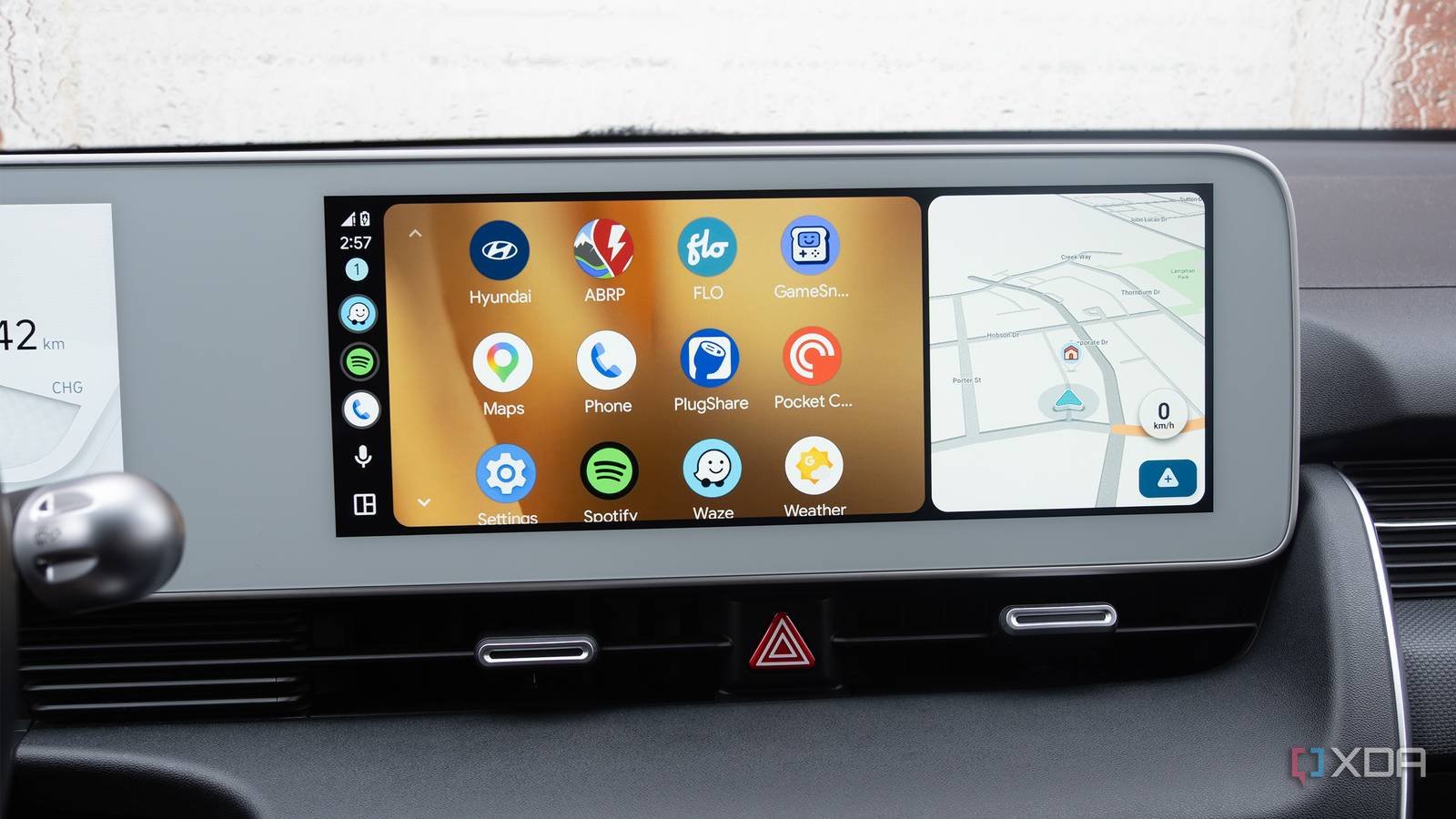
Similar to how widgets work on mobile devices, Android Auto widgets will be available in various sizes and can be customized by users to suit their preferences. The key difference from mobile widgets is that automotive widgets must be designed with driver safety in mind, with simplified interfaces and minimal interaction requirements.
Technical Implementation Details
For developers looking to implement Android Auto widgets, the process will be familiar to those who have created mobile widgets, with some automotive-specific considerations:
- SDK Requirements: Android Auto widgets require Android 15 (API level 35) and the Automotive-specific SDK
- Widget Size Constraints: Unlike mobile widgets which can be resizable, automotive widgets come in predefined sizes optimized for in-screen viewing
- Interaction Limits: Due to safety concerns, automotive widgets will support limited interactions—primarily tap-based actions with no complex gestures
- Content Restrictions: Widgets must prioritize essential information while minimizing text density and avoiding complex visual elements
Google has provided a new Android Auto Widget API that extends the existing AppWidget framework with automotive-specific optimizations. Developers will need to implement the AutomotiveAppWidgetProvider class instead of the standard AppWidgetProvider.
Cross-Platform Considerations
For developers maintaining both Android Auto and CarPlay applications, this update creates interesting cross-platform opportunities. While the implementation details differ between platforms, the core concept remains similar:
- CarPlay Widgets: Implemented using the CarPlay framework, with a focus on simplicity and quick access to information
- Android Auto Widgets: Built using Android's widget framework with automotive-specific adaptations
- Shared Logic: Much of the underlying data processing can be shared between platforms, with platform-specific UI rendering
Google has acknowledged the complexity of maintaining dual-platform applications and is working on tools to streamline the process. The Android Automotive Toolkit now includes cross-platform testing utilities that can help developers verify their implementations across both platforms.
Developer Migration Path
For existing Android Auto applications, the migration to support widgets will be optional initially. Google recommends a phased approach:
- Phase 1: Implement basic widget functionality for core features
- Phase 2: Add interactive elements where appropriate
- Phase 3: Optimize widget performance and visual design
The migration process involves:
- Creating widget layouts that meet automotive design guidelines
- Implementing the new
AutomotiveAppWidgetProviderinterface - Handling automotive-specific lifecycle events
- Testing on various automotive head units
Google has provided a migration guide with detailed step-by-step instructions and best practices.
User Experience Improvements
From a user perspective, Android Auto widgets will provide several benefits:
- Quick Access: Common functions like navigation, music controls, and messaging will be accessible with a single tap
- Contextual Information: Real-time updates relevant to the current driving scenario
- Reduced Distraction: By providing essential information at a glance, widgets minimize the need to navigate through app interfaces
- Personalization: Users can customize which widgets appear on their home screen
This brings Android Auto closer to the convenience that CarPlay users have enjoyed, potentially addressing one of the key complaints from Android Auto users about the platform's functionality.
Industry Impact
The introduction of widgets to Android Auto comes at a time when in-car infotainment systems are becoming increasingly important in the overall user experience. As vehicles become more connected, the quality of the in-car interface can significantly impact user satisfaction with both the vehicle and the mobile ecosystem.
For automakers, this update means that vehicles running Android Automotive OS will have more competitive infotainment systems, potentially influencing purchasing decisions. For Google, it represents another step in solidifying Android's presence in the automotive space.
Timeline and Availability
Android Auto widgets will begin rolling out with Android 15, expected in the fall of 2026. The feature will be available on all compatible Android Auto systems, including both phone-powered and Automotive OS implementations.
Developers can begin preparing by downloading the latest Android Studio Hedgehog preview, which includes support for the new widget framework. Google has also made available a collection of sample applications demonstrating best practices for automotive widgets.
Conclusion
The addition of home screen widgets to Android Auto is a significant development that brings much-needed parity with CarPlay. For users, it means a more convenient and feature-rich in-car experience. For developers, it opens new opportunities to create innovative automotive applications while maintaining a consistent development experience across platforms.
As in-car technology continues to evolve, features like widgets will become increasingly important in creating safe, intuitive interfaces that enhance rather than distract from the driving experience. With this update, Android Auto takes a major step forward in that direction.
For more information about implementing Android Auto widgets, developers should consult the official documentation and participate in the Android Developers forum discussions.
Comments
Please log in or register to join the discussion