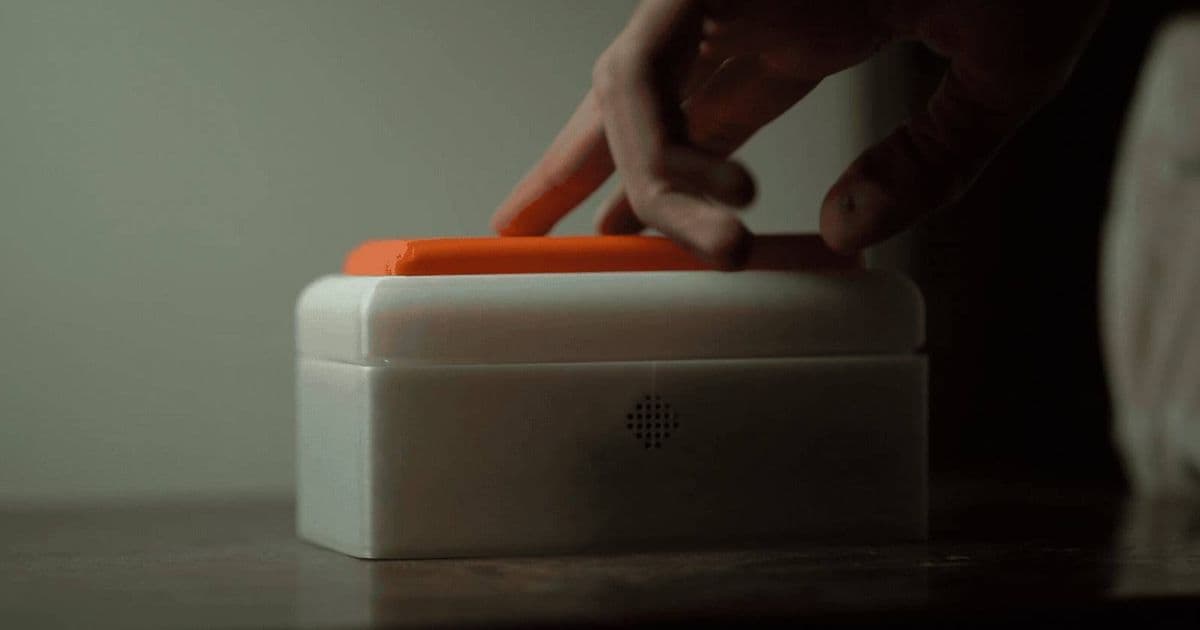
A developer created a screenless Raspberry Pi device that captures sleep-inspired ideas through one-button voice recording, transcribes them locally using Whisper.cpp, and auto-categorizes notes in Notion—eliminating the phone distraction problem entirely.
The most common note-taking tool in the modern bedroom is also its biggest distraction. When you wake up with a brilliant idea at 3 AM, your instinct is to grab your phone. But that single action opens a portal to notifications, emails, and infinite scroll—exactly what you don't need when you're half-asleep and trying to capture a fleeting thought.
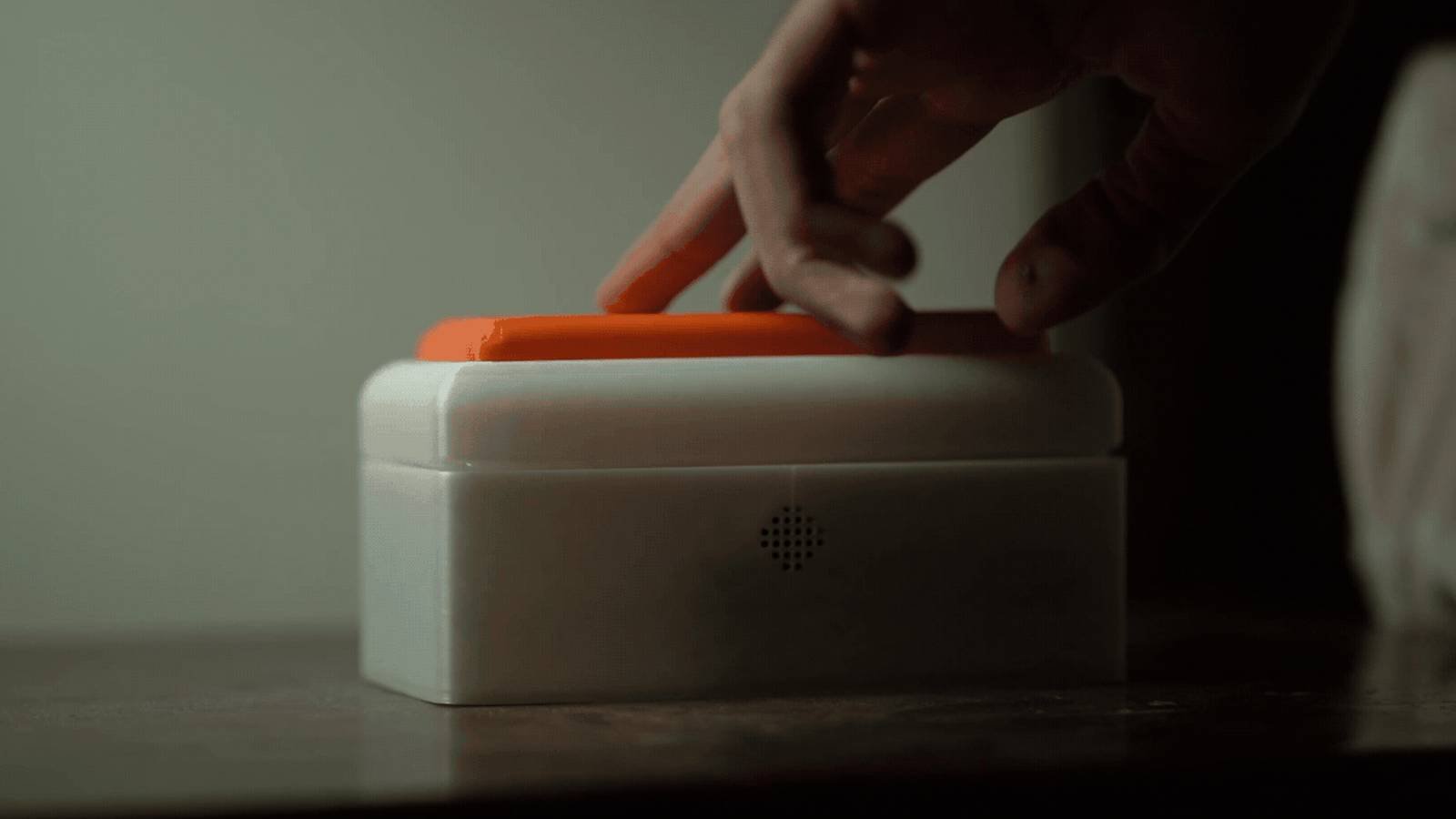
Ansh Gunjan Trivedi solved this problem by building a dedicated bedside device using a Raspberry Pi. The system is elegantly simple: a single button, no screen, and a focused workflow that respects the fragile state of a sleepy mind. Press once to start recording, speak your thought, press again to stop, and hear a confirmation beep. That's it. Your audio is immediately transcribed, categorized, and sent to Notion without ever touching your phone.
The Technical Stack: Local Processing for Privacy and Speed
The core of this system runs on a Raspberry Pi, likely a Pi 4 or Pi 5 given the processing requirements for local speech-to-text. The transcription engine is Whisper.cpp, a C++ implementation of OpenAI's Whisper model that runs entirely locally. This choice is critical for several reasons:
Privacy: Your sleep-inspired thoughts never leave your local network. Unlike cloud-based transcription services, there's no risk of your midnight musings being stored on external servers or used for training data.
Speed: Local processing means near-instant transcription. No network latency, no API rate limits, no waiting for cloud services to respond at 3 AM when you're trying to get back to sleep.
Cost: Once you've downloaded the model, there are no ongoing API costs. Whisper.cpp can run on modest hardware, though the Raspberry Pi's CPU will handle smaller models (like tiny.en or base.en) more efficiently than larger ones.
The device uses a simple USB microphone or a microphone hat for the Raspberry Pi. The button is a basic GPIO input connected to a physical switch. The entire setup is minimal—no screen, no keyboard, no mouse. It's a purpose-built appliance, not a general-purpose computer.
From Audio to Actionable Notes: The Notion Integration
Once Whisper.cpp transcribes your audio, the text is sent to Notion via their API. But the real intelligence happens in the categorization layer. The system analyzes the transcribed text and automatically classifies it into one of three categories:
- Ideas: Creative concepts, project thoughts, or general observations
- Tasks: Action items that require follow-up
- Notes: Information to remember without immediate action
For tasks, the system assigns an urgency level based on keywords and context. "Buy milk tomorrow" gets tagged as high urgency, while "Remember to check the weather next week" might be lower priority. Each entry receives a timestamp, a summary title, and relevant keywords extracted from the text.
This automation transforms raw audio into structured data. Instead of a messy voice memo that you'll never organize, you get a clean Notion database entry ready for your morning review.
The Distraction-Free Design Philosophy

The most important feature is what's missing: a screen. Screens are attention magnets. Even a simple display showing "Recording..." can pull you into checking notifications. By eliminating the display entirely, the device forces you to stay in your current mental state—sleepy, focused, and uncluttered.
The single-button interface follows the principle of progressive disclosure. You don't need to navigate menus or remember commands. The device has one job, and it does it without ceremony. The audible confirmation beep provides just enough feedback to know your thought was captured, without requiring visual attention.
This design mirrors the philosophy behind tools like the reMarkable tablet or the Freewrite Smart Typewriter: dedicated devices that eliminate distractions by doing one thing exceptionally well.
Implementation Considerations
For developers interested in building their own version, several technical considerations emerge:
Model Selection: Whisper.cpp offers multiple model sizes. The tiny.en model (39M parameters) runs reasonably well on a Raspberry Pi 4 but sacrifices accuracy. The base.en model (74M parameters) provides better transcription at the cost of speed. For a bedside device, speed matters more than perfect accuracy—especially since you'll review the notes in the morning.
Power Management: A bedside device should be always-on but power-efficient. The Raspberry Pi can run headless, but consider adding a simple power switch or using a Pi Zero 2 W for lower power consumption if the transcription speed is acceptable.
Notion API Setup: You'll need a Notion integration token and a database ID. The system should handle API errors gracefully—perhaps storing transcriptions locally if Notion is unreachable and retrying later.
Audio Processing: Background noise is inevitable in a bedroom. The microphone placement matters. A USB microphone on the nightstand captures clearer audio than a built-in Pi microphone. Some noise reduction in the audio pipeline helps, though Whisper.cpp is surprisingly robust to ambient noise.
Broader Implications for Mobile Development
This project highlights a growing trend in mobile and embedded development: the move toward specialized, single-purpose devices. As smartphones become increasingly capable, they also become more distracting. Developers are creating alternatives that leverage the same underlying technologies (like on-device AI) but with focused interfaces.
For cross-platform developers, this represents an interesting challenge. How do you create experiences that feel native and focused on each platform? The Raspberry Pi solution is essentially a "platform" of its own—Linux-based, headless, and appliance-like. It's not competing with iOS or Android; it's complementing them by handling a specific use case better.
The integration of local AI models like Whisper.cpp also points toward the future of mobile development. As on-device processing improves, we'll see more apps that handle sensitive tasks locally rather than sending data to the cloud. This has implications for privacy, latency, and offline functionality—all key concerns for mobile app developers.
Building Your Own: A Practical Guide
If you want to replicate this project, here's a high-level roadmap:
- Hardware: Raspberry Pi 4 (2GB+), USB microphone, momentary push button, enclosure
- Software: Raspberry Pi OS Lite (headless), Whisper.cpp, Python for the glue code, Notion API client
- Setup: Install Whisper.cpp, configure the microphone, set up GPIO for the button, create a Notion integration
- Code: Write a Python script that listens for button presses, records audio, runs Whisper.cpp transcription, analyzes text for categorization, and posts to Notion
- Deployment: Run the script as a systemd service so it starts automatically on boot
The beauty of this project is its simplicity. You don't need complex machine learning pipelines or cloud infrastructure. It's a straightforward application of existing tools solving a real problem.
The Future of Distraction-Free Computing
This Raspberry Pi bedside device represents more than a clever hack—it's a statement about how we interact with technology during vulnerable moments. Sleep, creativity, and reflection require mental space that our current device ecosystem often destroys.
As mobile developers, we should ask: when does our app need to be a Swiss Army knife, and when should it be a scalpel? The most successful mobile experiences often focus on doing one thing well. This bedside note-taker takes that principle to its logical extreme: a device that does exactly one thing, at the exact moment you need it, with zero distractions.
The technology stack—Raspberry Pi, Whisper.cpp, Notion API—is accessible to most developers. The real innovation is in the design philosophy: recognizing that sometimes the best user experience is removing features rather than adding them.
For those interested in exploring similar projects, the Raspberry Pi subreddit and the Whisper.cpp GitHub repository are excellent starting points. The intersection of local AI, focused hardware, and thoughtful design is fertile ground for creating tools that genuinely improve our daily lives without adding to our digital clutter.
Comments
Please log in or register to join the discussion