
A workaround for federating Entra ID with Entra External ID using OIDC, bypassing official limitations by modifying the Issuer URI domain.
A workaround for federating Entra ID with Entra External ID using OIDC, bypassing official limitations by modifying the Issuer URI domain.
The Federation Challenge
Organizations often need to allow their company's Entra ID tenant users to access their CIAM (Customer Identity and Access Management) tenant. While this is straightforward in B2C scenarios through simple federation, the same capability is officially unavailable in Entra External ID (EEID). The official documentation explicitly states that configuring other Microsoft Entra tenants as external identity providers isn't supported, and the microsoftonline.com domain in the issuer URI isn't accepted.
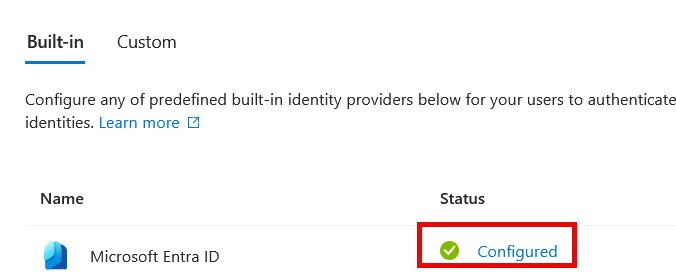
This limitation becomes particularly frustrating when users don't see a federation button in the login screen, leading to confusion and a poor user experience. The only officially supported option is using guest accounts, which doesn't provide the seamless authentication experience organizations need.
The Hidden Workaround
Despite these documented limitations, it turns out that federation is actually possible in EEID. The key lies in the configuration of the OIDC identity provider. Under "External Identities/All Identity Providers/Custom," you can add a new configuration with standard OIDC parameters.
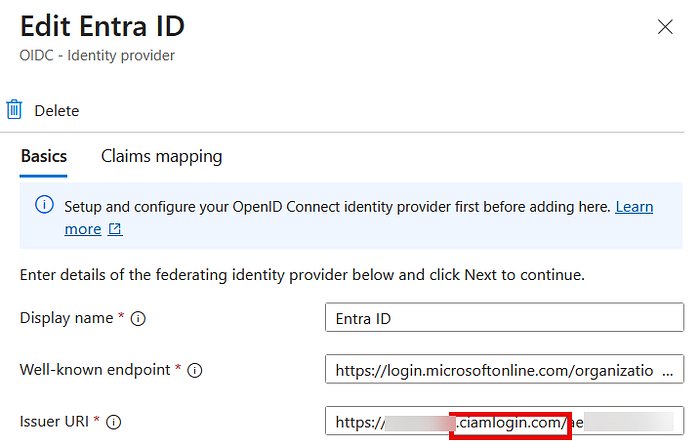
The critical modification is in the "Issuer URI" field. Instead of using the standard onmicrosoft.com domain, you need to change it to ciamlogin.com. This simple domain swap appears to bypass the official restrictions while maintaining the federation functionality.
Configuration Steps
EEID Configuration
After modifying the Issuer URI, you'll need to configure the claims mappings appropriately. The specific claims you use will depend on your requirements, but the basic setup allows for successful federation.
Entra ID Configuration
In your Entra ID app registration, you'll need to add specific redirect URIs:
https://<tenant-subdomain>.ciamlogin.com/<tenant-ID>/federation/oauth2https://<tenant-subdomain>.ciamlogin.com/<tenant-subdomain>.onmicrosoft.com/federation/oauth2
These should be added under the "Web" platform configuration.
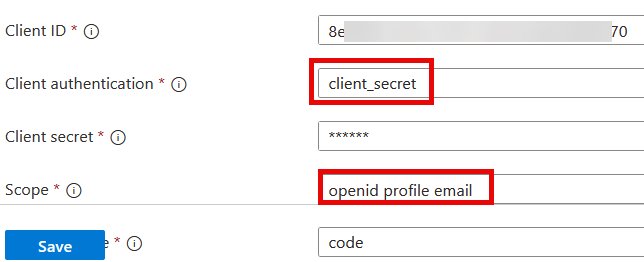
Under "Supported accounts," ensure the appropriate account types are selected. In the "Settings" section, you'll need to configure token settings and add the necessary app permissions.
Critical Requirements
The user attempting to authenticate must have an email address associated with their account. Without this, the federation flow will fail.
The Result
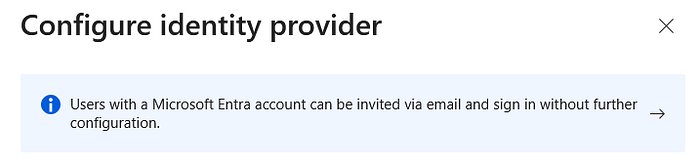
Once configured correctly, users will see the familiar Entra ID login interface when attempting to access the EEID-protected application. They can authenticate using their standard Entra ID credentials, and upon successful authentication, receive a JWT token.
Important Caveats
This approach is not a documented feature and may be changed or removed by Microsoft at any time. The author notes that while the basic flow works, it hasn't been fully tested in all scenarios. Organizations considering this approach should be aware of the potential risks and limitations.
The workaround demonstrates how sometimes the boundaries between officially supported and unsupported configurations can be more flexible than documented, though this flexibility comes with the inherent risk of future breaking changes.
For organizations needing immediate federation capabilities between Entra ID and EEID tenants, this workaround provides a viable option, albeit with the understanding that it exists in a gray area of official support.
Comments
Please log in or register to join the discussion