
Practical insights on migrating data between services, covering ETL approaches, tool selection, and critical trade-offs based on real-world experience.

Migrating data between systems presents unique engineering challenges that extend beyond simple data transfer. Having recently migrated tens of thousands of audit records between services, I gained firsthand experience with the complexities involved in large-scale data movements.
Understanding Migration Fundamentals
Data migration involves extracting information from a source system (database, spreadsheet, or API), transforming it to match the target system's schema, and loading it while preserving integrity. Motivations vary:
- Replacing legacy systems
- Enabling service interoperability
- Meeting urgent operational needs
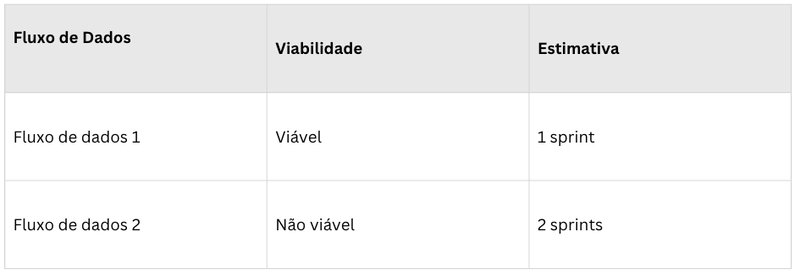
Engineering teams must evaluate technical viability by analyzing:
- Data volumetrics: Record counts and payload sizes
- Structural complexity: Nested relationships and dependencies
- Business rule mapping: State transitions and validation logic

The ETL Framework Explained
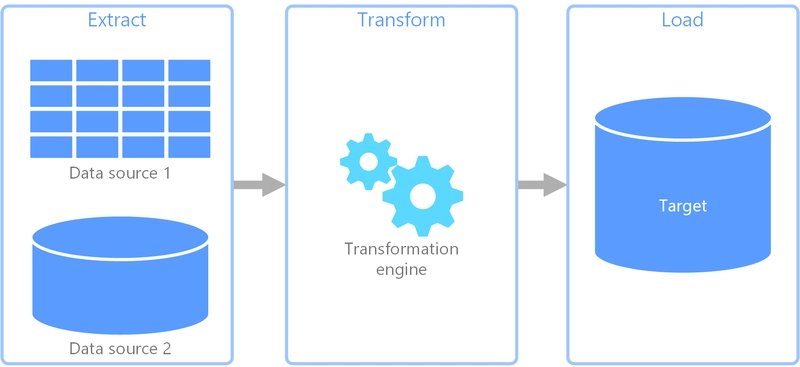
Most migrations follow the ETL pattern:
Extraction:
- Pull data from source systems
- Handle pagination and rate limits
- Preserve original data fidelity
Transformation:
- Map source fields to destination schema
- Resolve data type mismatches
- Apply business logic conversions
Loading:
- Implement idempotent writes
- Handle conflicts and duplicates
- Maintain data integrity constraints
While ETL provides structure, it's not a universal solution. For one-time migrations, simpler approaches often prove more efficient.
Strategic Tool Selection
Small-scale migrations (under 10k records):
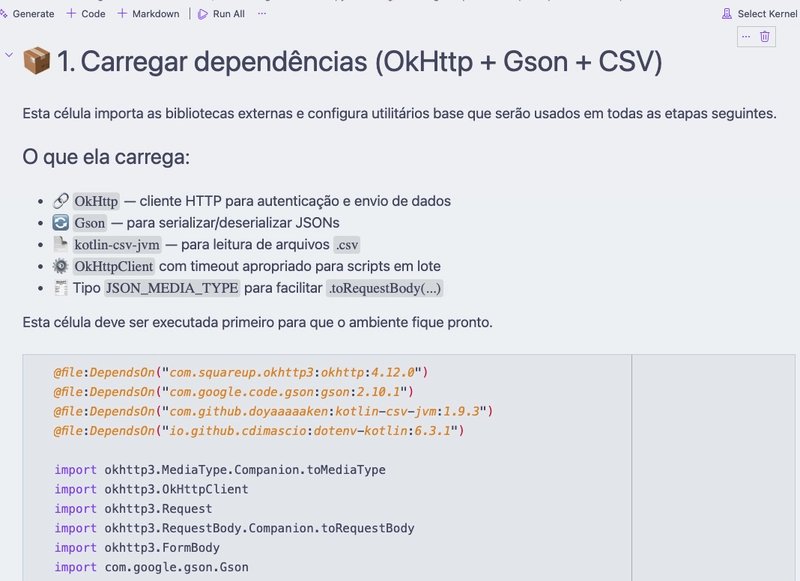
- Jupyter Notebooks provide ideal exploratory environments
- Python/Pandas excels at quick data wrangling
- Benefits: Rapid iteration, visual data inspection
Large/complex migrations:
- Dedicated CLI applications offer control and predictability
- Go/Rust provide performance advantages
- Essential features:
- Progress tracking
- Batch processing
- Transactional safety
- Rollback capabilities
Critical Implementation Challenges
Data Inconsistencies:
- Missing fields require default values or explicit null handling
- Soft-deleted records need special filtration
- Data validation rules must reconcile source/target differences
Cross-System Enrichment:
- External API calls introduce latency and failure points
- Caching strategies reduce redundant lookups
- Schema mapping becomes exponentially harder with multiple sources
Technical Trade-offs
| Dimension | Option A | Option B | When to Choose |
|---|---|---|---|
| Speed vs Accuracy | Fast migration | Data perfection | Urgent requirements vs audit-critical systems |
| Tooling | Notebooks | CLI Apps | Small datasets vs complex transformations |
| Scope | Essential data only | Full migration | Time constraints vs compliance needs |
| Processing | Batched | Single run | Large datasets requiring checkpoint recovery |
Execution Best Practices
- Test in staging: Validate with production-like data
- Implement dry runs: Verify transformations without writes
- Process in batches: Commit in chunks for recoverability
- Monitor incrementally: Validate each batch before proceeding
- Plan rollbacks: Design backward migration paths
Conclusion
The most successful migrations go unnoticed - a testament to careful planning and execution. Key takeaways:
- Migration complexity grows exponentially with data relationships
- Tool choices should match migration scope and recurrence
- Explicitly document trade-offs for stakeholder alignment
Ultimately, successful migrations balance technical constraints with business requirements while preparing for the unexpected. As one engineer wisely noted: "If nobody notices your migration happened, you probably did it right."
Comments
Please log in or register to join the discussion