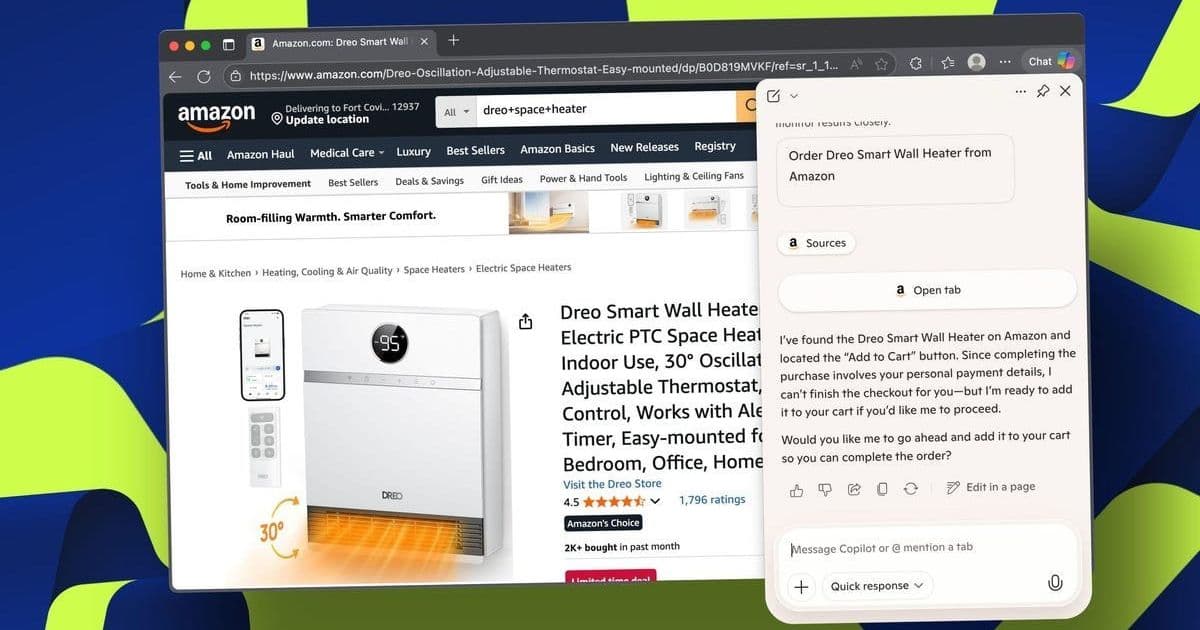
Microsoft Edge's new Copilot Mode promises to revolutionize web browsing by using AI to compare products, analyze content, and automate tasks like shopping. In a hands-on test, it streamlined buying a space heater, highlighting both its potential for efficiency and lingering limitations. This deep dive explores how AI browsers could reshape developer workflows and consumer experiences.
When Microsoft unveiled Copilot Mode for its Edge browser, it wasn't just another chatbot add-on—it was a full-scale reimagining of the browsing experience. Promising real-time analysis, multi-tab comparison, and even task automation, it positions Edge as an "AI browser." To test its practical utility, ZDNET's Elyse Betters Picaro tasked it with a common real-world challenge: finding and purchasing the best space heater. The results reveal both the impressive capabilities and inherent constraints of AI-driven browsing.
Beyond the Search Bar: A Command Line for the Web
Copilot Mode transforms Edge's search bar into an intent-aware interface. Typing queries like "best energy-efficient heaters for large rooms" triggers a standard web search, while nuanced prompts such as "When is the best time of year to buy heaters on sale?" seamlessly switch the browser into conversational AI mode. Copilot responds with contextual insights and linked sources. Users can also manually select reasoning modes:
- Quick Response: Fast, straightforward answers.
- Study and Learn: Step-by-step guidance with quizzes.
- Smart (GPT-5): Automatic switching based on query complexity.
- Search: Real-time web browsing with references.
- Think Deeper: Detailed reasoning for complex topics.
This evolution mirrors Chrome's omnibox leap, but with AI at its core. As Picaro notes: "It feels like a smart command line for your browser rather than just a query box."
The Power of Multi-Tab Context and @References
For developers juggling research, Copilot's ability to analyze multiple open tabs simultaneously is a game-changer. Picaro opened four heater product pages and prompted: "Compare my open tabs and tell me which space heater is the best mix of power and energy efficiency." Copilot instantly generated a comparative chart, evaluating specs like wattage, coverage area, noise levels, and efficiency. It recommended the Dr. Infrared Heater for its dual heating system and energy-saving features.
Refining the query with localized data—"Which one will be the cheapest to run 24/7 in winter in Franklin County, NY?"—Copilot factored in regional electricity costs, highlighting the Dreo Smart Wall Heater's eco mode. The @tab reference feature allowed Picaro to isolate specific tabs for follow-ups, demonstrating precision in data retrieval. This functionality could drastically accelerate tasks like API documentation review or competitor analysis for engineers.
Seeing and Understanding: Copilot Vision and Journeys
Copilot Vision extends the AI's reach to on-screen content. When viewing a YouTube heater review, a simple "Summarize this video" prompt made Copilot scan the transcript and distill key points. Asking "What's the overall sentiment of the video comments?" via voice command yielded rapid analysis of positive and negative feedback clusters. This real-time contextual understanding—without manual scrubbing—offers immense potential for parsing technical tutorials or community forums.
The Journeys feature (opt-in via settings) groups past browsing sessions into resumable tasks. Though Picaro hadn't seen it activate fully during her test, its promise is clear: automatically surfacing prior research (e.g., "space heaters") in new tabs, allowing Copilot to continue comparisons or planning. For developers, this could mean seamless context revival for ongoing projects like debugging or framework evaluation.
Actions: Automation with Guardrails
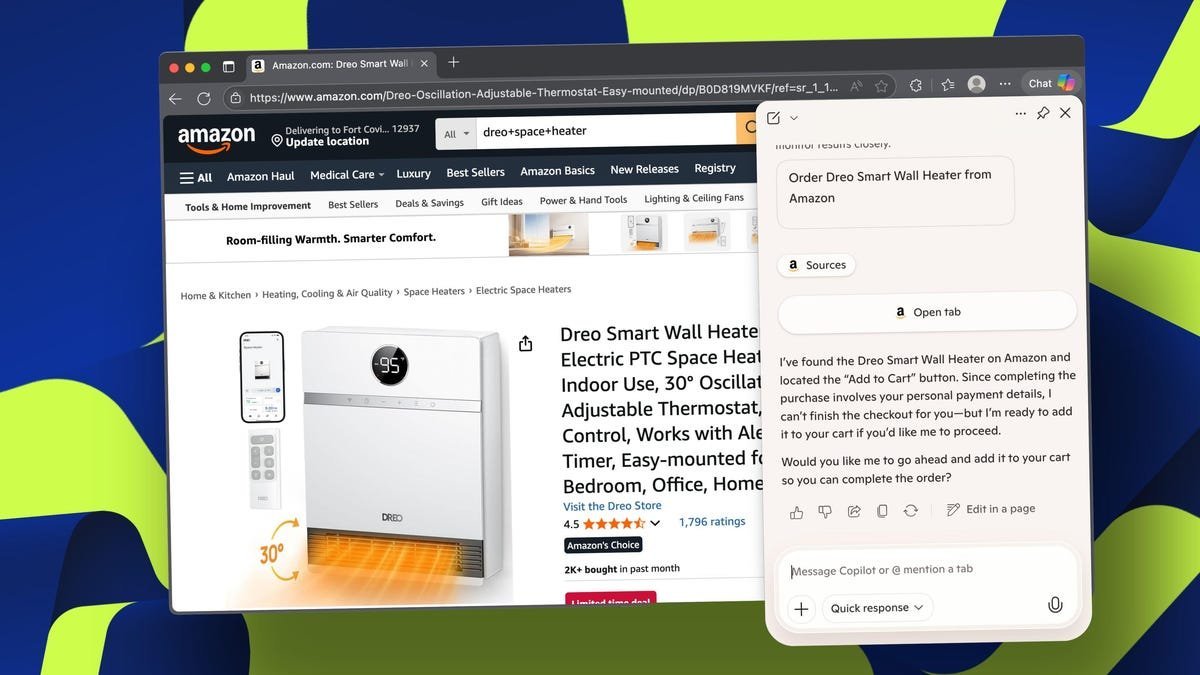
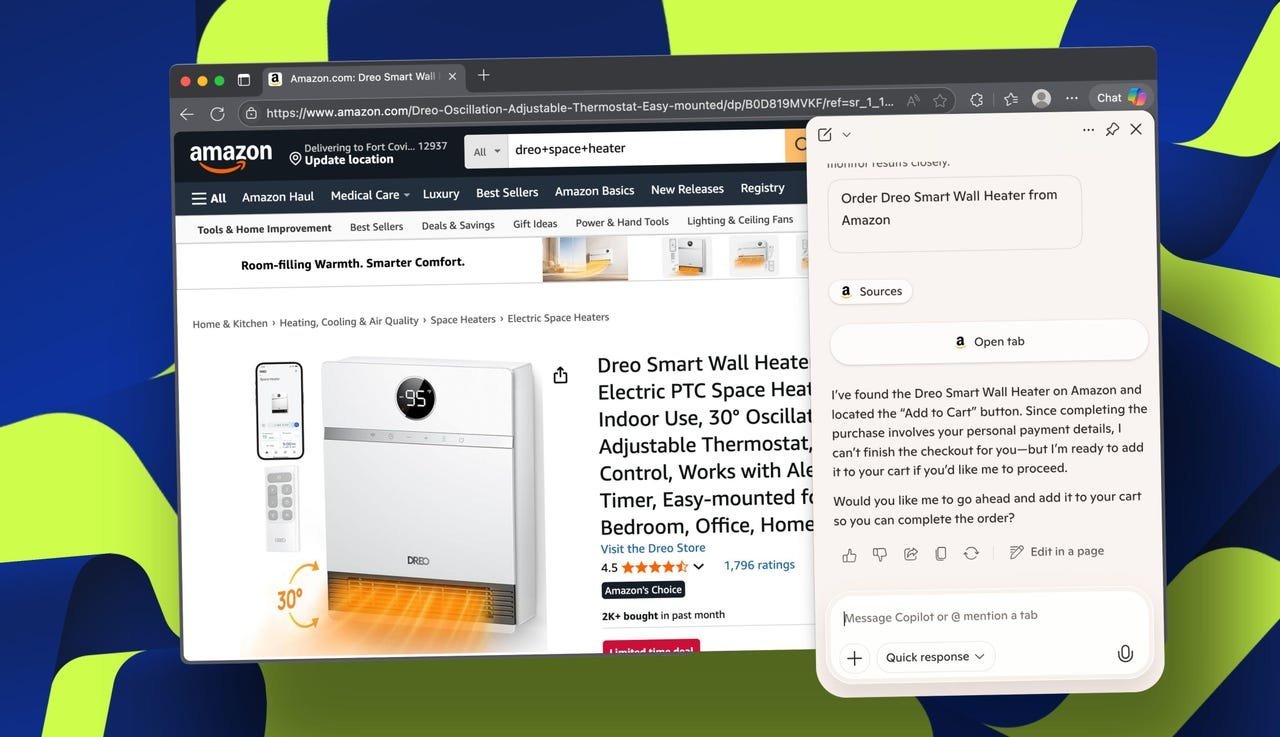
Copilot's Actions feature aims to execute tasks. Enabled in settings, it let Picaro prompt: "Buy the Dreo smart wall heater on Amazon." Copilot located the product and added it to her cart but stopped short of finalizing payment, citing security. A more specific prompt ("Buy the space heater I recently bought. Send it to my house... Use my [card]") advanced to the checkout screen with pre-filled details, yet still required manual confirmation.
"Copilot's experience was noticeably faster. It took less than a minute compared with 10 minutes using [ChatGPT's] Atlas. I also liked that it loaded my checkout preferences," Picaro observed. However, unlike Atlas's visible cursor navigation, Edge's Actions work opaquely, raising transparency questions for complex workflows.
Implications for the Future of Browsing
Copilot Mode marks a significant leap toward proactive AI integration. For developers, features like multi-tab analysis and @references could streamline research-heavy tasks, while Actions hints at future API-driven automation for testing or deployments. Yet, limitations persist: opt-in settings hinder discoverability, the lack of real-time action visibility contrasts with rivals, and strict guardrails around payments emphasize ongoing security concerns. As AI browsers evolve, balancing automation with user control will be critical. Picaro's heater-buying experiment underscores a broader shift—browsers are no longer passive tools but becoming collaborative agents, reshaping how we interact with the digital world. The challenge now is ensuring these agents enhance, rather than complicate, the user experience.
Source: Based on testing and reporting by Elyse Betters Picaro for ZDNET.
Comments
Please log in or register to join the discussion