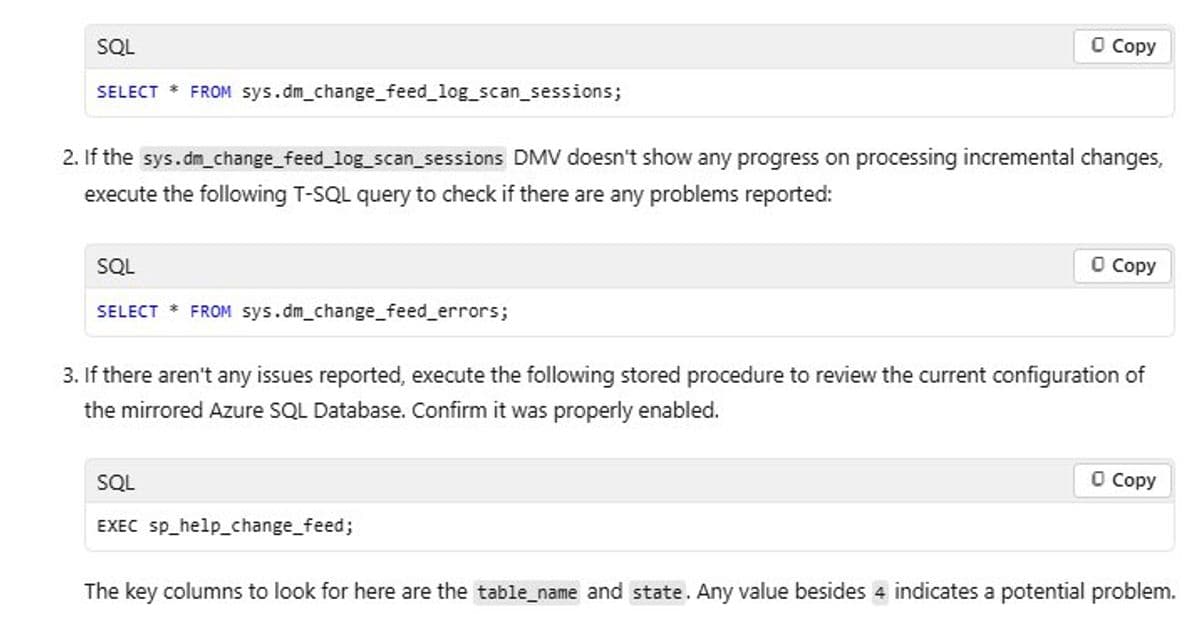
When Azure SQL Database mirroring in Microsoft Fabric shows 'Running' but no data replicates, the culprit is often missing service principal permissions. This deep dive explores the root cause and resolution.
When Azure SQL Database mirroring in Microsoft Fabric shows 'Running' but no data replicates, the culprit is often missing service principal permissions. This deep dive explores the root cause and resolution.
The Silent Failure: Healthy Status, Zero Data
A common scenario when using Mirroring in Fabric for Azure SQL Database is when everything appears healthy, yet no data is actually replicated. In this situation:
- The Fabric portal shows the mirror status as Running
- Tables are visible in the mirrored database
- No explicit errors are displayed in the Fabric UI
- Row counts remain at zero
This blog walks through a real-world troubleshooting scenario where mirroring looked healthy on the surface, but replication never started.
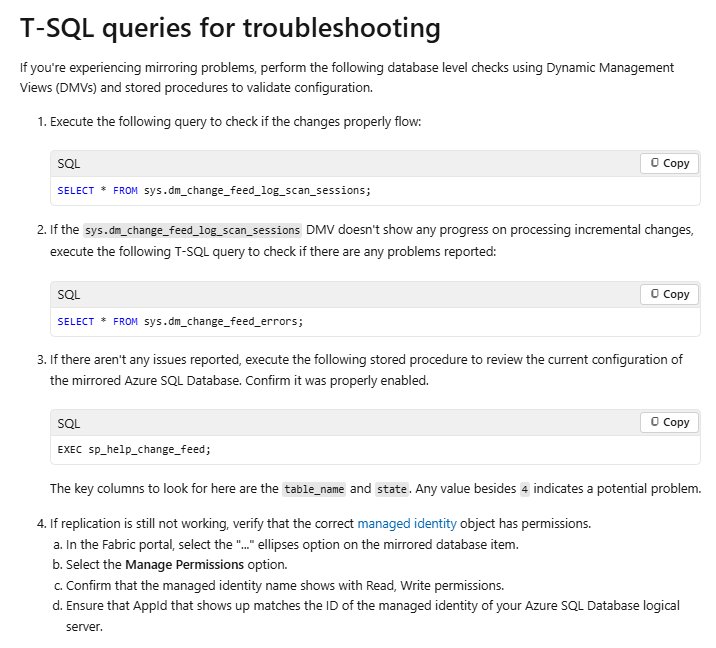
Investigating the Issue
When troubleshooting Fabric mirroring issues from this link, we found out in the last step for permission issues. The key steps are copied below:
The root cause was a permission issue. The Fabric identity (service principal or managed identity) did not have the required Read + Write permissions on the mirrored database item in Microsoft Fabric.
This is a classic case of a system appearing to function normally while silently failing. The mirroring process initializes and shows as "Running," but without proper permissions, it cannot actually read data from the source database or write it to the target.
Resolution: Granting the Right Permissions
Once the issue was identified, the fix was straightforward:
- Open the Microsoft Fabric portal
- Navigate to the mirrored Azure SQL Database item
- Select Manage permissions
- Grant Read + Write permissions to the Fabric service principal / managed identity
{{IMAGE:2}}
Results: From Zero to Replicating
After correcting the permissions:
- Snapshot initialization completed successfully
- Data replication resumed automatically
- Rows began populating in the Fabric mirrored database
Why This Happens
Fabric uses a service principal or managed identity to authenticate and access Azure resources. When setting up database mirroring, this identity needs explicit permissions to:
- Read data from the source Azure SQL Database
- Write data to the Fabric workspace
- Manage the mirroring process
Without these permissions, the mirroring engine can start but cannot perform its core function of data replication. The system shows "Running" because the service is active, but it's essentially locked out from doing any work.
Prevention and Best Practices
To avoid this issue in the future:
- Verify permissions during setup - Always check that the Fabric service principal has Read + Write access to the mirrored database item
- Use the principle of least privilege - Grant only the permissions needed for the specific operation
- Monitor permission changes - Be aware that permission changes can break existing mirroring setups
- Document your service principals - Keep track of which identities are used for which services
References
- Troubleshoot Fabric Mirrored Databases From Azure SQL Database
- Database Engine events and errors (22000 to 22999)
- Microsoft Fabric Mirrored Databases from Azure SQL Database
Key Takeaway
When troubleshooting Fabric mirroring issues, don't just look at the status indicators. A "Running" status doesn't guarantee data is flowing. Always verify that the underlying service principal has the necessary permissions to perform the replication work.
Comments
Please log in or register to join the discussion