
Mozilla’s Firefox 151 adds PDF merging, a new Home‑page layout and, crucially, the ability to export and restore user profiles across Windows, macOS and Linux. The update raises fresh questions about GDPR and CCPA compliance, especially around data portability, consent for synced extensions, and the security of backup files.
Firefox 151 rolls out new PDF tools and cross‑platform profile migration
Mozilla has pushed Firefox 151 out of beta and is now delivering it to stable‑channel users. While the update does not yet appear in automatic roll‑outs, the release notes are public and highlight two user‑facing improvements that intersect directly with data‑protection law:
- Built‑in PDF editor – beyond the familiar split‑page function, the browser can now merge multiple PDFs into a single document, eliminating the need for a third‑party viewer.
- Cross‑OS profile backup – the Firefox Backup utility, previously limited to Windows 10/11, now works on Linux and macOS. Users can export a complete profile—including extensions, themes, bookmarks and saved passwords—and restore it on a different operating system.
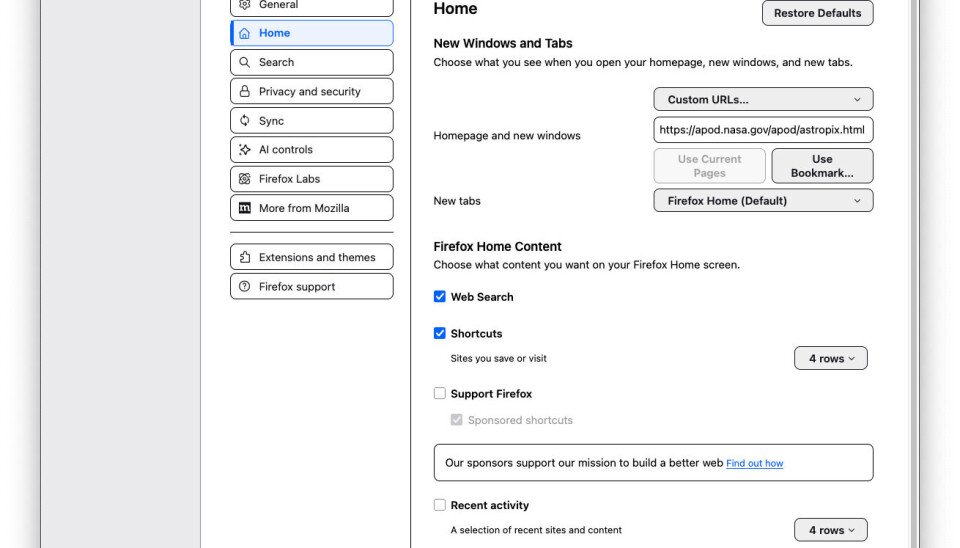
These features are convenient, but they also trigger obligations under the EU General Data Protection Regulation (GDPR) and the California Consumer Privacy Act (CCPA). Below we break down the legal basis, the impact on users and companies, and the steps Mozilla and its users should take to stay compliant.
Legal basis for the new functionality
| Regulation | Relevant Article | Why it matters for Firefox 151 |
|---|---|---|
| GDPR | Art. 20 – Right to data portability | Exporting a profile is a classic example of a data‑subject exercising their right to receive personal data in a structured, commonly used format and to transmit it to another controller. Mozilla must ensure the exported file is machine‑readable and that the process does not expose data to unauthorized parties. |
| GDPR | Art. 32 – Security of processing | Profile backups contain passwords, cookies and browsing history. Mozilla must apply "state‑of‑the‑art" encryption and integrity checks to protect the file both at rest and during transfer between devices. |
| CCPA | Sec. 1798.105 – Right to access and data portability | California residents can request that a business transmit personal information they hold to a third party. The cross‑OS restore feature effectively fulfills that request, provided the user can obtain the data in a portable format without additional fees. |
| CCPA | Sec. 1798.150 – Reasonable security measures | The law requires reasonable safeguards for stored personal information. If the backup file is stored unencrypted on a local drive, Mozilla could be deemed non‑compliant. |
Impact on users and companies
For end‑users
- Greater control – Users can now move their entire browsing ecosystem from a Windows machine to a Linux laptop without re‑installing every extension manually. This aligns with the GDPR’s emphasis on giving individuals control over their data.
- New privacy risk – The backup file includes saved passwords and session cookies. If a user stores the file on an insecure medium (e.g., an unencrypted USB stick), they risk exposing credentials to anyone who obtains the drive.
- Transparency requirement – Under both GDPR and CCPA, Mozilla must clearly explain what data is included in the backup, how it is encrypted, and how long the file will be retained on the user's device.
For Mozilla and downstream distributors
- Compliance documentation – Mozilla will need to update its privacy notice to describe the profile‑export feature, the legal basis for processing (legitimate interest vs. consent), and the security measures applied.
- Potential fines – Non‑compliance with Art. 32 GDPR can attract penalties up to €20 million or 4 % of global annual turnover, whichever is higher. CCPA violations can lead to statutory damages of up to $7,500 per incident.
- Developer ecosystem – Extension developers must ensure their add‑ons do not leak data when the profile is exported. Mozilla may need to audit popular extensions for compliance with data‑minimisation principles.
What changes are required to stay on the right side of the law
- Encrypt backup files by default – Mozilla should ship the backup utility with AES‑256 encryption, prompting the user for a strong passphrase before the file is written.
- Provide a machine‑readable export schema – The exported profile should be a JSON or CSV package that complies with the GDPR’s “structured, commonly used” requirement, and include a manifest describing each data element.
- Update privacy notices – The Firefox privacy policy must contain a dedicated section on profile backup, describing the data categories involved, the purpose (user convenience and data portability), and the security safeguards.
- Offer granular consent – Users should be able to opt‑out of backing up certain categories (e.g., saved passwords) while still exporting bookmarks and extensions.
- Audit third‑party extensions – Mozilla’s Extension Review Team should verify that popular add‑ons do not store personal data in a way that would be unintentionally included in the backup without the user’s explicit consent.
- Educate users – A short in‑app tutorial or help‑center article should explain best practices for storing the backup file (e.g., using encrypted cloud storage or a password‑protected drive).
The broader significance
Firefox 151’s cross‑OS profile feature is a concrete step toward the GDPR’s vision of data portability. By allowing a user to move their digital identity between operating systems, Mozilla demonstrates that privacy‑by‑design can coexist with convenience. However, the feature also illustrates how quickly technical innovation can outpace regulatory guidance. Companies that adopt similar capabilities must treat the backup file as personal data, apply strong encryption, and be ready to respond to data‑subject requests within the statutory timeframes (30 days under GDPR, 45 days under CCPA).
For users who value both freedom of choice and privacy, the new PDF merging tool and the revamped Home screen are pleasant bonuses, but the real story is the empowerment to carry one’s browsing persona across platforms without surrendering control to a cloud service. If Mozilla follows through on the security recommendations above, Firefox 151 could become a benchmark for privacy‑respectful feature development.
Sources
- Mozilla Firefox 151 release notes – https://www.mozilla.org/en-US/firefox/151.0/releasenotes/
- GDPR text, Article 20 and Article 32 – https://gdpr.eu/
- CCPA text, Sections 1798.105 and 1798.150 – https://oag.ca.gov/privacy/ccpa
Comments
Please log in or register to join the discussion