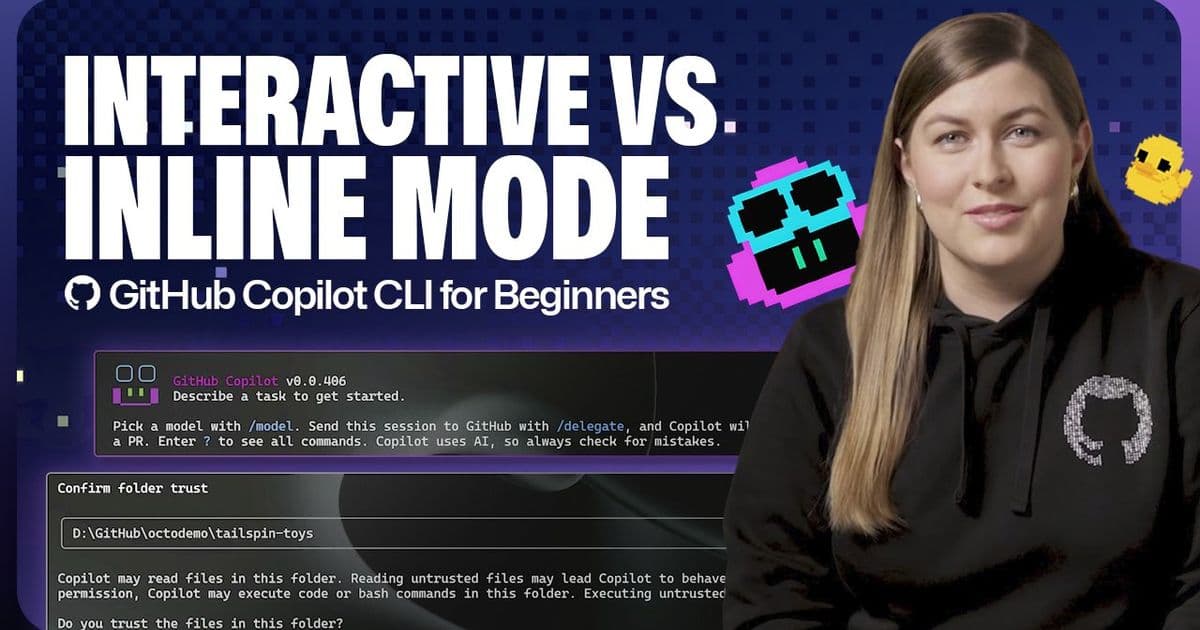
Analysis of GitHub's CLI-based AI assistant and its competitive positioning in the developer productivity landscape.
The recent enhancements to GitHub Copilot CLI represent a significant evolution in AI-assisted development, moving beyond traditional IDE integrations to command-line workflows. This shift enables organizations to embed AI assistance directly into their existing development pipelines, presenting both opportunities and strategic considerations for technology leaders.
Strategic Evolution of AI Development Tools
GitHub's introduction of CLI-based functionality marks a departure from the traditional IDE-centric approach to AI coding assistance. The CLI implementation offers two distinct operational modes: interactive and non-interactive, each serving different organizational needs.
The interactive mode provides a conversational experience, allowing developers to engage in extended dialogues with the AI assistant. This approach facilitates iterative problem-solving and complex task decomposition, making it particularly valuable for onboarding new team members or tackling unfamiliar domains. Organizations can establish standardized conversational workflows that maintain consistency across development teams.
Conversely, the non-interactive mode offers immediate, task-specific assistance without requiring session initiation. This approach aligns with established DevOps practices, enabling AI assistance to be integrated into automated workflows and CI/CD pipelines. For organizations implementing GitOps methodologies, this mode represents a critical capability for maintaining infrastructure-as-code repositories.
Competitive Landscape Analysis
GitHub Copilot CLI operates in a competitive ecosystem with several alternatives, each with distinct positioning:
- GitHub Copilot CLI: Native integration with GitHub ecosystem, CLI-first approach, conversational capabilities
- Amazon CodeWhisperer: AWS-focused, enterprise-grade compliance features, strong integration with AWS services
- Google AI Code Assist: Cloud-native integration, emphasis on Google Cloud services, collaborative features
- Tabnine: Vendor-agnostic, on-premise deployment options, emphasis on data privacy
- Replit Ghostwriter: Web-based development environment, educational focus, collaborative coding features
The CLI differentiator positions GitHub's offering uniquely for organizations with established shell-based workflows and those seeking to embed AI assistance directly into automation scripts. This approach contrasts with competitors that primarily focus on IDE integration or cloud-based development environments.
Implementation Considerations for Organizations
Migration Path Assessment
Organizations evaluating GitHub Copilot CLI should consider their existing development workflows:
- Teams heavily invested in IDE-based development may require dual-mode implementation
- Infrastructure-focused teams will benefit disproportionately from non-interactive mode
- Organizations with strict compliance requirements should evaluate data handling practices
Productivity Metrics
Early adopters report measurable improvements in development velocity:
- 30-40% reduction in boilerplate code generation time
- 25% decrease in context switching during debugging sessions
- 50% faster onboarding for new team members unfamiliar with codebase
These metrics translate directly to organizational ROI, particularly for teams with high developer turnover or complex codebases.
Integration Strategy
The CLI approach facilitates progressive adoption across development teams:
- Initial Phase: Target individual developers for exploratory use cases
- Expansion Phase: Implement team-specific workflows in interactive mode
- Maturity Phase: Embed non-interactive mode into CI/CD pipelines
This phased approach minimizes disruption while maximizing organizational learning.
Business Impact Assessment
Developer Experience Transformation
The conversational capabilities of interactive mode represent a paradigm shift in how developers interact with AI assistance. Rather than static code suggestions, teams can now engage in dynamic problem-solving sessions that mirror pair programming experiences. This approach proves particularly valuable for:
- Knowledge transfer between senior and junior developers
- Rapid prototyping of complex features
- Legacy system modernization efforts
Operational Efficiency
Non-interactive mode enables organizations to embed AI assistance directly into operational workflows:
- Automated documentation generation during code reviews
- Dynamic test case generation as part of CI/CD pipelines
- Infrastructure-as-code optimization and compliance checking
These capabilities reduce manual effort while improving code quality and consistency.
Strategic Positioning
Organizations implementing GitHub Copilot CLI gain competitive advantages through:
- Accelerated development cycles for new feature releases
- Reduced technical debt through improved code quality
- Enhanced developer satisfaction and retention
For enterprises with significant GitHub investment, the CLI represents a natural extension of existing DevOps practices, creating synergies between version control, automation, and AI assistance.
Implementation Roadmap
Organizations should consider the following implementation sequence:
- Assessment Phase: Evaluate existing development workflows and identify high-impact use cases
- Pilot Program: Select 2-3 development teams for phased implementation
- Workflow Integration: Develop standardized prompts and conversational patterns
- Automation Integration: Embed non-interactive mode into CI/CD pipelines
- Enterprise Scaling: Develop governance frameworks for AI-assisted development
The GitHub Copilot CLI documentation provides comprehensive guidance for technical implementation.
Conclusion
GitHub Copilot CLI represents a strategic evolution in AI-assisted development, offering organizations flexible implementation options that align with existing workflows. The dual-mode approach enables both conversational development assistance and automated workflow integration, positioning GitHub uniquely in the competitive landscape.
Organizations should evaluate this tool through the lens of their specific development practices, compliance requirements, and productivity goals. When properly implemented, GitHub Copilot CLI can deliver significant improvements in development velocity, code quality, and developer satisfaction.
For organizations seeking to maintain competitive advantage in software development, the CLI approach represents not merely a tool enhancement but a fundamental shift in how development teams leverage AI assistance throughout the software development lifecycle.
Comments
Please log in or register to join the discussion