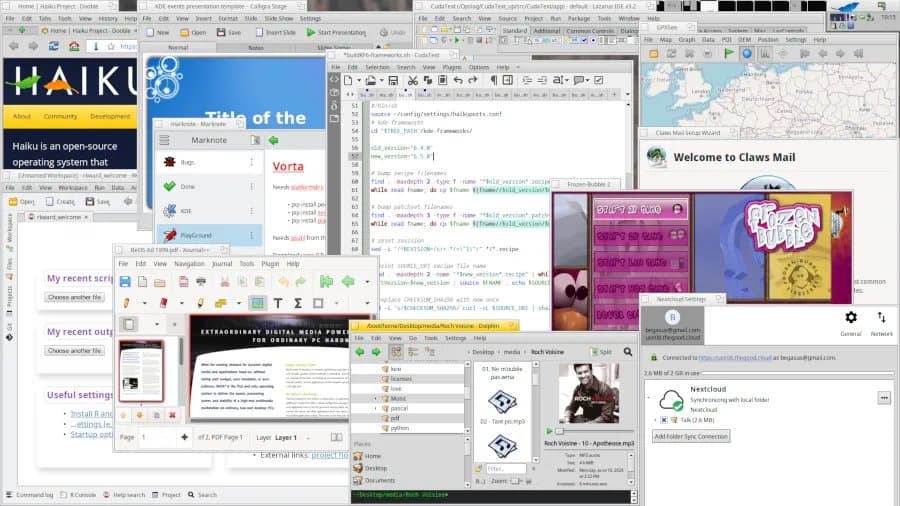
Haiku OS makes significant progress on touchpad functionality and POSIX compliance while continuing development toward Beta 6 release.
The Haiku open-source operating system project, inspired by the classic BeOS, has made substantial progress in January 2026 with improvements spanning kernel development, device drivers, and user-space software. The project published its monthly status report highlighting key advancements that bring the operating system closer to its next major milestone.
Touchpad Support Reaches New Heights
One of the most significant achievements for Haiku in January was the completion of new touchpad functionality. The development team has implemented comprehensive support for modern touchpad features that users expect from contemporary operating systems.
The enhanced touchpad support now includes:
- Two-finger scrolling for intuitive navigation
- Edge motion detection for precise cursor control
- Software button areas for configurable input zones
- Click finger support for multi-touch gestures
- Compatibility with newer Elantech touchpads
This advancement represents a major step forward for Haiku's usability on laptop devices and modern hardware configurations. The implementation brings Haiku's touchpad capabilities closer to what users experience on mainstream operating systems like Windows, macOS, and Linux distributions.
Networking and Hardware Driver Improvements
Beyond touchpad enhancements, Haiku developers have focused on expanding hardware compatibility. The Realtek rtl8125 driver has been synchronized with upstream OpenBSD code, improving support for newer networking hardware. This cross-pollination with other open-source projects demonstrates Haiku's commitment to leveraging existing solutions while maintaining its unique architecture.
POSIX 2024 Compliance Progress
Haiku has implemented additional functionality mandated by the POSIX 2024 specification. This ongoing work to meet modern POSIX standards is crucial for software compatibility and ensures that Haiku can run a broader range of applications and utilities that expect POSIX-compliant environments.
User Interface and System Utilities
The January update also addressed several user experience issues:
- Fixed missing locking in the file panel constructor, resolving broken open/save panel appearances across various applications
- Added a disk image menu to DriveSetup, eliminating the need to use command-line tools for disk image management
- Implemented IPv6 support for telnet and netstat utilities
These improvements may seem incremental but significantly enhance the overall user experience and system administration capabilities within Haiku.
Beta 6 Development Continues
The Haiku team concluded their January report by acknowledging that while many issues have been resolved, additional work remains before the long-awaited Haiku r1 beta 6 release can be finalized. The project continues to balance feature development with stability improvements as it approaches this significant milestone.
The January 2026 progress demonstrates Haiku's steady advancement as an alternative operating system. With improved touchpad support bringing modern input capabilities, expanded hardware compatibility through driver updates, and ongoing POSIX compliance work, Haiku continues to evolve while maintaining its BeOS-inspired design philosophy.
For users and developers interested in following Haiku's development, the project maintains active community channels and regular status reports that provide transparency into the ongoing work toward making Haiku a viable daily driver operating system.
The combination of modern hardware support and classic BeOS principles positions Haiku as a unique player in the operating system landscape, appealing to both nostalgia-driven users and those seeking alternatives to mainstream platforms.
Comments
Please log in or register to join the discussion