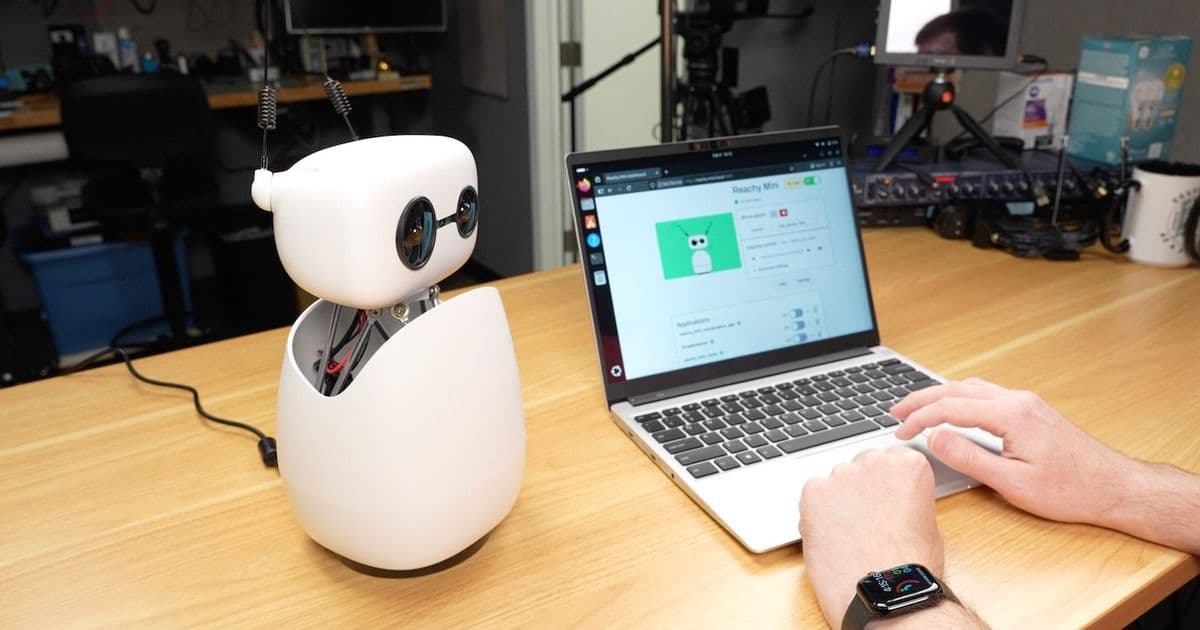
Hugging Face's Reachy Mini robot promises agentic AI in a small package, but my testing revealed privacy concerns, setup challenges, and a learning curve that falls short of the "utterly trivial" experience shown in Jensen Huang's CES keynote.
When I saw Jensen Huang introduce the Reachy Mini at CES, I thought it was a gimmick. His keynote showed this little robot responding to human input, turning its head to look at a TODO list on the wall, sending emails, and turning drawings into architectural renderings with motion. HuggingFace and Pollen robotics sent me a Reachy Mini to test, and, well, at least if you're looking to replicate that setup in the keynote, it's not, as Jensen put it, "utterly trivial now."
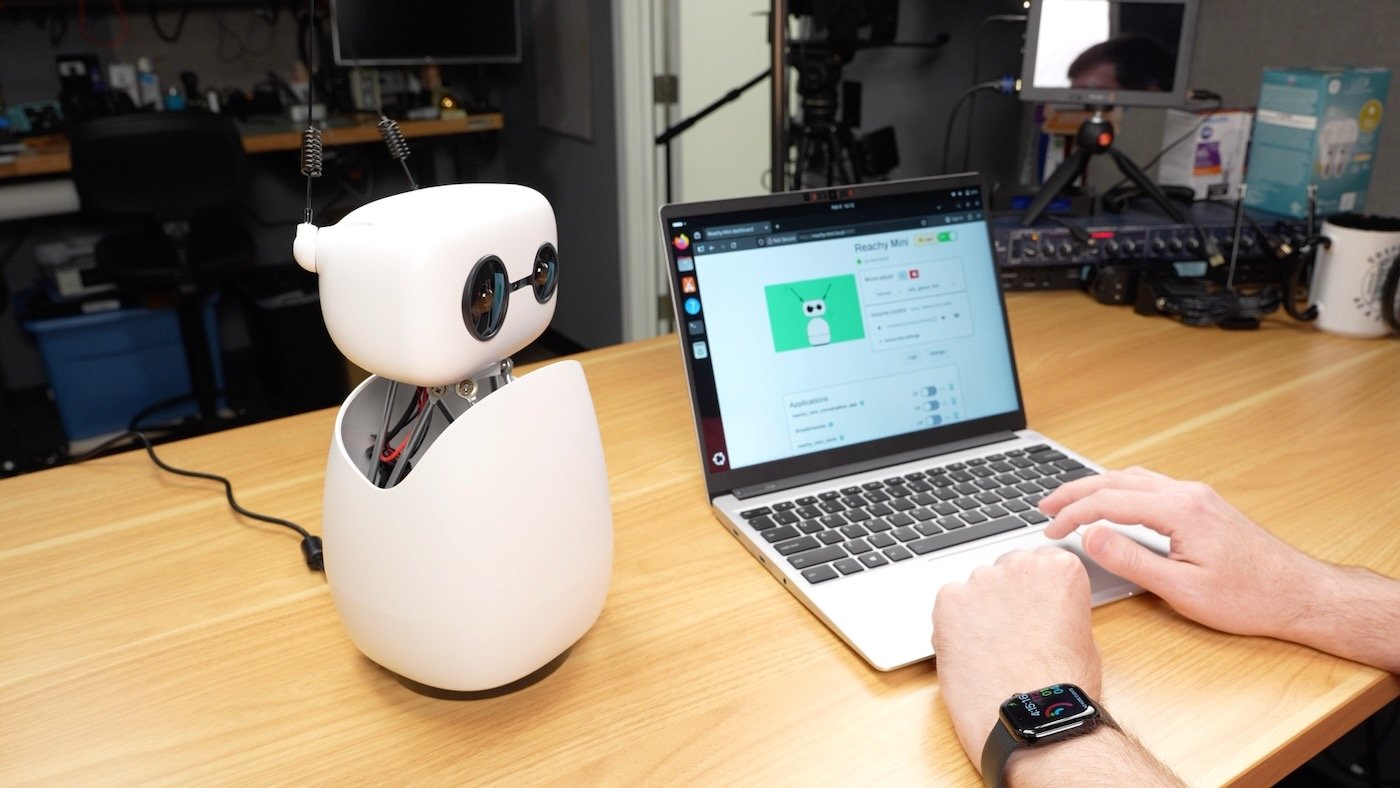
On the promise of that keynote, I accepted a review unit, and promptly put it together, with some assistance from my kids. The older kids were interested throughout, but my youngest (1-year-old) was more interested in slamming various parts into the table to make loud sounds, so he had to sit out most of the build.
I decided to open up the Conversation App (which connects Reachy Mini to Open AI for real-time interactive chat), and see what would happen if I let my kids start talking. What happened next alarmed me.
Within seconds of starting the conversation app, my daughter told the robot her name. Before the first couple minutes were up, she started providing the names of her siblings and pointing them out so Reachy could aim the camera around and learn who 'he' was talking to. (The kids quickly anthropomorphised Reachy Mini...).
It was not going well, so I quickly stopped the app, under the fear my kids would provide Sam Altman's privacy-invading company with even more data on my family than it has already scraped from every posting ever made on the Internet. I explained how they should treat robots and conversational AI as they would a stranger, and not be so forthcoming.
When I turned on the app again, they quickly set out to confuse the bot about who was talking to it. Better, but I'd still give my kids at most a few minutes into a future robot apocalypse before they, too, would turn into human batteries.
This blog post is a companion to today's video on my YouTube channel, which you can watch below:
Reachy Mini Wireless
For the privacy-conscious, Reachy Mini does not require OpenAI. In fact, the $449 Wireless version I'm testing runs off a Raspberry Pi CM4, so you could flash your own OS and controls to it if you want (or modify any of the reachy-mini source).
The intention isn't to replace human interaction, rather it's to inspire learning. To help with the safety aspects, at least physically, Reachy Mini is small and somewhat weak. It shouldn't be able to cause physical harm like Blinky™ could.
The first time I set up Reachy Mini at home, I did have some trouble—eventually I diagnosed the problem as an IPv6 DNS resolution error. I do have concerns about the 'open by default' nature of the little robot's APIs and web UI, and especially over apps like the conversation app immediately connecting to OpenAI servers without any form of consent. It could quickly become an attack vector if it's not locked down in any way.
But I think those issues can be ironed out, along with problems like most of the documentation links on Seeed Studio's Getting Started page linking to pages that don't exist.
Build
The robot only comes in kit form, so you have to put it together. All the plastic parts are made of molded ABS, and were sturdy and fit together well. They included a HuiJiaQi screwdriver that's honestly nicer than some of the ones I use at my workbench, so that was a pleasant surprise.
The assembly process is well-documented, and I enlisted the help of my kids to build it. The whole process took less than two hours—despite my 1-year-old's attempted destructive testing at the start :)
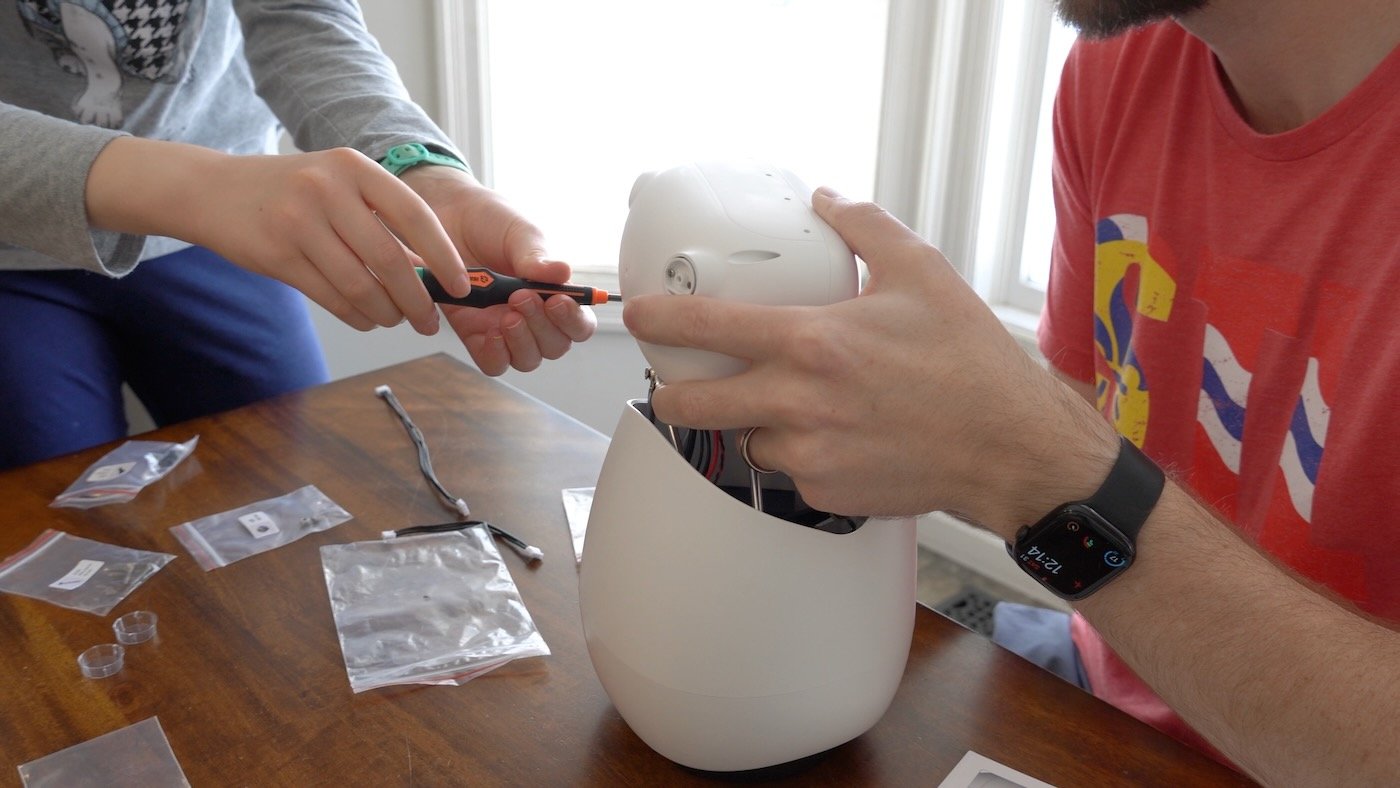
The 'eyes' are just 16mm C-mount fisheye lenses, snapped into some other pieces of convex glass, to create the illusion of depth, à la Wall-E's eyes. The actual 'eye' is a Raspberry Pi Camera Module 2, mounted in the middle of the face. Someone actually built an ESP32 project to light up the eye lenses, which is pretty cool, but I'd watch out if Reachy's eyes start turning red!
Quirks
As I mentioned earlier, the first time I tried booting it up, I was able to get Reachy to wake up through the Reachy Mini Control app on my Mac, but nothing else worked after that. Eventually I found out I had to open up Reachy to the Internet with DNS working over IPv4.
I don't like things requiring Internet access, especially if they have cameras, microphones, and are targeted at kids. But, the Seeed Studios privacy section states:
Reachy Mini does not send any data to Pollen Robotics or Hugging Face. All processing happens locally unless you explicitly configure cloud services.
So the Internet connection snafu I ran into is hopefully just a bug. I could still get to it over SSH without the Internet connection, so I'm still in control even without the app. That's the nice thing about it being open source: I can choose how I use it, and even flash my own OS to the Pi if I wanted.
I also had some trouble with controls and some of the apps, depending on the computer and network I was on—my Framework laptop running Firefox didn't seem to work with all the apps, and I couldn't get a live camera feed back to it running the Control app. But my Dell GB10 box did work, even though both were running Ubuntu 25.04 and the latest version of Firefox. Go figure!
The point is, don't expect this robot to run like Jenson said out of the box ("utterly trivial"). This is a robot built for learning, and it is not an appliance you can plug in and get instant agentic AI gratification.
Setup and Control
I was pleased to find a full Web API running, so I could hit the robot (at reachy-mini.local:8000) from anywhere on my network and run commands—though it would be nice to have at least minimal security built-in, like HTTP basic authentication.
You can use the Web API, the Web UI (if you have a Wireless version), the Control app on Mac, Windows or Linux, and there's even a full Python SDK. I wanted to test the Desktop App on my Pi laptop (so I could have a Pi, controlling a Pi, controlling a robot), but they don't have an Arm Linux build yet.
The desktop app runs pretty well on macOS, but I found it inconsistent on Linux.
Marionette
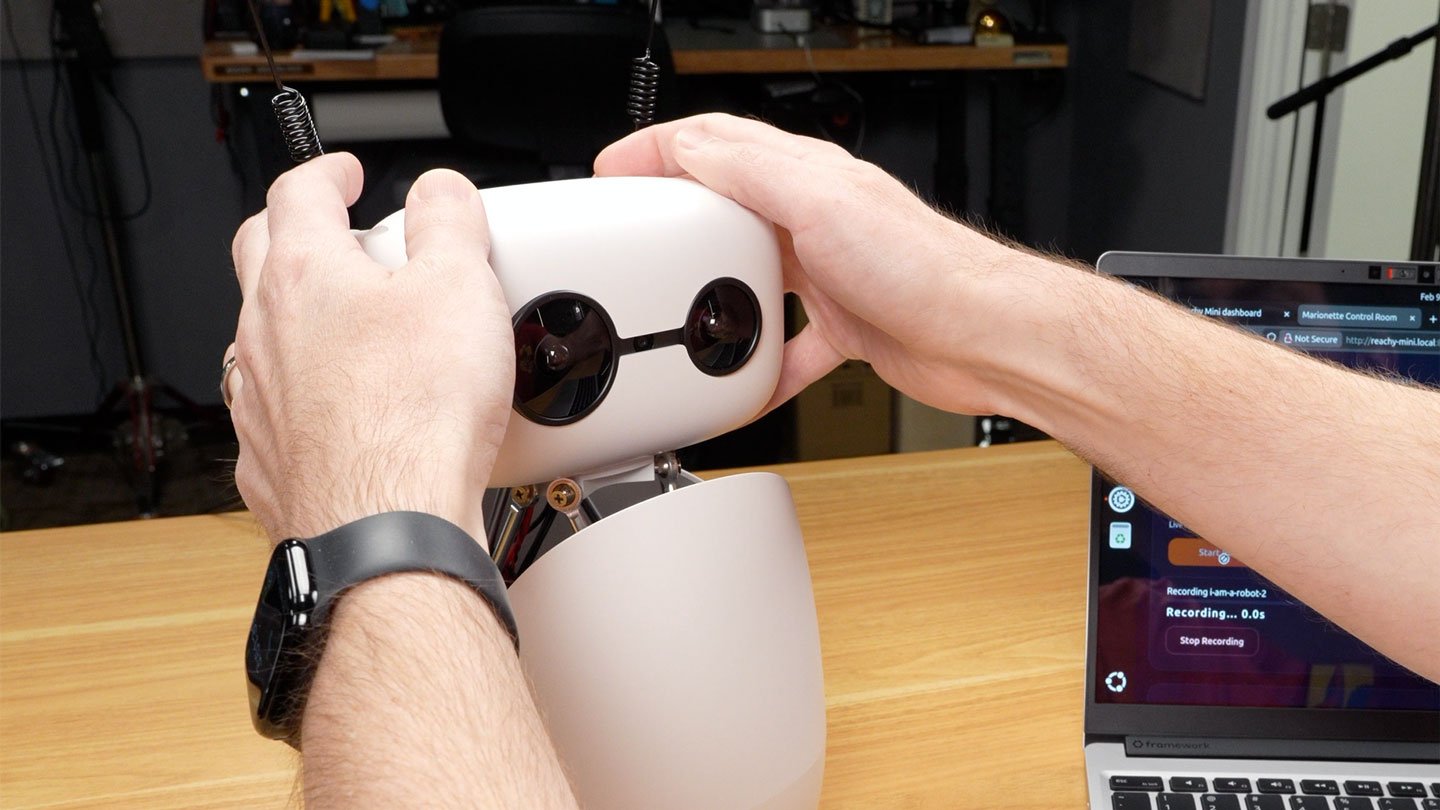
One of the easiest ways to demonstrate the hands-on nature of Reachy Mini is an app you can install (via one click in the UI) called 'Marionette'. Riley from LTT tested Marionette over on ShortCircuit to humorous effect, but in his brief time with it, didn't realize you had to open a separate web UI to record motions.
You start a recording, physically grab Reachy's head, and start moving it around. The app is supposed to record all that motion, then play it back, but in practice—at least on my Reachy Mini Wireless, the playback was a bit... off.
Other Apps
HuggingFace hosts a number of Reachy Mini Apps, from the conversation app and marionette I mentioned earlier, to a metronome that ticks to the beat of the antenna, a hand-tracking app (pictured below), a 'radio' you can tune in by twiddling the right antenna, and more.
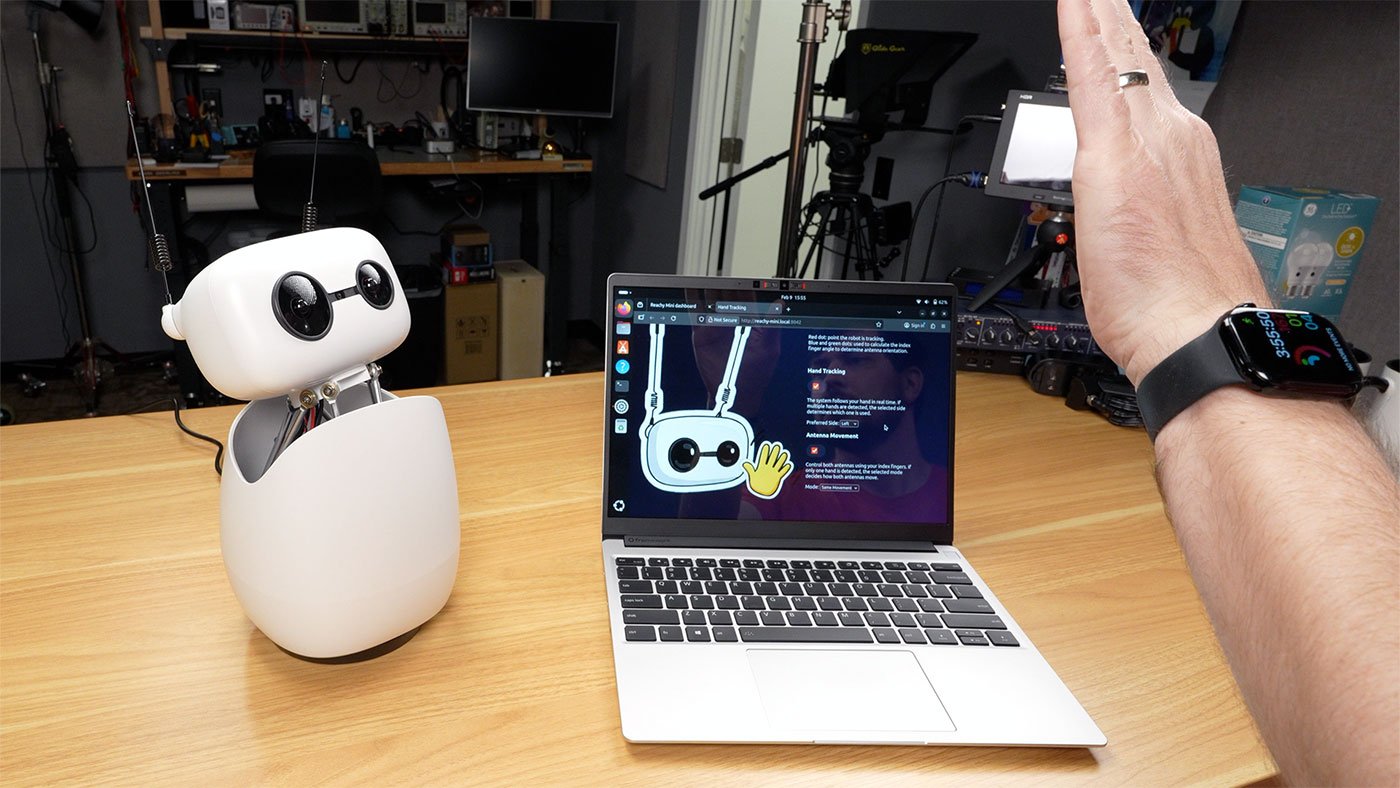
These demos are good fun, and stepping stones towards building your own customized apps. But they're nowhere near what Nvidia highlighted in the keynote (again, "utterly trivial"). They do show some promise; and HuggingFace has a blog post showing how they built their agentic demo—but it is a little beyond what I'd call "trivial". Especially if you want to run everything local.
The end result (a smart speaker that can emote, basically) isn't worth $449, but the learning experience and the ability to have it fully under my own control may be. Having the expressiveness of Reachy Mini is a step up from a basic smart speaker, in terms of interaction. My kids enjoy messing with Siri or Alexa, when they get a chance... but at certain points, it seemed they were talking with Reachy Mini, like they would another human.
There's a lot to be said about quick interaction loops and the ability to meld together mics and cameras in real-time. But that requires a lot of GPU compute, and right now, at least, the apps that show the potential (like the Conversation App), punt that off to the cloud.
For anything to move the needle, I want it to all run local—no Internet. Unfortunately, pricing out a DGX Spark alongside a Reachy Mini increases the price from $449 to $4,448.99!
Conclusion
Reachy Mini is a neat idea. They have a $299 Lite version where you have to plug it into a computer to run it, or the $449 Wireless version I tested. The software and docs aren't perfect, but they're great for someone who already knows a little bit about Linux and robotics.
If Pollen, HuggingFace, and Seeed Studios can keep the momentum going, I think the Reachy Mini could have a bright future for learning robotics.
Comments
Please log in or register to join the discussion