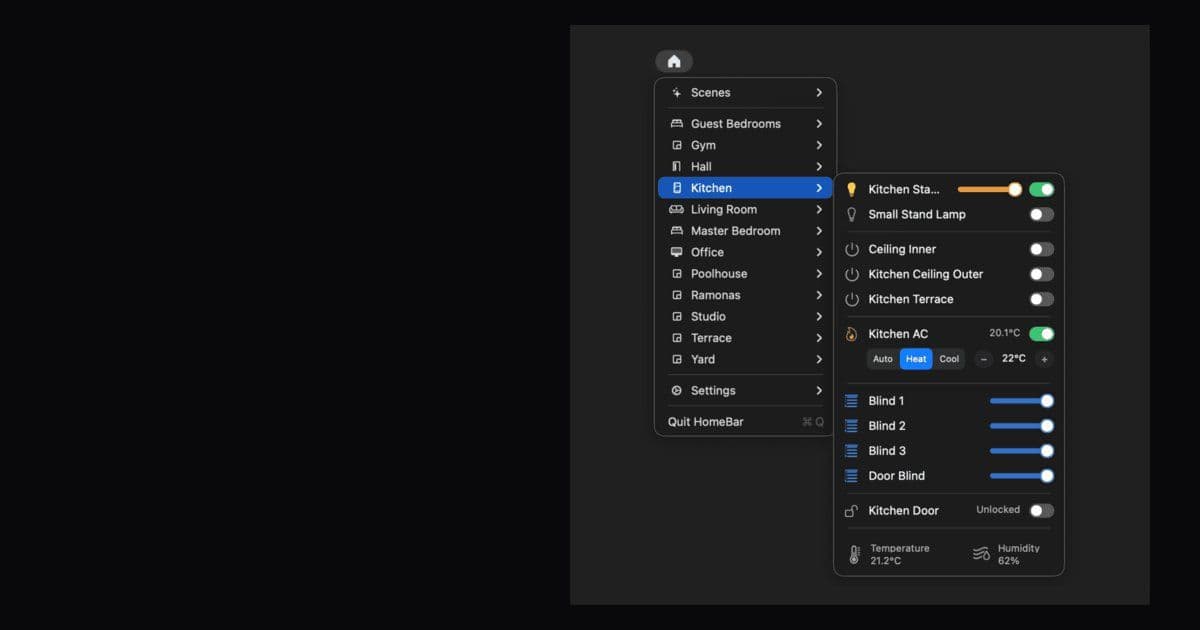
Itsyhome is a native macOS app that puts HomeKit smart home control in your menu bar, offering lightning-fast access to lights, cameras, locks, and more without the bloat of web views or subscriptions.
HomeKit users have long wanted easier access to their smart home devices without opening the full Home app. Itsyhome solves this by bringing your entire HomeKit setup directly to the macOS menu bar.
Native Speed, Zero Bloat
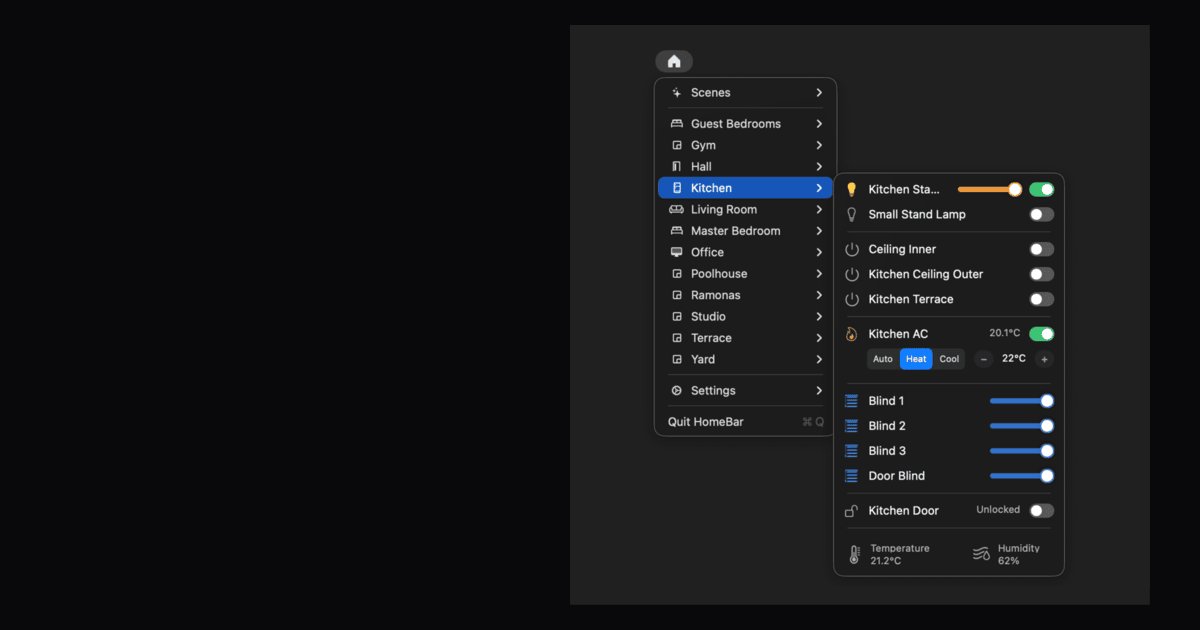
Built entirely with AppKit and Swift, Itsyhome launches instantly and uses virtually no CPU or memory while idle. Unlike Electron-based alternatives, it feels like a true macOS citizen alongside your other menu bar apps.
Control Everything From One Place
The app supports 18 different HomeKit device types with tailored controls for each:
- Lights: On/off, brightness, and color control
- Switches & outlets: Power management
- Door locks: Lock/unlock functionality
- Thermostats & AC units: Temperature and mode settings
- Fans: Power and speed control
- Blinds: Position and tilt adjustment
- Garage doors: Open/close operations
- Security systems: Arm and disarm
- Windows & doors: Position control
- Humidifiers & air purifiers: Environmental controls
- Valves & faucets: Water flow management
- Temperature & humidity sensors: Real-time readings
Smart Organization Features
Batch Control: Group multiple accessories for one-click control. Create groups like "All living room lights" or "Downstairs blinds" to manage entire rooms without tapping each device individually.
Quick Access Pins: Pin your most-used rooms, accessories, scenes, or groups directly to the menu bar for instant one-click access. No need to dig through menus.
Multi-Home Support: Manage all your HomeKit homes from one place. Switch between house, vacation home, or office instantly with separate configurations for each.
Declutter Mode: Hide accessories, scenes, or entire rooms you don't need to see. They remain fully functional in HomeKit but stay out of your way.
Power User Features
Keyboard Shortcuts: Assign global keyboard shortcuts to favorite devices and scenes. Toggle lights, lock doors, or trigger scenes system-wide without lifting your hands from the keyboard.
Camera Feeds: Live camera feeds right in your menu bar with quick-action buttons for gates, locks, and lights. Doorbell rings automatically pop up picture-in-picture windows.
Automation Tools:
- Deeplinks: Integrate with Shortcuts, Alfred, and Raycast via URL schemes
- Webhooks & CLI: Receive HTTP calls to trigger any device or scene
- Stream Deck Support: Control your home from physical buttons with live device state
No Subscription, Open Source
Itsyhome Pro is available as a one-time purchase on the App Store with Family Sharing included. The app is also open-source on GitHub, allowing users to contribute and customize their experience.
Community Response
Early adopters have praised the app's clean design and subscription-free model. Users particularly appreciate the attention to detail and native macOS feel that makes HomeKit control feel like it should have been there all along.
The app requires macOS Sonoma or later and works with any HomeKit-enabled smart home device that's already configured in the Apple Home app.
Comments
Please log in or register to join the discussion