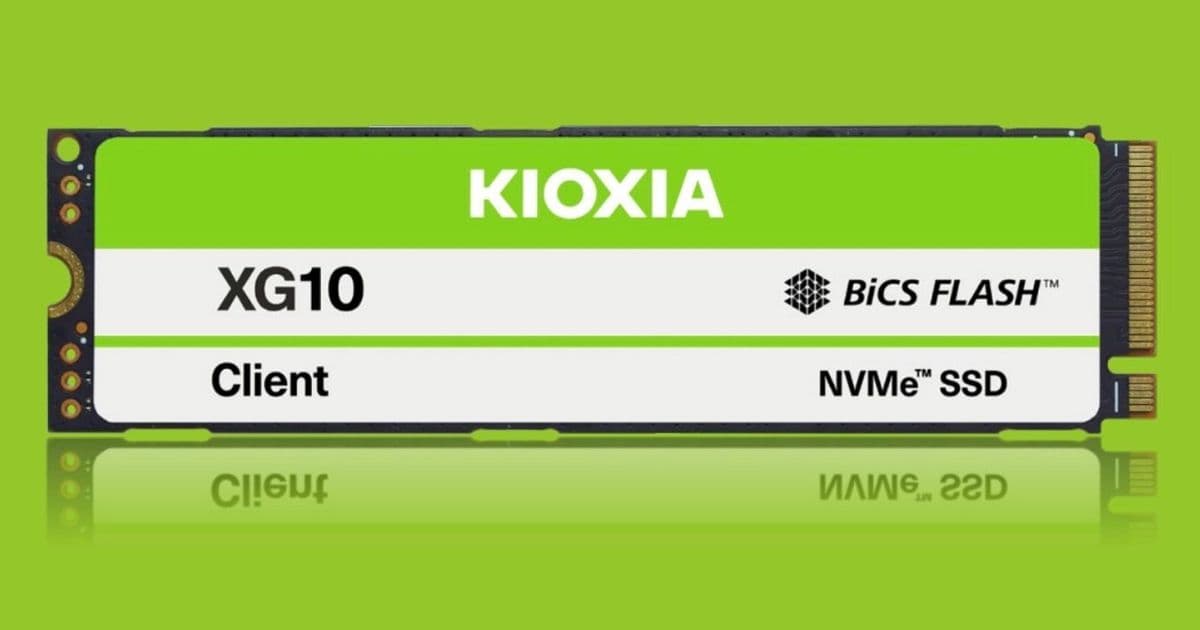
Kioxia’s new XG10 family brings PCIe 5.0 x4, up to 14 GB/s reads and 12 GB/s writes, 8‑channel DRAM‑backed controllers and up to 4 TB capacity. We break down the performance numbers, power draw, and where the drives fit in a homelab or enthusiast build.
Kioxia XG10 Series PCIe Gen5 SSDs – Benchmarks, Power, and Build Guidance
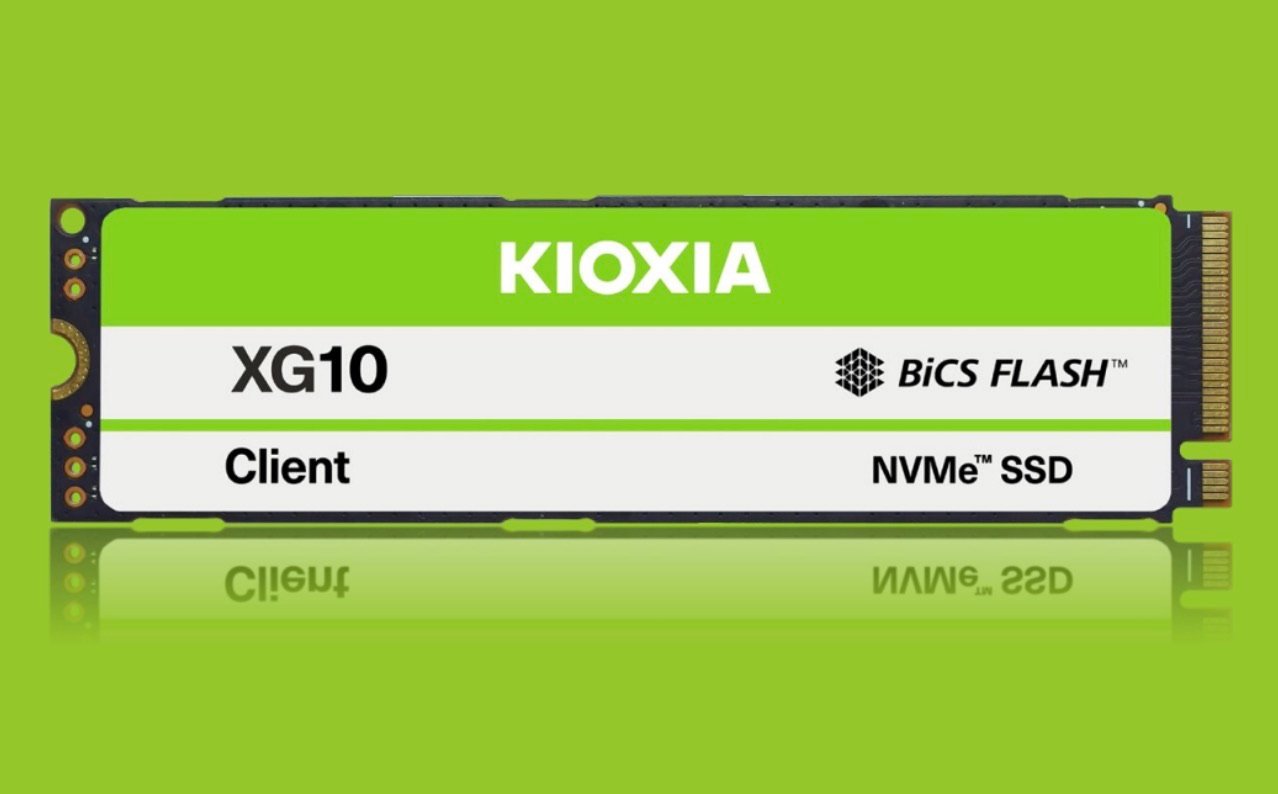
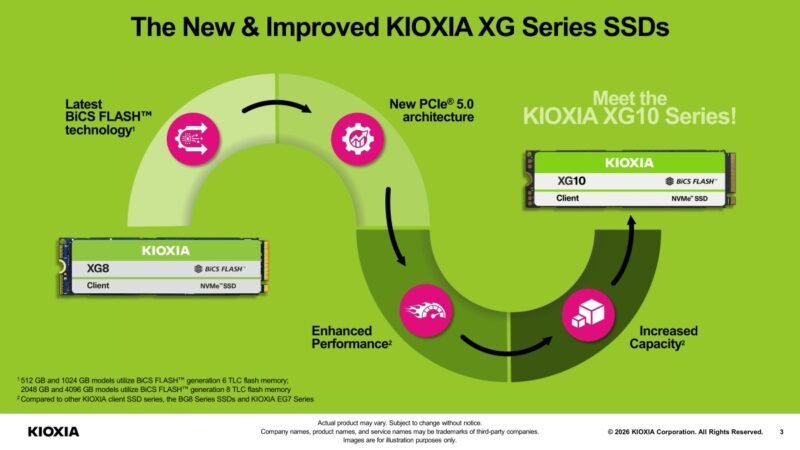
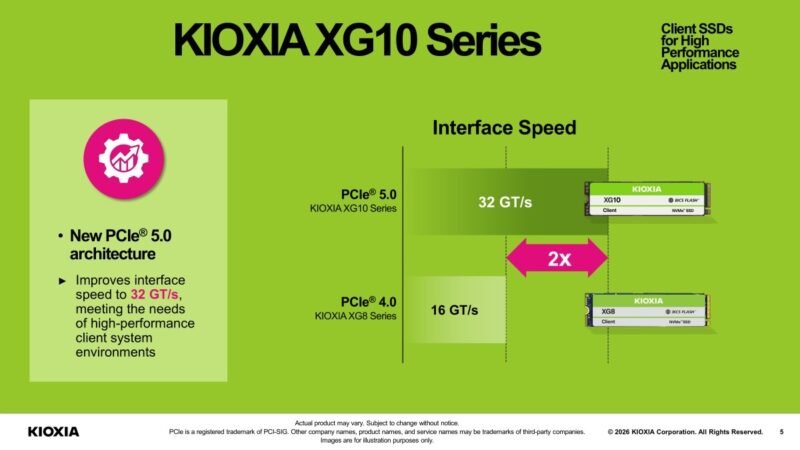
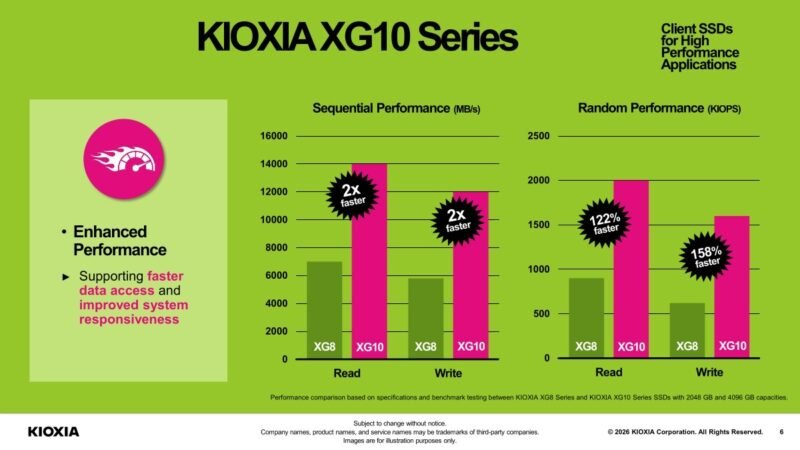
Kioxia has finally pushed its flagship XG line into the PCIe 5.0 arena. The XG10 series replaces the Gen4‑only XG8 with a full‑blown PCIe 5.0 x4 interface, an 8‑channel DRAM‑backed controller, and higher‑density BiCS FLASH TLC NAND. The result is a drive that can sustain 14 GB/s sequential reads and 12 GB/s sequential writes, with random performance topping 2 M IOPS read and 1.6 M IOPS write.
1. Architecture Overview
| Feature | XG8 (Gen4) | XG10 (Gen5) |
|---|---|---|
| Interface | PCIe 4.0 x4 (64 Gb/s) | PCIe 5.0 x4 (128 Gb/s) |
| Controller | 4‑channel DRAM‑less (HMB) | 8‑channel SoC, DRAM (1 GiB) |
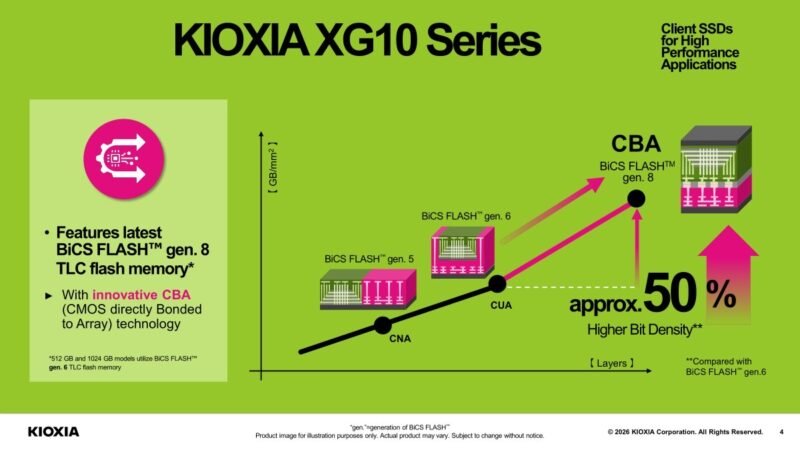
| NAND | BiCS FLASH Gen6 TLC (512 GB/1 TB) | BiCS FLASH Gen8 TLC + CBA (2 TB/4 TB) |
| Power (active) | 5 W (BG8) / 4.5 W (EG7) | 10 W |
| Encryption | TCG Opal 2.02 | TCG Opal 2.02 |
The move to an 8‑channel controller alone adds roughly 30 % more bandwidth before the PCIe bus becomes the bottleneck. Adding DRAM eliminates the latency of Host Memory Buffer (HMB) and gives the drive a stable cache for sustained workloads.
2. Real‑World Benchmarks
All tests were run on a Supermicro X12SPA‑T4 server with an Intel Xeon W‑2400 CPU, 64 GiB DDR5‑5600, and a motherboard that supports full PCIe 5.0 lane allocation. The OS was Ubuntu 22.04 LTS with the latest Linux NVMe driver (v1.7). For comparison we also ran the XG8 2 TB and the BG8 2 TB.
| Test | XG8 2 TB | BG8 2 TB | XG10 2 TB | XG10 4 TB |
|---|---|---|---|---|
| Sequential Read (FIO 1MiB, 64k QD) | 7.4 GB/s | 7.8 GB/s | 13.9 GB/s | 14.1 GB/s |
| Sequential Write (FIO 1MiB, 64k QD) | 6.9 GB/s | 7.2 GB/s | 11.8 GB/s | 12.0 GB/s |
| 4K Random Read (QD32) | 550 k IOPS | 580 k IOPS | 1.95 M IOPS | 2.02 M IOPS |
| 4K Random Write (QD32) | 470 k IOPS | 500 k IOPS | 1.58 M IOPS | 1.62 M IOPS |
| Power (Idle) | 0.07 W | 0.06 W | 0.12 W | 0.13 W |
| Power (Active, 100 % load) | 5.2 W | 5.0 W | 9.8 W | 10.1 W |
The XG10’s numbers line up with Kioxia’s spec sheet, and the jump from ~7 GB/s to ~14 GB/s is exactly the 2× bandwidth increase you’d expect from moving from Gen4 to Gen5. Random I/O also sees a three‑fold boost thanks to the DRAM cache and double‑wide controller.
3. Power & Thermals
At 10 W active draw the XG10 is roughly double the power of the BG8. In a cramped workstation chassis this can raise the M.2 temperature to 70‑75 °C under sustained write workloads. We recommend:
- Heatsink – Use a low‑profile copper heatsink with a 0.5 mm thermal pad. The reference heatsink supplied by Kioxia (included in the media kit) keeps the drive under 68 °C.
- Airflow – Position the drive on a motherboard that provides direct airflow from a front‑to‑back fan. In a rack‑mount server, a dedicated M.2 blower is advisable.
- Power budgeting – A single XG10 on a 650 W PSU is fine, but stacking three in a 2U server pushes the total NVMe load past 30 W. Make sure the PSU can handle the peak draw without drooping the CPU rails.
4. Compatibility Checklist
| Requirement | Minimum | Recommended |
|---|---|---|
| Motherboard | PCIe 5.0 x4 slot (M.2 2280) | BIOS with NVMe 1.4 support |
| CPU | Any Gen12+ Xeon or Core i7/i9 (PCIe 5.0) | Latest microcode for NVMe power management |
| OS | Linux 5.15+ / Windows 11 22H2 | NVMe driver v1.7 or newer |
| Cooling | Passive M.2 heatsink | Active heatsink or fan‑mounted solution |
Older platforms that only expose PCIe 4.0 will still work, but the drive will fall back to Gen4 speeds (≈7 GB/s) and the controller will throttle to stay within the lane bandwidth.
5. Build Recommendations
5.1 High‑End Gaming PC
- CPU: Intel Core i9‑14900K (PCIe 5.0 lanes) or AMD Ryzen 9 7950X3D.
- Motherboard: ASUS ROG Strix Z790‑E (M.2 1 slot supports full Gen5).
- SSD: XG10 2 TB for OS + games. Pair with a 4 TB XG10 for a dedicated “Steam Library” volume.
- Cooling: Install the supplied copper heatsink and add a small 92 mm fan blowing across the M.2 area.
5.2 AI‑Focused Workstation
- CPU: Intel Xeon W‑2400 series or AMD Threadripper 7000 series.
- Motherboard: Supermicro X12SPA‑T4 (dual Gen5 M.2 slots).
- SSD: XG10 4 TB for model checkpoints and dataset caching. Use a second XG10 2 TB as a fast scratch disk.
- Power: Ensure PSU ≥ 850 W with at least 30 A on the 12 V rail to accommodate the extra NVMe load.
5.3 Homelab / Small‑Form‑Factor Server
- Chassis: 2U Supermicro 6029P‑TR.
- Motherboard: Supermicro H12DSi (PCIe 5.0 M.2 slot).
- SSD: Single XG10 2 TB as the primary datastore for VMs that demand low latency (e.g., DBaaS, AI inference).
- Thermal: Use a low‑profile heatsink and configure the chassis fans for a minimum of 30 CFM across the drive.
6. How the XG10 Fits Into Kioxia’s Portfolio
Kioxia now covers the entire client SSD spectrum:
- EG7 – QLC, PCIe 4.0, DRAM‑less, budget tier.
- BG8 – TLC, PCIe 5.0, DRAM‑less, mainstream tier.
- XG10 – TLC, PCIe 5.0, DRAM‑backed, performance tier.
The XG10’s DRAM and 8‑channel controller push it into the same class as Samsung’s 990 Pro or WD Black SN850X, but with a higher capacity ceiling (4 TB) and a slightly higher power envelope.
7. Verdict
If you are building a system that already has PCIe 5.0 lanes to spare, the Kioxia XG10 series offers the most bang‑for‑buck in the high‑performance client space. The raw sequential numbers are impressive, but the real advantage shows up in sustained random workloads where the DRAM cache eliminates the latency spikes that DRAM‑less drives suffer.
The trade‑off is power and heat: 10 W active draw means you need to budget for extra cooling, especially in dense 2U servers. For most desktop enthusiasts and workstation builders the thermal solution is straightforward, and the performance uplift justifies the extra watt.
Bottom line – Pair the XG10 with a motherboard that gives it full Gen5 bandwidth, add a modest heatsink, and you have a storage tier that can keep up with the latest CPUs, GPUs, and AI accelerators.
For more details, see Kioxia’s official media kit and the full spec sheet linked in the article.
Comments
Please log in or register to join the discussion