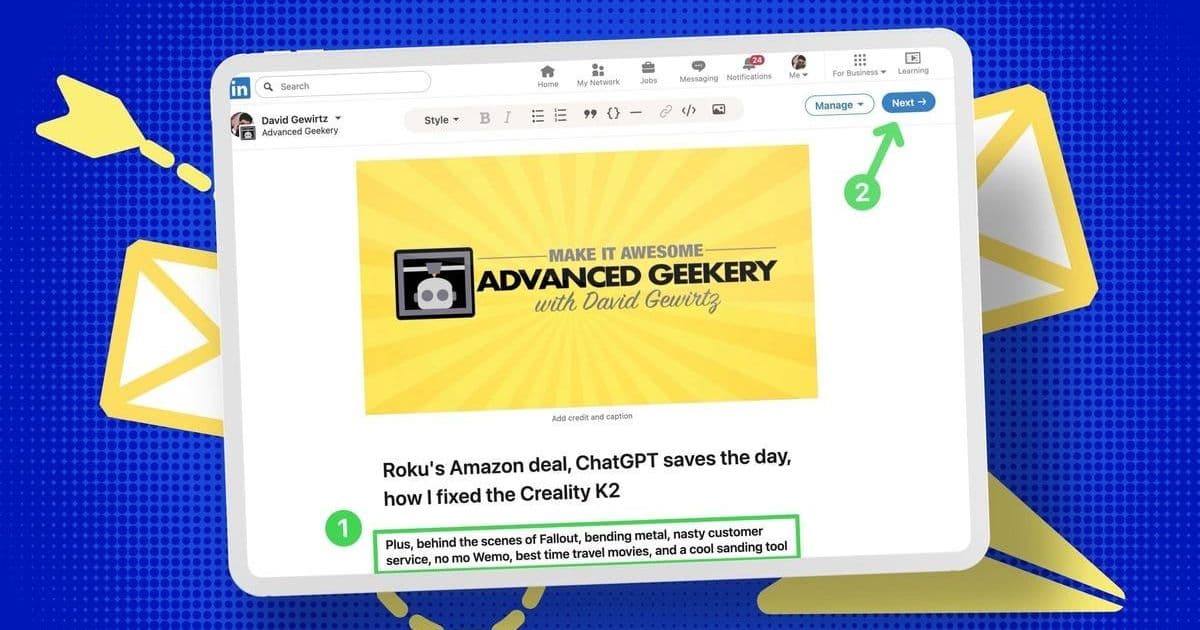
As LinkedIn solidifies its role as the premier professional network, its newsletter feature offers developers and tech leaders a powerful tool for audience engagement. This hands-on guide breaks down the setup process in five simple steps, revealing both opportunities and limitations for technical content creators.
In the shifting landscape of professional social media, LinkedIn has emerged as the unexpected winner. When Twitter's instability eroded trust among technical communities, professionals migrated en masse to LinkedIn—transforming it from a job-hunting platform into a vibrant hub for thought leadership and knowledge sharing. This evolution has sparked demand for deeper engagement tools, with newsletters becoming a critical channel for developers, engineers, and tech executives to share insights, project updates, and industry analysis. Yet many remain unaware of how easily they can launch their own LinkedIn newsletter—a free feature accessible even without Premium subscriptions.
David Gewirtz, ZDNET's Senior Contributing Editor, recently navigated this process firsthand. After running his Advanced Geekery newsletter on Substack for two years, he replicated it on LinkedIn to reach its growing professional audience. His experiment revealed LinkedIn's newsletter functionality is surprisingly straightforward but comes with notable constraints for technical content. "The formatting controls are more limited than Substack," Gewirtz notes, "and embedding rich media like YouTube videos requires manual workarounds." Still, the trade-off—direct access to LinkedIn's algorithm and notification systems—makes it compelling for tech professionals building their digital footprint.
Why This Matters for the Tech Community
Newsletters aren't just marketing tools—they're infrastructure for knowledge sharing. For open-source maintainers, they disseminate security patches; for engineering managers, they showcase team achievements; for AI researchers, they contextualize breakthroughs. LinkedIn amplifies this by notifying your network of new editions and actively recruiting subscribers. As Gewirtz observes: "Each issue gets shared to your feed, and subscribers receive email alerts—creating frictionless distribution you'd otherwise need complex tools to achieve."
The Step-by-Step Setup: Efficiency Meets Quirks
Based on Gewirtz's workflow, here’s how to launch your newsletter:
- Initiate Creation: Log into LinkedIn, click "Write Article" in the post composer—counterintuitively, this is the gateway to newsletters.
- Define Core Metadata: Under "Manage" > "Create Newsletter," input your title, frequency, and a concise description (under 150 characters). Upload a 300x300 pixel logo for branding.
- Navigate to Your Newsletter Hub: Access existing newsletters via the LinkedIn homepage sidebar. Avoid the "Create a Post" button—it won’t lead to newsletter editing.
- Draft Your First Issue: Paste content into the editor (rich text preserves links, but images/videos don’t transfer). Use a 1920x1080 pixel header image. For video embeds, manually add thumbnails with links—a notable hassle for tutorial-heavy tech content.
- Schedule and Refine: Save drafts via "Manage" > "Drafts," then schedule distribution. The interface allows precise timing, ensuring your deep dives land when audiences are most engaged.
Gewirtz’s process adds ≈15 minutes weekly when repurposing Substack content—a minor tax for reaching LinkedIn’s algorithmically favored ecosystem. Yet developers should weigh trade-offs: While LinkedIn simplifies distribution, its minimalist editor struggles with code snippets or dynamic embeds that thrive on platforms like Dev.to.
The Bigger Picture: Ownership vs. Reach
This isn’t just about convenience—it’s about control. LinkedIn newsletters live on-platform, unlike Substack or Ghost where you own subscriber data. For security researchers disclosing vulnerabilities or architects sharing proprietary frameworks, this centralized model poses risks. Yet for most, the trade-off is worthwhile. As professional networks fragment, LinkedIn’s newsletter feature offers a standardized way to cement authority without managing infrastructure.
The rise of such tools signals a broader shift: Technical influence is increasingly built through consistent, platform-native content. Whether dissecting Kubernetes best practices or forecasting AI trends, your newsletter could become the thread that weaves your expertise into LinkedIn’s fabric—one issue at a time.
Source: ZDNET article by David Gewirtz, July 17, 2025
Comments
Please log in or register to join the discussion