
Security researchers have uncovered a sophisticated campaign involving five malicious Chrome extensions designed to steal authentication tokens from enterprise platforms like Workday and NetSuite. The extensions work in concert to hijack active sessions, block administrative security functions, and maintain persistent access to compromised accounts.

Cybersecurity researchers have identified a coordinated campaign using five malicious Google Chrome extensions that specifically target enterprise HR and ERP platforms. These extensions impersonate legitimate productivity tools for Workday, NetSuite, and SuccessFactors while secretly harvesting authentication tokens and enabling complete account takeover through session hijacking.
According to a report from Socket security researcher Kush Pandya, the extensions operate as a unified attack system rather than isolated threats. They share identical functionality, infrastructure patterns, and even maintain the same list of 23 security-related Chrome extensions to monitor for potential interference.
The Malicious Extension Arsenal
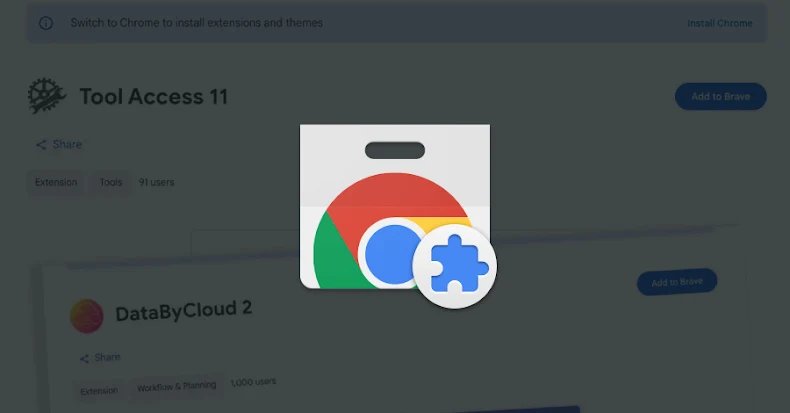
The five identified extensions include:
- DataByCloud Access (ID: oldhjammhkghhahhhdcifmmlefibciph) - Published by databycloud1104
- Tool Access 11 (ID: ijapakghdgckgblfgjobhcfglebbkebf) - Published by databycloud1104
- DataByCloud 1 (ID: mbjjeombjeklkbndcjgmfcdhfbjngcam) - Published by databycloud1104
- DataByCloud 2 (ID: makdmacamkifdldldlelollkkjnoiedg) - Published by databycloud1104
- Software Access (ID: bmodapcihjhklpogdpblefpepjolaoij) - Published by Software Access
Two of these extensions, DataByCloud 1 and DataByCloud 2, were first published in August 2021, suggesting this campaign has been operational for over four years. Despite being published under two different developer names, the identical code structure and infrastructure indicate a single threat actor or a shared malware toolkit.
How the Attack Works
The extensions employ a multi-layered approach to compromise and maintain access to enterprise accounts:
1. Authentication Token Theft
All extensions request extensive permissions including access to cookies, script management, storage, and declarativeNetRequest capabilities across Workday, NetSuite, and SuccessFactors domains. Once installed, they continuously harvest authentication cookies and transmit them to attacker-controlled servers every 60 seconds.
DataByCloud Access specifically targets authentication cookies and sends them to api.databycloud[.]com. The encrypted C2 communication makes detection more difficult for network security tools.
2. Administrative Interface Blocking
The extensions don't just steal credentials—they actively prevent security teams from responding to the breach:
Tool Access 11 blocks access to 44 administrative pages within Workday by erasing page content and redirecting to malformed URLs. This targets critical security functions including:
- Authentication management
- Security proxy configuration
- IP range management
- Session control interfaces
DataByCloud 2 expands this to 56 blocked pages, adding:
- Password change functions
- Account deactivation interfaces
- Two-factor authentication device management
- Security audit log access
The blocking mechanism uses DOM manipulation, constantly monitoring for specific page titles and intercepting requests to security administration pages. This extension also targets Workday's sandbox testing environment at workdaysuv[.]com, suggesting the attackers want to maintain access even in testing scenarios.
3. Session Hijacking via Cookie Injection
The most sophisticated extension, Software Access, takes the attack further by not just stealing cookies but actively injecting them into the browser to hijack existing sessions. It connects to api.software-access[.]com to receive stolen cookies from other victims, then uses Chrome's cookie API to install the stolen authentication state directly into the attacker's browser session.
This function works by:
- Parsing cookies from server payloads
- Removing existing cookies for the target domain
- Iterating through the provided cookie array
- Injecting each cookie using
chrome.cookies.set()
This allows attackers to impersonate legitimate users without needing their passwords, even if the victim has 2FA enabled.
4. Anti-Analysis and Monitoring
All five extensions maintain an identical list of 23 security and developer tools that could potentially detect or interfere with their operations. This includes:
- EditThisCookie
- Cookie-Editor
- ModHeader
- Redux DevTools
- SessionBox
When any of these tools are detected, the extensions can alert the attacker, potentially allowing them to adapt their tactics or avoid detection. This is particularly concerning because it shows the attackers are actively monitoring for security research or incident response activities.
DataByCloud 1 adds another layer of defense by incorporating the open-source DisableDevtool library, which prevents users from inspecting the extension's behavior through browser developer tools.
Current Availability and Distribution
While Google has removed four of the five extensions from the Chrome Web Store, Software Access remains available at the time of the report. More importantly, all five extensions continue to be distributed through third-party software download sites like Softonic, where users might install them thinking they're legitimate productivity tools.
The extensions are advertised as productivity tools that provide "access to premium tools" for various enterprise platforms, making them attractive to users seeking convenient access to their work systems.
Impact and Remediation
The combination of these techniques creates a particularly dangerous scenario for enterprise security teams:
- Continuous credential theft ensures attackers maintain fresh authentication tokens
- Administrative interface blocking prevents security teams from remediation through normal channels
- Session hijacking allows attackers to access accounts even when victims change passwords
Socket's report emphasizes that "security teams can detect unauthorized access but cannot remediate through normal channels" when these extensions are active.
Immediate Actions for Affected Organizations
Chrome users who have installed any of these extensions should:
- Remove the extensions immediately from all browsers
- Reset all Workday, NetSuite, and SuccessFactors passwords
- Review access logs for unfamiliar IP addresses or devices
- Terminate all active sessions through platform security settings
- Check for unauthorized changes to security configurations, especially:
- Modified IP whitelists
- Changed authentication methods
- New administrative accounts
- Altered session timeout settings
Enterprise Security Recommendations
Organizations using these platforms should implement additional safeguards:
- Extension allowlisting: Only permit approved extensions through enterprise policy
- Enhanced monitoring: Deploy behavioral analytics to detect unusual access patterns
- Session management: Implement shorter session timeouts and require re-authentication for sensitive operations
- Network egress monitoring: Watch for connections to
api.databycloud[.]comandapi.software-access[.]com - Browser security policies: Use Chrome Enterprise policies to block extension installation from outside the Web Store
Broader Implications
This campaign demonstrates a sophisticated understanding of enterprise security workflows. By targeting the specific administrative functions that security teams would use to respond to a breach, the attackers have created a scenario where traditional incident response procedures are ineffective.
The four-year operational window also highlights how long-running extension-based attacks can persist without detection. The use of legitimate-sounding names, combined with the targeting of niche enterprise platforms, likely contributed to the campaign's longevity.
For security teams, this incident reinforces the need for:
- Regular audits of browser extensions across the organization
- User education about the risks of third-party extensions
- Technical controls that prevent unauthorized extension installation
- Incident response plans that account for compromised browser extensions
The campaign also shows how attackers are moving beyond simple credential theft to actively interfering with security operations—a trend that security teams must prepare for in their defensive strategies.
Additional Resources
For organizations seeking to strengthen their browser security posture:
- Chrome Enterprise Policy Documentation - Learn how to control extension installation
- Workday Security Best Practices - Platform-specific security guidance
- NetSuite Security Center - Security configuration resources
- Socket Security Research - Additional threat intelligence on supply chain attacks
This incident serves as a critical reminder that browser extensions, while useful productivity tools, represent a significant attack vector that requires careful management and continuous monitoring in enterprise environments.
Comments
Please log in or register to join the discussion