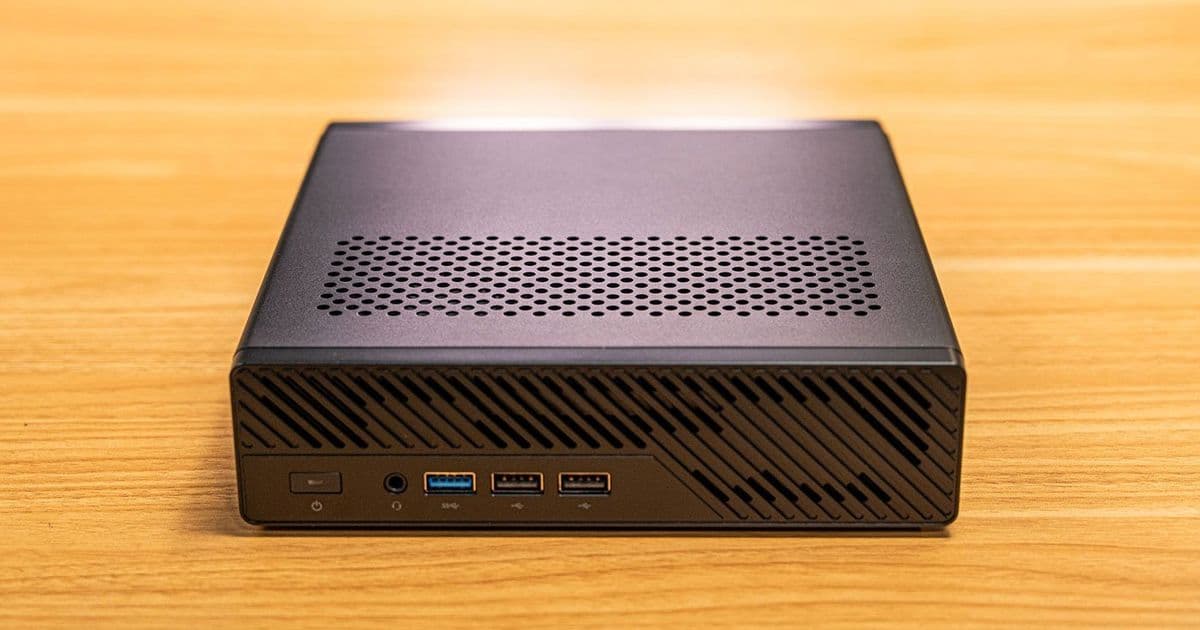
The Minisforum MS-R1 packs impressive Arm hardware into a compact form factor, boasting a 12-core Cix CD8180 SoC, 64GB of RAM, dual 10Gbps NICs, and a PCIe slot for expansion. However, high idle power draw and inconsistent performance benchmarks reveal it's not yet ready to challenge established players like Apple's M1 Mac mini. With strong homelab potential but notable efficiency issues, this mini PC leaves Arm enthusiasts hopeful yet frustrated.
Minisforum MS-R1: A Promising Arm Homelab Box Marred by Power and Performance Quirks
The Arm ecosystem has long promised efficient, powerful computing beyond smartphones, but desktop and homelab implementations often fall short of the hype. Enter the Minisforum MS-R1, a compact mini PC that aims to bridge the gap with its Cix CD8180 Arm SoC, offering a 12-core CPU configuration and features tailored for developers and tinkerers. Based on a detailed review by embedded Linux expert Jeff Geerling, this device shines in hardware design but stumbles in efficiency and software maturity, raising questions about Arm's readiness for mainstream prosumers.
Hardware That Turns Heads
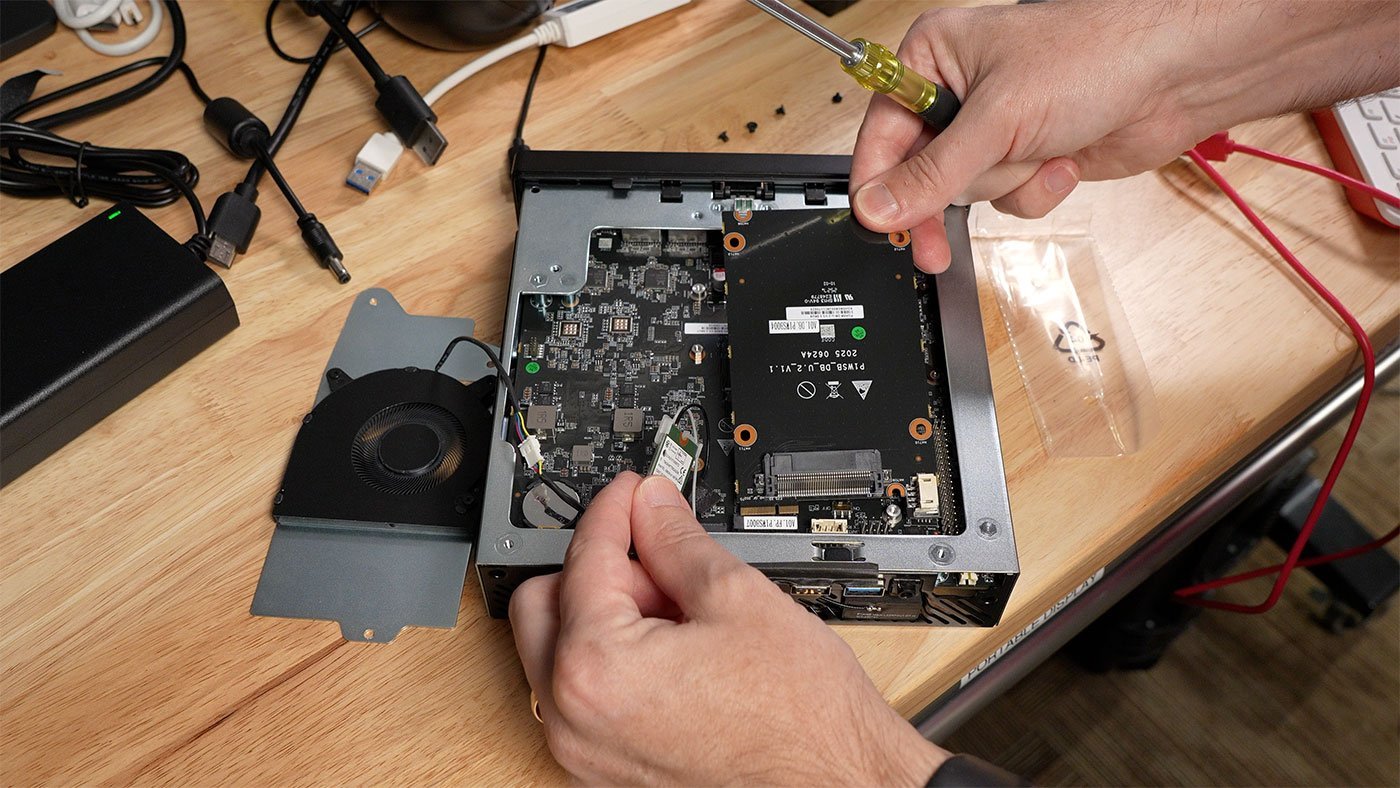
At first glance, the MS-R1 impresses with its spec sheet. Powered by the same Cix CD8180 SoC found in the Radxa Orion O6, it features a big.LITTLE architecture: four high-performance cores, four mid-range, and four efficiency cores, paired with a Mali G720 iGPU. Storage options include NVMe via M.2, with adapters for U.2 drives or additional M.2 slots that repurpose the WiFi card bay. Connectivity is a standout, with nine USB ports (including two Type-C with DisplayPort 1.4), HDMI, dual 10Gbps Ethernet NICs from Realtek, WiFi 6E, and even a legacy audio jack for headsets.
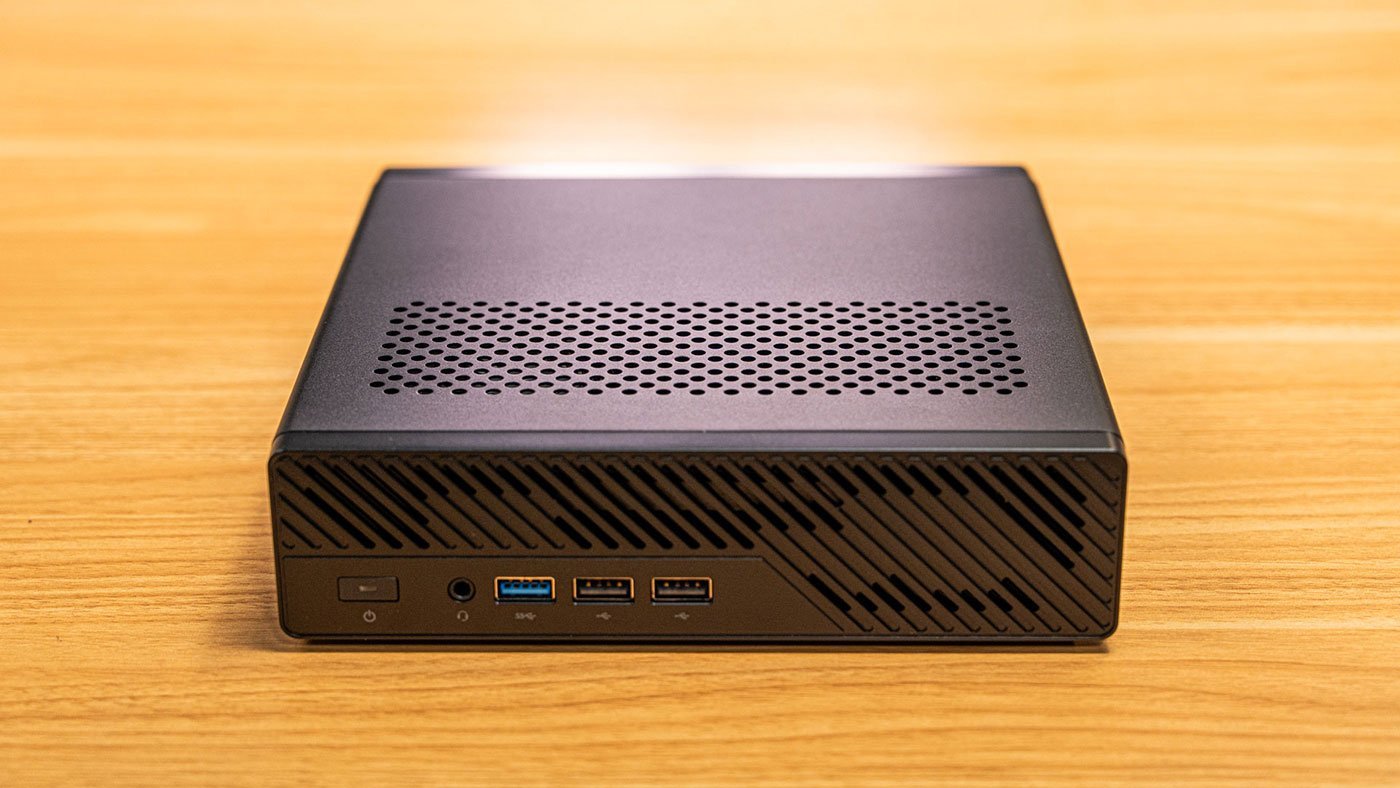
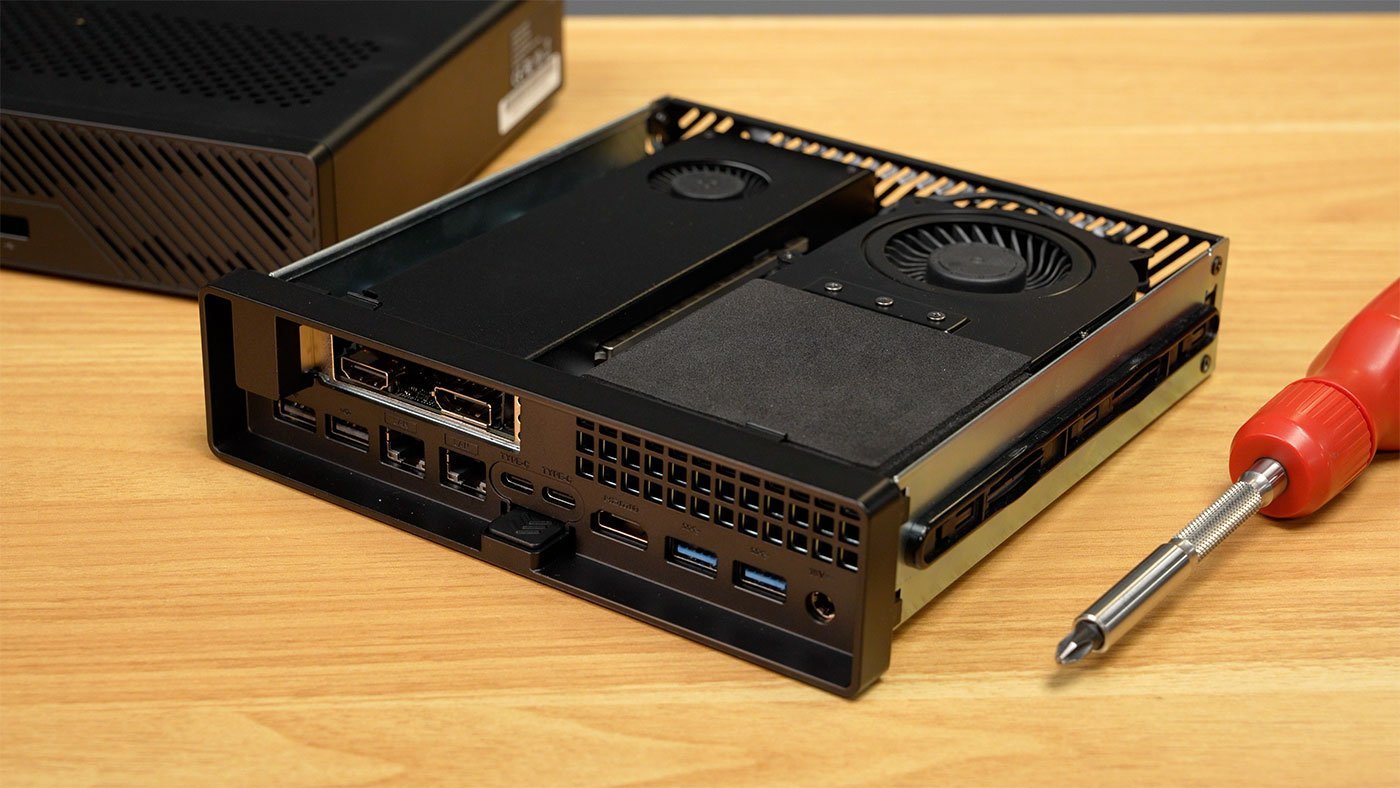
The chassis design prioritizes accessibility and aesthetics. A simple button releases the slide-out aluminum shell, revealing internals that are easy to upgrade. It arrived with 64GB of LPDDR5 RAM—configurable up to that amount—and a 19V 180W adapter that's bulky but expected for Minisforum's builds. Under load, it's whisper-quiet at 40dBa, ramping to 50dBa max, making it desk-friendly for long coding sessions or server duties.
This hardware positions the MS-R1 as a homelab powerhouse. Minisforum even provides guides for Proxmox virtualization (via a community Arm fork) and Jellyfin media serving with iGPU acceleration, appealing to DevOps engineers seeking Arm-native alternatives to x86 clusters.
Benchmarks: Speed with Inconsistencies
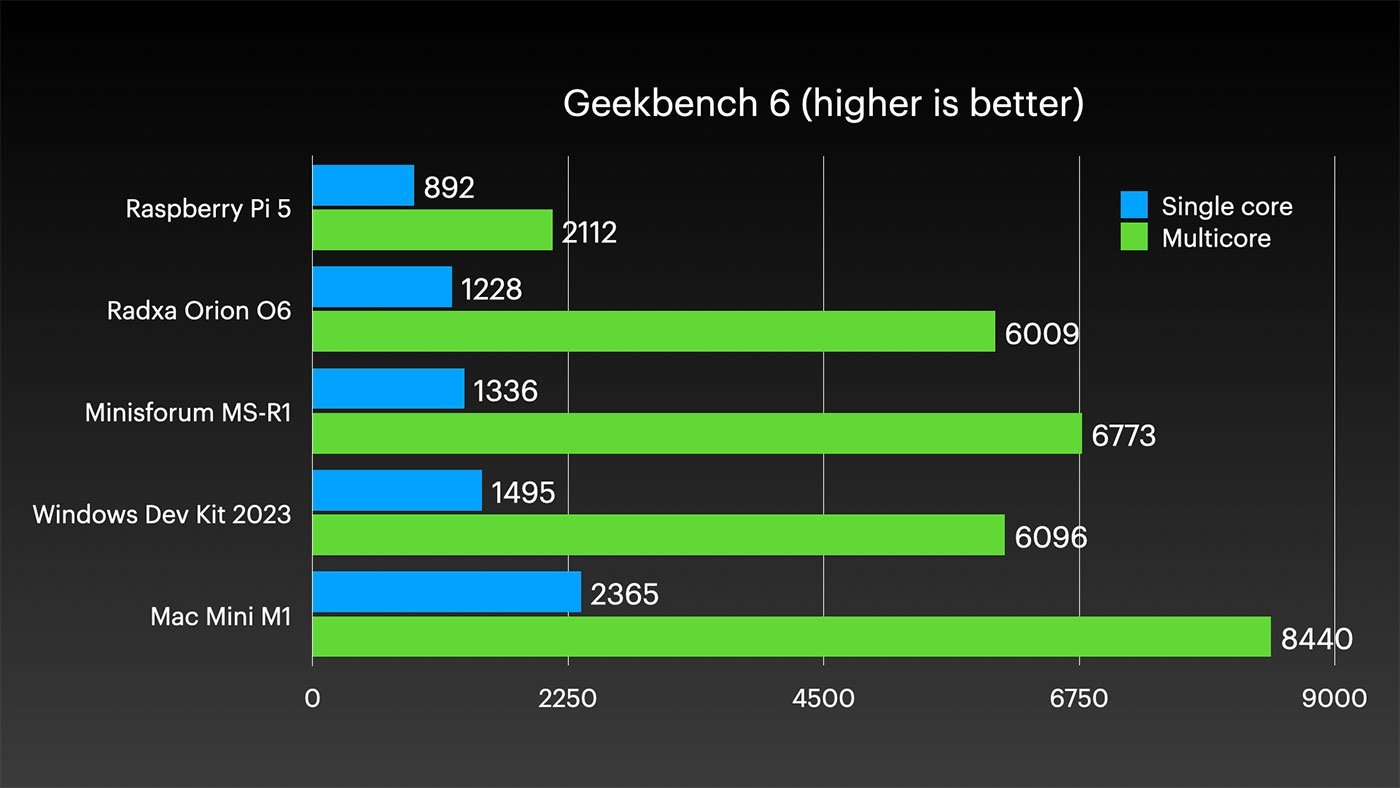
Performance testing reveals a mixed bag. Geekbench 6 scores hit 1336 single-core and 6773 multi-core, outpacing SBCs like the Raspberry Pi 5 or Rockchip boards but lagging behind Apple's 2020 M1 (which still leads in efficiency). The iGPU fares decently in OpenGL benchmarks like glmark2 (6322 score vs. Pi 5's 1935), roughly matching Qualcomm's Adreno 750 in older Snapdragon chips.
However, Vulkan support is spotty—tools like vulkaninfo segfault, limiting graphics workloads. Real-world tasks feel snappy: 4K YouTube playback alongside browsing is smooth, a rarity for non-Apple/Qualcomm Arm systems.
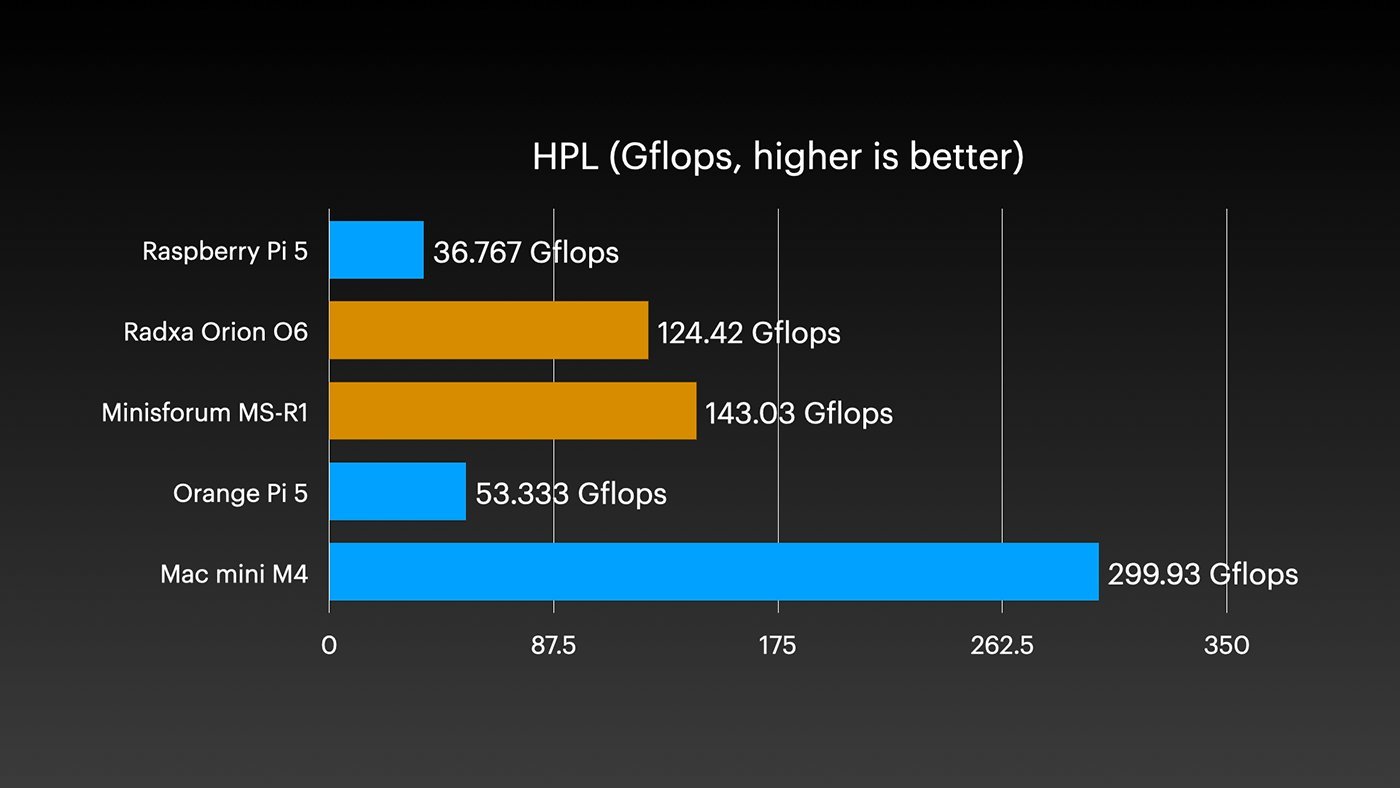
Deeper dives uncover quirks. The High-Performance Linpack (HPL) benchmark initially confused results due to the SoC's SVE vector extensions clashing with BLIS library optimizations (assuming 256+ bit vectors but using 128-bit NEON). After adjustments, revised HPL scores show the MS-R1 edging out the 16GB Orion O6 but hitting only half the M4 Mac mini's GFLOPS. For AI inference, slower RAM speeds (compared to the O6) hinder performance, with local models running slower than expected on the CPU.
Energy efficiency, Arm's hallmark, disappoints. Idle power hovers at 14-17W—worse than modern Intel/AMD desktops—due to the core layout keeping the SoC powered high for stability. Under load, it's better than x86 but idles inefficiently, eroding the green appeal for always-on homelabs. Cix is reportedly addressing this via firmware tweaks like ASPM (Active State Power Management).
Expansion: PCIe Slot and GPU Trials
The full-size PCIe slot is a game-changer for Arm mini PCs, enabling discrete GPUs or NIC upgrades. Minisforum's ventilation design supports half-height, single-slot cards like a modded Abovetop RTX A2000 (8GB VRAM). Installation involves removing a retention clip and slot cover, with foam spacing for isolation.
On Debian 12 (Minisforum's default), the A2000 appeared in lspci but drivers failed to install. Switching to Ubuntu resolved this, auto-installing Nvidia drivers. AI tasks accelerated dramatically (system power at 94W), and GravityMark scores jumped from 3,037 (iGPU) to 16,679. An Intel Arc A310 ECO wasn't detected, likely a signaling issue common across systems.
The BIOS offers tweaks for USB, RAM, and power settings, though features like AC Power Loss recovery require a hardware switch, not the menu option. Labeled 'Beta' elements suggest ongoing maturation.
Implications for Developers and Homelabs
For developers exploring Arm-native workflows—be it Linux servers, AI prototyping, or virtualization—the MS-R1's expandability trumps SBCs and rivals the Mac mini in ports and slots. Dual 10Gbps NICs shine for networked DevOps setups, while 64GB RAM handles memory-hungry tasks like container orchestration.
Yet, challenges persist. Driver mainlining for broad Linux distro support, Windows on Arm GPU compatibility (Nvidia drivers pending), and power fixes are crucial. Priced at $500-600, it's overkill for casual use versus x86 alternatives or the superior M4 Mac mini ($600, but macOS-locked). Arm enthusiasts may tolerate the quirks, but for production homelabs, stability trumps novelty.
Minisforum and Cix are pushing boundaries, but the MS-R1 feels half-baked. Future firmware could unlock its potential, turning power hogs into efficiency champs and inconsistent benchmarks into reliable workhorses. Until then, it's a intriguing experiment in Arm's evolving desktop ambitions—one worth watching for those building the next wave of edge computing.
Comments
Please log in or register to join the discussion