MSI's Roamii BE Pro delivers excellent Wi-Fi 7 mesh performance with full tri-band support, competitive pricing, and thoughtful design touches like included wall mounts, though setup issues with satellite pairing remain a concern.
MSI has entered the tri-band Wi-Fi 7 mesh router market with its Roamii BE Pro, and the results are impressive enough to warrant consideration alongside established players like TP-Link. While MSI isn't typically associated with networking hardware, this new offering demonstrates the company's ability to compete in a crowded space with strong performance metrics and thoughtful design choices.
Design and Hardware Features
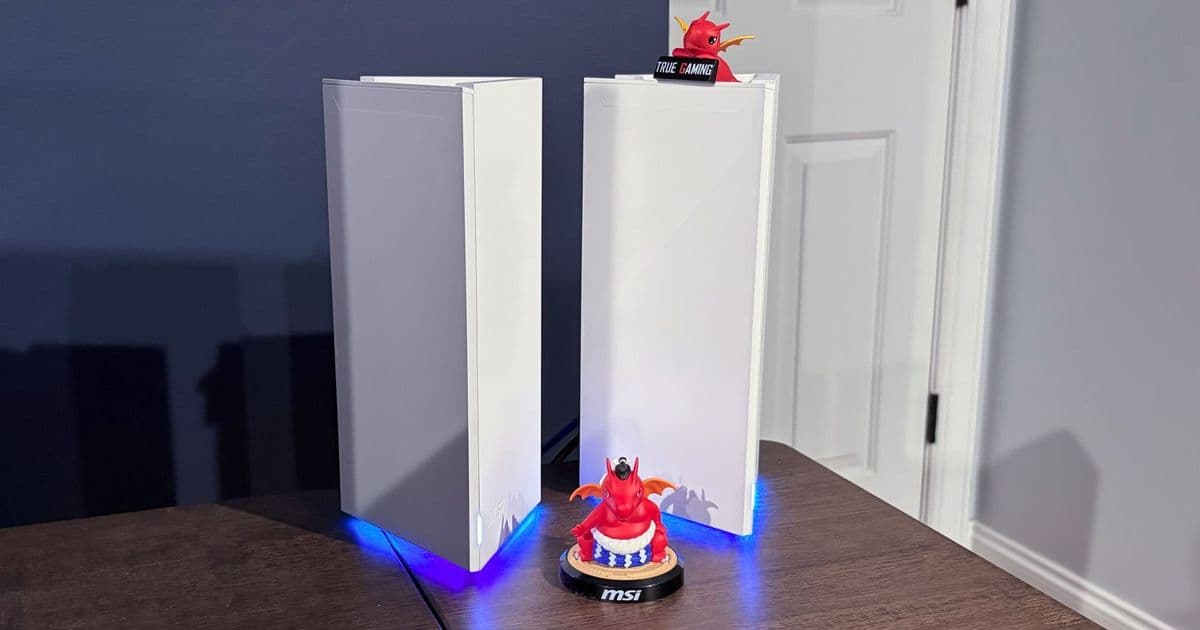
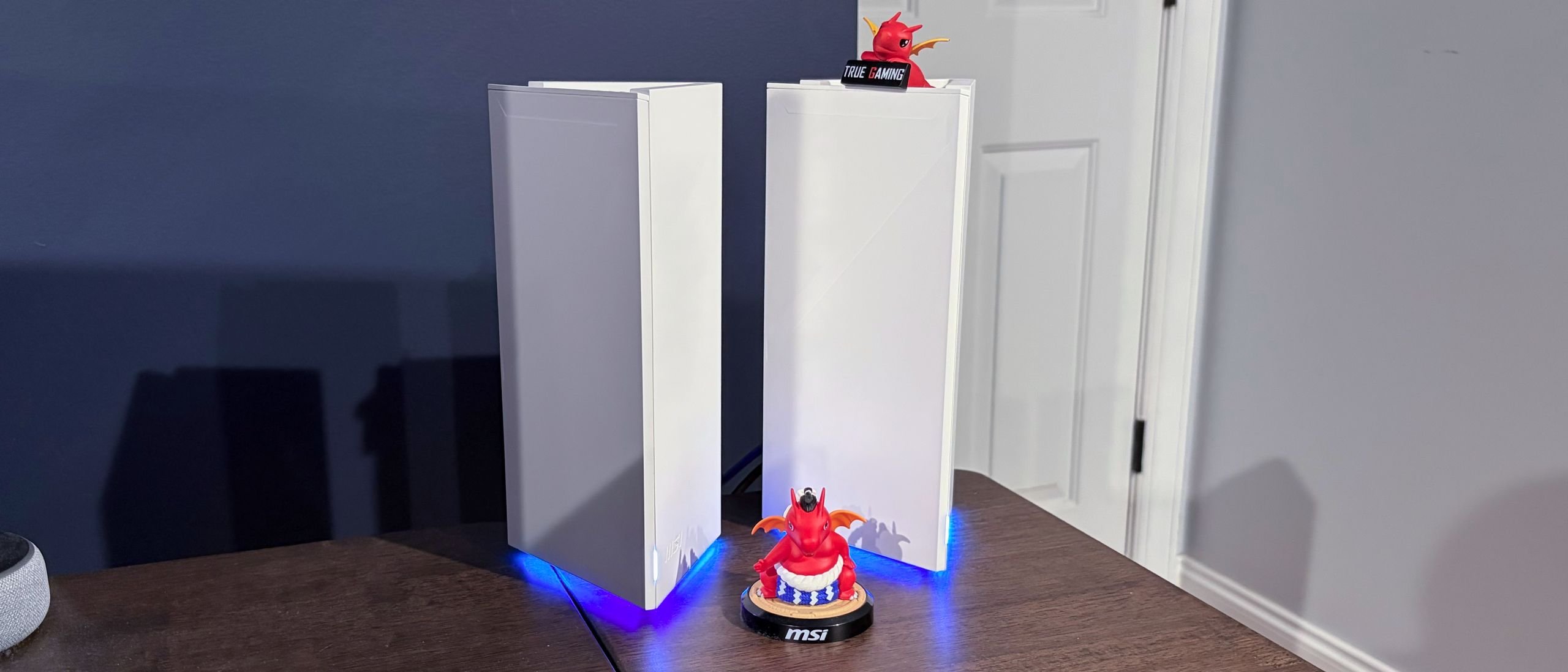
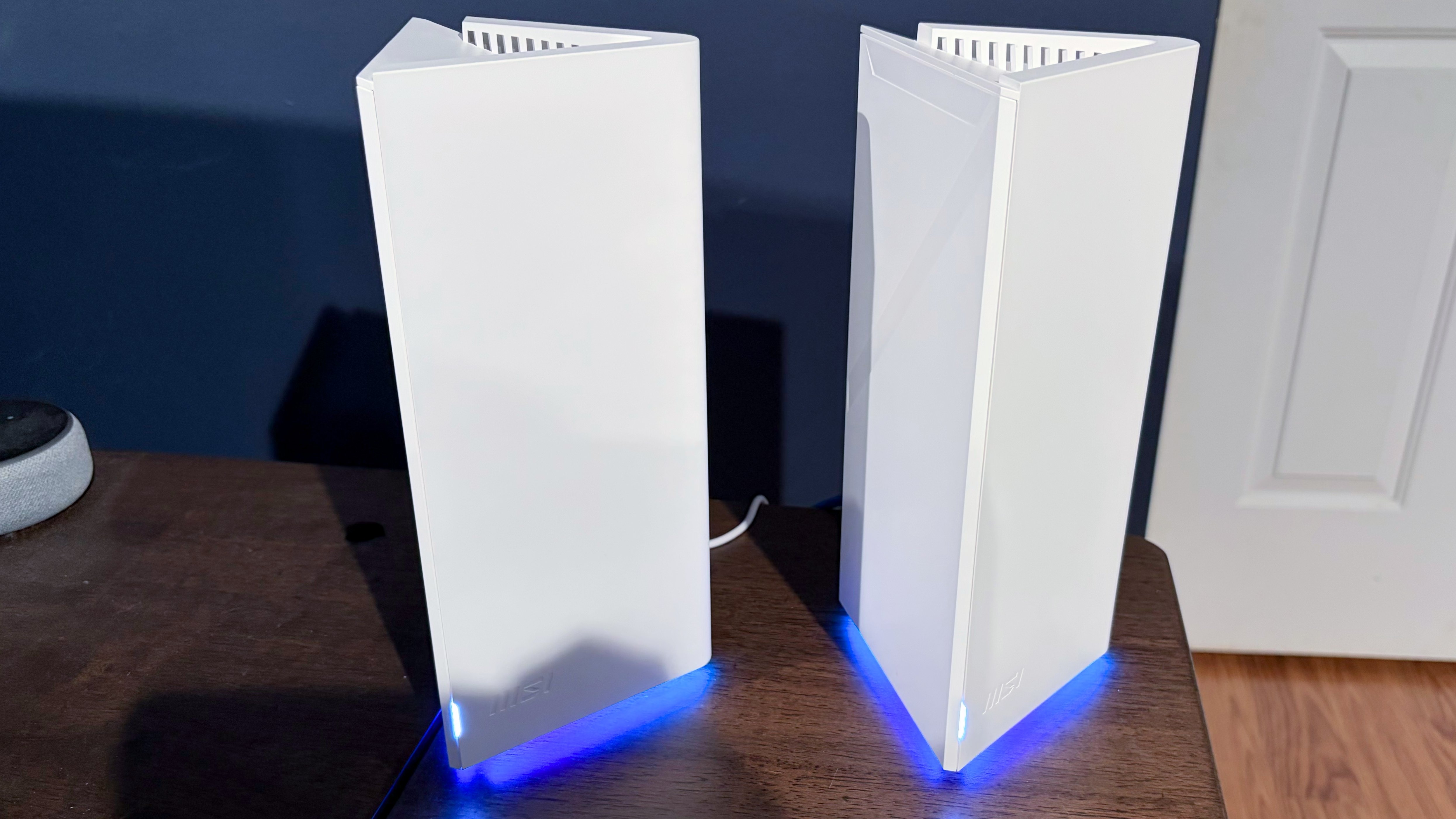
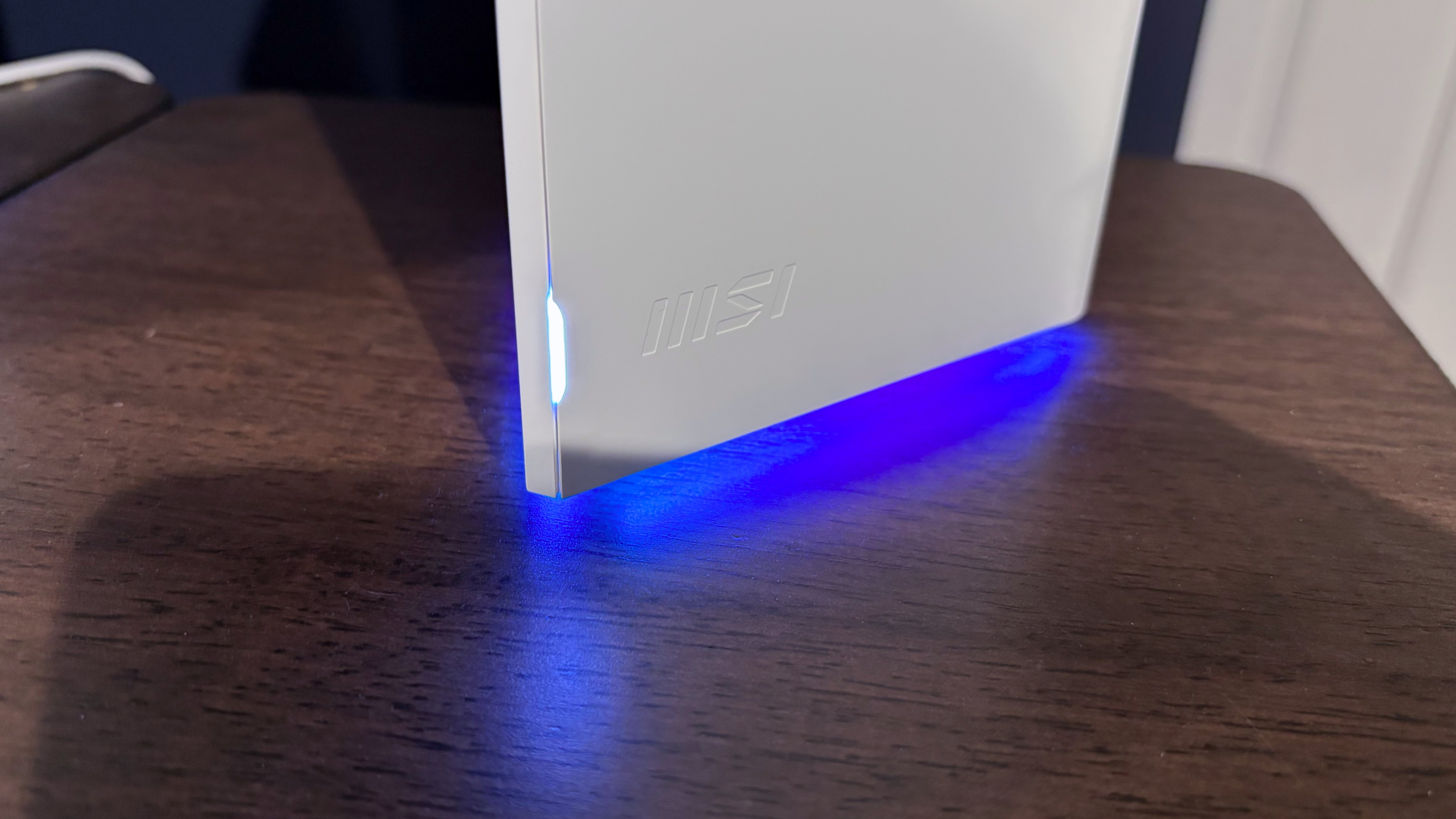
The Roamii BE Pro maintains design continuity with its dual-band sibling while adding premium features. The router features a distinctive triangular base that rises into a tower design, reminiscent of a large Toblerone candy wrapper finished in white. The unit includes ventilation holes at the top and a stylized "7" imprint on one vertical side.
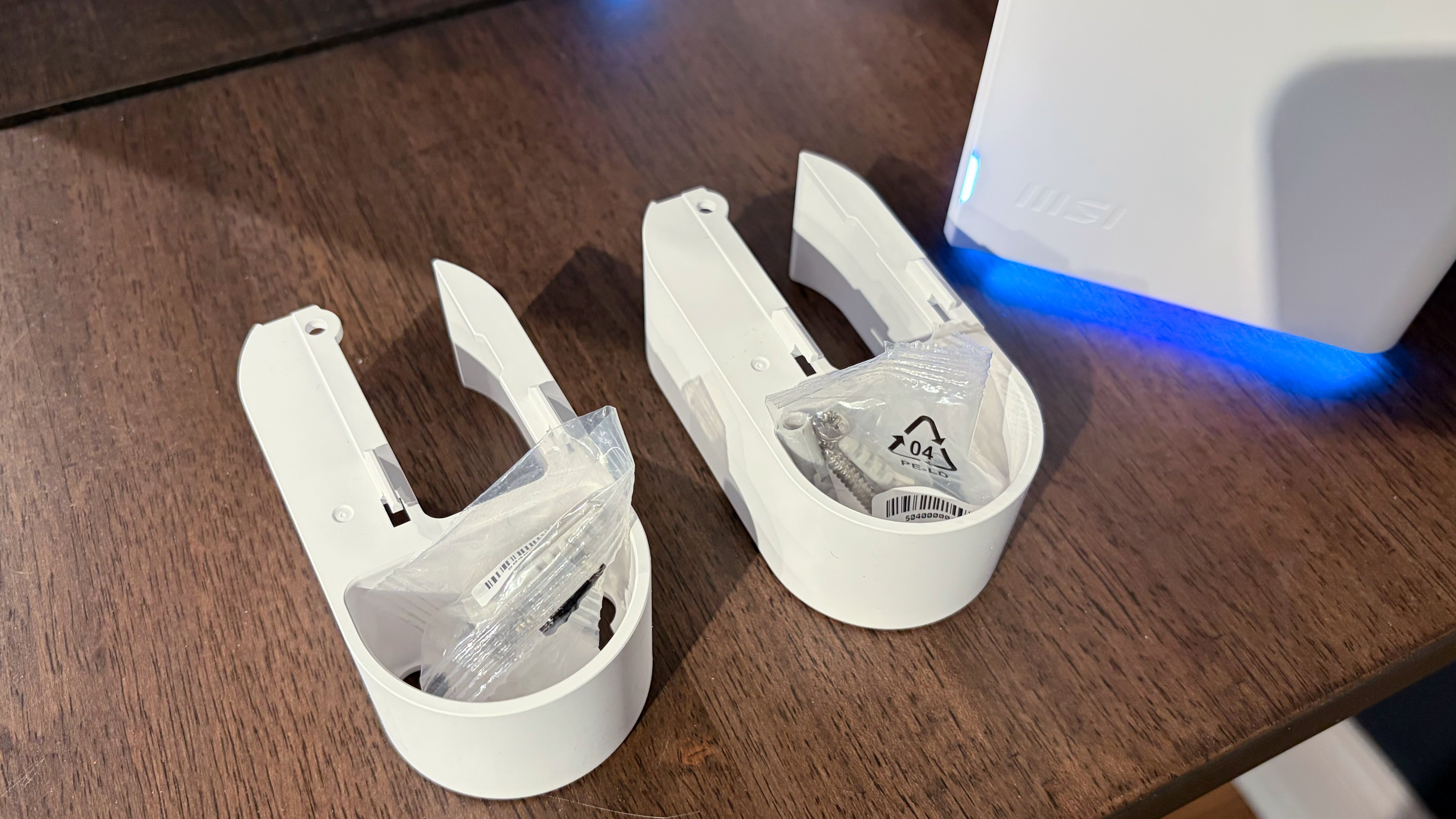
A vertically aligned LED near the base indicates connection status, while a downward-facing RGB array on two of the three base sides provides customizable lighting effects through the MSI Router 2.0 app. This attention to aesthetic detail extends to the inclusion of wall-mount brackets for both nodes—a feature that MSI provides at no additional cost, unlike many competitors who charge extra for mounting hardware.
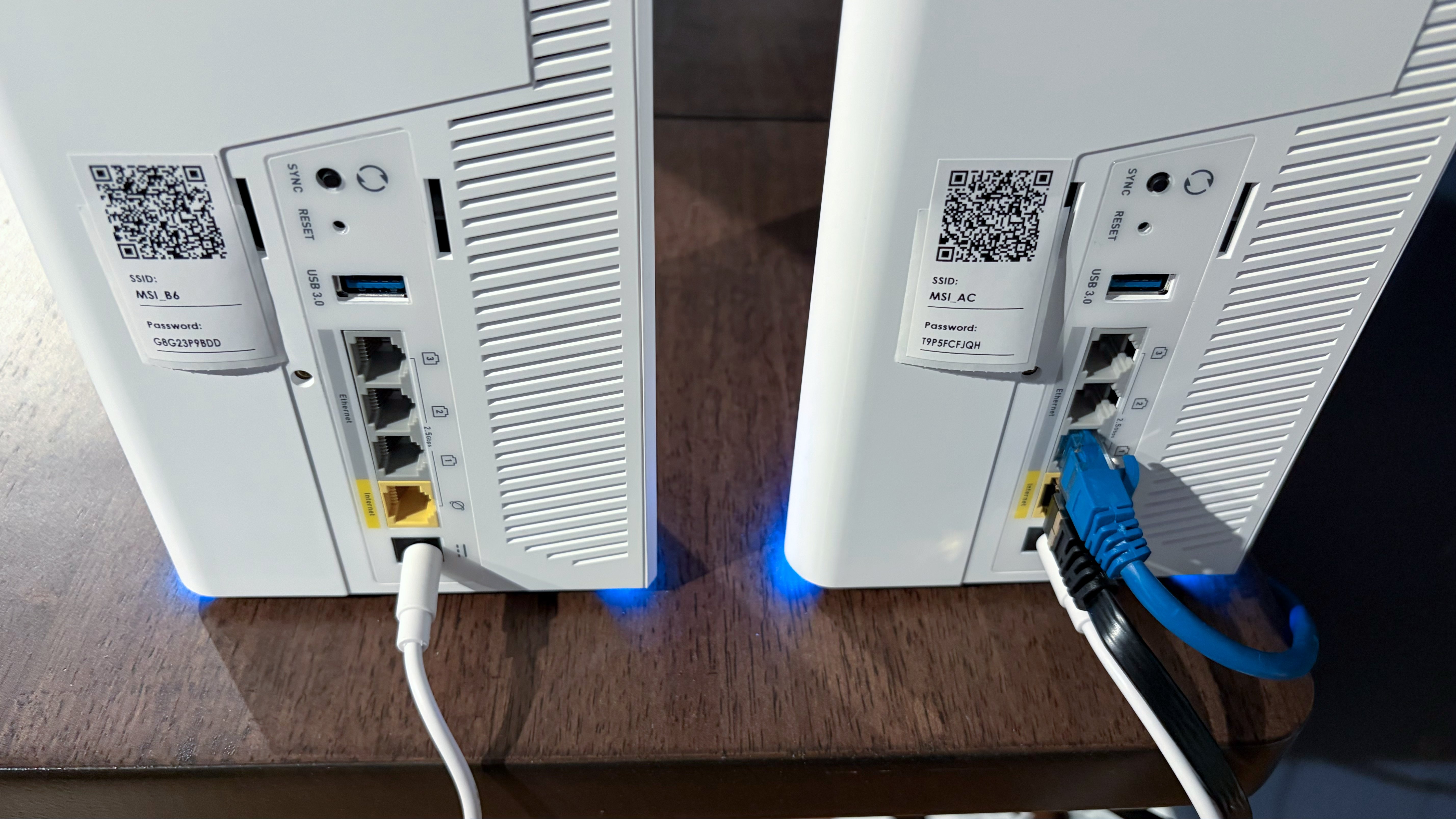
Both nodes in the package are identical, with the first unit connected to the internet serving as the primary router and the second functioning as the satellite node. The back panel houses a comprehensive port selection including a 2.5 GbE WAN port, three 2.5 GbE LAN ports, a USB 3.0 port for network storage, a WPS/Sync button, a reset button, and a proprietary barrel-style power port.
Setup Experience: A Mixed Bag
The initial setup process through the MSI Router 2.0 app is straightforward, involving QR code scanning, network configuration, and firmware updates. However, the satellite node pairing process proved problematic during testing. Despite following MSI's instructions to simply plug in the second node near the primary router and wait for automatic pairing, the connection failed to establish.
The status LED on the satellite node would cycle through various patterns before settling on solid green without confirming a successful connection—the LED should turn solid white when properly connected. Multiple attempts through the app, factory resets, and reboots failed to resolve the issue. The solution ultimately required using the WPS button on both units, which established the connection within minutes.
This experience highlights a significant usability concern: the app proved unhelpful during the pairing process, and users shouldn't need to resort to manual WPS pairing for what should be an automatic setup procedure.
Software and Management Features
Once past the initial setup hurdles, the Router 2.0 app provides a comprehensive and user-friendly interface. The main dashboard displays internet status, connection status for both nodes, network statistics, and quick access to Wi-Fi settings. Users can easily manage Guest, Child, and IoT networks with dedicated controls.
The app offers extensive wireless configuration options, including multi-link operation (MLO) and fast roaming (802.11r) support. Users can selectively enable or disable specific bands (2.4 GHz, 5 GHz, and 6 GHz) for different network types. The Security Center provides free protection against ransomware, infected links, web threats, and network intrusions, with automatic device scanning and daily vulnerability reports.
Parental controls are comprehensive and per-device configurable, with clear reporting on blocked access attempts and daily usage limits. Advanced Settings include QoS adjustments, USB file service configuration, RGB lighting control, firmware updates, and reboot scheduling.
Performance Testing Results
Testing was conducted using a comprehensive setup including an MSI Pro B650M-A Wi-Fi motherboard, AMD Ryzen 5 7600 processor, 32GB DDR5 memory, 1TB PCIe 4.0 SSD, and MSI Herald-BE Wi-Fi 7 adapter. The server used for testing featured a 10 GbE network card connected to one of the router's 2.5 GbE ports.
6 GHz Band Performance
In short-range testing (6 feet) without network congestion, the Roamii BE Pro achieved 1,580 Mbps, while long-range performance measured 1,047 Mbps. The TP-Link Deco BE63 outperformed at short range with 1,990 Mbps but suffered significant degradation at long range, dropping to 786 Mbps.
With congested traffic—six wireless clients streaming 4K YouTube videos across all bands—the Roamii BE Pro delivered 1,474 Mbps at short range and 997 Mbps at long range. The Deco BE63 maintained its short-range advantage (1,940 Mbps) but again showed greater performance falloff at distance (724 Mbps).
5 GHz Band Performance
The Roamii BE Pro excelled on the 5 GHz band, achieving 1,323 Mbps at short range compared to the Deco BE63's 1,287 Mbps. Long-range performance was particularly impressive at 839 Mbps versus 523 Mbps for the Deco BE63. The dual-band Roamii BE Lite lagged behind at both distances with 934 Mbps and 541 Mbps, respectively.
Congested traffic tests showed similar results: 1,243 Mbps at short range and 812 Mbps at long range for the Roamii BE Pro, maintaining its performance advantage over the Deco BE63.
2.4 GHz Band Performance
The 2.4 GHz results were closer, with the Roamii BE Pro edging out the Deco BE63 by just 1 Mbps at short range and 8 Mbps at long range. Surprisingly, the Roamii BE Lite outperformed both tri-band models, delivering 122 Mbps and 69 Mbps at short and long range, respectively.
Competitive Positioning and Value
The Roamii BE Pro carries an MSRP of $349 for a two-pack but currently sells for $299 on Amazon. This positions it directly against the TP-Link Deco BE63, which has a current street price of $349. Both systems offer similar specifications, but the Roamii BE Pro holds distinct advantages in long-range 6 GHz performance and overall 5 GHz and 2.4 GHz performance.
Key differentiators include the included wall mounts, RGB lighting customization, and the comprehensive Security Center features. The three 2.5 GbE LAN ports provide more wired connectivity options than some competitors.
Final Assessment
The MSI Roamii BE Pro represents a strong entry into the tri-band Wi-Fi 7 mesh router market. Its competitive pricing, strong performance across all bands (particularly the 5 GHz band), comprehensive feature set, and thoughtful design touches like included wall mounts make it a compelling option for users seeking Wi-Fi 7 capabilities without premium pricing.
The primary concern remains the satellite node pairing process, which failed to work as advertised and required manual WPS intervention. This usability issue could frustrate less technically inclined users, though those comfortable with manual setup procedures will find a capable and well-featured mesh system.
For users prioritizing long-range 6 GHz performance, consistent 5 GHz speeds, and value-oriented pricing, the Roamii BE Pro stands out as a mesh router worth serious consideration. The combination of competitive performance, comprehensive management features, and MSI's signature design touches creates a package that challenges more established networking brands in the Wi-Fi 7 space.
The Roamii BE Pro's success suggests MSI could become a significant player in the networking hardware market, provided the company addresses the setup usability issues in future iterations. For now, it offers one of the best value propositions in the tri-band Wi-Fi 7 mesh router category.
Comments
Please log in or register to join the discussion