A developer's debugging odyssey reveals a hardware defect in Apple's Neural Engine that produces gibberish outputs from MLX LLMs on iPhone 16 Pro Max.
I spent three days thinking I was incompetent. I blamed MiniMax. I blamed myself. The entire time, my $1,400 phone had a broken hardware.
This was supposed to be a simple unwinding project. After months of building Schmidt, my ClawdBot Moltbot clone with a custom chat UI, I wanted something lighter. I'd recently subscribed to MiniMax M2.1 and thought building an expense tracking app would be perfect for testing it out.
The core functionality was straightforward: automatically add expenses upon each payment, update an Apple Watch complication showing monthly budget percentage spent, and categorize purchases for later analysis. My motivation? Being orphaned by Nubank's amazing native app (replaced by a less-full-featured Flutter version).
Within 15 minutes I had a version that could register purchases. The Apple Watch complication could wait—I wanted the classification feature done quickly.
Apple Intelligence dead end
Reading Apple's documentation, using their LLM APIs seemed trivial: check feature availability, then ask the model to categorize requests. MiniMax raced through it in a single prompt. I ran it on my iPhone 16 Pro Max.
First expense at "Kasai Kitchin"? Classified as... unknown. Weird. Checking logs revealed the model support was still downloading. The feature hadn't been enabled.
I toggled it on and off—sadly standard Apple service troubleshooting—and waited. After 4 hours, nothing. Looking it up, I found 12 pages of frustrated users with the same issue. Not surprising for Apple's services lately.
Time to abandon Apple Intelligence.
MLX LLM gibberish
Apple's engineers apparently built another way to do ML on iOS—download models directly to your app. Not great for storage, but perfect for me!
MiniMax handled it instantly after being given documentation and Medium posts. I ran it on my iPhone and... gibberish.
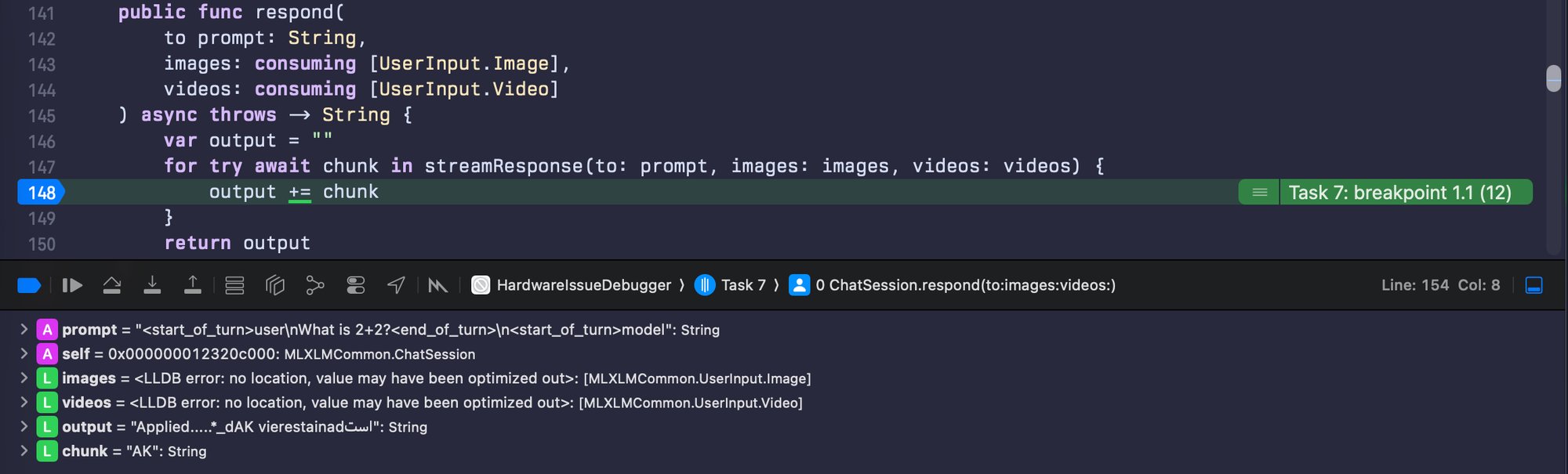
The CPU hit 100% and the model started generating, but it was all nonsense. No "stop" token appeared, so it just kept going.
"What is 2+2?" apparently "Applied.....*_dAK[...]".
At this point, I assumed I was completely incompetent. Or rather, MiniMax was! The beauty of offloading work to an LLM is having someone to blame for your shortcomings.
Time to get my hands dirty
I went back to documentation and Medium posts. To my surprise, MiniMax had followed everything to the letter—even deprecated methods. Still gibberish. No one to blame now but myself.
This impostor-syndrome-inducing problem consumed me silently. After 3 days, I was ready to give up... until a Tuesday morning at 7-8 AM, I had an idea: run this on my old iPhone 15 Pro.
Up to this point, I'd been using my daily driver, an iPhone 16 Pro Max that was a replacement from Apple Care after a small clubbing mishap (my previous phone was irreparably crashed).
I rushed to get everything ready before work and: it worked! Gemma, Qwen, and all other models generated coherent responses!
I stopped and thought: this cannot be a hardware issue, right? Of course not. The iPhone 15 was still on iOS 18, the iPhone 16 on 26. Must be an OS issue.
I updated the old phone. Many minutes later... same results, now on iOS 26. The plot was thickening.
Finding the smoking gun
After work, I set myself on debugging MLX as it ran. The game plan:
- Use a known-reliable model that fits in RAM (quantized Gemma)
- Simple prompt: "What is 2+2?"
- Temperature set to 0.0 to remove variability
- Find the model implementation
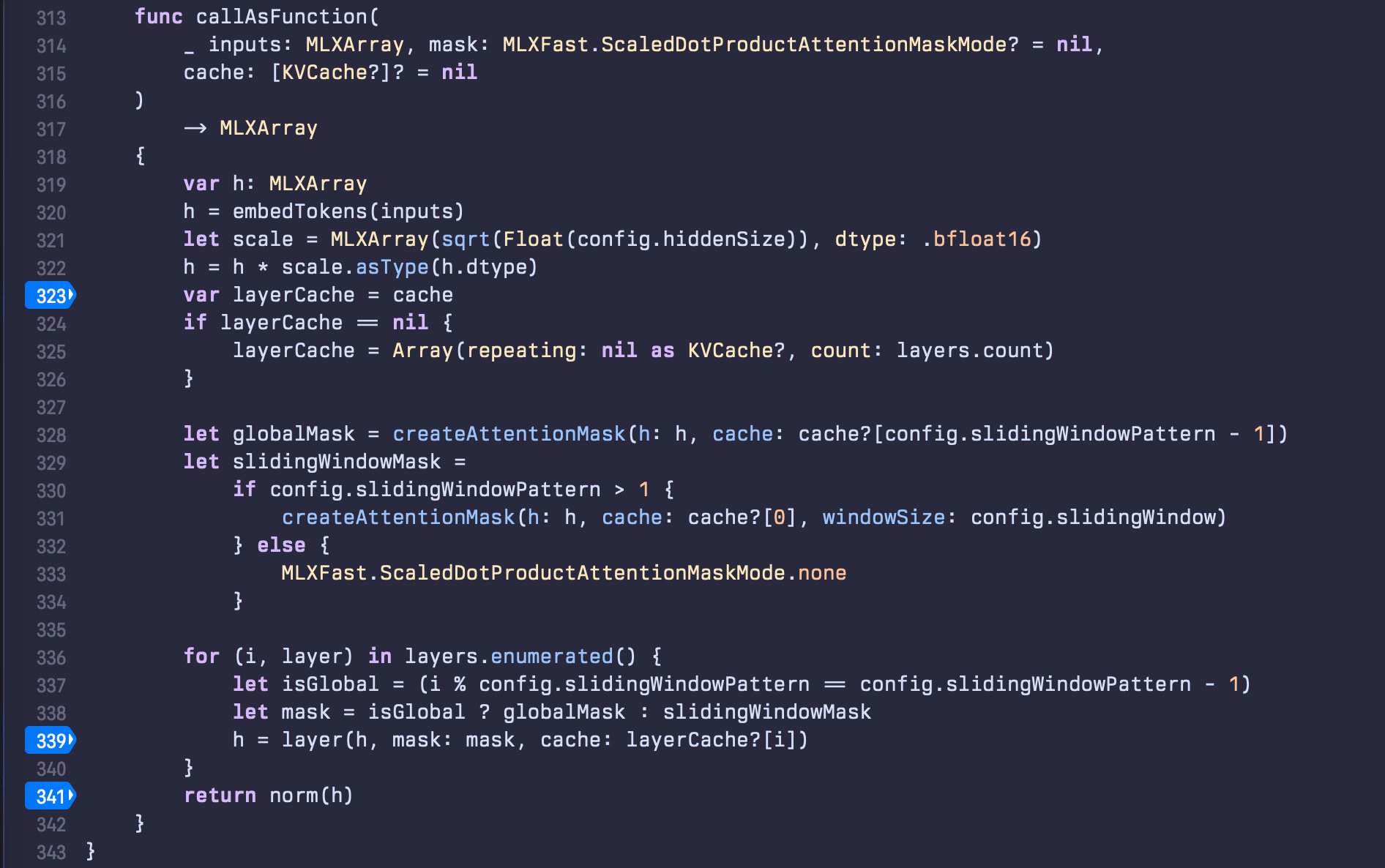
- Find where it iterates through layers and print MLXArray/Tensor values at each layer
A few moments later, I found where I needed to be. Added breakpoints, added logs, and off to the races.
I ran it on my iPhone 16 Pro Max. The model loaded, the prompt was "What is 2+2?", and tensors started printing line after line. For once, logs weren't complete gibberish—they were numbers. Floating point values representing the model's internal state.
I saved the output and did the same on my iPhone 15 Pro. Same model, same prompt, same code. Time to compare.
The breakthrough
I grep'd for a pattern I knew should be consistent—an array at log-line 58, right before values get normalized/softmaxed. On a working device, this should be the same every time.
iPhone 15 Pro: 3: "[[[[53.875, 62.5625, -187.75, ..., 42.625, 6.25, -21.5625]]]]"
iPhone 16 Pro Max: 3: "[[[[191.5, 23.625, 173.75, ..., 1298, -147.25, -162.5]]]]"
Huh. Not close. Not at all. These values are orders of magnitude off.
I double-checked the start of logs—both phones showed the same input:
1: "array([[[0.162842, -0.162842, -0.48877, ..., -0.176636, 0.0001297, 0.088501],\n [-0.348633, -2.78906, 0, ..., 0.84668, 0, -1.69336],\n [-1.30957, 1.57324, -1.30957, ..., -0.0010376, -0.0010376, 1.12305],\n ...,\n [-0.348633, -2.78906, 0, ..., 0.84668, 0, -1.69336],\n [0.296875, 0.59375, 0.890625, ..., -0.59375, 0.296875, -0.890137],\n [1.02734, -0.616211, -0.616211, ..., -0.275879, -0.551758, 0.275879]]], dtype=float16)"
OK, so the model receives the same input, but at some point values start going way off.
To make sure I wasn't crazy, I did one last thing: ran the same thing on my Mac. Made the app run in iPad compatibility mode and...
3: "[[[[53.875, 62.5625, -187.75, ..., 42.625, 6.25, -21.5625]]]]"
Bingo! Same as iPhone 15!
The model isn't broken. The code isn't broken. Most importantly, I'm not broken*. My phone is broken.
*arguable, but besides the point here
What's going on?
Here's what I think is happening: the iPhone 16 Pro Max contains Apple's A18 chip with its Neural Engine—a specialized accelerator for machine learning operations. MLX uses Metal to compile tensor operations for this accelerator. Somewhere in that stack, computations are going very wrong.
I don't think it's widespread, but I'm disappointed that a relatively newly replaced iPhone from Apple Care came with such an issue. If my Apple Intelligence troubles are related—and they might well be, since I'd assume that code and MLX aren't dissimilar in operations being done—it could be that all 12 pages of frustrated users are in a similar dilemma but without the means of debugging it.
The lesson
I spent 3 days thinking I was incompetent. I blamed MiniMax. I blamed myself. The entire time, my $1,400 phone had broken hardware.
I could lose more time figuring out exactly what's wrong, but it's literally not worth my time. I guess I can at least take a lesson that, when debugging, I should always consider the physical layer.
I spent three days assuming this was a software problem—my code, the library, the framework, my skills as a developer. The breakthrough was basically: "What if I'm not dumb and it's not my code?"
As for my phone: it'll probably go back to Apple as a trade-in for a new iPhone 17 Pro Max that hopefully 🌜 can do math.
Update on Feb. 1st: Now it's Feb. 1st and I have an iPhone 17 Pro Max to test with... and everything works as expected. So it's pretty safe to say that THAT specific instance of iPhone 16 Pro Max was hardware-defective.
Comments
Please log in or register to join the discussion