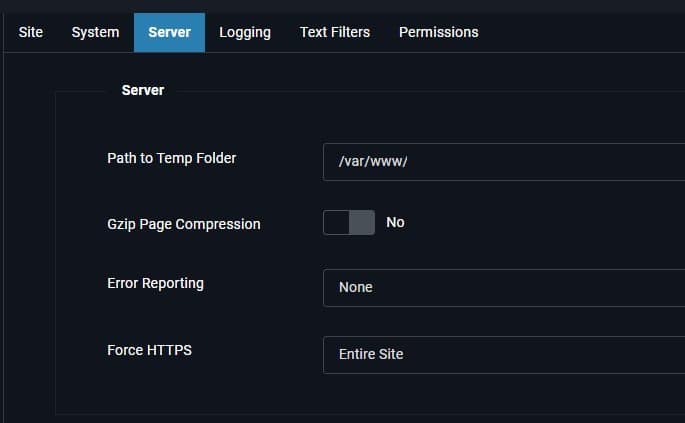
Running multiple CMS instances like Joomla and WordPress on a single Debian server often leads to performance bottlenecks under default configurations. This guide details critical tunings for PHP-FPM, Apache MPM Event, and MariaDB that reduced Time-To-First-Byte metrics to under 60ms, drawing from real-world deployment benchmarks.
Taming the LAMP Stack: Advanced Debian Tuning for CMS Workloads
Hosting multiple content management systems on a single server remains common for cost efficiency, but default LAMP (Linux, Apache, MySQL/MariaDB, PHP) configurations quickly buckle under concurrent traffic. A recent case study on a Hetzner VPS running Debian 12—hosting two Joomla and three WordPress sites—reveals how strategic tuning can transform performance without a CDN. Key metrics like Time-To-First-Byte (TTFB) plummeted to sub-50ms levels after optimization, demonstrating that significant gains lie in configuration rather than hardware upgrades.
The Foundation: Prioritizing Caching
Caching is non-negotiable. As the author notes: "Nothing will make your site faster than caching—creating static pages instead of database lookups and parsing PHP." While Redis or Memcached offer advanced solutions, this guide focuses on optimizing existing stack components. Effective caching reduces database load and CPU cycles, making subsequent tunings more impactful.
PHP: Ditching mod_php and Tuning FPM
The shift from mod_php to php-fpm (FastCGI Process Manager) is the single most impactful change. Unlike mod_php, which embeds PHP directly into Apache, php-fpm decouples script execution, slashing memory usage and allowing Apache to handle requests efficiently. Key configuration adjustments include:
- php.ini: Enabling OpCache with aggressive settings precompiles scripts into shared memory:
memory_limit = 128M zlib.output_compression = Off [opcache] opcache.enable=1 opcache.memory_consumption=128 opcache.max_accelerated_files=30000 - FPM Pool (www.conf): Dynamic process management balances resource use:
pm = dynamic
pm.max_children = 50
pm.start_servers = 5
pm.max_requests = 500  # Prevents memory leaks
Apache: Embracing HTTP/2 and MPM Event
Apache’s mpm_event module, designed for asynchronous processing, is essential when paired with php-fpm. Critical tweaks include:
- Enabling
mod_http2for multiplexed asset delivery andmod_deflatefor response compression. - MPM Event Tuning: Align worker limits with available RAM. For an 8GB server:
The<IfModule mpm_event_module> MaxRequestWorkers 400 # Matches 5GB RAM allocation ThreadsPerChild 25 MaxConnectionsPerChild 0 # Avoids process recycling overhead </IfModule>MaxRequestWorkerssetting prevents swap thrashing by capping connections based on free memory.
MariaDB: Memory Is King
Database performance hinges on keeping hot data in RAM. Key MariaDB optimizations:
- Buffer Pool: Allocate 25–40% of system RAM (2GB here) to
innodb_buffer_pool_size:[mariadb] innodb_buffer_pool_size = 2G innodb_log_file_size = 256M innodb_flush_method = O_DIRECT # Bypasses OS cache for writes - Query Cache Disabled: Modern MariaDB performs better without it (
query_cache_type = OFF). - Connection Management:
skip-name-resolveaccelerates connections, whilemax_connections = 100prevents overload.
CMS-Specific Optimizations
Joomla
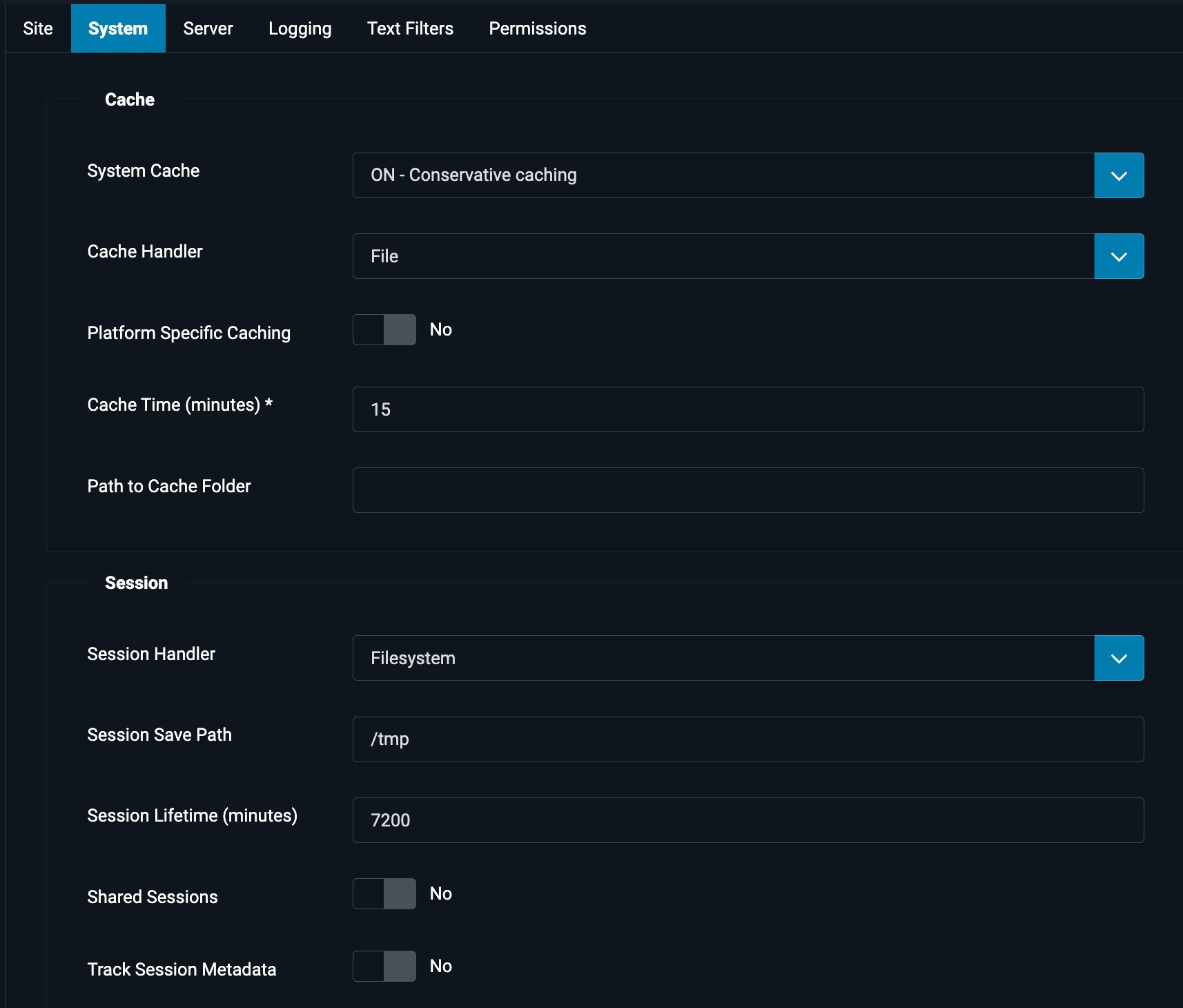
- System – Page Cache Plugin: Enabling this caches entire HTML pages, reducing TTFB by 7x in tests.
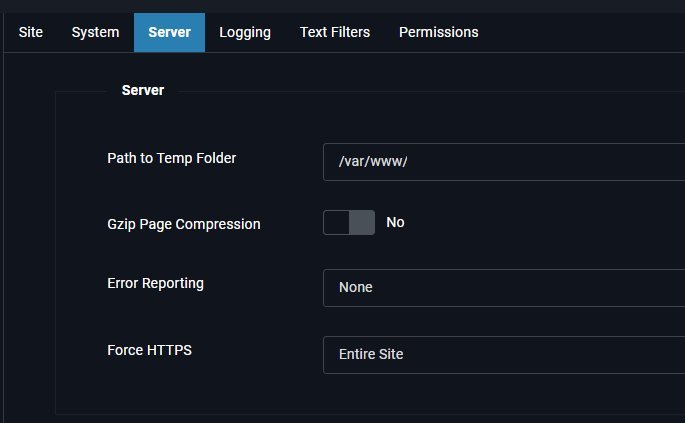 shows the incorrect gzip configuration that adds latency.
 - Use "Conservative Caching" for module-level flexibility with logged-in users.
WordPress
- WP Fastest Cache: Generates static HTML files. Combine with image optimization for maximum gains.
The author concludes: "These tunings transform a struggling VPS into a robust platform for multiple CMS sites—proving that thoughtful configuration rivals expensive infrastructure upgrades." With TTFB consistently below 60ms, the stack handles real-world traffic while maintaining developer accessibility.
Source: How to Tune a LAMP Stack on Debian for Maximum Performance
Comments
Please log in or register to join the discussion