Exploring how AI can help optimize memory usage and costs in data centers through profiling, right-sizing, and cost-benefit analysis.
Striking Back at AI Memory Pricing... Using AI
Memory pricing has become one of the most significant cost factors in modern data centers. What was once our #1 hardware cost has now become prohibitively expensive, making it difficult to deploy the systems we need. In this article, we explore how we can use AI to strike back at these soaring memory costs by profiling actual usage, optimizing deployments, and making data-driven decisions.
The Memory Pricing Challenge
Before memory pricing went wild, overprovisioning was a luxury we could afford. The cost of putting more memory into machines than strictly necessary was relatively low, allowing us to build in comfortable headroom. Now, with memory prices at historic highs, we simply cannot afford to overprovision. Every dollar spent on excess memory is a dollar not spent on additional compute capacity or systems.
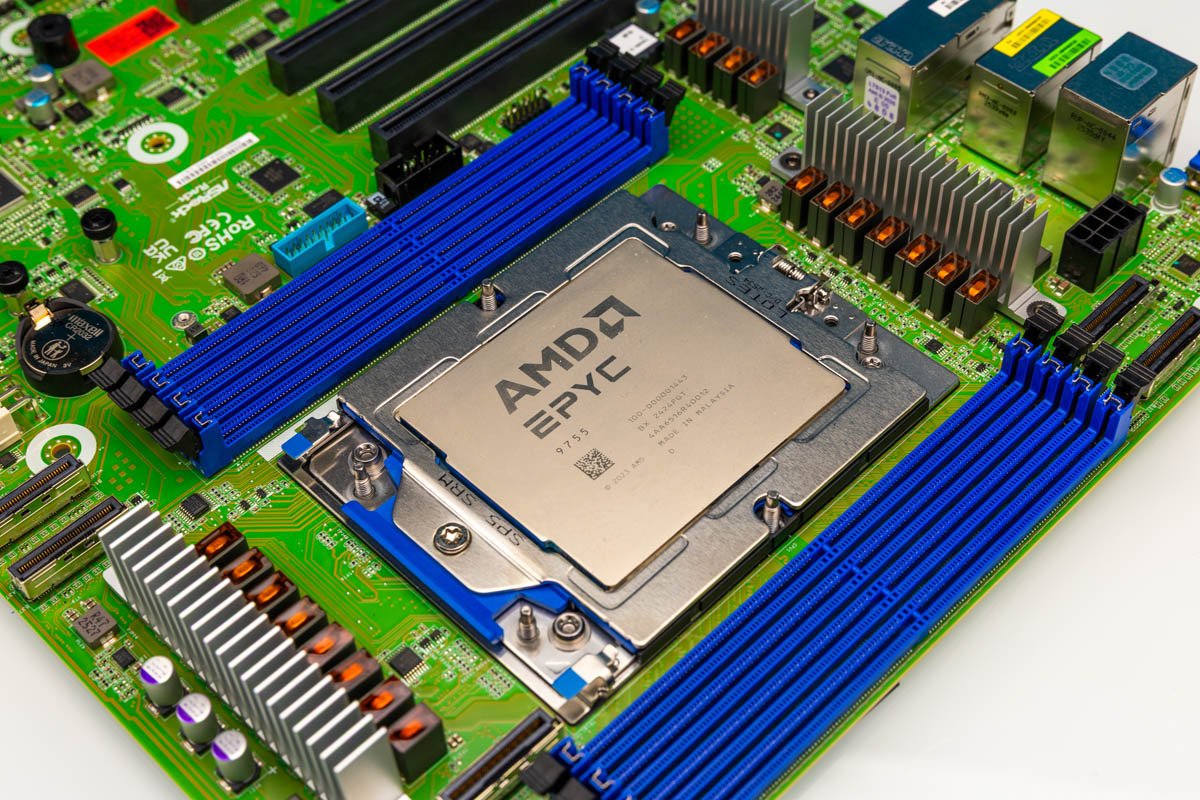
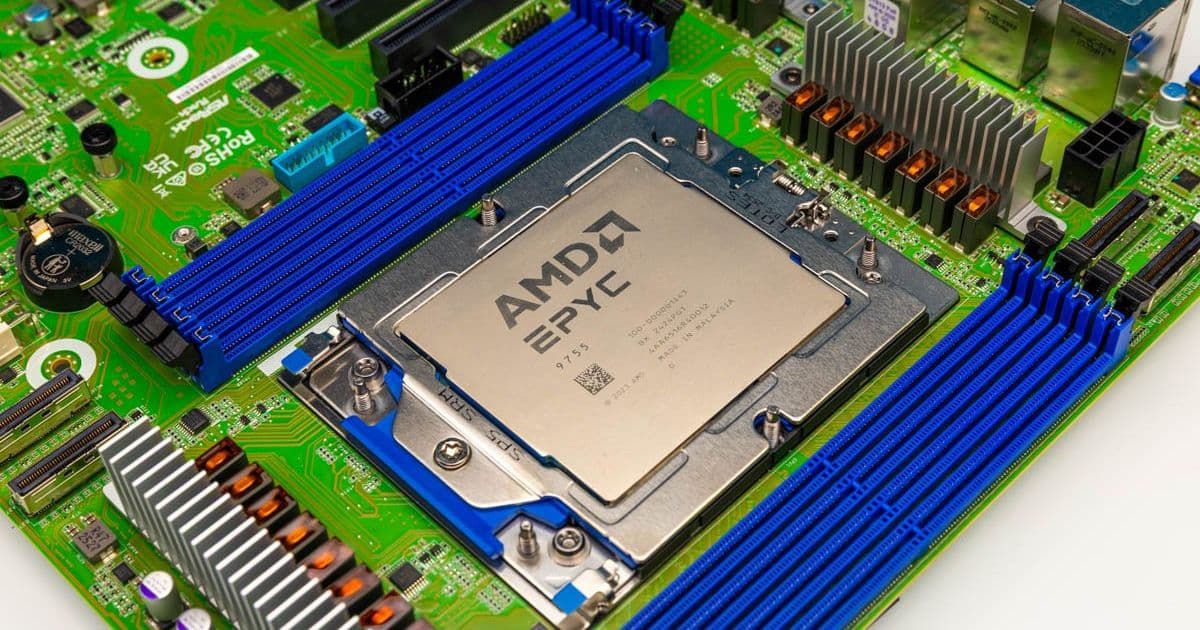
Featured: ASRock Rack TURIND8 2L2T with AMD EPYC 9755
Three Key Questions
Our approach to tackling this challenge centered on three key questions:
Actual Memory Usage: How much memory are we actually using? We needed to move beyond historical patterns of overprovisioning to understand true working set requirements.
Cost Optimization: How can we lower the cost of the memory capacity we need without compromising performance?
Cost-Benefit Analysis: If we do lose some performance by choosing lower-cost memory configurations, do the savings allow us to purchase enough additional cores or systems to offset the loss?
For this analysis, we used AMD EPYC CPUs (sponsored by AMD) to leverage their 12-channel 2DPC capabilities. We also supplemented this with a Xidax Threadripper system to ensure our analysis extended beyond just high-end EPYC platforms.
Profiling Workloads: Small to Massive
Understanding actual memory usage requires profiling across different environments and scales. The approach varies significantly depending on whether you're managing a single workstation, a small server, or a large fleet.
Single System Profiling
For individual workstations or small servers, standard system monitoring tools can provide valuable insights:
- Windows: Task Manager, Resource Monitor, Performance Monitor
- Linux:
top,htop,free,vmstat,sar - Containerized:
docker stats,kubectl top
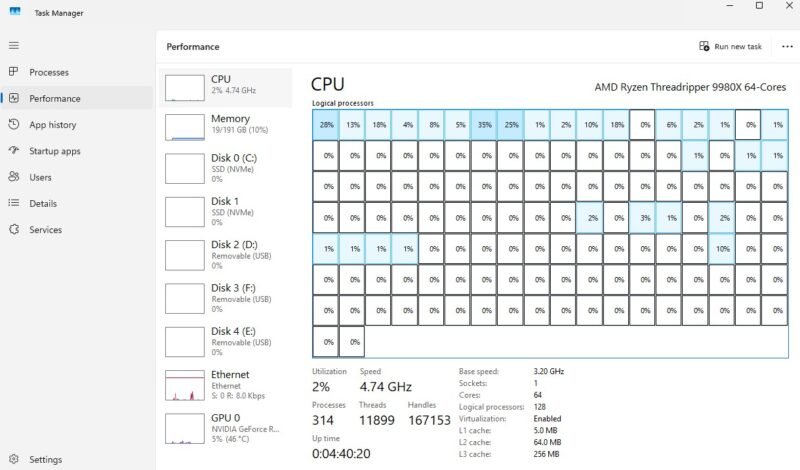
AMD Ryzen Threadripper 9980X Task Manager showing memory usage
The key is collecting data over an appropriate time window. A five-minute snapshot won't reveal capacity needs. Instead, monitor for at least a month, capturing:
- Normal business activity
- Backup windows
- Patching schedules
- Index rebuilds
- Model loads
- Month-end processing
- Traffic peaks
Virtualized Environments
In virtualized environments, monitoring occurs at both the host and guest levels:
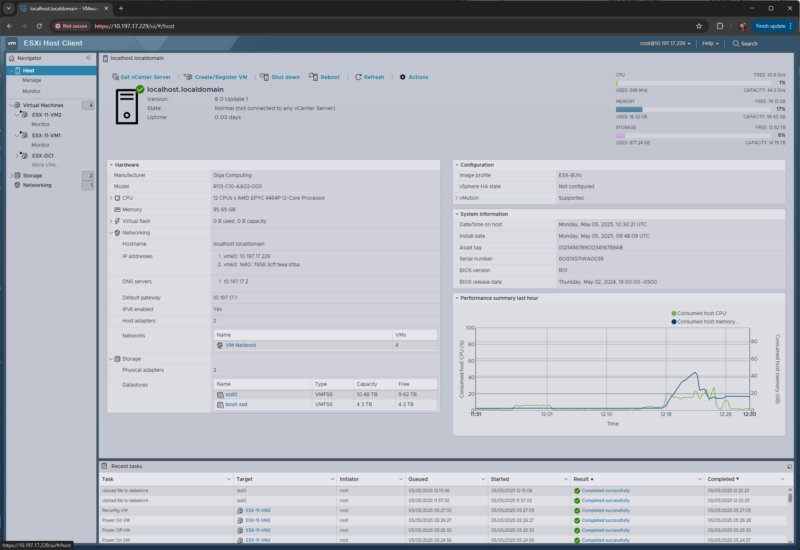
Gigabyte R113 C10 ESXi monitoring memory usage
VMware/ESXi:
- Host memory consumption
- Active memory
- Ballooning
- Compression
- Swapping
Other virtualization stacks (Proxmox VE, KVM, Hyper-V, Nutanix, XCP-ng):
- Host-level: memory pressure, swap activity, ballooning, NUMA imbalance
- Guest-level: OS-specific metrics
Kubernetes Environments
For Kubernetes deployments, monitoring extends to:
- kube-state-metrics
- cAdvisor
- Container memory requests and limits
- OOM-kills and throttling events
The Right Metrics for Capacity Planning
The critical metric isn't "how much memory is installed?" but rather "what is the sustained and peak working set after removing caches and normal OS housekeeping?"
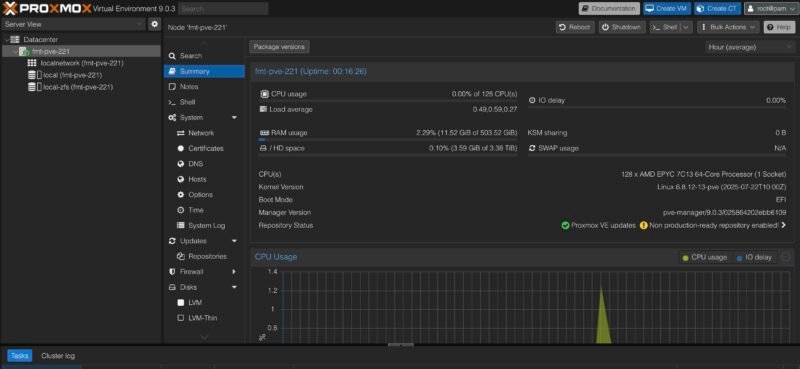
Newly Upgraded Proxmox VE 9 on AMD EPYC 7C13 Node
Modern operating systems aggressively use memory for cache because unused DRAM is wasted DRAM. This cache can often be reclaimed, making "free memory" a misleading metric. However, certain workloads have different characteristics:
- Database buffer pools
- JVM heaps
- AI inference services with pinned memory
These workloads require careful analysis as reducing their memory allocation can significantly impact performance.
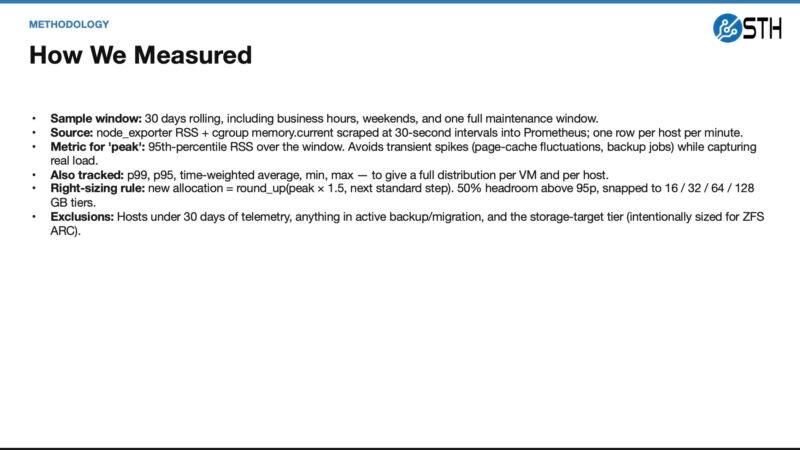
STH Memory Capacity Planning Methodology
Fleet-Level Analysis
For larger deployments, observability platforms become essential:
- Prometheus + node_exporter
- Grafana
- Telegraf
- Zabbix
- Datadog
- New Relic
- CloudWatch
- Azure Monitor
- Google Cloud Monitoring
The goal is to identify patterns across hundreds or thousands of systems:
- Systems that rarely exceed 40% actual working set
- Systems that peak only during specific periods
- VMs with high allocation but low p95 usage
- Nodes with swap activity
- Memory-resident workloads that shouldn't be aggressively right-sized
Leveraging AI for Memory Analysis
This is where AI becomes particularly valuable. Traditional analysis for a single system is straightforward, but scaling this across a fleet becomes complex quickly. AI agents can:
- Identify patterns that humans might miss across many systems
- Summarize findings into actionable recommendations
- Generate visualization that highlights areas of concern
- Create scripts to automate the analysis process
Memory capacity planning methodology showing allocated vs. observed usage
AI-Assisted Right-Sizing Examples
Web Frontend: Often an easy candidate for smaller allocation when p95 and p99 remain far below current settings. The change is typically reversible if issues arise.
Database Workloads: More complex. Instead of simply cutting allocation, consider ballooning or other reversible policies that allow the system to reclaim memory when needed without causing performance degradation.
Our Findings: The Reality of Overprovisioning
After analyzing our fleet, we discovered an uncomfortable truth: we were overprovisioning memory by approximately 25% compared to actual needs. In the "before times" when memory was cheaper, this wasn't a significant concern and provided valuable headroom.
Today, with memory prices at 2026 levels, this overprovisioning represents a substantial opportunity cost. The 25% reduction in memory requirements could translate to deploying significantly more servers in the same budget.
Building a Memory Recovery Plan
The goal at the fleet level is to transform individual right-sizing decisions into a comprehensive memory recovery plan. The critical aspect isn't just reclaiming capacity but doing so in a way that the team trusts the results.
Implementation Process
- Baseline Analysis: Establish current memory usage patterns across all systems
- Prioritization: Identify systems with the most significant gap between allocated and actual usage
- Right-Sizing Strategy: Develop appropriate approach for each workload type
- Implementation: Make changes in a controlled manner
- Validation: Monitor performance after changes
- Documentation: Record findings and decision rationale
Tools for the Journey
Numerous tools can assist in this process:
- VMware: vCenter, ESXi host/client, PowerCLI
- Proxmox: Proxmox VE API, pvesh, qm commands
- Linux:
numactl,cgroups,systemd-cgtop - Kubernetes:
kubectl, Prometheus, Grafana - General: Python scripts for custom analysis
The AI Advantage
Before AI, conducting this level of analysis across many systems required significant time and resources. The cost of analysis sometimes approached the cost of simply deploying extra memory "just in case."
Today, AI dramatically lowers this barrier:
- AI can generate Python scripts to analyze memory usage patterns
- AI can identify anomalies and opportunities across thousands of systems
- AI can suggest right-sizing strategies based on workload characteristics
- AI can visualize complex relationships in intuitive ways
However, AI recommendations should always be reviewed by human experts who understand the specific workloads and business requirements.
Conclusion
Memory pricing has fundamentally changed how we approach capacity planning. What was once a simple matter of adding extra memory for headroom now requires careful analysis and optimization.
By combining traditional monitoring techniques with modern AI analysis, we can:
- Reduce memory costs by 25% or more
- Reinvest savings into additional compute capacity
- Maintain or improve performance through intelligent right-sizing
- Build more efficient, cost-effective infrastructure
The era of blind overprovisioning is over. With AI-assisted analysis, we can strike back at memory pricing and build infrastructure that meets actual needs rather than historical habits.
For more information on memory optimization techniques, check out the official AMD EPYC documentation and the Prometheus monitoring toolkit.
Comments
Please log in or register to join the discussion