PDFs dominate digital workflows but often frustrate with editing limitations. We dissect the leading PDF editors of 2025, evaluating features like AI integration and e-signing for developers and enterprises. Discover why Adobe Acrobat Pro leads the pack and which alternatives excel in specialized scenarios.
PDF files are the unglamorous backbone of digital documentation—ubiquitous in contracts, reports, and technical manuals, yet notoriously rigid to modify. For developers and IT teams, inefficient PDF handling can bottleneck workflows, whether signing deployment approvals or annotating architecture diagrams. Free tools often impose watermarks or lack advanced functionality, pushing professionals toward premium solutions. After rigorous testing, we’ve curated the top PDF editors for 2025, emphasizing capabilities that matter most in tech environments.
Adobe Acrobat Pro: The Gold Standard
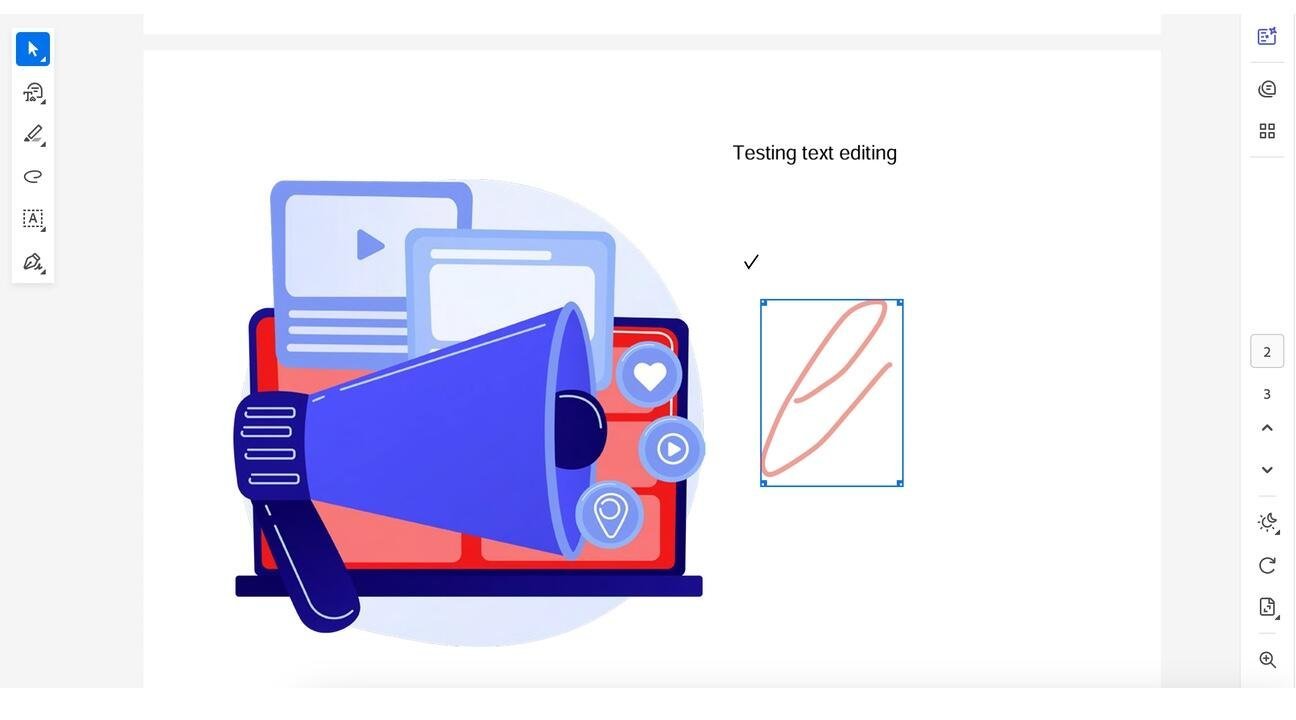 Adobe Acrobat Pro remains the industry benchmark, and for good reason. Its comprehensive toolkit supports granular text/image editing, OCR for scanned documents, and robust e-signing—critical for compliance-heavy sectors. Multi-platform syncing (Windows, macOS, mobile) ensures accessibility, while cloud integrations streamline collaboration. At $20/month, it’s a premium investment, but businesses gain unparalleled reliability. The optional AI assistant ($5 extra) aids basic queries, though it lags behind niche players in generative features. Why it shines: Ideal for enterprises needing a one-stop solution for secure, high-volume PDF management. Downsides include occasional sluggishness and cost barriers for smaller teams.
Foxit PDF Editor+: E-Signing Powerhouse
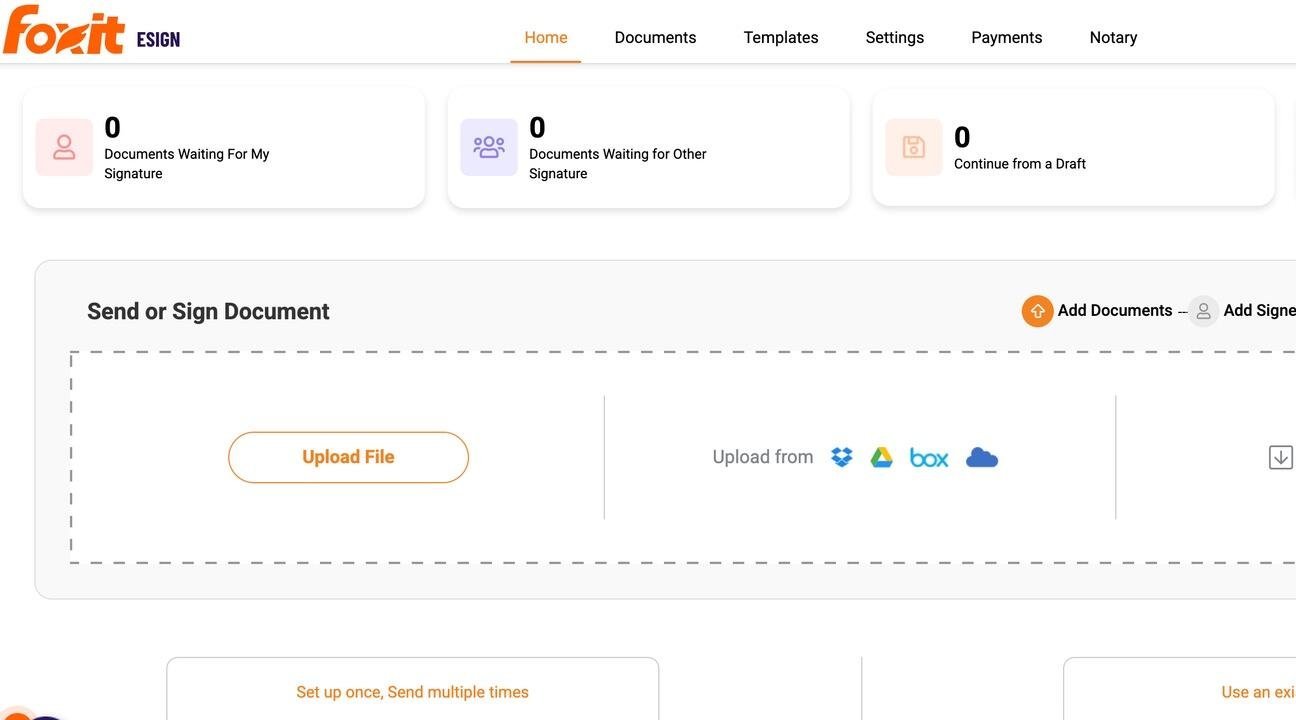 Foxit PDF Editor+ emerges as Adobe’s fiercest rival, particularly for its e-signing ecosystem. The dashboard elegantly tracks pending signatures, completed documents, and notary requests, with seamless uploads from Google Drive or Dropbox. Its OCR accuracy outperforms many competitors, making scanned document conversion effortless. Priced from $14/month, Foxit offers SSO support and AI enhancements, though large app downloads may deter mobile-centric users. Standout use case: Perfect for remote teams handling contracts or audits where digital notarization and signature workflows are non-negotiable.
Nitro Pro: AI-Powered Summarization
Nitro Pro targets tech users drowning in verbose reports. Its Document Assistant (in beta) uses AI to summarize lengthy PDFs, translate content, or answer contextual questions—valuable for rapid prototyping or research. The interface simplifies batch conversions (e.g., Word to PDF), but text alignment can be finicky. At $15/month, it’s a solid mid-tier option, though support responsiveness varies. Tech angle: A boon for data scientists and PMs parsing technical documentation who need quick insights without manual skimming.
PDF Expert: macOS Ecosystem Essential
For Apple-centric developers, PDF Expert delivers a frictionless experience. Its intuitive UI enables merging, compressing, or creating PDFs from scratch, with OCR and annotation tools that feel native to macOS. The Copilot AI (free in beta) suggests edits and summaries, bridging productivity gaps. At $6.67/month or a $140 lifetime license (sans AI), it’s cost-effective but lacks Android support. Why developers care: Optimized for Xcode workflows and iOS testing logs, with lightweight performance on M-series chips.
Key Considerations for Tech Teams
| Feature | Adobe Acrobat Pro | Foxit PDF Editor+ | Nitro Pro | PDF Expert |
|---|---|---|---|---|
| Price (monthly) | $20+ | $14+ | $15+ | $6.67+ |
| AI Tools | Limited | Yes | Advanced | Beta |
| E-Signing | Robust | Excellent | Good | Basic |
| Platforms | Multi-OS | Multi-OS | Win/macOS | macOS/iOS |
When choosing an editor, weigh factors like:
- Integration needs: Does it plug into CI/CD pipelines or cloud storage?
- AI utility: For automated summarization in agile workflows.
- Security: Encryption and permission controls for sensitive IP. Free tiers like PDF Candy suffice for occasional use but falter under enterprise demands.
As digital transformation accelerates, PDF editors evolve beyond static tools into collaborative engines. Adobe’s dominance isn’t unchallenged—Foxit’s e-signing and Nitro’s AI signal a shift toward specialized, intelligent document handling. For tech leaders, the right choice isn’t just about editing text; it’s about eliminating friction in the document lifecycle, freeing talent to focus on innovation.
Source: ZDNET
Comments
Please log in or register to join the discussion