
Python 3.14 introduces sys.remote_exec(), a powerful new capability that enables executing Python scripts inside running processes without restarting them. Savannah Ostrowski demonstrates how this feature powers debugwand, a tool that eliminates the friction of debugging Python applications inside containers and Kubernetes clusters.
Containers have fundamentally changed how we develop and deploy software, offering isolation, reproducibility, and scalability that were previously difficult to achieve. However, this technological leap forward introduced a subtle but significant friction point: the debugging experience. When your FastAPI application runs inside a Docker container or Kubernetes pod, the straightforward debugger connection you once enjoyed through a simple VS Code launch configuration becomes a complex orchestration of port forwarding, sidecar containers, and carefully timed code injections.
The traditional approach to debugging containerized Python applications requires a frustrating sequence of steps. You might add debugpy imports to your application code, configure it to wait for connections, restart your pod to ensure the debugger attaches properly, set up port-forwarding to expose the debugging port, and then race against your application's lifecycle to establish a connection before state changes make your breakpoints irrelevant. If you're using hot-reload tools like uvicorn --reload, the complexity compounds further. This peripheral setup work pulls focus away from the actual problem you're trying to solve.
Savannah Ostrowski, Python Steering Council member and CPython Release Manager, has created debugwand to address this exact pain point. Debugwand is a zero-preparation remote debugger for Python applications running in Kubernetes clusters or Docker containers. It eliminates the need for sidecar pods, application code modifications, and extensive configuration. The tool achieves this through a remarkable new capability in Python 3.14: sys.remote_exec().
Sys.remote_exec() represents a fundamental shift in what's possible with Python process introspection. This function allows you to execute a Python script inside another running process without restarting it. The injected script gains full access to the target process's memory, modules, and current state. This is precisely what's needed to start a debug server on-demand within an existing application process.
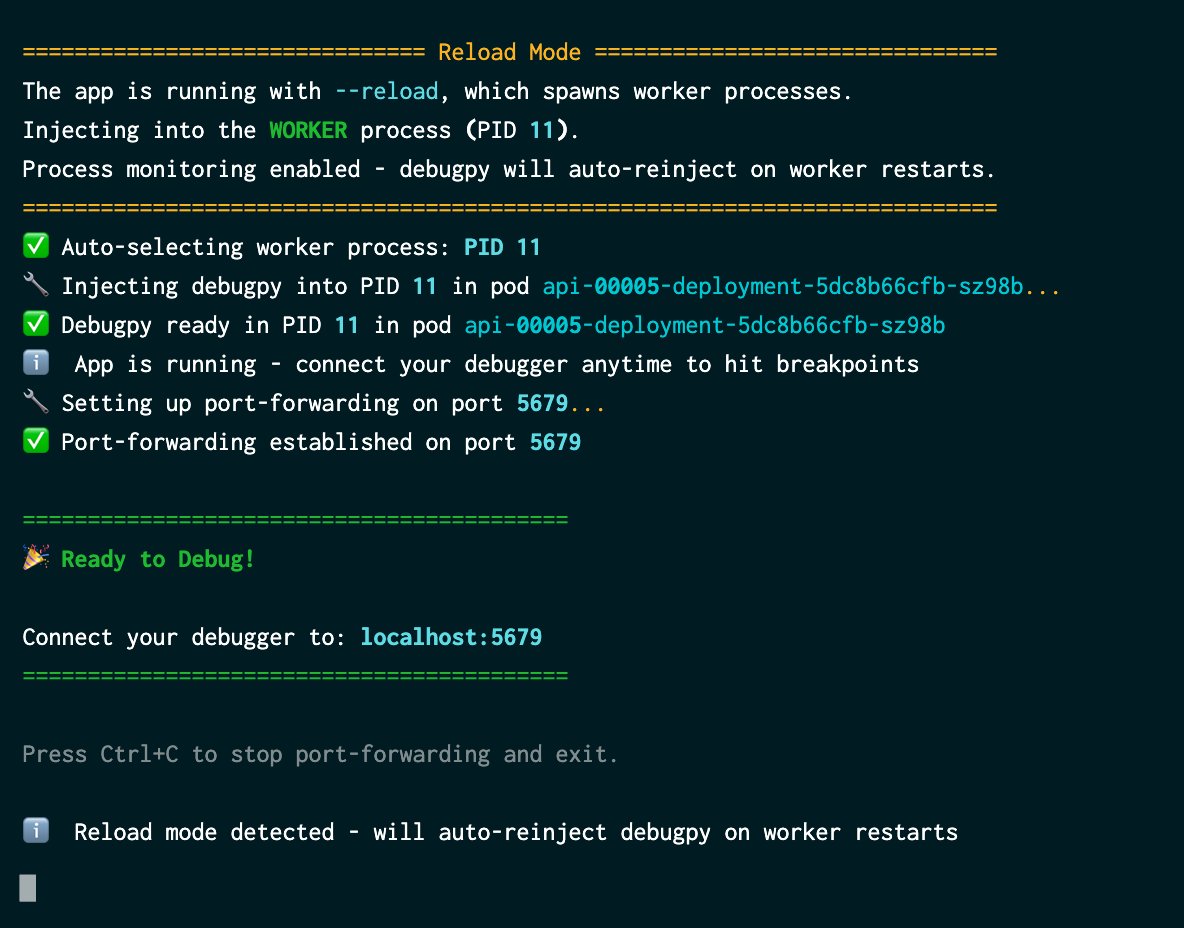
When you execute wand debug, debugwand orchestrates a sophisticated sequence of operations. First, it locates your target process. For Kubernetes environments, it automatically discovers pods associated with your service, including support for Knative deployments. For Docker, you simply specify the container. Next, it identifies all Python processes running within that pod or container, displaying CPU and memory statistics to help select the appropriate target. It even detects uvicorn --reload scenarios automatically, though you can override this selection if needed.
The critical step happens next: debugwand uses sys.remote_exec() to inject a small script that launches a debugpy server directly into the running process. There's no restart, no code changes, and no interruption to your application's operation. Your service continues handling requests while the debugger becomes available in the background. Finally, debugwand establishes the connection by automatically handling port-forwarding for Kubernetes or requiring only that you expose the port for Docker containers. You then configure your editor to connect to localhost:5679 (or any port you prefer) and begin debugging with full breakpoint support, variable inspection, and step-through capabilities.
The entire setup process takes just minutes, transforming what was once a multi-step, error-prone workflow into a streamlined command execution.

It's important to note that debugwand is experimental and intended strictly for local development. Enabling SYS_PTRACE kernel capabilities carries security implications that make it unsuitable for production environments. The tool is available through PyPI for Python 3.14 users via uv tool install debugwand. After installation, you'll need to ensure your cluster or container has SYS_PTRACE capabilities enabled, configure port forwarding for the debugging port, and set up your VS Code launch.json if you're using that editor.
This innovation connects to a broader pattern in modern software development: the tension between abstraction and observability. As our development environments become more complex and layered, maintaining the ability to introspect and understand runtime behavior becomes increasingly challenging. Tools like debugwand and features like sys.remote_exec() represent a new class of solutions that work with, rather than against, these abstractions.
The implications extend beyond just debugging convenience. This capability opens possibilities for dynamic instrumentation, runtime code patching, and adaptive debugging scenarios that were previously impractical in Python. It suggests a future where the boundary between development and production tooling becomes more porous, enabling sophisticated diagnostic capabilities without requiring architectural compromises.
For teams wrestling with containerized Python development, sys.remote_exec() and debugwand offer a glimpse of what's possible when language runtime capabilities evolve to meet modern infrastructure patterns. The tool is available on GitHub and PyPI, with additional context available in Savannah's original post.
Comments
Please log in or register to join the discussion