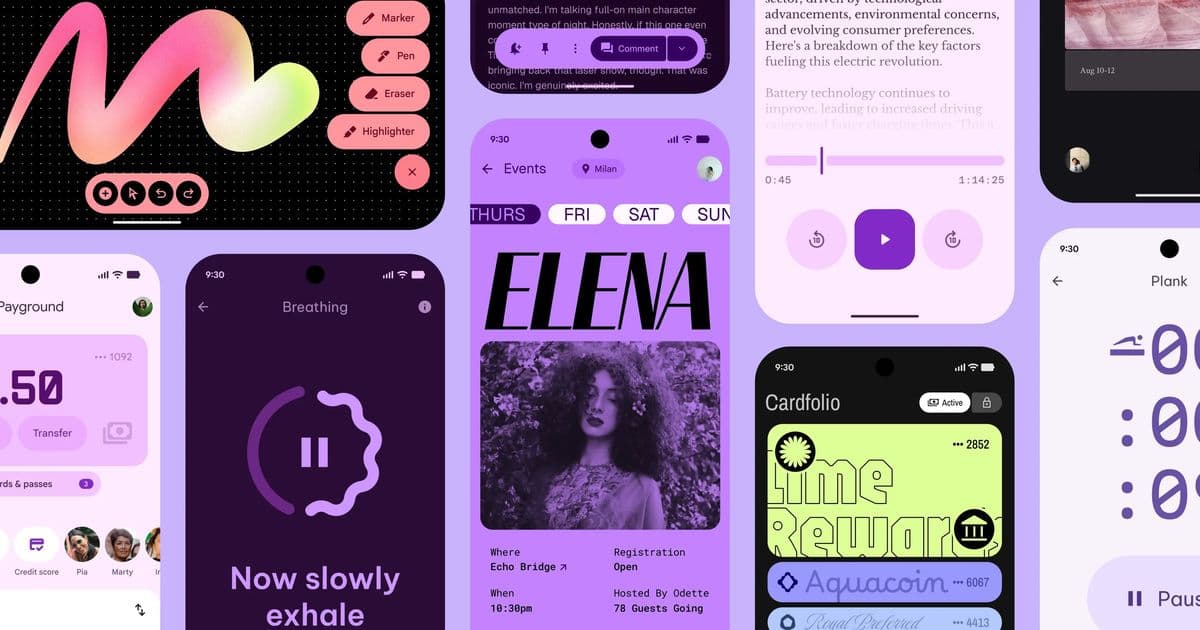
Google's Material 3 Expressive promised 'Better, Easier, Emotional UX' but has delivered a confusing landscape of inconsistencies, questionable design choices, and broken components across its own ecosystem. This analysis examines the gap between marketing claims and implementation reality.
When Google's Material Design team unveiled Material 3 Expressive, they presented it as a significant evolution of their design system. The launch trailer showcased bold redesigns of commonplace apps, promising research-backed improvements that would help users identify key actions faster while reducing information overload. The narrative was compelling: a design system that would allow apps to look unique while maintaining coherence. Months later, as the update has rolled out across Android and Google's own applications, a more complex reality has emerged—one that reveals significant gaps between ambition and execution.
The Illusion of Transformation
The actual changes to Android's system UI and Google apps are more modest than the marketing suggested. While there are visible differences—occasional use of blur effects, redesigned sliders, enhanced animations in some components, and containerized list items in apps—the overhaul feels incremental rather than revolutionary. The core Material 3 foundation remains intact, with Expressive serving more as a refinement layer than a fundamental reimagining. This raises an important question: was the dramatic trailer showcasing "crazy new designs" setting expectations that the actual implementation couldn't meet?
The Inconsistency Problem
Perhaps the most glaring issue with Material 3 Expressive is the lack of consistency even within Google's own application suite. The Phone and Contacts apps, which share fundamental functionality and user expectations, display remarkable differences that contradict the very premise of a cohesive design system.
The Phone app and Contacts app show different colors for list items, navbars, and search bars. The navbar heights differ. Selected pill indicators vary in size. Search bar dimensions don't match. While some variation might be excusable—call items naturally require less compactness than contact lists—the cumulative effect undermines the "system" aspect of a design system. Neither app uses any of the new "expressive" components that were touted as central to the update. Even the animation patterns differ, with the Phone app now employing lateral transitions that Google's own guidelines discourage.
This inconsistency suggests either rushed implementation, unclear design specifications, or fundamental disagreements within Google's design teams about how Expressive should be applied. For a company that has championed design systems as a way to create cohesive user experiences, this internal fragmentation is particularly troubling.
The Calculator Catastrophe
The Calculator app update represents perhaps the most dramatic example of how Expressive has failed to deliver on its promises. Before the update, the calculator exemplified effective Material 3 implementation: it used the available color palette thoughtfully, maintained clear button separation with appropriate padding, distinguished the number input field effectively, and incorporated subtle animations that enhanced usability without distraction.
The "expressive" update transformed this functional design into something that appears hastily assembled. The release notes initially promised improvements, but the actual result reveals multiple regressions:
- Strange padding: Inconsistent spacing that disrupts visual hierarchy
- Imperfect circles: Buttons that should be perfectly circular now show slight irregularities
- Removed functionality: Advanced functions like square root, π, exponents, and factorial were eliminated without expanding the interface
- Reduced distinction: The number input field lost its visual separation, making it harder to read
The most egregious issue appears when pressing the "invert" button. The advanced function buttons shift positions in inconsistent ways: the square root button becomes slightly wider, sine and cosine shift left, tangent widens, and exponential functions move incorrectly. This suggests fundamental problems with layout calculation or component sizing—basic UI engineering failures that shouldn't occur in a major design system update.
The Clock App's Unstable Layout
While the Clock app shows more restraint than the Calculator, it suffers from its own set of issues. The padding of location items varies between top and bottom, and the navbar font appears incorrect—or perhaps the "correct" variables have been so thoroughly disregarded that determining accuracy is impossible.
The stopwatch presents a peculiar design choice: it's scrollable despite having no need for scrolling, with excessive space allocated for the duration display. More concerning is the World Clock view, where the layout shifts every second. This occurs because the stopwatch was given a fixed height while the World Clock wasn't, and as the dynamic font resizes, every element in the page moves visibly. This creates a distracting, unstable interface that contradicts the "emotional UX" promise.
Subjective Design Failures
Beyond objective inconsistencies, several design choices in Material 3 Expressive raise questions about aesthetic judgment and usability principles.
The Quick Settings Panel
The quick settings and notification panel reveals a tension between animation quality and visual coherence. While the notification animations are praised for their bounciness and feel, the quick settings buttons present multiple issues:
- Oversized icons: The icons are disproportionately large, creating visual imbalance
- Squared active items: The active state uses square shapes that clash with the circular icon containers
- Separate color schemes: The insistence on different colors for notifications and quick settings creates unnecessary visual fragmentation
- Amateur blur effect: The tinted panel uses a blur radius that's too small, creating a cheap, unfinished appearance rather than the sophisticated frosted glass effect users expect
- Icon redesign: The new icons adopt an iOS-like aesthetic that some users find less distinctive than the previous Material icons
The App Drawer
The app drawer shares similar problems with the quick settings. The blur radius is again too small, creating what looks like a beginner's CSS experiment rather than a polished system component. The drawer now appears as a full sheet sliding from the bottom—a significant departure from the previous fade-in-with-minimal-movement pattern. This creates an unconventional interaction pattern that feels disconnected from the rest of the system. Additionally, the animation when swiping between personal and work profiles lacks the bounciness found elsewhere, creating inconsistency with the file picker and other components.
Dropdown Menus
Dropdown menus rank among the most problematic Material components, and Material 3 Expressive appears to have made them worse. The padding adjustments and icon changes have introduced janky behavior and visual inconsistencies that detract from the overall experience.
The Popover Proliferation
Android's interface now features an excessive number of popovers, creating what feels like an overcomplicated layering system that can overwhelm users rather than simplify their experience.
The Gap Between Promise and Reality
Material 3 Expressive was marketed as a system that would allow apps to look unique while maintaining coherence—a departure from Material 3's tendency toward identical-looking applications. In practice, Google's native apps have achieved uniqueness through inconsistency rather than thoughtful variation.
The update feels overhyped, with some commentators suggesting it would "kill" Apple's Liquid Glass design system. This comparison is questionable since most consumers don't base purchasing decisions on design system names, but it highlights the inflated expectations. While I personally prefer Apple's Liquid Glass implementation, the justification isn't merely aesthetic preference—it's about execution quality and consistency.
Apple has demonstrated how to implement a design system with remarkable consistency across its ecosystem, even while allowing for app-specific character. Google's Material 3 Expressive, by contrast, shows a company struggling to apply its own design principles consistently within its first-party applications.
Broader Implications
This situation reflects a common challenge in design system development: the difficulty of maintaining coherence across large organizations with multiple teams and priorities. When a design system is updated, the implementation requires coordination, clear specifications, and rigorous quality control. Material 3 Expressive appears to have lacked these elements.
The issues also highlight a tension between innovation and stability. By pushing for more "expressive" designs, Google may have disrupted established patterns that worked well, without providing clear benefits to users. The removal of advanced calculator functions, for instance, doesn't serve any apparent user need—it simply reduces functionality.
For developers and designers working with Material Design, this update creates uncertainty. If Google's own apps can't implement the system consistently, how can third-party developers be expected to? The guidelines become less reliable when the exemplars themselves don't follow them.
Looking Forward
Material 3 Expressive represents a valuable case study in design system evolution. It demonstrates that even well-resourced teams at major tech companies can struggle with implementation consistency. The gap between the ambitious trailer and the actual rollout suggests that marketing and engineering timelines may have been misaligned.
For users, the update delivers a mixed experience: some improvements in animation and visual appeal, but also new inconsistencies and occasional regressions. For Google, it presents an opportunity to refine the system based on real-world usage and feedback, potentially addressing the most glaring issues in future updates.
The broader lesson is that design systems require not just visual guidelines but also robust implementation frameworks, testing protocols, and organizational alignment. Without these, even the most thoughtful design concepts can fracture in practice, leaving users with an experience that feels disjointed rather than expressive.
Material 3 Expressive isn't a failure, but it's a reminder that design system success depends as much on execution as on vision. The promise of "Better, Easier, Emotional UX" remains compelling, but achieving it requires more than a trailer—it demands consistent, thoughtful implementation across every component and application. Until Google addresses the inconsistencies and questionable design choices in its own apps, Material 3 Expressive will remain more expressive in theory than in practice.
Comments
Please log in or register to join the discussion