OpenClaw is tightening its security model by introducing filesystem‑safe primitives, a proxy‑based egress filter, richer plugin‑trust signals from ClawHub, smarter command‑approval tooling, and systematic static analysis. The roadmap balances power with auditability, while acknowledging the limits of any protection.
Where OpenClaw Security Is Heading
OpenClaw aims to be a trustworthy AI personal assistant that can read files, run commands, install plugins, and talk to the network on a real user’s machine. That power inevitably raises security concerns. The team is drawing a line between what is already shipped, what is rolling out, and what remains research, because mixing those stages can mislead the community.
Filesystem boundaries and the fs‑safe library
Most users first think of path traversal when they hear “filesystem risk.” The real problem is broader: code often believes it is operating inside a single root, yet a symlink, absolute path, archive extraction, or sloppy path join can silently cross that boundary.
fs‑safe is the answer OpenClaw is pushing forward. It is a shared library that implements a set of root‑bounded primitives. All core code, plugins, and adjacent services call the same functions, so developers no longer need to re‑write boundary checks.
- Writing inside a plugin’s workspace is allowed.
- Traversal attempts (
../) or absolute‑path writes that would escape the workspace are rejected. - The library is not a sandbox; a plugin that runs arbitrary shell commands can still do anything those commands permit. The goal is to eliminate accidental boundary‑crossing bugs.
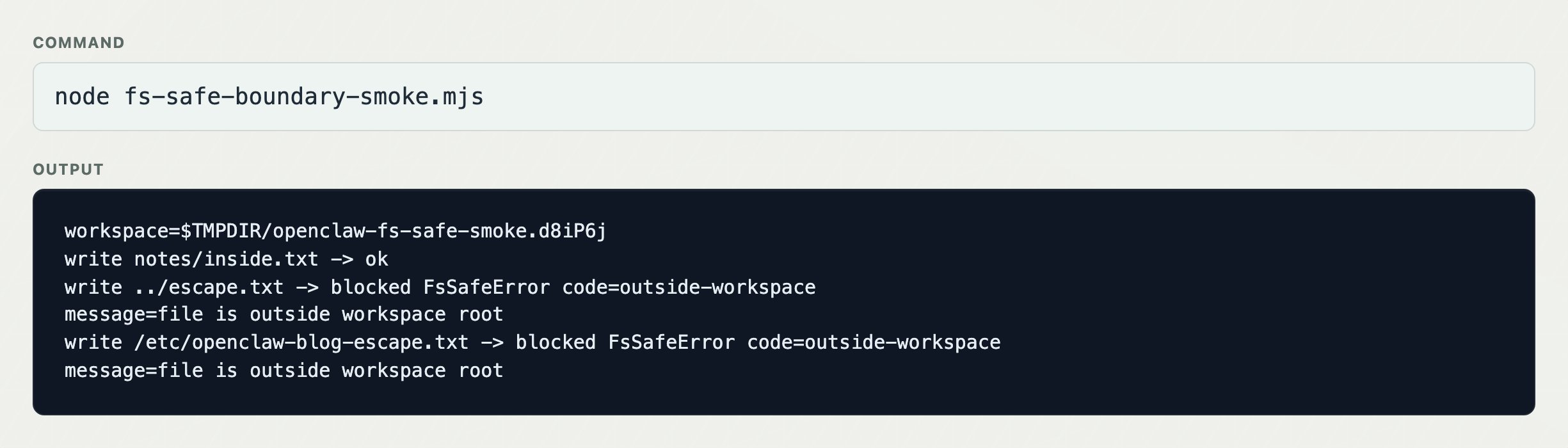
The next milestone is to make fs‑safe the default pattern for every plugin published on ClawHub. Bypassing the library won’t be automatically flagged as malicious, but it will affect a plugin’s trust score.
Moving runtime state into SQLite
The safest filesystem call is the one you never make. OpenClaw’s upcoming refactor stores sessions, transcripts, scheduler state, and plugin metadata in a typed SQLite database rather than loose files. This change removes whole categories of file‑system access from the runtime path, reducing the attack surface and simplifying ownership semantics.
Network egress: Proxyline as the enforcement point
In a typical web service, user‑controlled URLs are an exception. In an agent runtime, URLs are the norm – the model may request “fetch this link” as part of its job. Simple URL validation is insufficient because DNS can change between validation and fetch, allowing a request to slip into a metadata endpoint or private range.
Proxyline is a Node‑process routing layer that forces all outbound traffic through a configurable proxy. The proxy enforces policies such as:
- Blocking metadata service IPs
- Denying private‑range or loopback addresses
- Logging destinations, request rates, and blocked attempts
Operators can plug OpenClaw into an existing corporate proxy to gain observability and policy enforcement without modifying each plugin.
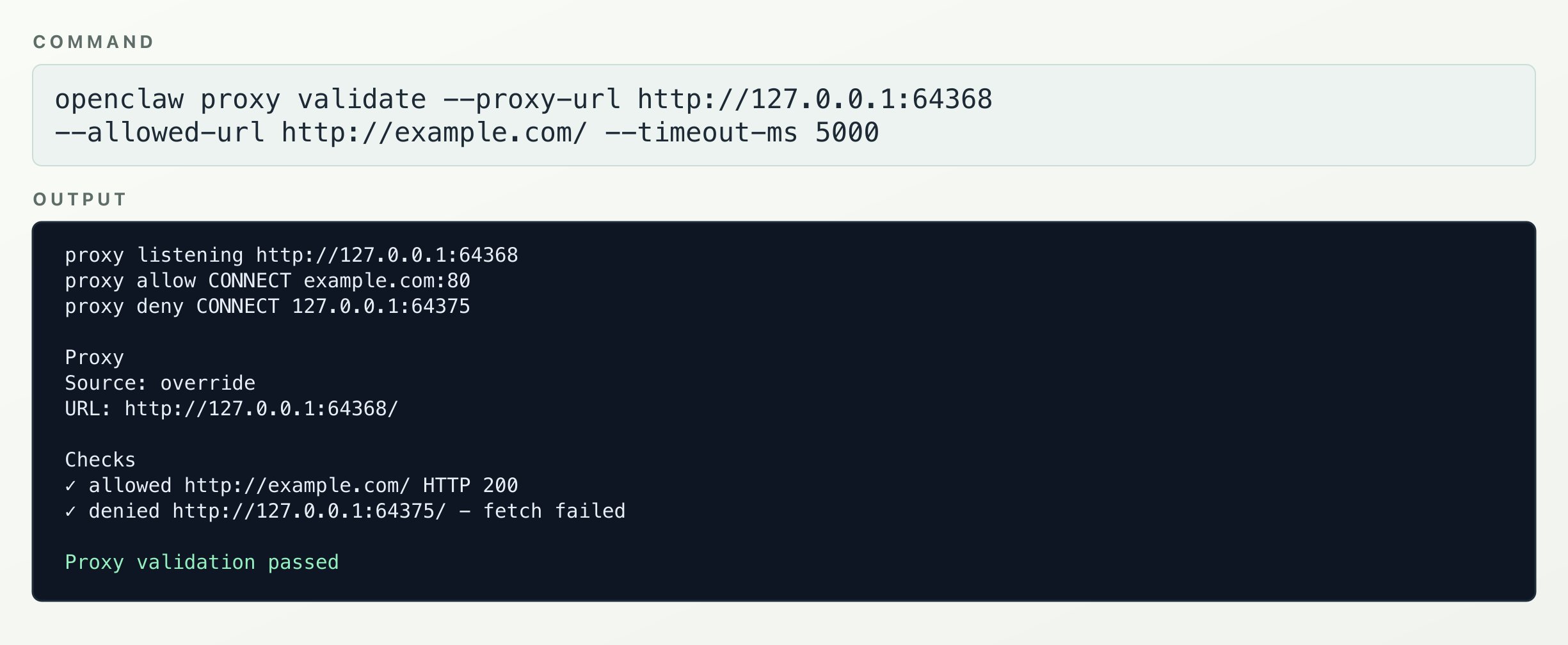
Proxyline does not protect against raw sockets, native modules, or child processes that bypass Node’s networking APIs, but for the majority of OpenClaw traffic it moves the control point from “code remembered to validate” to “traffic must pass a proxy policy.”
Plugin trust signals from ClawHub
ClawHub is becoming the authority on plugin provenance. Its pipeline combines several signals:
- ClawScan and VirusTotal scans
- Static analysis results
- Metadata checks (author, version, signatures)
- Manual moderation
Each release can be labeled clean, suspicious, held, quarantined, revoked, or malicious. The install flow respects these labels – a release marked malicious is refused automatically.
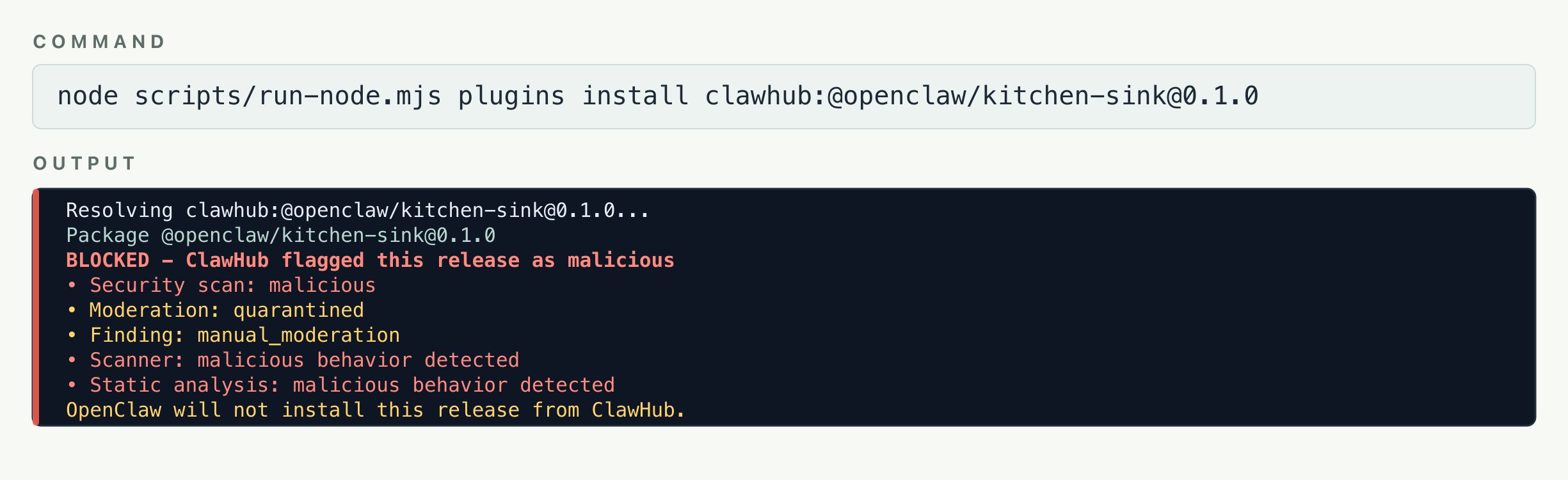
Future work includes higher‑trust tiers (official packages, vetted publishers) and extending scanning to plugins that live outside ClawHub.
Command approvals and prompt fatigue
Users are bombarded with approval prompts. After a few minutes they switch to “YOLO mode,” effectively ignoring security warnings. OpenClaw tackles this from two angles:
- Better parsing – String matching is replaced with Tree‑sitter analysis that inspects inner commands inside wrappers like
bash -c "rm -rf /tmp". The command highlighter surfaces every executable, even those hidden in nested payloads. - Contextual prompting – Instead of prompting on every potentially risky command, the system evaluates the current task and only asks when the decision truly matters to the user.
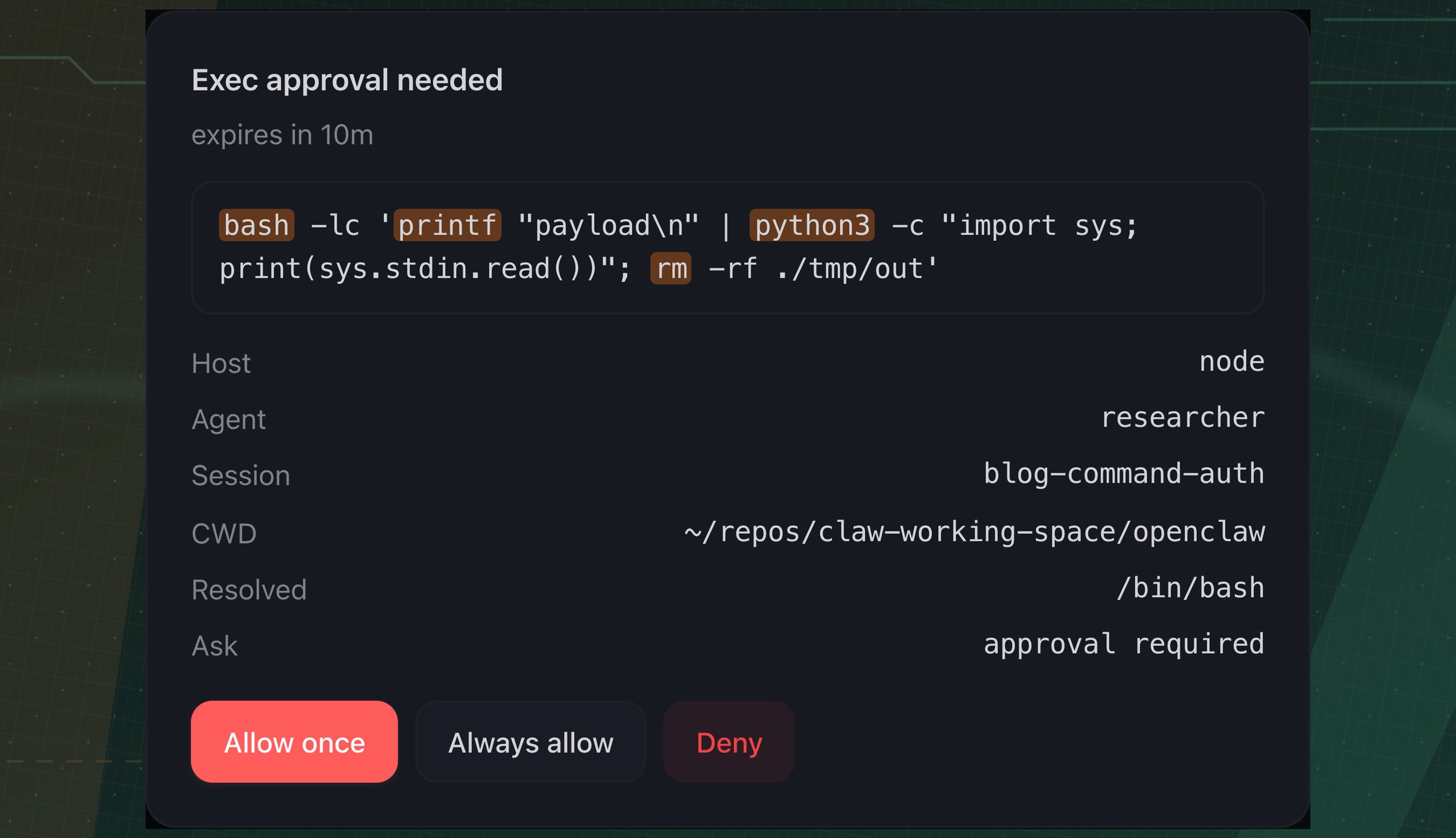
PowerShell support is still catching up; unknown forms default to a fail‑closed stance.
Systematic static analysis with OpenGrep and CodeQL
OpenClaw has accumulated many GitHub Security Advisories (GHSAs). The team now treats each advisory as a bug class and writes precise OpenGrep rules to catch regressions. The current rule set contains 148 rules that run on PR diffs, with a full scan available manually. When a new advisory lands, a corresponding rule is added.
CodeQL runs alongside OpenGrep for deeper semantic coverage, despite its higher maintenance cost. The emphasis is on precision: noisy rules cause developers to ignore alerts, defeating the purpose.
What this means for users
OpenClaw will remain a powerful assistant, but its security boundaries are becoming clearer and more enforceable. The roadmap does not promise a risk‑free agent – any claim to that is either marketing hype or premature. What the project can promise is a direction: more defensible power, transparent trust signals, and fewer “click‑through” prompts.
For a deeper dive into the technical details, see the OpenClaw security documentation and the GitHub repo at https://github.com/openclaw/openclaw.
Comments
Please log in or register to join the discussion