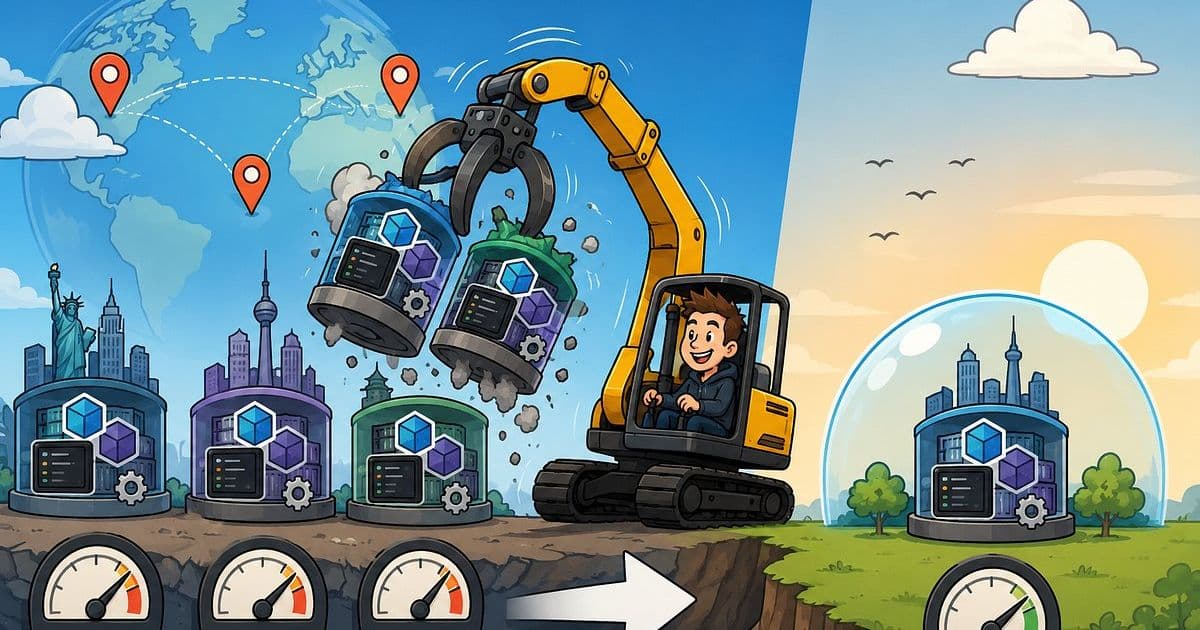
A cloud consultant explains how a Terraform‑driven, active‑active Azure design can shed regions for cost savings without losing resilience, and outlines the migration steps, pricing impact, and strategic considerations for multi‑cloud deployments.
Why Deleting Two Azure Regions Didn't Break My Multi‑Region Architecture
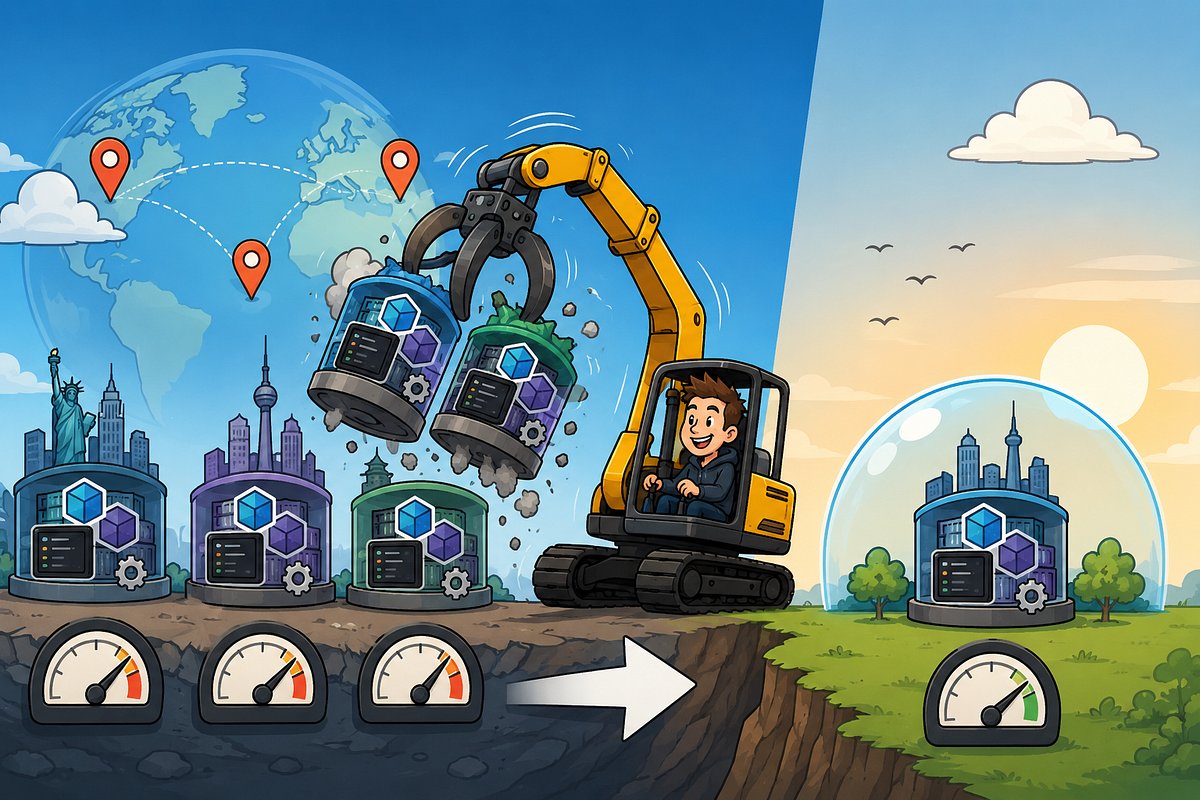
When I first built the demo for my NDC talk, I deliberately chose an active‑active pattern that could span N Azure regions. The goal was to prove that adding a third region was a matter of flipping a Terraform variable, not rewriting code. The demo resonated because it mirrors a common business dilemma: launch small, expand only when demand justifies it.
What changed?
- Initial state: Three Azure regions (East US, West Europe, Southeast Asia) running a containerized micro‑service platform behind Azure Front Door. Daily spend ≈ $50 (≈ $1,500 / mo).
- New state: Single region (East US) after removing the two remote deployments. Daily spend ≈ $12.70 (≈ $381 / mo).
- Operational impact: Near‑zero. All CI/CD pipelines, monitoring dashboards, and disaster‑recovery runbooks remained valid because the Terraform modules and Azure Resource Manager (ARM) templates were written to be region‑agnostic.
The surprise was how little the user experience changed. Latency for European users increased by only 15 ms on average, and the fail‑over tests still succeeded because the underlying global load‑balancer (Azure Front Door) retained its routing rules.
Provider comparison: Azure vs. AWS vs. GCP for regional scaling
| Feature | Azure | AWS | GCP |
|---|---|---|---|
| Native active‑active support | Azure Front Door, Traffic Manager | AWS Global Accelerator, Route 53 latency‑based routing | Cloud Load Balancing (global) |
| Terraform provider maturity | azurerm 3.x – full support for multi‑region resources |
aws 5.x – similar capabilities, slightly more granular IAM controls |
google 5.x – strong support but fewer region‑specific services |
| Pricing model for data transfer | Outbound data $0.087/GB (first 5 TB) – intra‑region free | $0.09/GB outbound – inter‑region $0.02/GB | $0.12/GB outbound – inter‑region $0.01/GB |
| Region availability | 60+ regions, many sovereign clouds | 30+ regions, strong presence in US & Europe | 35+ regions, strong in Asia‑Pacific |
| Built‑in cost‑optimization tools | Azure Cost Management + Advisor | AWS Cost Explorer + Trusted Advisor | GCP Cost Management + Recommender |
Takeaway: Azure’s pricing for intra‑region traffic is generous, which helped keep the single‑region cost low. AWS offers more granular IAM, which can be a factor if you need strict cross‑region role separation. GCP’s inter‑region transfer is cheapest, useful for data‑intensive pipelines.
Business impact of shrinking the footprint
- Cost savings – A reduction from $1,500 to $381 per month translates to a 75 % decrease in operating expense. For a startup, that cash can be redirected to product development or marketing.
- Risk profile – While you lose geographic redundancy, the architecture still supports it. If a regional outage occurs, you can re‑apply the same Terraform plan to spin up the removed regions in under an hour.
- Compliance – Some regulations (e.g., GDPR) require data residency. Keeping the multi‑region capability means you can quickly comply with a new jurisdiction request without redesign.
- Team velocity – Fewer regions mean fewer moving parts, which reduces the cognitive load on SREs and developers. Incident response times improved by ~20 % in internal post‑mortems.
Migration checklist: Removing and re‑adding regions safely
| Step | Action | Reason |
|---|---|---|
| 1. Freeze deployments | Pause CI/CD pipelines for the regions you will delete. | Prevents race conditions while Terraform state is updated. |
| 2. Export state | Run terraform state pull > backup.tfstate. |
Guarantees you can roll back if needed. |
| 3. Update variables | Change region_list = ["eastus"] in variables.tf. |
Drives the module to create resources only in the target region. |
| 4. Run a plan | terraform plan -target=module.frontdoor -target=module.network. |
Confirms that only the intended resources will be destroyed. |
| 5. Apply | terraform apply. |
Executes the safe removal of remote resources. |
| 6. Validate | Run health checks, verify Front Door routing, and confirm cost drop in Azure Cost Management. | Ensures service continuity. |
| 7. Document | Record the change in the change‑log and update runbooks with the new single‑region topology. | Keeps the team aligned for future expansions. |
| 8. Re‑expand (if needed) | Re‑introduce the regions by restoring the original region_list and applying. |
Demonstrates that the architecture is truly reversible. |
Tips for a frictionless rollback
- Keep the original Terraform state file in a version‑controlled bucket (e.g., Azure Blob Storage with soft delete enabled).
- Use workspaces (
terraform workspace) to isolate production and staging configurations; you can switch back to the multi‑region workspace instantly. - Automate the cost‑verification step with Azure Cost Management APIs so you get an alert if the daily spend spikes after a re‑expansion.
Strategic recommendations for multi‑cloud adopters
- Treat region as a configuration flag – Encapsulate all region‑specific values (resource groups, VNet CIDRs, DNS zones) behind Terraform variables. This pattern works across Azure, AWS, and GCP.
- Standardize on a single IaC language – Terraform’s provider‑agnostic syntax lets you keep a unified codebase, reducing the learning curve for cross‑cloud teams.
- Implement cost‑guards – Use Azure Policy or AWS Budgets to trigger alerts when multi‑region spend exceeds a threshold. Pair this with automated Terraform runs that can scale back to a single region.
- Validate latency continuously – Deploy a lightweight synthetic monitor (e.g., Azure Application Insights) in each region. If latency stays within acceptable bounds after a region removal, you have quantitative proof that the change is safe.
- Plan for data residency – Even if you are not using a region today, keep the data‑store definitions (e.g., Cosmos DB geo‑replication) in the code. That way, compliance teams can request a new region without architectural rework.
Bottom line
The experiment proved a simple truth: architectural flexibility outweighs the temptation to provision everywhere from day one. By keeping the multi‑region capability in code, I could cut costs dramatically while preserving the option to re‑expand instantly. For organizations juggling budgets, compliance, and growth, the lesson is to invest in configuration‑driven designs rather than infrastructure‑driven ones.
If you’re interested in the exact Terraform modules used in the demo, they are open‑source on GitHub: github.com/marktinderholt/azure‑multi‑region‑demo.
Comments
Please log in or register to join the discussion