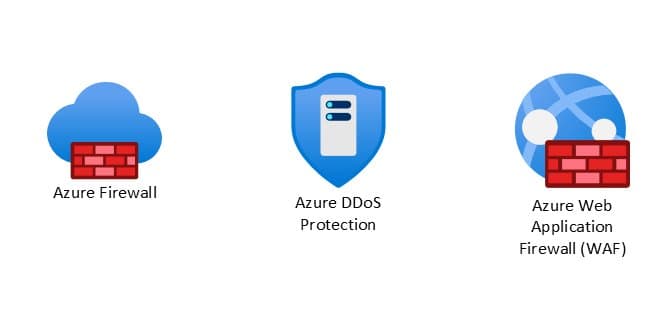
A comprehensive demonstration of how Azure Firewall, Azure DDoS Protection, and Azure WAF work together to implement defense-in-depth for web applications, with practical attack simulations showing their complementary protection capabilities.
In today's threat landscape, where cyberattacks are increasing in both frequency and sophistication, organizations can no longer rely on perimeter-based security models. The Zero Trust security framework, built on the principle of "never trust, always verify," has become essential for modern cloud architectures. This blog explores a practical implementation of Zero Trust using three core Azure security services: Azure Firewall, Azure DDoS Protection, and Azure Web Application Firewall (WAF).
The Zero Trust Imperative
The Zero Trust model assumes breach and operates on the principle that threats can exist both outside and inside the network perimeter. This approach requires multiple independent security controls that inspect traffic at different layers and enforce least privilege access continuously. Relying on a single security control, no matter how capable, creates gaps that modern attackers can exploit.
For organizations hosting internet-facing applications, combining Azure Firewall, Azure DDoS Protection, and Azure WAF delivers comprehensive protection across network and application layers, forming the foundation of a robust Zero Trust architecture.
Architecture Overview
The test environment was designed to reflect a common Azure deployment pattern:
- Azure DDoS Protection at the edge, defending against network layer (Layer 3/4) attacks
- Azure Application Gateway with WAF, inspecting inbound HTTP traffic for application-layer threats
- Azure Firewall Premium behind the gateway, providing network-layer protection, deep packet inspection, and outbound traffic governance
- A backend subnet hosting an intentionally vulnerable application (OWASP Juice Shop) to simulate real-world attack scenarios
Traffic flows through DDoS Protection first, then WAF, and then the firewall, before reaching the backend. Outbound traffic from the backend is routed through the firewall for inspection. This ensures that all inbound and outbound traffic is scrutinized.
Two access paths were tested:
- Via the Application Gateway public IP, where traffic passes through DDoS, WAF, and Firewall
- Via the Firewall public IP using a DNAT rule, where traffic bypasses WAF and is inspected only by the Firewall
Scenario 1: SQL Injection Attack
An attacker attempts to access the application's login endpoint via the Application Gateway IP address and injects a SQL payload into the input field. For example, the attacker submits a request containing the following payload in the User ID field: ?id=' OR 1=1 --
Azure WAF Response: When deployed in Prevention mode, Azure WAF immediately detects the SQL injection attempt using its built-in Managed Ruleset and returns a WAF block page, preventing the request from ever reaching the application.
Azure Firewall Limitation: When the same application is accessed through a firewall-only path (via a DNAT rule on Azure Firewall that exposes the application on port 443), Azure Firewall allows the traffic as it does not perform deep application layer inspection. SQL injection payloads embedded within the HTTP request body appear legitimate at the network layer.
This scenario demonstrates that while Azure Firewall provides essential network protection, it cannot detect application-layer attacks that appear legitimate at the network level.
Scenario 2: DDoS Attacks
The attacker launches a volumetric network layer DDoS (SYN/UDP floods) to saturate bandwidth. Azure DDoS Network Protection absorbs and scrubs the attack at the edge, so no traffic reaches Application Gateway, WAF, or Firewall.
When the network layer attack fails, the attacker shifts to an HTTP flood attack at the application layer, overwhelming the web application with a high volume of requests. Some requests include exploit attempts, while others are designed purely to exhaust application resources.
Azure WAF Capabilities: Azure WAF can identify malicious patterns such as:
- Automated bots lacking proper headers
- Abnormal request rates
- Known exploit payloads embedded within requests
- Malicious IP addresses
Complementary Protection: Azure DDoS Protection provides comprehensive protection across network layers (Layer 3 and 4), while HTTP DDoS Protection specifically targets application-layer attacks (Layer 7) and is integrated with Azure WAF. They are complementary services designed to defend against different types of threats within the Azure environment.
Additionally, if the botnet's IPs are known threat actors or malicious traffic, Azure Firewall's threat intelligence and IDPS will flag this traffic. Together, these services form a complementary, defense-in-depth strategy for protecting Azure workloads against distributed denial-of-service attacks.
Scenario 3: Path Traversal and Information Leak
An attacker sends HTTP requests to access sensitive system files such as /etc/passwd by sending crafted HTTP requests to the application via the Application Gateway public IP address.
Multi-Layer Detection: The request successfully passes through Azure Application Gateway WAF, as it does not trigger a managed rule violation in this case. However, when the request reaches Azure Firewall, the Firewall's IDPS detects the malicious pattern in the HTTP header and blocks the connection before it can reach the backend workload.
Because the backend connection is denied by Azure Firewall, Application Gateway is unable to establish a successful response and returns a 504 Gateway Timeout to the client, rather than a 403 Forbidden response that would typically be generated by WAF when it blocks traffic.
This scenario highlights an important architectural outcome: the combination of WAF and Azure Firewall provides layered enforcement. Even if an attack manages to slip past Azure WAF, Azure Firewall adds an additional enforcement layer to ensure the application remains protected.
Scenario 4: Network Reconnaissance and Breach
In this scenario, port 3389 is exposed on Application Gateway using the L4 TCP Proxy option. The attacker attempts to scan the Application Gateway on all ports/protocols and finds that port 3389 is open along with other ports such as ports 80, 8080, 3000.
Layer-Specific Protection: Azure WAF will alert for Layer 7/Application exploits but cannot verify/validate the attack on port 3389 since it was purely Layer 3/4 and contained no HTTP payload for WAF inspection. The L4 proxy listener on App Gateway simply forwards the raw TCP connections to the Azure Firewall behind it.
Azure Firewall, however, performs full network-layer inspection across all ports and protocols, allowing it to detect and alert on this type of L3/L4 reconnaissance even when App Gateway had the port open via the TCP proxy feature.
The attacker then tries a different approach: compromising a workstation inside the network and attempting to move laterally to the web server via RDP on port 3389 and/or attempting to exfiltrate data outside the network.
Internal Threat Protection: Azure Firewall located inside the VNet blocks the RDP attempt (if there is no rule allowing it) and if there is, its IDPS flags/blocks the traffic as suspicious. In this case, Azure WAF will not be involved, but Azure Firewall inspects this internal and/or outbound traffic and blocks it.
This illustrates how a combination of the two services stops the attacker at multiple points: the firewall foiled the reconnaissance and lateral movement/exfiltration, while WAF foiled the application exploit.
Service Comparison and Traffic Flow
The table below shows the traffic flow that will be filtered by Azure WAF vs Azure Firewall:
| Traffic Type | Azure WAF | Azure Firewall |
|---|---|---|
| HTTP/HTTPS application-layer attacks (SQLi, XSS, etc.) | ✅ Detects and blocks | ❌ Cannot inspect application layer |
| Network layer attacks (SYN floods, UDP floods) | ❌ Limited to HTTP traffic | ✅ Blocks at network layer |
| Path traversal attempts | ✅ Detects via rules | ✅ Detects via IDPS |
| Port scanning on non-HTTP ports | ❌ No inspection | ✅ Full network inspection |
| Lateral movement attempts | ❌ Not involved | ✅ Blocks based on rules/IDPS |
| Outbound malicious traffic | ❌ Not involved | ✅ Inspects and blocks |
Conclusion
In a Zero Trust architecture, security cannot rely on implicit trust or a single layer of defense. The combination of Azure Firewall Premium, Azure DDoS protection, and Azure Application Gateway WAF exemplifies defense-in-depth by protecting both network and application layers.
Organizations hosting internet-facing applications should adopt this layered strategy to reduce exposure to modern threats, prevent lateral movement, and maintain strict control over outbound traffic. By implementing these services together, you align with Microsoft's recommended best practices for Zero Trust and significantly strengthen your cloud security posture.
Key Takeaways:
- Azure WAF acts as the "bodyguard at the application's front door," inspecting every HTTP request in detail
- Azure Firewall serves as the "moat and drawbridge" to your cloud network, controlling all traffic flows
- Azure DDoS Protection defends against volumetric attacks at the network edge
- The combination provides defense-in-depth, ensuring that if one control fails, others remain to protect your assets
This practical demonstration shows that in the modern threat landscape, a multi-layered security approach isn't just recommended—it's essential for maintaining a robust security posture in the cloud.
References:
Comments
Please log in or register to join the discussion