A 401 Unauthorized Error occurs when a server refuses to process a request due to missing or invalid authentication credentials. This guide explains what causes this error and provides practical solutions to resolve it.
Seeing a 401 Unauthorized Error on your screen can be frustrating, especially when you are sure the page exists and should load correctly. One moment, everything seems fine, and the next moment, access is denied. For many people, this error feels confusing and technical, but the good news is that it is usually easy to understand and fix.
In this article, we will clearly explain what a 401 Unauthorized Error means, why it happens, and how you can fix it. This guide is written in simple language, without unnecessary technical terms, so anyone can follow along and resolve the issue confidently.
What Is a 401 Unauthorized Error?
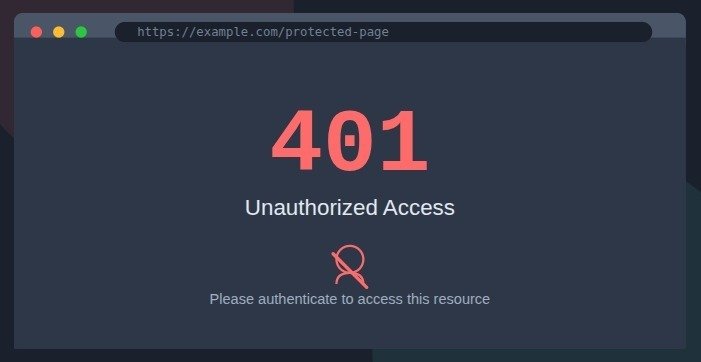
A 401 Unauthorized Error is an HTTP status code that indicates a request was made to a server without proper authentication. In simple words, the server received your request but refused to process it because it could not verify your identity.
This error usually appears when:
- Login credentials are missing: The request is sent without a username, password, or required authentication data.
- Authentication details are incorrect: The provided login information does not match the stored credentials.
- Access permissions have expired: The user's authorization period has ended and needs renewal.
The server expects valid proof of authorization before allowing access.
Difference Between 401, 403, and 404 Errors
These errors are often confused, but each has a different meaning:
- 401 Unauthorized: Authentication is required or invalid
- 403 Forbidden: Authentication exists, but access is not allowed
- 404 Not Found: The resource that is requested does not exist
A 401 error means the content is available, but access is restricted until proper credentials are provided.
Common Causes of 401 Unauthorized Errors
1. Missing or Incorrect Login Credentials
The most common cause is simply entering the wrong username or password. This can happen due to:
- Typos in the credentials
- Using outdated login information
- Caps lock being enabled
- Password expiration
2. Session Timeout
Many web applications automatically log users out after a period of inactivity. If you've been away from your computer for a while, your session may have expired, triggering a 401 error.
3. API Authentication Issues
When working with APIs, 401 errors often occur due to:
- Missing API keys
- Expired tokens
- Incorrect token format
- Insufficient permissions for the requested resource
4. Browser Cache and Cookies
Sometimes, your browser stores outdated authentication information. This can cause conflicts with the server's current authentication requirements.
5. Server Configuration Problems
On the server side, misconfigurations can lead to 401 errors:
- Incorrect authentication middleware setup
- Improper CORS configuration
- Wrong authentication headers
How to Fix a 401 Unauthorized Error
1. Check Your Login Credentials
Start with the basics:
- Verify you're using the correct username and password
- Ensure Caps Lock is off
- Try resetting your password if you're unsure
- Check if your account has been locked or suspended
2. Refresh Your Session
If you suspect a session timeout:
- Refresh the page (F5 or Ctrl+R)
- Log out and log back in
- Clear your browser cache and cookies
- Try accessing the site in an incognito/private window
3. Verify API Authentication
For API-related issues:
- Check that your API key is valid and hasn't expired
- Ensure you're including the authentication token in the correct header
- Verify the token format matches what the API expects
- Check if your API plan includes access to the requested resource
4. Clear Browser Data
To eliminate cache-related issues:
- Clear your browser's cache and cookies
- Try a different browser
- Use incognito/private browsing mode
- Disable browser extensions that might interfere with authentication
5. Check Server Configuration
If you're a developer or administrator:
- Review your authentication middleware configuration
- Check CORS settings if making cross-origin requests
- Verify authentication headers are being sent correctly
- Look at server logs for more detailed error information
6. Contact Support
If none of the above solutions work:
- Contact the website's support team
- Check their status page for known issues
- Look for announcements about maintenance or outages
- Verify if the service is experiencing widespread problems
Preventing 401 Errors
For Users
- Keep your login credentials secure and up-to-date
- Use password managers to avoid typos
- Be aware of session timeouts on sensitive applications
- Keep your browser updated
For Developers
- Implement clear error messages for authentication failures
- Use proper token refresh mechanisms
- Log authentication attempts for debugging
- Test authentication flows thoroughly
- Consider implementing multi-factor authentication for added security
For System Administrators
- Regularly audit authentication configurations
- Monitor authentication logs for suspicious activity
- Keep authentication systems updated with security patches
- Implement proper backup and recovery procedures for authentication data
Conclusion
A 401 Unauthorized Error, while frustrating, is usually straightforward to resolve. By understanding what causes this error and following the troubleshooting steps outlined above, you can quickly regain access to the resources you need.
Remember that this error is a security feature designed to protect sensitive information. While it may be inconvenient in the moment, it's an important part of keeping your data safe online.
If you continue experiencing 401 errors despite trying these solutions, don't hesitate to reach out to the service provider's support team for assistance. They can often provide specific guidance based on their system's configuration and your account status.
Comments
Please log in or register to join the discussion