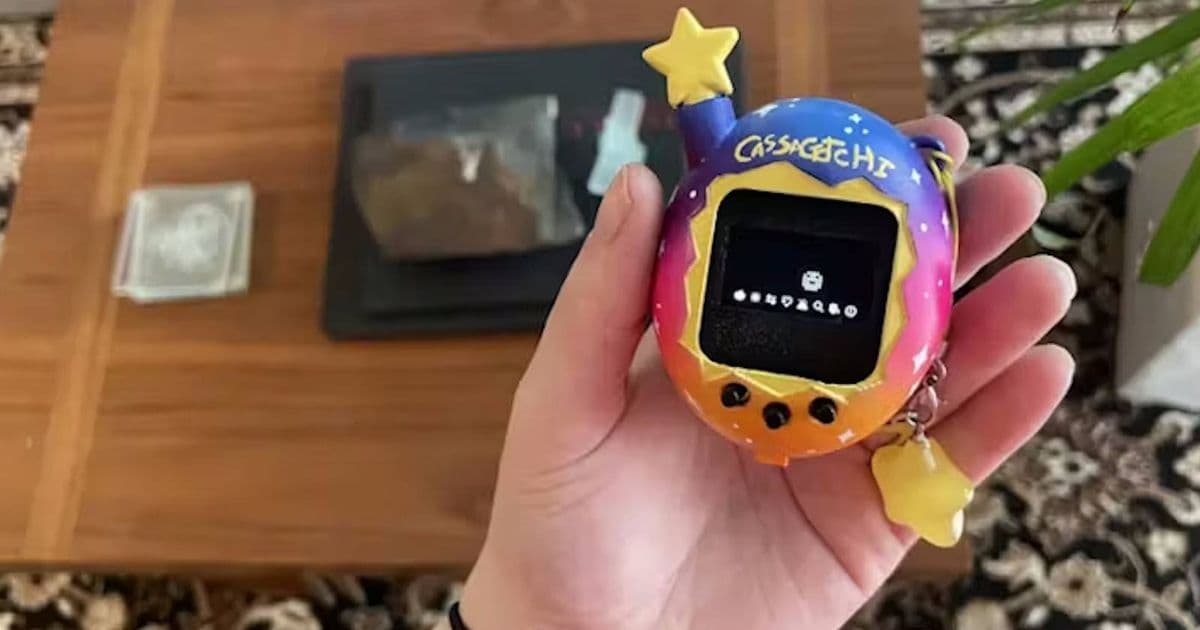
Build your own pocket-sized Tamagotchi emulator using an Arduino Nano and 3D-printed shell. This project combines retro gaming nostalgia with modern electronics and 3D printing technology to create an authentic reproduction of the iconic 90s virtual pet.
Arduino Nano Tamagotchi: Recreating 90s Nostalgia with Modern DIY Electronics
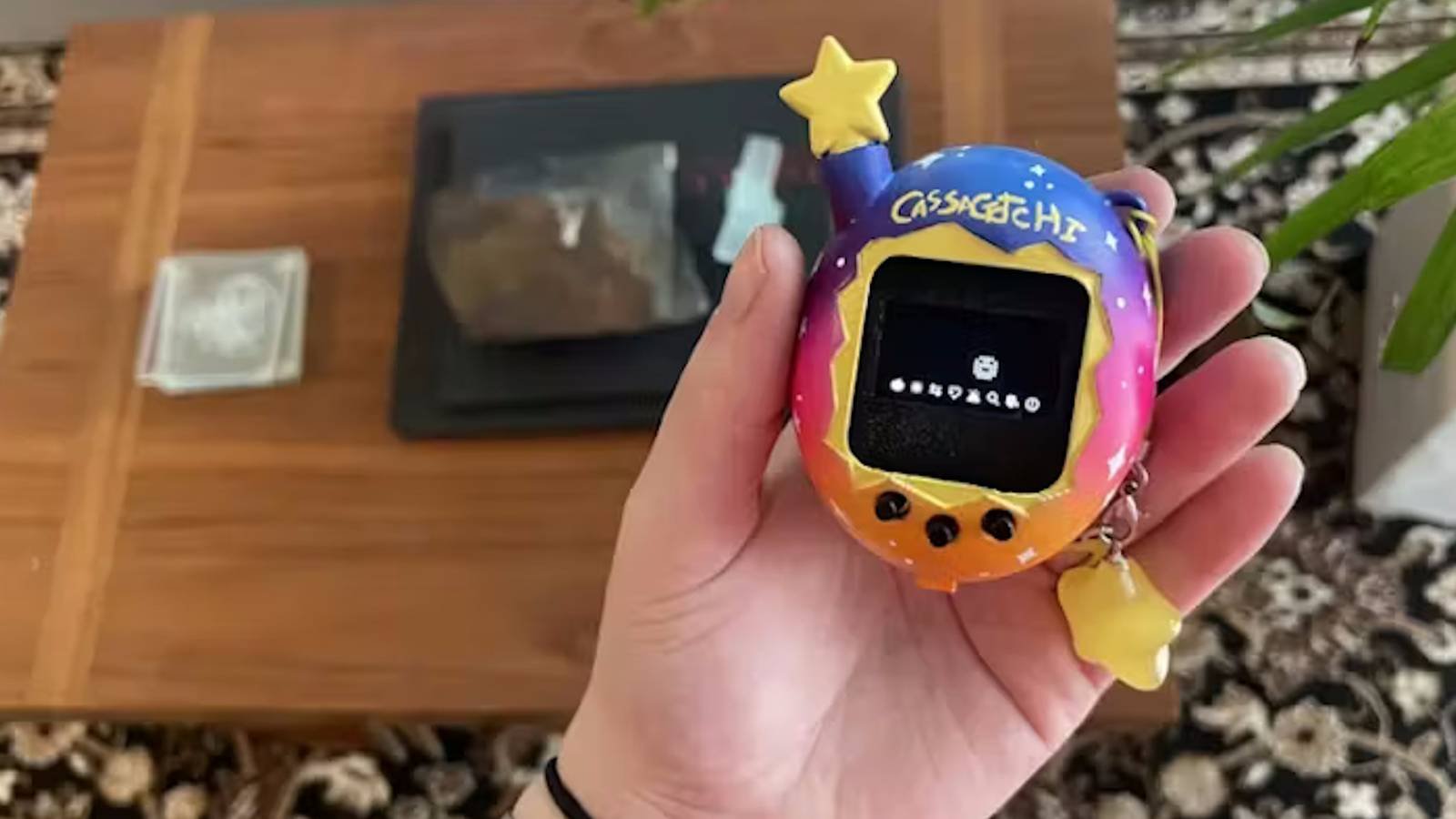
The Arduino Nano Tamagotchi project represents a fascinating blend of retro computing and modern DIY electronics. For developers and hobbyists who grew up with the original Tamagotchi virtual pets, this project offers a way to recreate that nostalgic experience while learning about embedded systems, Arduino programming, and 3D modeling.
The Project Overview
The Arduino Nano Tamagotchi, developed by Chaos Theory, is a complete emulation of the original 90s Tamagotchi toy housed in a custom 3D-printed shell. Unlike many DIY virtual pet projects that create entirely new pet simulations, this project faithfully recreates the original Tamagotchi experience using the ArduinoGotchi firmware adapted specifically for the Arduino Nano platform.
This project stands out because it doesn't just mimic the appearance of a Tamagotchi—it faithfully reproduces the original software behavior, animations, and pet care mechanics that made the 90s toy so beloved. The compact design makes it truly pocket-sized, measuring approximately the same dimensions as the original device.
Technical Requirements
Before diving into this project, it's essential to understand the technical requirements and components involved:
Hardware Components:
- Arduino Nano (ATmega328P-based microcontroller)
- 3.7V LiPo battery with protection circuit
- 168x64 pixel OLED display (I2C interface)
- Push buttons (typically 3 for interface)
- Tactile switches for reset
- Screws and standoffs for assembly
- Multimeter for testing connections
- Access to a 3D printer (FDM recommended)
Software Requirements:
- Arduino IDE (version 1.8.10 or later recommended)
- ArduinoGotchi library (GPL-licensed)
- 3D modeling software (for potential shell modifications)
- Basic understanding of C++ for Arduino programming
The Arduino Nano serves as the brain of this project, providing sufficient processing power and I/O pins to run the emulator while maintaining a compact footprint. The 168x64 OLED display closely matches the resolution of the original Tamagotchi screen, ensuring authentic visual reproduction.
Setting Up the ArduinoGotchi Firmware
The core of this project is the ArduinoGotchi firmware, originally developed by Gary Kwok and adapted for the Arduino Nano by Chaos Theory. This open-source GPL-licensed software faithfully emulates the original Tamagotchi gameplay, including:
- Pet evolution stages
- Hunger, happiness, and discipline meters
- Feeding, playing, and discipline interactions
- Poop cleaning mechanics
- Connection features between devices
To set up the firmware:
- Install the Arduino IDE on your development machine
- Connect your Arduino Nano to your computer via USB
- Install the ArduinoGotchi library through the Arduino Library Manager
- Open the Nano-specific example sketch
- Configure the pin definitions to match your wiring
- Upload the sketch to your Arduino Nano
The code may require some tweaking to match your specific hardware configuration, especially regarding button connections and display orientation. The developer notes that they are "a total 3D-modelling noob" and expect improvements to the 3D files, indicating that some customization may be necessary.
3D Printing the Shell
The 3D-printed shell is what gives this project its authentic Tamagotchi appearance. The files are available through the Instructables page, and they're designed to be printed on standard FDM 3D printers.
Printing Considerations:
- Recommended filament: PLA for ease of printing
- Layer height: 0.2mm for good detail balance
- Infill: 20% for durability without excessive weight
- Support structures: May be needed for certain angles
The shell consists of multiple parts that need to be assembled:
- Main chassis (holds the Arduino and battery)
- Front bezel (frames the display)
- Back cover (completes the enclosure)
- Button caps (for the interface buttons)
Assembly requires careful alignment and proper screw fastening to ensure the buttons work correctly and the display is properly positioned. The developer recommends having a "passing knowledge of Arduino coding, circuitry, and 3D modelling" before attempting this project, indicating it's suitable for intermediate DIY enthusiasts.
Circuit Assembly
The circuit assembly is straightforward but requires attention to detail:
- Connect the OLED display to the Arduino Nano using I2C (typically A4 for SDA and A5 for SCL)
- Wire the buttons to digital pins with appropriate pull-down resistors
- Connect the LiPo battery to the Arduino's power input through a protection circuit
- Test all connections with a multimeter before final assembly
Power management is crucial for this project. The 3.7V LiPo battery provides a compact power source, but you'll need to implement proper charging and protection circuits to prevent over-discharge, which could damage the battery.
Programming Customizations
While the ArduinoGotchi firmware provides a faithful reproduction of the original Tamagotchi experience, you may want to customize certain aspects:
- Adjusting pet evolution rates
- Modifying feeding and discipline mechanics
- Adding new animations or graphics
- Implementing custom sound effects
The open-source nature of the project allows for these customizations, but they do require a solid understanding of the Arduino codebase and the specific modifications needed to maintain the authentic Tamagotchi feel.
Cross-Platform Considerations
From a developer perspective, this project offers interesting cross-platform considerations:
Arduino Ecosystem Compatibility:
- The Arduino Nano is part of the broader Arduino ecosystem
- Code can be adapted to other Arduino variants (Uno, Micro, etc.)
- Libraries used are generally cross-platform within the Arduino framework
3D Printing Platform Considerations:
- STL files provided should work across most FDM printers
- Slicer settings may need adjustment for different printer models
- Post-processing requirements may vary between printers
Development Environment:
- Arduino IDE runs on Windows, macOS, and Linux
- Platform-specific drivers may be needed for USB connectivity
- Code remains consistent across platforms
Migration and Expansion
Once you have a basic Arduino Nano Tamagotchi working, there are several potential expansion paths:
- Wireless Connectivity: Add Bluetooth or WiFi capabilities to connect with other Tamagotchis or mobile apps
- Enhanced Graphics: Implement color displays or higher resolution screens
- Sound Integration: Add a speaker module for authentic Tamagotchi sounds
- Mobile Companion App: Develop a companion app for iOS/Android to monitor your virtual pet
- Multi-Pet System: Expand to support multiple pets and interactions between them
For developers interested in mobile companion applications, this presents an interesting cross-platform development opportunity. Creating an app that can monitor and interact with the Arduino Nano Tamagotchi would involve:
- Mobile development (Swift for iOS, Kotlin for Android)
- Bluetooth/WiFi communication protocols
- Data synchronization between devices
- User interface design for pet management
Challenges and Solutions
Like any DIY electronics project, the Arduino Nano Tamagotchi comes with its challenges:
Power Management:
- Challenge: Battery life optimization
- Solution: Implement sleep modes between interactions and efficient power regulation
Display Optimization:
- Challenge: Faithful reproduction of original graphics
- Solution: Careful pixel mapping and timing adjustments in the code
Button Responsiveness:
- Challenge: Ensuring responsive input without false triggers
- Solution: Proper debounce circuitry and software debouncing
3D Printing Precision:
- Challenge: Achieving precise fit for components
- Solution: Test prints with adjustments, potentially using calipers for measurements
Conclusion
The Arduino Nano Tamagotchi project represents an excellent example of how modern technology can be used to recreate nostalgic experiences. For developers, it offers a practical application of embedded systems programming, 3D modeling, and hardware integration skills.
The project's strength lies in its faithful reproduction of the original Tamagotchi experience while leveraging modern DIY electronics and 3D printing. It's not just a replica—it's an enhanced version that can be customized and expanded upon to create new experiences.
For those interested in attempting this project, the combination of hardware tinkering, software customization, and 3D printing provides a comprehensive learning experience that bridges multiple disciplines. The result is a functional, pocket-sized piece of nostalgia that can be shared with others or used as a foundation for even more creative projects.
Whether you're a developer looking for a weekend project or someone wanting to relive childhood memories, the Arduino Nano Tamagotchi offers a rewarding and enjoyable experience that showcases the best of modern maker culture.
Comments
Please log in or register to join the discussion