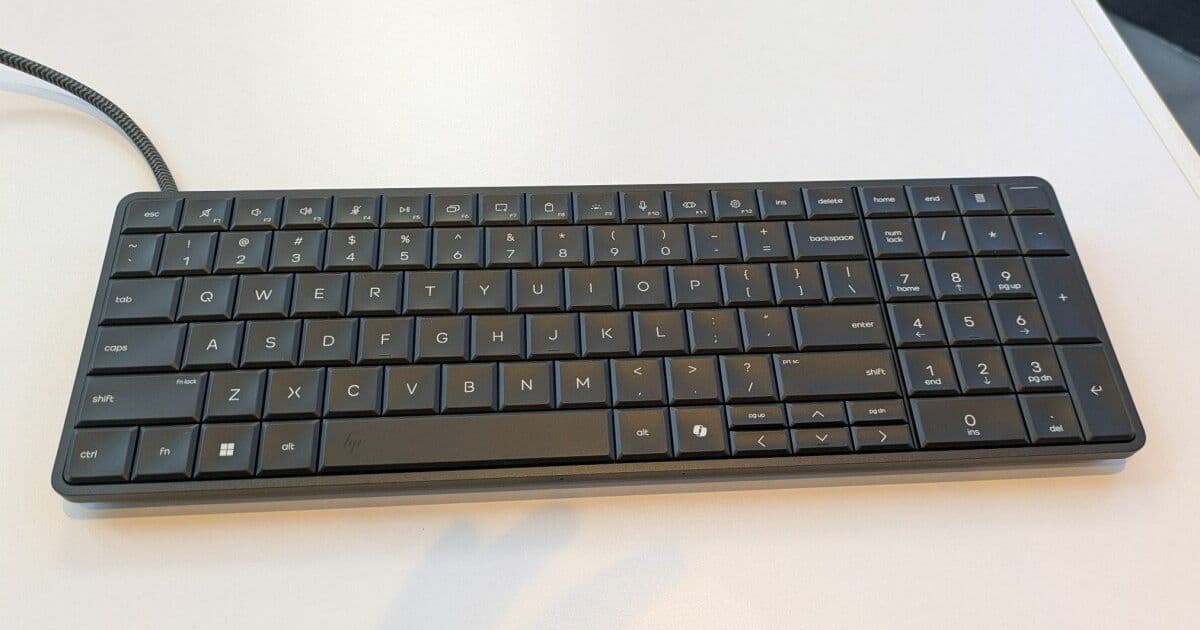
HP's innovative EliteBoard G1a embeds full PC capabilities into a portable keyboard, offering unique benefits for dual-desk workers and space-constrained environments. We benchmark its performance and analyze its practical applications.
HP has resurrected an old concept with modern technology by stuffing a complete PC into a keyboard form factor with the EliteBoard G1a. This innovative device targets business users who need portability without sacrificing performance, particularly those who work between multiple locations or in space-constrained environments.
Technical Specifications and Design
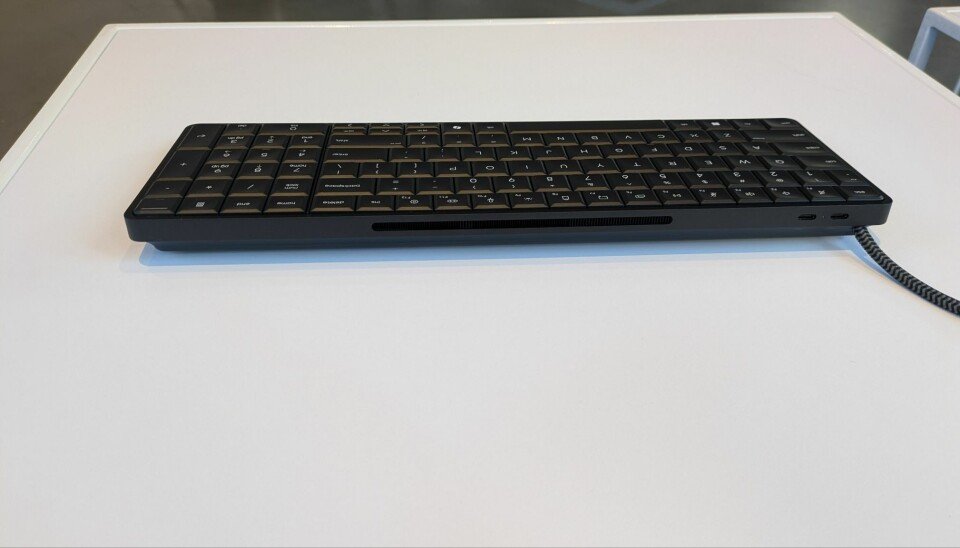
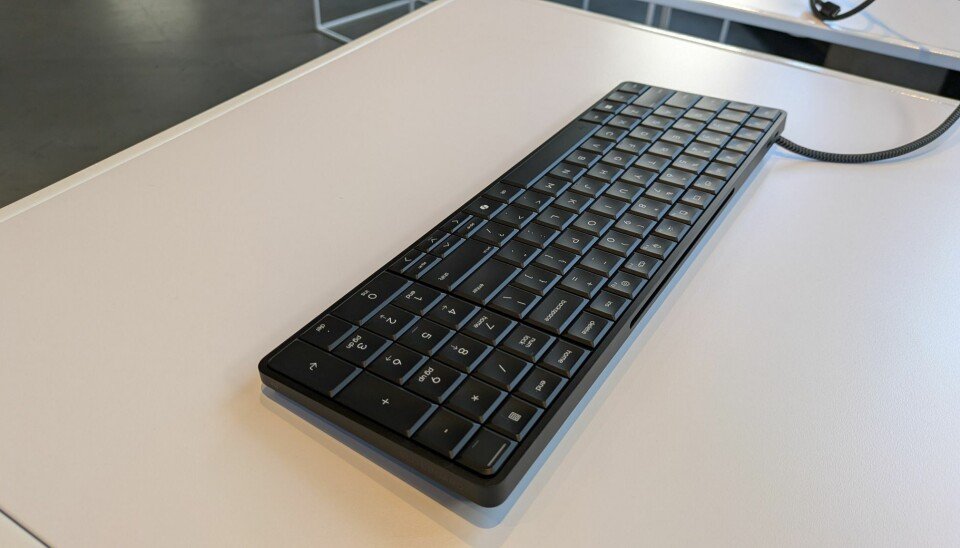
The EliteBoard G1a measures 14.1 x 4.7 x 0.7 inches, essentially the size of a full-size keyboard with numpad. It weighs just 1.49 pounds, making it significantly lighter than most laptops. The system is powered by AMD Ryzen AI Pro processors, with our review unit featuring the Ryzen AI 7 Pro 350 CPU (8 cores, 16 threads, up to 5.0 GHz boost clock). It supports up to 64GB of DDR5 RAM running at 5,600 MHz and SSD configurations up to 2TB.
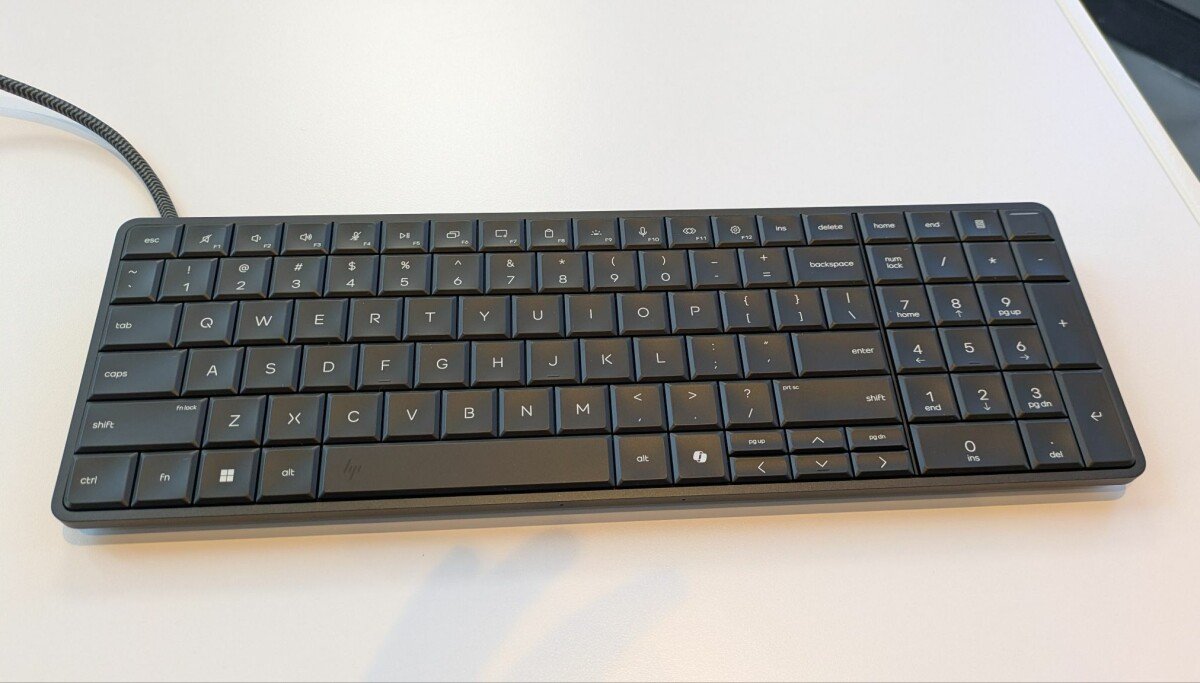
The keyboard features 2mm key travel, which is deeper than most laptop keyboards. It includes a power button/fingerprint reader in the upper right corner and has a security cable lock slot on the left side. Connectivity options include:
- USB4 40 Gbps port (or embedded cable in some configurations)
- USB-C 10 Gbps port
- Optional 32 WHr battery for up to 3.5 hours of use
The device qualifies as a Microsoft Copilot+ PC with its NPU capable of over 45 trillion operations per second (TOPS), enabling local AI features like Cocreate image generation in Paint, Windows Studio Effects, and translated Live Captions.
Performance Benchmarks
To evaluate the EliteBoard G1a's performance, we tested it against two comparable laptops: a Lenovo Yoga Slim 7x with Qualcomm Snapdragon X Elite X1E-78-100 and a Lenovo ThinkPad X1 Carbon with Intel Core Ultra 7 165U.
Computational Performance
Primesieve Test (counting prime numbers under one trillion):
- EliteBoard G1a (single thread): 415 million primes per second
- Yoga Slim 7x (single thread): 352 million primes per second
- EliteBoard G1a (multi-thread): 2,145 million primes per second
- Yoga Slim 7x (multi-thread): 2,686 million primes per second
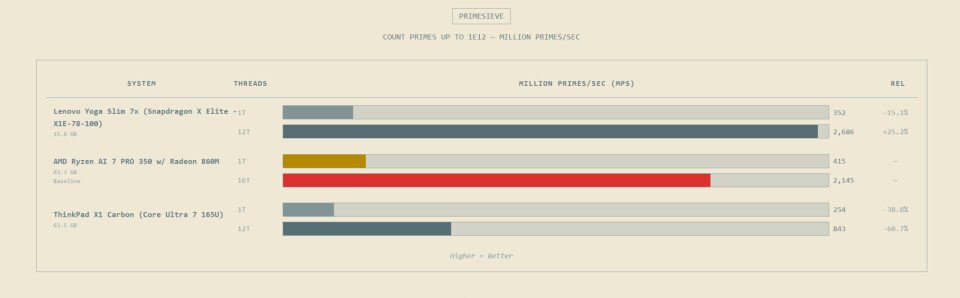
The Ryzen AI 7 Pro showed excellent single-thread performance but was slightly outpaced by the Snapdragon in multi-threaded scenarios due to its 12 physical cores versus AMD's 8 cores.
3D Rendering (Blender): The EliteBoard turned in respectable scores, though the Yoga Slim 7x was 34-75% quicker depending on the scene. This demonstrates that while not designed for heavy 3D work, the system can handle occasional rendering tasks.
Video Transcoding (Handbrake x265):
- Converting 4K to 1080p at medium preset:
- Yoga Slim 7x: 45% faster than EliteBoard
- EliteBoard still delivered solid performance suitable for most business workflows
AI Performance
Llama.cpp (GPT-OSS 20B model):
- Yoga Slim 7x: 39% faster for first token generation
- EliteBoard generated approximately half as many tokens per second
- Still significantly outperformed the Intel-based ThinkPad
Whisper.cpp (audio transcription):
- EliteBoard: 2.4x real-time speed
- Yoga Slim 7x: 3.4x real-time speed
Development Workloads
LLVM Compile:
- EliteBoard: 19 minutes 44 seconds
- Yoga Slim 7x: Less than 10 minutes
For developers regularly compiling large projects, the EliteBoard's performance might be a limiting factor, though "my code is compiling" does provide a good excuse for a break.
7-Zip Compression/Decompression:
- Single-thread: Comparable performance between EliteBoard and Slim 7x
- Multi-thread: Snapdragon's 12 cores outperformed AMD's 8 cores/16 threads
LibreOffice ODT to PDF:
- EliteBoard outperformed the Slim 7x by 22%
- Demonstrated strength in lightly-threaded, clock-speed-dependent tasks
Power Consumption Analysis
The EliteBoard G1a includes an optional 32 WHr battery rated for up to 3.5 hours of use. In our testing, battery life varied significantly based on workload:
- Idle/light office work: Approximately 3 hours
- Video playback: About 2.5 hours
- Heavy computational tasks: Under 2 hours
When plugged in, power consumption during typical office work averaged around 15-20W, rising to 35-45W under heavy load. This is comparable to ultrabook laptops but higher than thin clients.
The device supports USB-C charging at up to 65W, allowing it to charge while connected to a monitor or docking station. The inclusion of a USB pass-through port for power when using the HDMI adapter is a practical design choice.
Compatibility Considerations
Monitor Connectivity
The EliteBoard G1a connects to monitors via its USB4 port, making Thunderbolt or USB-C video connectivity ideal. For users with older monitors, HP offers an optional USB-to-HDMI adapter with USB pass-through for power. This adds complexity and cost to the setup.
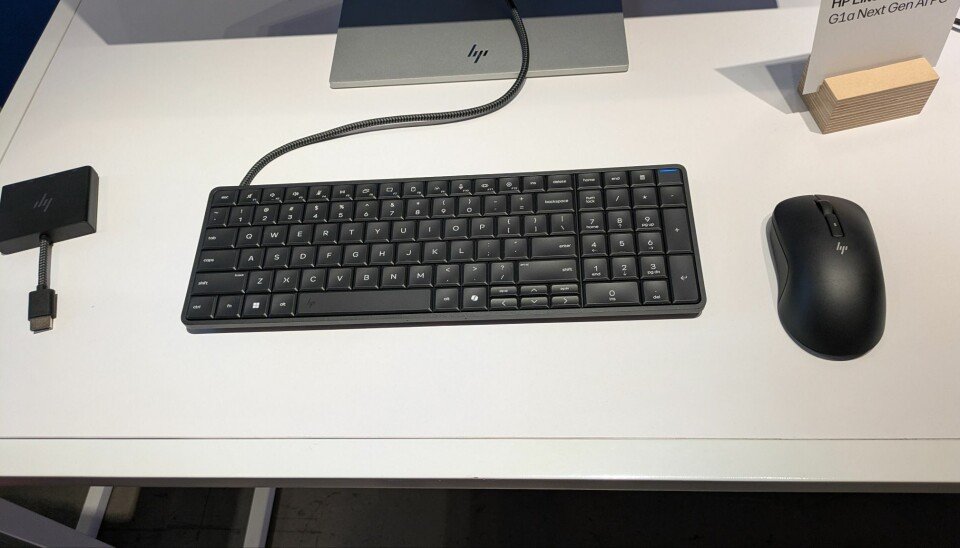
The ideal configuration involves a USB-C monitor that transmits data and power over a single cable. Budget-friendly options like the Dell S272DC (around $236) provide this functionality without significant expense.
Peripheral Compatibility
The keyboard includes two USB-C ports (one 40 Gbps, one 10 Gbps), allowing connection to various peripherals. Our review came with an HP wireless 675M mouse that connects via Bluetooth or included USB-C dongle. The system also supports:
- External storage
- Additional monitors via docking stations
- Audio devices
- Security dongles
Software Compatibility
As a Windows 11 device with Copilot+ capabilities, the EliteBoard runs standard business applications without issue. HP Wolf Security comes pre-installed with a three-year subscription. The device's NPU enables local AI processing, reducing dependency on cloud services for certain tasks.
Build Recommendations
For Dual-Desk Workers
The EliteBoard G1a makes particular sense for "dual deskers" who work between home and office offices. The recommended configuration would be:
- CPU: Ryzen AI 7 Pro 350 (for adequate multi-threaded performance)
- RAM: 32GB (for future-proofing and multitasking)
- Storage: 1TB SSD
- Monitor: USB-C monitor for home office
- Accessories: Soft canvas sleeve for transport
This configuration balances performance with portability, though the total cost would approach $2,000 plus monitor expense.
For Space-Constrained Environments
For call centers or shared workspaces with limited desk space:
- CPU: Ryzen AI 5 Pro 340 (sufficient for basic tasks)
- RAM: 16GB
- Storage: 512GB SSD
- Monitor: Existing USB-C monitors or with included adapter
This more basic configuration starts at $1,499, making it significantly more expensive than traditional thin clients but offering better performance and flexibility.
For Mobile Professionals
While portable, the EliteBoard isn't ideal for true mobile use due to its reliance on external monitors. However, for professionals who primarily work in offices but occasionally take work home:
- CPU: Ryzen AI 7 Pro 350
- RAM: 64GB (for maximum productivity)
- Storage: 2TB SSD
- Battery: Include the optional battery for emergency use
- Monitor: Portable USB-C monitor
Repairability and Maintenance
One of the EliteBoard's standout features is its excellent repairability. The back panel is held by just four screws and comes off easily, providing full access to:
- DDR5 SODIMM RAM slots
- M.2 SSD slot
- WLAN card
- Fan assembly
- Optional battery
- Speakers
- Keyboard assembly
This design allows IT departments to easily upgrade or replace components, extending the device's lifespan and reducing total cost of ownership.
Value Proposition
Comparing the EliteBoard to traditional solutions:
- vs. Laptop: The EliteBoard costs $200-700 more than similarly configured laptops but offers a better typing experience and saves desk space when docked.
- vs. Desktop: While more expensive than mini desktops, the EliteBoard integrates the keyboard (a required peripheral) and saves significant desk space.
- vs. Thin Client: Much more expensive but vastly more powerful and flexible.
Conclusion
The HP EliteBoard G1a is an impressive piece of engineering that successfully combines PC performance with keyboard portability. It excels in specific scenarios:
- Dual-desk workers who prioritize typing experience over laptop portability
- Space-constrained environments where every inch counts
- Organizations seeking repairable, upgradeable hardware
However, its premium pricing and reliance on external monitors limit its broad appeal. For most businesses, traditional laptops or desktops remain more practical and cost-effective solutions. The EliteBoard creates a new niche rather than displacing existing categories, making it a compelling option for specific use cases but not a general replacement for conventional PCs.
For organizations evaluating this device, the key question isn't "can it do the job?" but "does this unique form factor solve a specific problem in our environment?" For the right users, the EliteBoard G1a offers an excellent combination of performance, typing comfort, and space efficiency.
Comments
Please log in or register to join the discussion