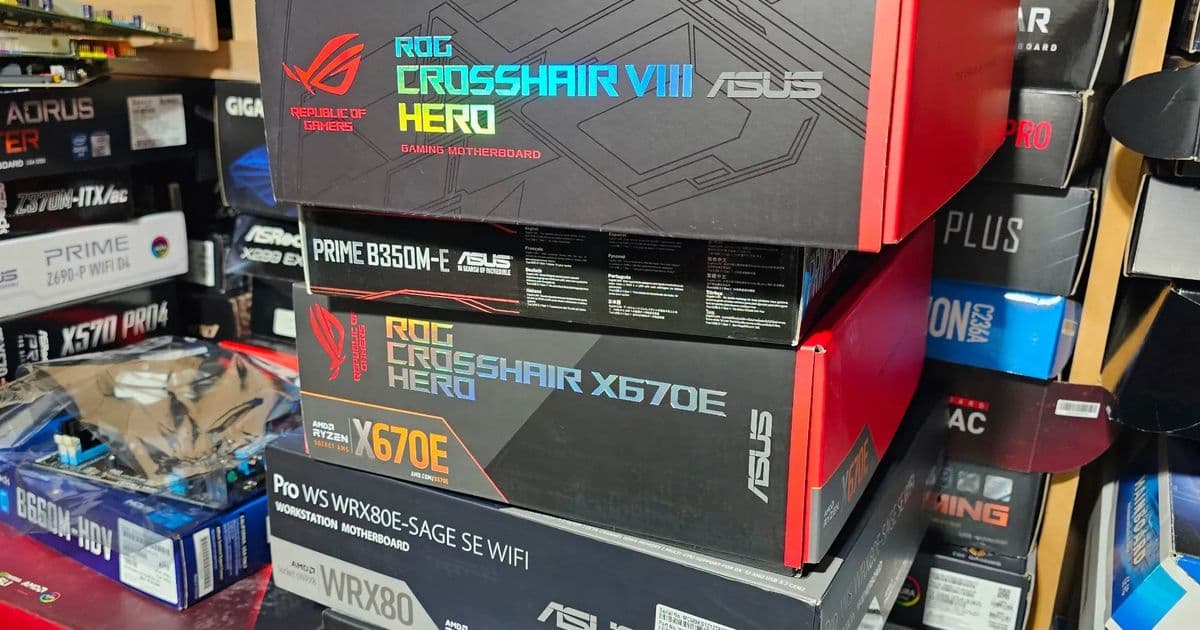
Linux 7.0 brings expanded hardware monitoring capabilities for ASUS motherboards, with new sensor support for popular models including the Pro WS TRX50-SAGE WIFI A and ROG MAXIMUS X HERO.
The Linux 7.0 kernel is bringing expanded hardware monitoring capabilities to ASUS motherboard users, with several popular models now gaining full sensor reporting support. This development continues the trend of ASUS motherboards receiving the most comprehensive Linux sensor support among major manufacturers, thanks to the collaborative efforts of the open-source community.
Expanded ASUS EC Sensors Driver Support
The most significant additions in Linux 7.0 come through the ASUS EC Sensors driver, which now supports two important desktop motherboards:
- Pro WS TRX50-SAGE WIFI A - ASUS's workstation motherboard for AMD Threadripper 7000 series processors
- ROG MAXIMUS X HERO - A popular high-end gaming motherboard for Intel platforms
These additions mean users of these boards can now monitor critical system parameters including temperatures, voltages, and fan speeds directly through standard Linux monitoring tools like lm-sensors and various system monitoring applications.
Broader Hardware Monitoring Improvements
Beyond the ASUS-specific enhancements, Linux 7.0 includes several other notable hardware monitoring additions:
New Platform Support
- Dell SMM driver now supports the OptiPlex 7080 business desktop
- GPD-Fan driver adds support for Micro PC 2 systems
- nct6683 driver gains compatibility with ASRock Z590 Taichi motherboard
- nct6775 driver now supports ASUS Pro WS WRX90E-SAGE SE motherboard
CPU Temperature Handling
- Intel coretemp driver improvements include TjMax handling for Intel Silvermont through Tremont cores, providing more accurate temperature readings for these architectures
PMBus Power Supply Monitoring
- New drivers for HiTRON HAC300S power supply
- Monolithic MP5926 Hot-Swap Controller support
- STEF48H28 hot-swap controller integration
Why This Matters for Linux Users
The expanded sensor support in Linux 7.0 is particularly valuable for system administrators, enthusiasts, and anyone running Linux on desktop hardware. Accurate hardware monitoring enables:
- Proactive system maintenance through early detection of overheating or voltage irregularities
- Performance optimization by monitoring thermal throttling and fan speeds
- System stability through early warning of potential hardware issues
- Energy efficiency by tracking power consumption patterns
The ASUS Advantage Under Linux
ASUS motherboards have historically enjoyed the best Linux sensor support among major manufacturers. This advantage stems from several factors:
- Community developer interest - ASUS's popularity in enthusiast circles has attracted developer attention
- Consistent hardware design - ASUS's approach to embedded controllers has proven more accessible to reverse engineering
- Market share - ASUS's significant presence in both gaming and workstation markets
While it would be ideal for ASUS to provide official Linux support directly, the community-driven approach has yielded impressive results. For Linux users building systems where hardware monitoring is important, ASUS continues to be the recommended choice over competitors.
Looking Ahead
The Linux 7.0 merge window has closed, and these hardware monitoring improvements are now part of the mainline kernel. Users can expect these features to appear in distributions once they update to kernel 7.0 or backport the relevant commits.
For those currently running older kernels or different motherboard brands, the ongoing work in the hardware monitoring subsystem suggests continued improvements in future kernel releases. The open-source nature of this development means that support can continue to expand as developers contribute new driver implementations and reverse-engineer additional hardware.
The full details of these HWMON improvements are available in the merged pull request, providing technical specifics for developers interested in the implementation details.
Comments
Please log in or register to join the discussion