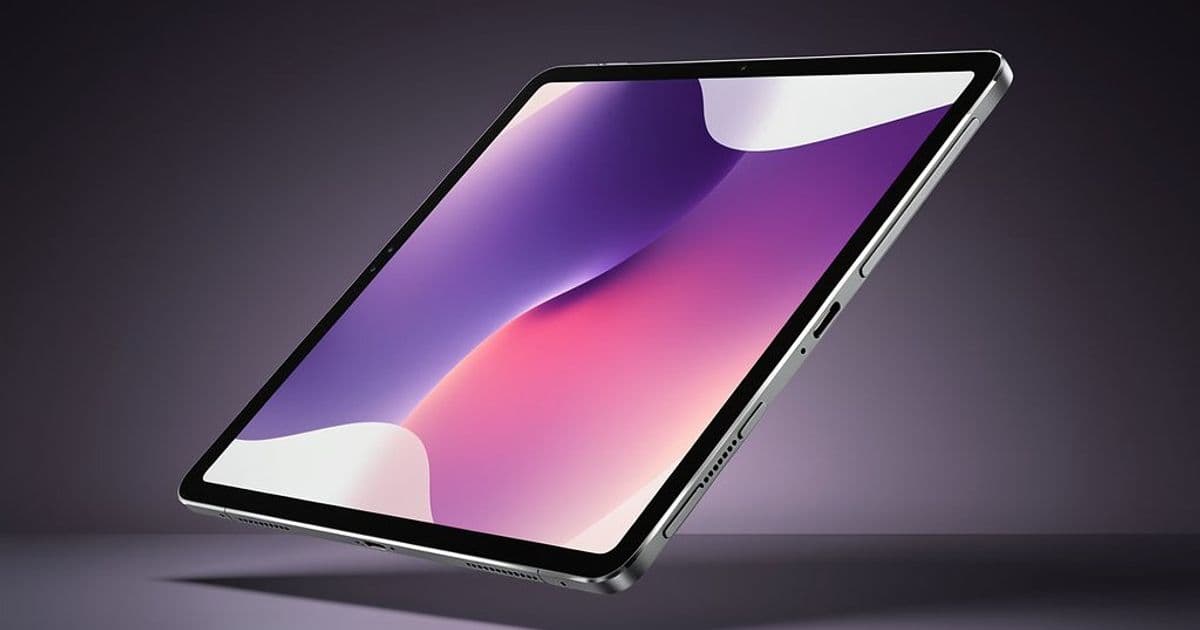
Asus has announced the ProArt PZ14, a 14-inch Windows tablet targeting creative professionals with a high-refresh OLED display and Qualcomm's latest Arm processor, but the device's success will depend on software compatibility rather than raw hardware specs.
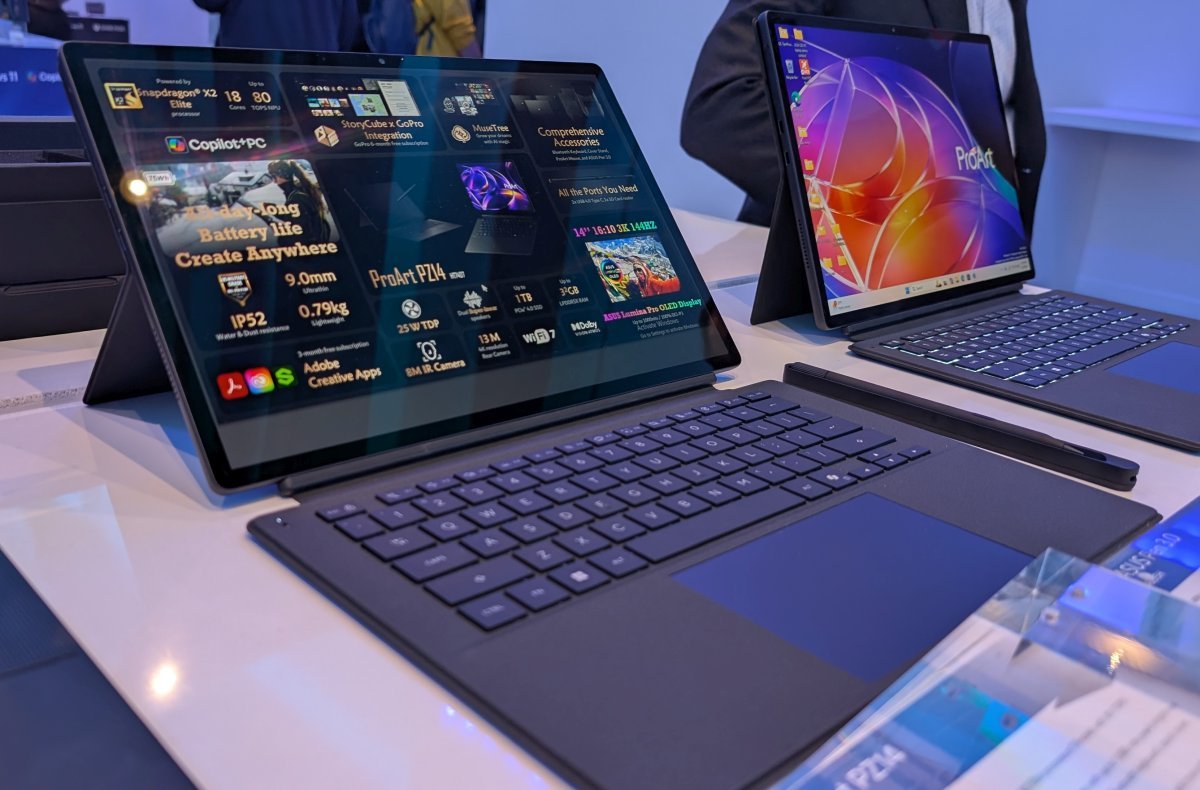
Asus unveiled the ProArt PZ14 (HT7407) during CES, positioning it as a premium Windows tablet for content creators who need both portability and performance. The device pairs a 14-inch 2880 x 1800 OLED display with a 144Hz refresh rate and Qualcomm's Snapdragon X2 Elite processor, creating a hardware package that looks impressive on paper but carries significant questions about real-world Windows on Arm performance.
Hardware That Targets Creative Workflows
The ProArt PZ14's display specifications immediately stand out for creative work. The 144Hz refresh rate on an OLED panel provides smooth cursor movement and scrolling, while the 2880 x 1800 resolution offers sharp detail for photo editing and video work. Asus claims support for both touch and stylus input, with the tablet designed to work with the Asus Pen 3.0.
The pen uses Microsoft Pen Protocol 2.6, which means it should be compatible with other MPP pens if you prefer a different stylus. Asus includes haptic feedback and what they call "brush-sound feedback" to simulate writing on paper, plus palm rejection. The pen charges magnetically and has 4096 levels of pressure sensitivity with tilt recognition.
At 9mm thick and 790 grams (1.74 pounds), the tablet is genuinely portable without the keyboard. The detachable Bluetooth keyboard transforms it into a laptop-style device, though the thin profile means port selection is limited to essentials.
Snapdragon X2 Elite: Power Meets Compatibility Questions
The Snapdragon X2 Elite represents Qualcomm's most powerful PC chip to date, featuring 18 cores and an NPU capable of 80 TOPS for local AI processing. This gives the ProArt PZ14 substantial compute resources for tasks like image processing, video encoding, and AI-assisted creative workflows.
However, the Windows on Arm ecosystem remains incomplete. Windows 11 includes x86_64 emulation through Prism, but emulated applications typically run slower than native Arm64 software and may encounter compatibility issues. For creative professionals, this creates a critical decision point.
Adobe's Creative Cloud has made significant progress with native Arm64 builds, but many specialized plugins, older tools, and niche applications still lack native support. The performance gap between native and emulated software can be substantial enough to affect production workflows.
Storage and Connectivity for Professional Use
The ProArt PZ14 supports up to 32GB of LPDDR5x memory and a 1TB PCIe 4.0 SSD, which should be adequate for most creative projects. The storage uses the faster PCIe 4.0 standard, helping with file transfers and application loading.
Connectivity includes two USB4 ports supporting 40Gbps data transfer, video output, and charging. The SD Express 7.0 card reader is particularly valuable for photographers and videographers who need fast access to camera cards. WiFi 7 support ensures future-proof wireless connectivity.

Camera and Battery Considerations
The tablet includes an 8MP IR camera on the front for Windows Hello facial recognition and a 13MP rear camera. While the rear camera won't replace dedicated cameras for serious photography, it could be useful for quick document scanning or reference photos.
A 75Wh battery paired with a 68W USB-C charger should provide reasonable runtime, though actual battery life will depend heavily on whether applications run natively or through emulation. Arm processors typically offer better efficiency than x86 counterparts, but emulation overhead can offset those gains.
The Real-World Performance Equation
For creative professionals considering the ProArt PZ14, the decision comes down to application compatibility rather than hardware capability. The Snapdragon X2 Elite can handle demanding workloads, but only if your software runs natively.
Before purchasing, verify that your essential tools have native Arm64 versions. Check for:
- Photo editing software (Photoshop, Lightroom, Capture One)
- Video editing applications (DaVinci Resolve, Premiere Pro, Final Cut alternatives)
- Audio production tools
- Specialized plugins and extensions
- File format compatibility with your existing workflow
If your primary applications have native Arm64 support, the ProArt PZ14 offers a compelling combination of portability, display quality, and performance. If you rely on emulated software or unsupported applications, you may encounter frustrating performance limitations.
Availability and Market Position
The Asus ProArt PZ14 is scheduled for release in Q2 2026, giving potential buyers time to evaluate the Windows on Arm ecosystem's maturity. Pricing hasn't been announced, but the ProArt branding and premium specifications suggest it will compete in the high-end creative tablet market.
The device enters a market where Windows tablets have struggled to match the iPad Pro's polish while offering full desktop application support. The Snapdragon X2 Elite could change that equation if software compatibility improves, but that remains a significant "if" for professional workflows.

Bottom Line for Developers and Creatives
For mobile developers maintaining cross-platform applications, the ProArt PZ14 represents another data point in the Windows on Arm transition. If you're building for Windows, testing on Arm hardware is increasingly important, even if your primary development happens on x86 systems.
For creative professionals, the hardware looks solid, but wait for reviews that test your specific applications. The gap between promising specs and real-world performance on Windows on Arm can be substantial, and creative work leaves little room for compatibility compromises.
The ProArt PZ14 shows that hardware manufacturers are willing to invest in premium Windows on Arm devices. The question is whether software developers will follow suit with native applications before the hardware's potential is wasted on emulation overhead.
Comments
Please log in or register to join the discussion