Azure Databricks Serverless Workspaces are now generally available, offering a fully managed environment that eliminates infrastructure complexity and accelerates time-to-insight for data teams.
Azure Databricks has announced the general availability of Serverless Workspaces, marking a significant milestone in the platform's evolution. This move follows the successful public preview period and represents Microsoft's commitment to simplifying data analytics deployment for organizations of all sizes.
The Evolution of Azure Databricks Workspaces
Azure Databricks now offers two distinct workspace models, each designed to address different organizational needs and technical requirements. The introduction of Serverless Workspaces alongside the existing Classic model provides customers with flexibility in how they approach their data analytics infrastructure.
Serverless Workspaces: The Managed Experience
The Serverless Workspace model represents a paradigm shift in how organizations can approach data analytics. With this model, Azure Databricks takes on the responsibility of operating and maintaining the entire environment. This approach significantly reduces the operational burden on data teams, allowing them to focus on what matters most: deriving insights from their data.
Key characteristics of Serverless Workspaces include:
- Zero infrastructure setup: No virtual network design, storage configuration, or cluster management required
- Automatic provisioning: Workspaces are ready for immediate use upon creation
- Built-in governance: Unity Catalog is automatically provisioned with consistent security controls
- Managed compute: Serverless compute handles scaling and resource optimization automatically
- Simplified networking: No need for NAT gateways, firewalls, or Private Link endpoints
Classic Workspaces: The Customizable Approach
For organizations with specific requirements around network topology, security controls, or regulatory compliance, Classic Workspaces remain available. These workspaces provide the flexibility to design custom virtual network layouts, implement specific security measures, and maintain direct control over Azure resources.
Classic Workspaces are particularly well-suited for:
- Highly regulated industries with strict compliance requirements
- Organizations requiring custom network topologies
- Teams that prefer direct management of Azure infrastructure
- Use cases requiring features not yet available in the serverless model
Technical Deep Dive: How Serverless Workspaces Work
Storage Architecture
Serverless Workspaces include fully managed object storage called "default storage." This storage solution is designed to eliminate the complexity of managing storage accounts and credentials while maintaining enterprise-grade security.
Key storage features include:
- Multi-key projection: Enables efficient data organization and access patterns
- Restricted object-store access: Ensures only authorized users can access data assets
- Automatic governance: Unity Catalog integration provides consistent data governance
- Storage account flexibility: Organizations can connect existing Azure Blob Storage accounts when needed
Compute Model
The serverless compute model represents a significant advancement in how data workloads are executed. Rather than requiring teams to provision and manage clusters, Azure Databricks automatically handles compute resource allocation and scaling.
Benefits of the serverless compute approach:
- Automatic scaling: Resources scale based on workload demands
- Resource optimization: Azure Databricks handles performance tuning and resource allocation
- Reduced operational overhead: No cluster management or maintenance required
- Cost efficiency: Pay only for resources consumed during active workloads
Network Configuration
Serverless Workspaces simplify network configuration by eliminating the need for complex networking infrastructure. Instead of deploying NAT gateways, firewalls, and Private Link endpoints, organizations can define serverless egress rules and Private Link controls that apply uniformly across all workloads.
This approach provides:
- Simplified setup: No complex networking design required
- Consistent security: Uniform security policies across all workloads
- Reduced complexity: Eliminates networking overhead for data teams
- Faster deployment: Workspaces can be created and used immediately
Business Impact and Use Cases
The general availability of Serverless Workspaces has significant implications for organizations looking to accelerate their data analytics initiatives.
Rapid Deployment Scenarios
Organizations can now deploy fully functional data analytics environments in minutes rather than weeks. This acceleration is particularly valuable for:
- Proof of concept projects: Quickly spin up environments to test new ideas
- New team onboarding: Rapidly provision workspaces for new data teams
- Time-sensitive analytics: Respond quickly to business opportunities requiring data analysis
- Educational environments: Create learning environments without infrastructure complexity
Operational Efficiency Gains
By eliminating infrastructure management responsibilities, organizations can achieve significant operational efficiencies:
- Reduced IT overhead: Less time spent on infrastructure maintenance
- Faster time-to-insight: Data teams can focus on analysis rather than setup
- Lower total cost of ownership: Reduced infrastructure management costs
- Improved productivity: Data scientists and engineers spend more time on value-added activities
Compliance and Security Considerations
While Serverless Workspaces simplify many aspects of deployment, organizations must still consider their compliance and security requirements:
- Data residency: Ensure the workspace region meets data residency requirements
- Compliance certifications: Verify that serverless compute meets industry-specific compliance needs
- Security policies: Review serverless egress rules and access controls
- Integration requirements: Assess how serverless workspaces integrate with existing security infrastructure
Migration and Adoption Strategies
Organizations currently using Classic Workspaces or other analytics platforms should consider their migration strategy carefully.
Assessment Phase
- Evaluate current infrastructure: Understand existing networking, storage, and compute requirements
- Identify use cases: Determine which workloads are suitable for serverless deployment
- Assess compliance requirements: Verify that serverless workspaces meet regulatory needs
- Cost analysis: Compare costs between existing infrastructure and serverless options
Migration Planning
- Pilot programs: Start with non-critical workloads to test serverless capabilities
- Phased migration: Gradually migrate workloads to minimize disruption
- Training and enablement: Ensure teams are prepared for the serverless model
- Governance review: Update governance policies to align with serverless capabilities
Implementation Best Practices
- Start small: Begin with simple use cases to build confidence
- Leverage existing assets: Connect existing storage accounts when needed
- Monitor performance: Track workload performance and optimize as needed
- Document processes: Create documentation for serverless workspace management
Regional Availability and Limitations
It's important to note that Azure Databricks Serverless Workspaces are only available in regions that support serverless compute. Organizations should verify regional availability before planning their deployment strategy.
Additionally, some features available in Classic Workspaces may not yet be available in the serverless model. Organizations should review the feature parity documentation to ensure their requirements can be met.
Getting Started with Serverless Workspaces
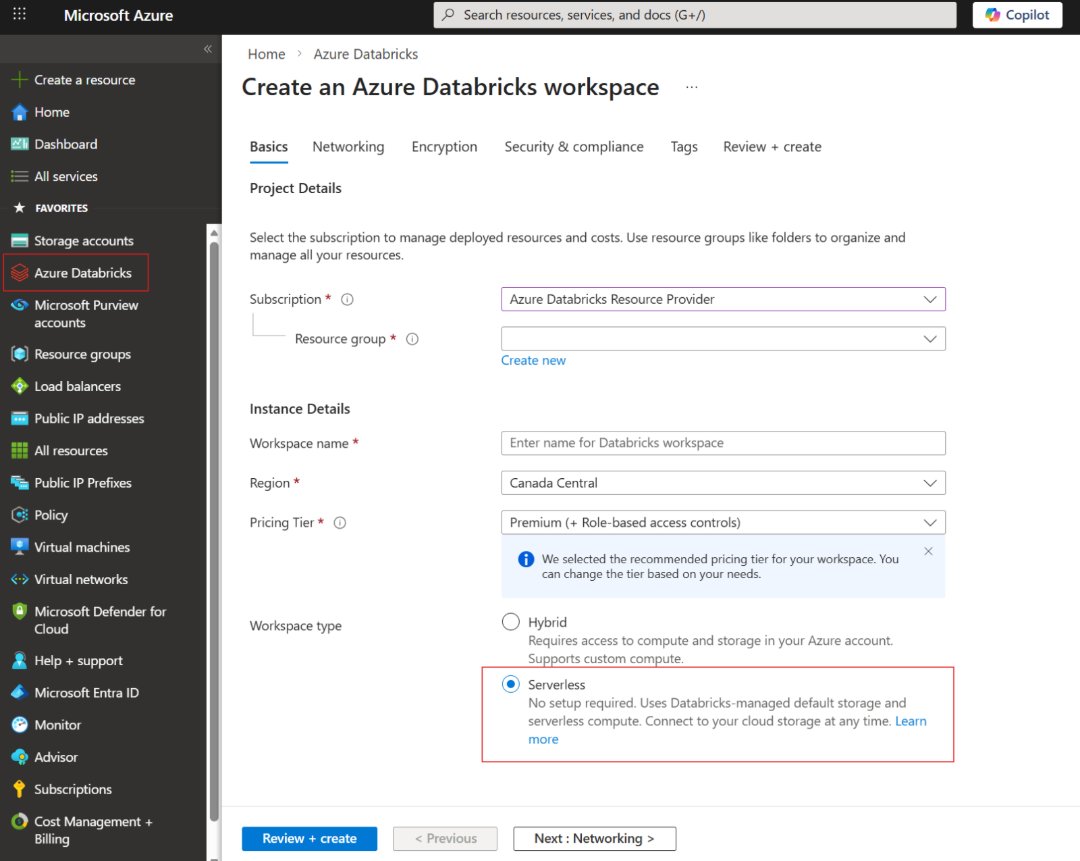
The process of creating a Serverless Workspace is designed to be straightforward:
- Access the Azure portal: Navigate to the Azure Databricks service
- Initiate workspace creation: Select the option to create a new workspace
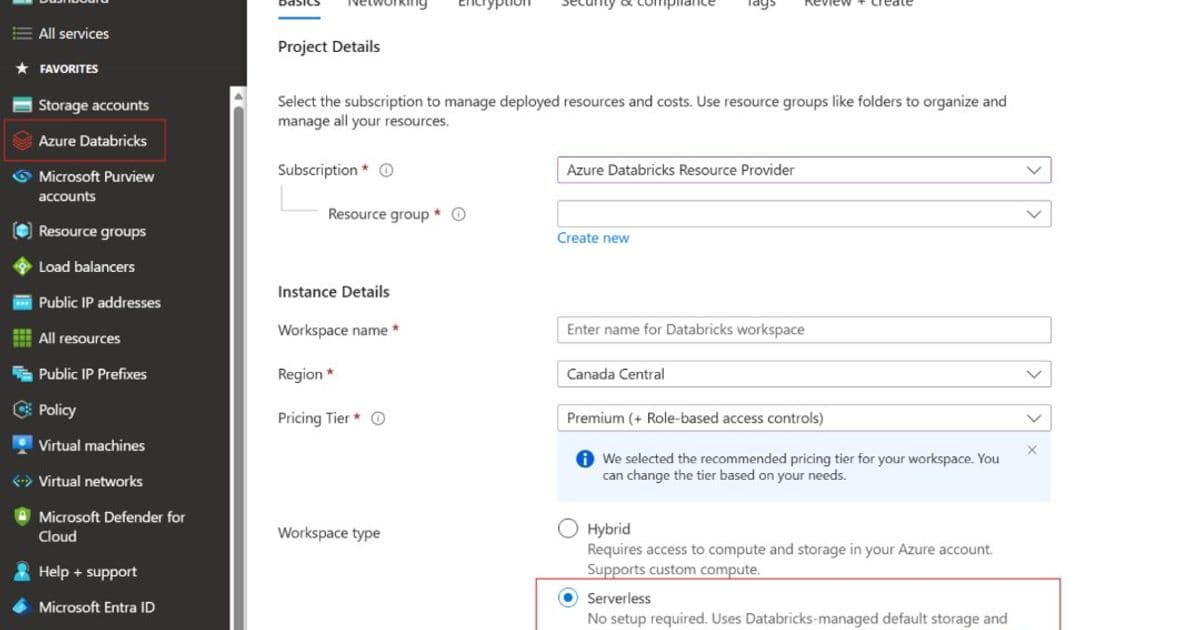
- Choose workspace type: Select "Serverless" as the workspace model
- Configure basic settings: Provide workspace name, region, and other basic parameters
- Review and create: Verify settings and create the workspace
- Begin using immediately: The workspace is ready for use upon creation
For detailed setup instructions and best practices, refer to the official Azure Databricks documentation.
The Future of Data Analytics Infrastructure
The general availability of Serverless Workspaces represents a significant step toward simplifying data analytics infrastructure. As organizations continue to prioritize data-driven decision making, solutions that reduce complexity while maintaining enterprise-grade capabilities will become increasingly important.
Azure Databricks' dual-workspace approach provides the flexibility organizations need to balance simplicity and control. Whether choosing the rapid deployment of Serverless Workspaces or the customization of Classic Workspaces, organizations can now select the approach that best aligns with their specific requirements and constraints.
The success of Serverless Workspaces in public preview suggests strong demand for managed analytics solutions. As the technology continues to evolve, we can expect further enhancements to the serverless model, potentially including additional features, expanded regional availability, and deeper integration with other Azure services.
For organizations looking to accelerate their data analytics initiatives while minimizing infrastructure complexity, Azure Databricks Serverless Workspaces offer a compelling solution that combines the power of Databricks with the simplicity of a fully managed service.
Comments
Please log in or register to join the discussion