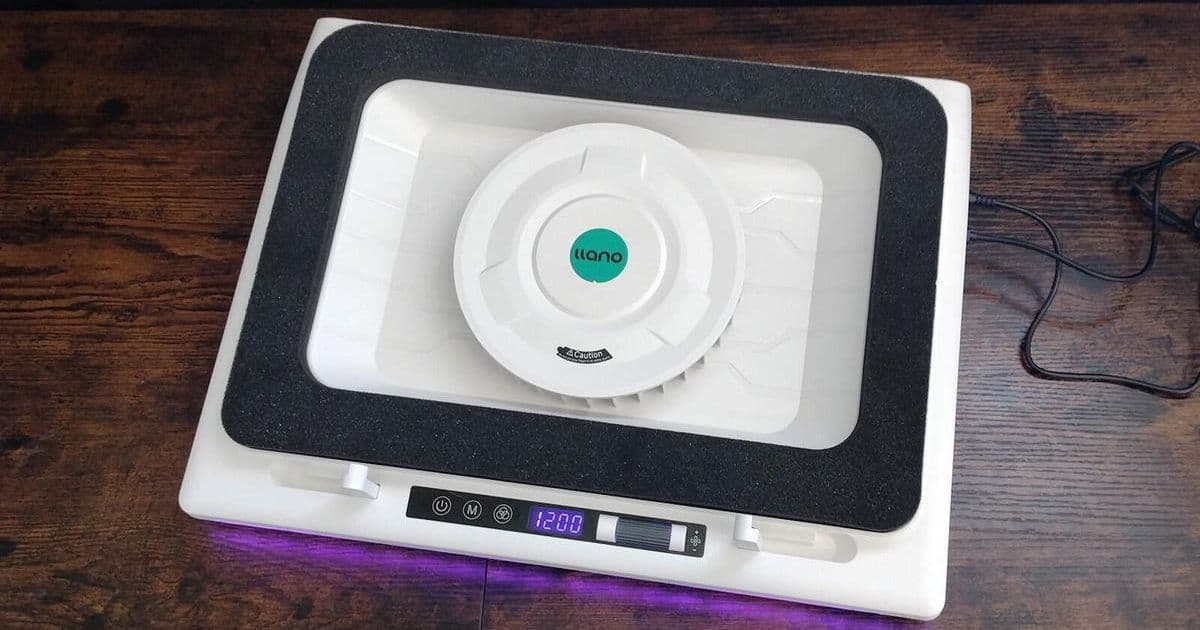
Laptop cooling pads are evolving from basic accessories into intelligent thermal management systems. ZDNET's rigorous testing reveals top performers like the powerful Llano V12 and the innovative AI-driven Razer pad, highlighting critical considerations for developers and power users battling thermal throttling during intensive workloads.
For developers pushing containers, compiling large codebases, or running machine learning models locally, laptop overheating isn't just an annoyance—it's a productivity killer. Thermal throttling can cripple performance precisely when computational power is needed most. ZDNET's comprehensive testing of leading laptop cooling pads, led by Cesar Cadenas and Allison Jewell, reveals a landscape where brute-force cooling meets intelligent design and emerging AI integration.
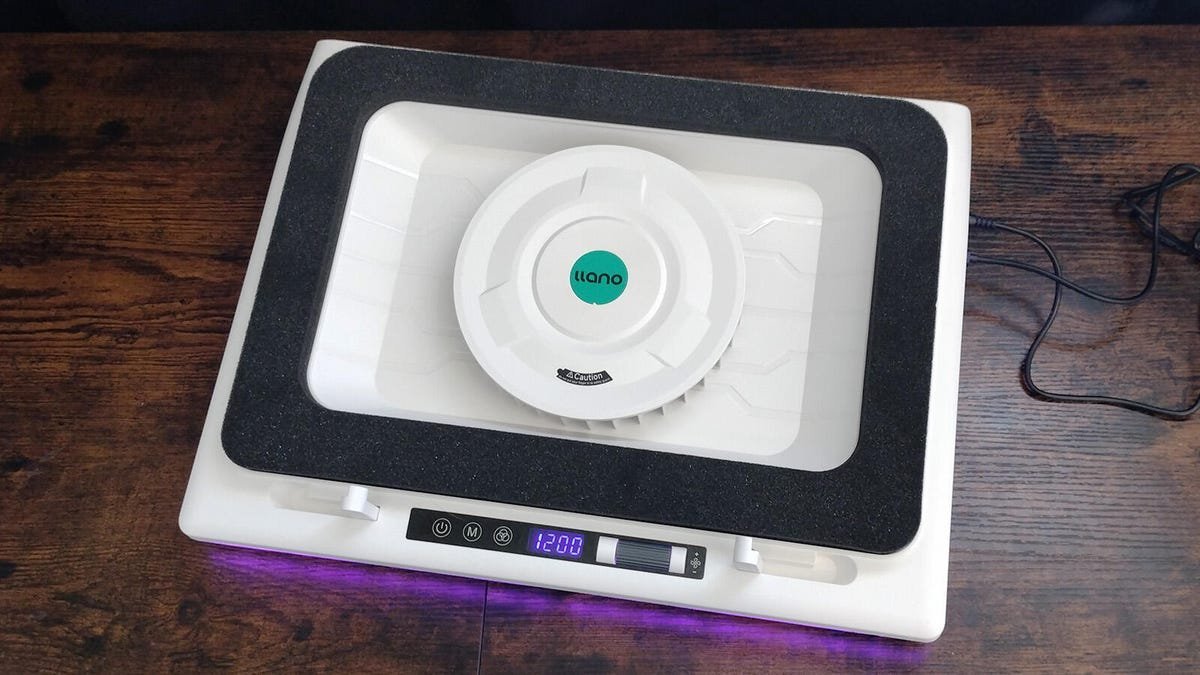 ZDNET's top pick, the Llano V12, uses a recessed fan design for powerful cooling.
The Core Challenge: Battling the Heat Modern laptops, especially high-performance developer workstations and gaming rigs, generate significant heat under load. Traditional cooling pads offer passive elevation and active airflow, but effectiveness varies dramatically. ZDNET's evaluation prioritized:
- Raw Cooling Power (RPM & Design): Measured by fan speed and innovative designs creating vacuum seals (e.g., Llano V12, IETS GT300).
- Ergonomics & Usability: Adjustability for long coding sessions (e.g., IETS GT300's 7-angle adjustment).
- Noise Levels: Critical for shared workspaces or focused environments (e.g., Havit HV-F2056's quiet operation).
- Portability & Power: Balancing cooling needs with on-the-go usability (e.g., Klim Cool Vacuum's compact form).
- Emerging Tech: Integration of intelligent features.
Top Performers: From Raw Power to AI Smarts ZDNET's testing crowned the Llano V12 Laptop Cooling Pad the overall champion. Its recessed 2,800 RPM fan surrounded by foam creates a potent vacuum effect, significantly dropping temperatures even on demanding systems, though its premium price and size are considerations.
The standout innovation, however, comes from the Razer Laptop Cooling Pad. Razer moved beyond static fan speeds by incorporating AI-driven thermal management via its Synapse software. The Smart Fan Curve mode dynamically adjusts fan RPM in real-time based on the laptop's internal temperature sensors. This represents a significant shift towards adaptive cooling systems:
# Conceptual representation of Razer's Smart Fan Curve logic
def adjust_fan_speed(current_temp, target_temp_range):
    """
    Dynamically adjusts fan RPM based on deviation from optimal temperature range.
    """
    if current_temp > target_temp_range['high']:
        return MAX_RPM  # Aggressive cooling needed
    elif current_temp < target_temp_range['low']:
        return MIN_RPM  # Maintain quiet operation
    else:
        # Calculate proportional RPM within the target range
        temp_range = target_temp_range['high'] - target_temp_range['low']
        position_in_range = (current_temp - target_temp_range['low']) / temp_range
        return MIN_RPM + (MAX_RPM - MIN_RPM) * position_in_range
Other notable contenders include:
- Klim Everest: Exceptional value with powerful 4,400 RPM turbines, though noisy at full tilt.
- Tecknet Laptop Cooling Pad: A capable, quiet, and ultra-portable budget champion ideal for lighter workloads.
- IETS GT300 Double Blower: Best ergonomics with powerful, surprisingly quiet 4,500 RPM cooling.
- Havit HV-F2056: The office-friendly choice – slim, quiet, and professional.
| Cooler | Key Strength | Max RPM | Ideal For | Price |
|---|---|---|---|---|
| Llano V12 | Raw Cooling Power | 2,800 | High-performance laptops | $$$ |
| Razer Pad | AI Thermal Mgmt | 3,000 | Gamers/Streamers, Tech Enthusiasts | $$$$ |
| Klim Everest | Value for Performance | 4,400 | Budget-conscious power users | $$ |
| Tecknet | Budget & Portability | 1,800 | Students, Lightweight laptops | $ |
| IETS GT300 | Ergonomics | 4,500 | Long coding sessions | $$$ |
| Havit HV-F2056 | Office Quietness | 1,100 | Professionals, Quiet spaces | $$ |
Why This Matters for Tech Professionals Effective thermal management is foundational to sustained system performance and hardware longevity. For developers and engineers:
- Prevents Throttling: Maintains peak CPU/GPU clocks during compilations, renders, or VM usage.
- Extends Hardware Life: Reduces long-term thermal stress on components.
- Enables Portability: Allows powerful laptops to function optimally outside controlled data center environments.
- Improves Ergonomics: Proper elevation reduces strain during extended work periods.
The integration of AI, as seen in the Razer pad, signals a move towards smarter, more efficient cooling that responds dynamically to workload demands rather than operating at fixed, often excessive, levels. This aligns with a broader trend in computing towards intelligent resource optimization.
Choosing Your Thermal Ally Selecting the right cooler hinges on specific needs:
- Heavy Workloads (ML, Compilation, Gaming): Prioritize high RPM and strong airflow (Llano V12, IETS GT300, Razer). Consider Razer for its adaptive AI if budget allows.
- Portability & Budget: Tecknet or Klim Cool Vacuum offer effective cooling on the go or for less demanding tasks.
- Office/Quiet Environments: Havit HV-F2056 provides discreet, effective cooling.
- Ergonomics Focus: IETS GT300's adjustability is unmatched.
ZDNET's testing underscores that while basic cooling pads remain effective, the future lies in intelligent systems like Razer's AI-driven approach, optimizing performance while managing noise and power consumption – a crucial evolution for professionals relying on mobile workstations. Investing in the right thermal solution is no longer just about preventing overheating; it's about unlocking and sustaining the full potential of your development machine.
Source: Based on testing and analysis by Cesar Cadenas and Allison Jewell, ZDNET, August 2025.
Comments
Please log in or register to join the discussion