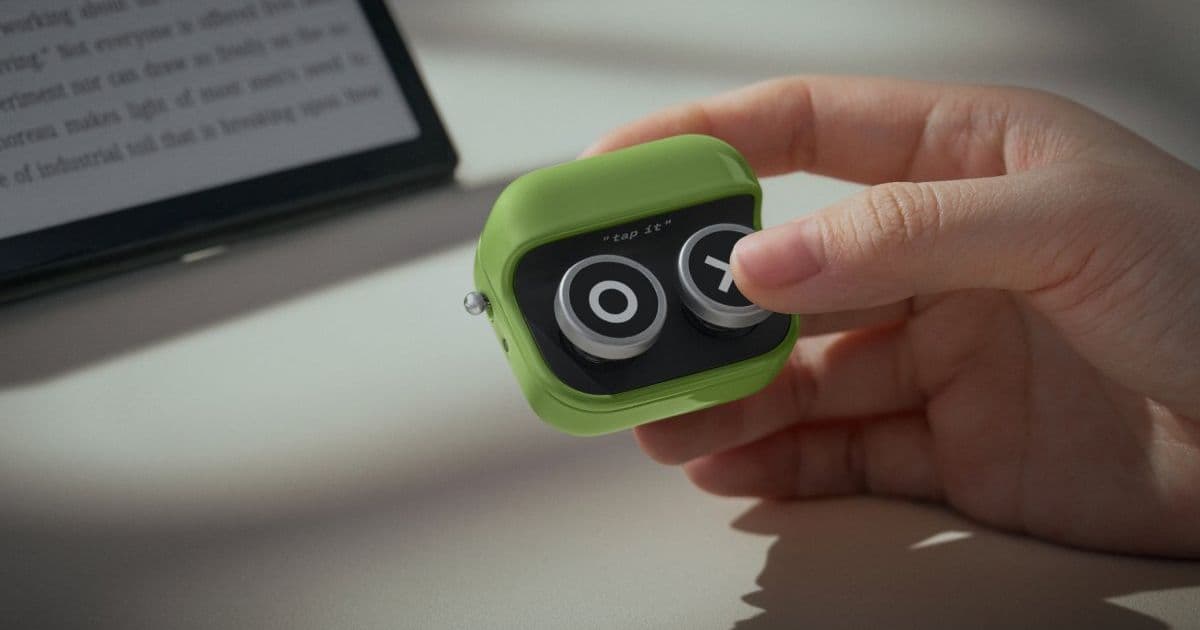
BOOX’s new Tappy Bluetooth remote offers physical page-turn and media controls for eReaders and mobile devices, with cross-platform iOS and Android support that underscores key differences in how each platform handles external Bluetooth HID peripherals for mobile developers.
BOOX Releases Tappy 2-Button Bluetooth Remote, Highlighting Cross-Platform HID Support for iOS and Android
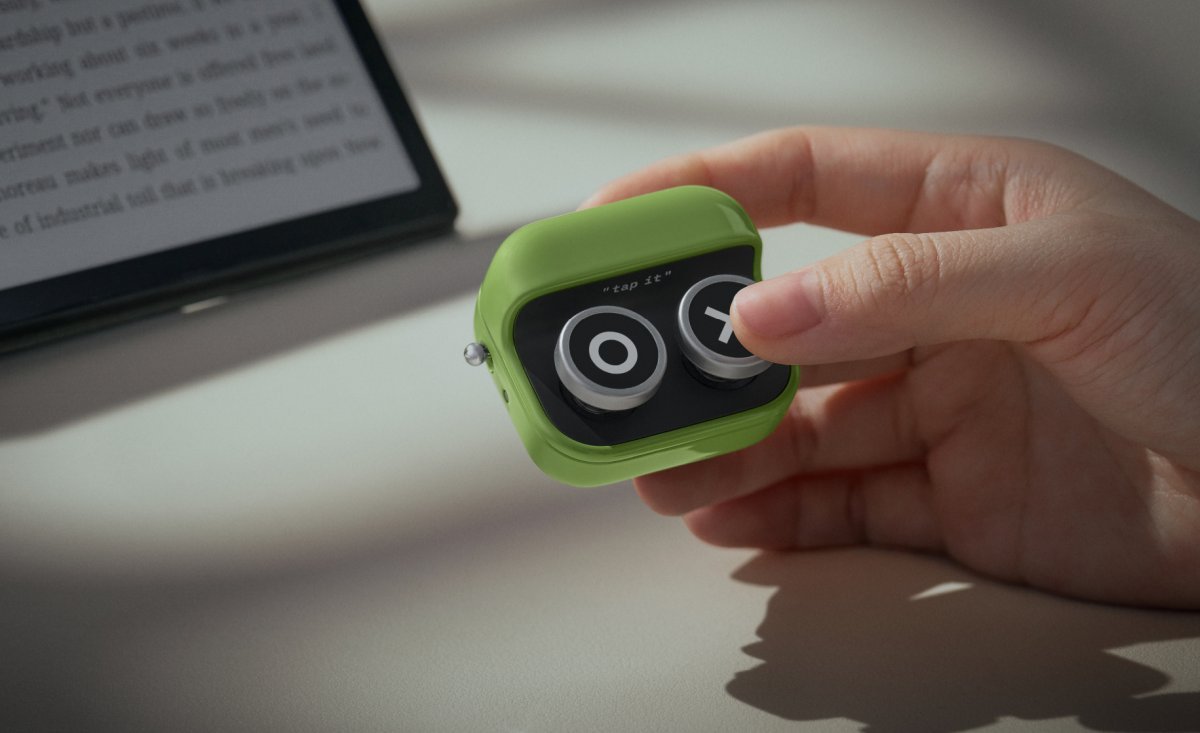
BOOX, the manufacturer behind the Onyx BOOX line of E Ink eReaders and tablets, recently launched the Tappy, a compact 2-button Bluetooth remote designed primarily for hands-free page turning and media control. Priced at $26, the Tappy works natively with recent BOOX devices running firmware 4.2 or later, including the Note Air5 C and Palma 2 Pro, but its standard Bluetooth 5.4 connectivity also makes it compatible with iOS and Android smartphones, tablets, and PCs. For mobile developers maintaining apps across both platforms, the Tappy serves as a practical example of how consumer Bluetooth HID peripherals interact with modern mobile operating systems, and what considerations to keep in mind when building apps that support external input.
The Tappy measures 43 x 37 x 25mm (1.7 x 1.5 x 1 inches) and weighs 29 grams, with a simple two-button layout that supports three configurable modes. Reading Mode maps buttons to next and previous page turns, Browsing Mode uses the same buttons for vertical scrolling through web pages or long-form content, and Listening Mode assigns them to skip forward or backward between media tracks. BOOX rates the built-in 95 mAh lithium-ion battery for weeks of use per charge, with a USB-C port for recharging and an LED status light for pairing, mode switching, and low battery alerts.  Bluetooth 5.4 provides a stable connection up to 33 feet, and the device includes replaceable keycaps, with default X and O labels plus optional heart and coffee mug icons, a design choice that also allows for custom keycap creation as labels wear down over time.
  At launch, the green Tappy is exclusive to the BOOX website, while the orange version is available via Amazon.
Platform Update: Bluetooth HID Support on iOS and Android
While the Tappy is marketed for BOOX eReaders, its functionality as a standard Bluetooth Human Interface Device (HID) peripheral means it pairs with any device that supports the Bluetooth HID profile, including nearly all modern iOS and Android devices. This is not a new capability for mobile platforms, but the Tappy’s low cost and widespread availability make it a useful reference point for understanding platform-specific HID behavior.
On iOS, Bluetooth HID support has been built into the operating system since iOS 7, with no MFi (Made for iPhone) certification required for standard HID devices like keyboards, mice, and remotes. The Tappy will pair with iPhones and iPads running iOS 13 or later through the standard Bluetooth settings menu, and the system routes button presses to the appropriate app via standard key event pathways. Developers can handle these inputs using UIKit’s UIKeyCommand class for keyboard-like inputs, or the GameController framework if the remote registers as a game controller (most simple 2-button HID remotes do not). Apple’s official UIKeyCommand documentation details how to register supported key presses, including standard media and page navigation key codes that the Tappy likely uses.
Android has supported Bluetooth HID host mode since Android 4.0 (API 14), with more consistent key event reporting added in later versions. The Tappy pairs with Android devices running Android 5.0 (API 21) or later via the Bluetooth settings menu, and apps can listen for button presses by overriding onKeyDown or onKeyUp in their activities, then inspecting the KeyEvent source to confirm the input comes from a Bluetooth HID peripheral. Google’s KeyEvent documentation lists all supported key codes, including KEYCODE_PAGE_UP, KEYCODE_PAGE_DOWN, KEYCODE_MEDIA_NEXT, and KEYCODE_MEDIA_PREVIOUS, which map directly to the Tappy’s three modes. For apps targeting Android 12 (API 31) or later, developers must also request BLUETOOTH_SCAN and BLUETOOTH_CONNECT permissions in the app manifest, even if the app does not initiate Bluetooth pairing, as these permissions are required to access information about connected Bluetooth devices.
Developer Impact: Cross-Platform Input Handling
For mobile developers, especially those building eReader apps, media players, presentation tools, or accessibility-focused apps, the Tappy represents a common type of peripheral that users may pair with their devices. Unlike proprietary accessories that require custom SDK integrations, standard Bluetooth HID remotes like the Tappy work with existing platform APIs, meaning most apps already support their core functionality without additional code, provided they handle standard key events.
Cross-platform development tools have varying levels of support for external HID input. Flutter’s services library includes a HardwareKeyboard class that listens for key events across iOS and Android, with a unified API for handling key presses regardless of input source. The Flutter HardwareKeyboard documentation includes examples for filtering key events by source and key code, making it straightforward to add support for remotes like the Tappy in cross-platform Flutter apps. React Native does not include built-in support for low-level key events, but community packages like react-native-keyevent bridge native iOS and Android key event handling to JavaScript, allowing developers to map Tappy button presses to app actions.
One key trade-off for developers is that iOS handles all HID connections at the system level, so apps do not need to manage Bluetooth pairing or disconnection, and no special permissions are required beyond standard app entitlements. Android also handles HID connections at the system level, but the addition of Bluetooth permissions in Android 12+ means developers must update their app manifests and request runtime permissions from users if they want to check for connected HID devices or log Bluetooth usage. For apps that do not need to enumerate connected devices, only handle key events, the permission requirement does not apply, as key events are routed to the app regardless of the input source.
Migration: Adding Support for Bluetooth HID Remotes
Developers who want to explicitly optimize their apps for remotes like the Tappy can follow a few straightforward migration steps, with minimal platform-specific code required. First, confirm minimum SDK versions: iOS 13+ (to ensure consistent HID key event routing) and Android API 21+ (for reliable KeyEvent reporting from external devices). Next, map standard key codes to app actions: for eReader apps, map KEYCODE_PAGE_UP and KEYCODE_PAGE_DOWN to page turns; for media apps, map KEYCODE_MEDIA_NEXT and KEYCODE_MEDIA_PREVIOUS to track skipping; for scrolling views, map KEYCODE_DPAD_UP and KEYCODE_DPAD_DOWN to vertical scroll.
For cross-platform apps, create an abstraction layer that translates platform-specific key event data into a unified set of actions, to avoid duplicating logic for iOS and Android. Test with multiple HID peripherals, not just the Tappy, to ensure support for common key code mappings, as different remotes may use slightly different key codes for similar functions. Finally, update app documentation to let users know that external Bluetooth remotes are supported, as many users may not realize that physical page turn buttons or media controls work with mobile apps.
Broader Context for Mobile Developers
The Tappy is part of a growing trend of physical input accessories for touch-first devices, driven by user demand for ergonomic controls during activities like reading in bed, exercising, or giving presentations. For mobile developers, this trend means accounting for non-touch input in app design, including testing with external keyboards, mice, and remotes to ensure all app functionality is accessible via physical inputs. This is especially important for accessibility compliance, as many users with motor impairments rely on external input devices to navigate mobile apps.
Competing remotes like the $30 Kobo Remote and third-party Kindle page turners use similar Bluetooth HID profiles, so adding support for the Tappy effectively adds support for most standard 2-button remotes on the market. BOOX’s decision to use standard Bluetooth 5.4 instead of a proprietary protocol lowers the barrier for both users and developers, avoiding the need for custom drivers or SDK integrations that would limit cross-platform compatibility.
For mobile developers maintaining apps across iOS and Android, the Tappy serves as a reminder that external input peripherals are a common part of many users’ workflows, and building apps that handle standard HID key events ensures compatibility with a wide range of current and future accessories. The remote’s cross-platform support highlights the maturity of Bluetooth HID on both mobile platforms, and the minimal development work required to support it makes it a low-effort, high-impact addition to app functionality.
Comments
Please log in or register to join the discussion