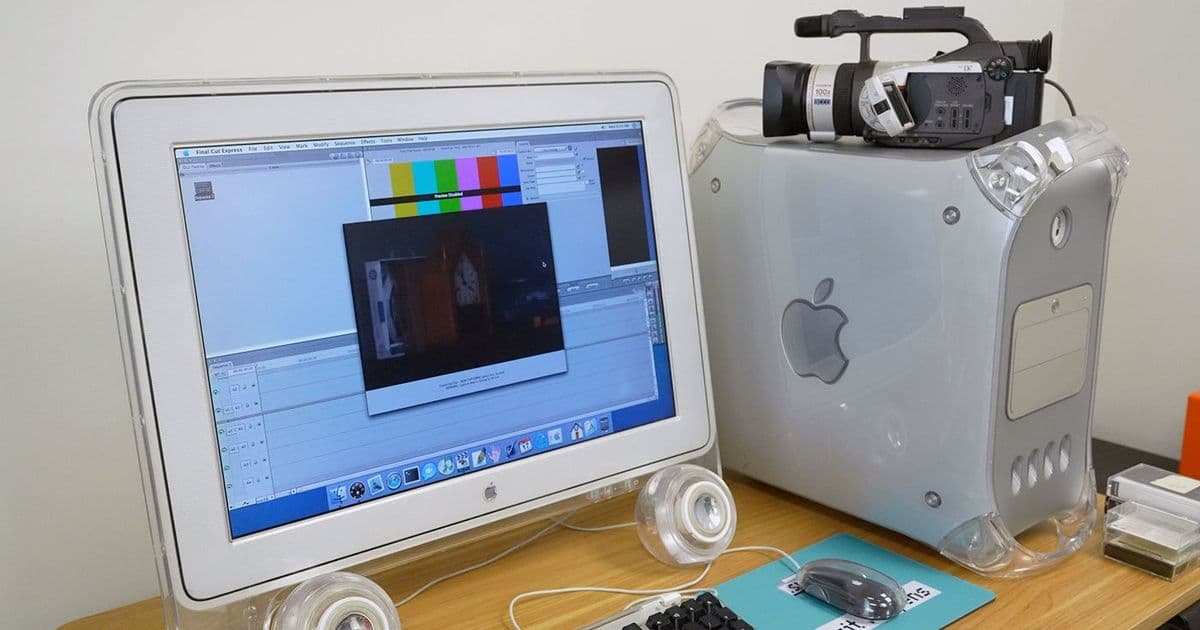
A deep dive into how Linux and Raspberry Pi can resurrect FireWire connectivity for DV cameras and other legacy devices after Apple's macOS 26 Tahoe dropped support.
When Apple announced the end of FireWire support in macOS 26 Tahoe, it marked the final chapter for a technology that had been central to digital video production for decades. For professionals and enthusiasts still working with legacy DV cameras, hard drives, and A/V equipment, this change created an immediate need for alternatives. The good news? With some Linux know-how and a Raspberry Pi, you can keep your FireWire gear alive and functional.
The Challenge of Legacy Connectivity
FireWire, also known as IEEE 1394, was once the gold standard for high-speed data transfer in professional video workflows. Its ability to handle isochronous data streams made it perfect for DV cameras like the Canon GL1, which could transfer pristine digital video over a single cable. But as technology evolved, FireWire gave way to USB and Thunderbolt, leaving many professionals with expensive equipment that suddenly lacked modern connectivity.
The problem becomes particularly acute when you consider the ecosystem that developed around FireWire. Professional video editors relied on FireWire for everything from camera control to real-time video capture. Applications like Final Cut Pro were built with FireWire's capabilities in mind, and the loss of native support means finding new workflows for existing hardware.
The Raspberry Pi Solution
After macOS 26 dropped support, I began exploring alternatives for my Canon GL1 camera and other FireWire equipment. The solution that emerged combines the flexibility of Linux with the GPIO capabilities of the Raspberry Pi 5. By using a Mini PCIe HAT and a FireWire adapter card, you can create a dedicated FireWire bridge that works with modern systems.
The hardware setup is straightforward but requires specific components. The GeeekPi Mini PCIe HAT provides the physical interface, while a StarTech Mini PCIe FireWire adapter handles the actual FireWire protocol. When properly configured, the Raspberry Pi recognizes the FireWire controller through its PCIe bus, creating a bridge between legacy and modern technology.
The Technical Hurdles
Getting FireWire working on a Raspberry Pi isn't as simple as plugging in the hardware. The main challenge stems from the age of FireWire controllers like the Texas Instruments XIO2213A, which were designed when 32-bit addressing was standard. Modern systems use 64-bit addressing, creating compatibility issues that require kernel-level intervention.
The solution involves recompiling the Linux kernel with specific FireWire support enabled. You need to activate the IEEE 1394 driver stack and OHCI-1394 controller support. Additionally, the Pi's PCIe bus must be configured for 32-bit DMA access, since these older controllers can't handle 64-bit memory addressing. This requires modifying both the kernel configuration and the Pi's boot parameters.
Configuration Steps
The process begins with kernel compilation, enabling CONFIG_FIREWIRE and CONFIG_FIREWIRE_OHCI in the device drivers section. Once the kernel is rebuilt, you need to modify the Pi's boot configuration. In /boot/firmware/config.txt, you add dtparam=pciex1 and dtoverlay=pcie-32bit-dma under the [all] section. The final step involves editing /boot/firmware/cmdline.txt to add pcie_aspm=off at the end of the existing line.
After rebooting, the system should recognize FireWire devices connected to the 400 port. For FireWire 800 devices, you'd need to provide auxiliary power to the Mini PCIe card's power header, though most DV cameras use the 400 standard.
Software Integration with dvgrab
Once the hardware is configured, the software side is refreshingly simple. The dvgrab utility, available through apt, provides everything needed to capture DV video from connected cameras. Installation is as simple as sudo apt install -y dvgrab, and the tool handles everything from device detection to file format conversion.
The utility offers both automated and interactive modes. In automated mode, dvgrab captures video to .dv files until you interrupt the process. The interactive mode provides camera control functions like play, pause, fast forward, and rewind, making it possible to cue up specific scenes before capture.
Looking Forward
While Linux plans to drop IEEE 1394 support in 2029, this gives users at least three more years of viable operation. During this time, the Raspberry Pi solution provides a bridge to modern workflows while preserving access to legacy equipment. The open-source nature of Linux also means that if demand exists, support could potentially continue beyond the planned deprecation.
This approach has broader implications for digital preservation. As technology marches forward, many professionals find themselves with valuable equipment that becomes obsolete not due to failure, but due to lack of driver support. Solutions like the Raspberry Pi FireWire bridge demonstrate how modern single-board computers can serve as universal adapters, breathing new life into legacy hardware.
Community and Future Applications
The r/tapeless subreddit has become a hub for discussions about tape-less workflows and legacy equipment integration. Projects like Open MRU, which focuses on media recording and management, could benefit from FireWire integration through similar Pi-based solutions. The modular nature of this approach means it could be adapted for other legacy protocols as well.
For video professionals, this solution represents more than just a workaround—it's a preservation strategy. DV tape, while aging, still offers archival stability that some digital formats can't match. Being able to continue capturing from DV cameras ensures that decades of footage remains accessible, even as the technology that created it fades away.
Practical Considerations
Before diving into this project, consider the practical aspects. The Raspberry Pi 5 provides the best performance, but older Pi models might work with reduced functionality. Storage becomes a consideration since DV video captures at roughly 3.6 MB per second, meaning an hour of footage requires about 13 GB of storage.
The quality of the FireWire adapter matters significantly. Cheaper adapters might have compatibility issues or introduce latency, affecting capture quality. The StarTech adapter mentioned has proven reliable, but results may vary with other brands.
Power delivery through the Mini PCIe interface is another consideration. While FireWire 400 devices typically draw power from the bus, ensuring stable power delivery through the adapter is crucial for reliable operation. Some users report better results with powered FireWire devices or external power supplies for the adapter.
The Bigger Picture
This project sits at the intersection of several important trends: the preservation of digital heritage, the sustainability of technology through repurposing, and the democratization of professional tools through affordable hardware. A $60 Raspberry Pi can replace a $1000+ professional video capture card from the early 2000s, making professional-grade video workflows accessible to hobbyists and independent creators.
The skills required—kernel compilation, hardware interfacing, protocol understanding—represent valuable knowledge in an era where most technology is treated as disposable black boxes. By engaging with these lower-level aspects of computing, users gain a deeper understanding of how their tools work and how to keep them functional beyond their intended lifespan.
As we continue to generate digital content, the question of long-term accessibility becomes increasingly important. Solutions like the Raspberry Pi FireWire bridge offer a model for how we might preserve access to our digital past while building toward the future. Whether you're a video professional with legacy equipment or a hobbyist interested in digital preservation, this approach demonstrates that obsolescence isn't always inevitable—sometimes it just takes a little Linux magic and some creative hardware hacking to keep the past alive in the present.
Comments
Please log in or register to join the discussion