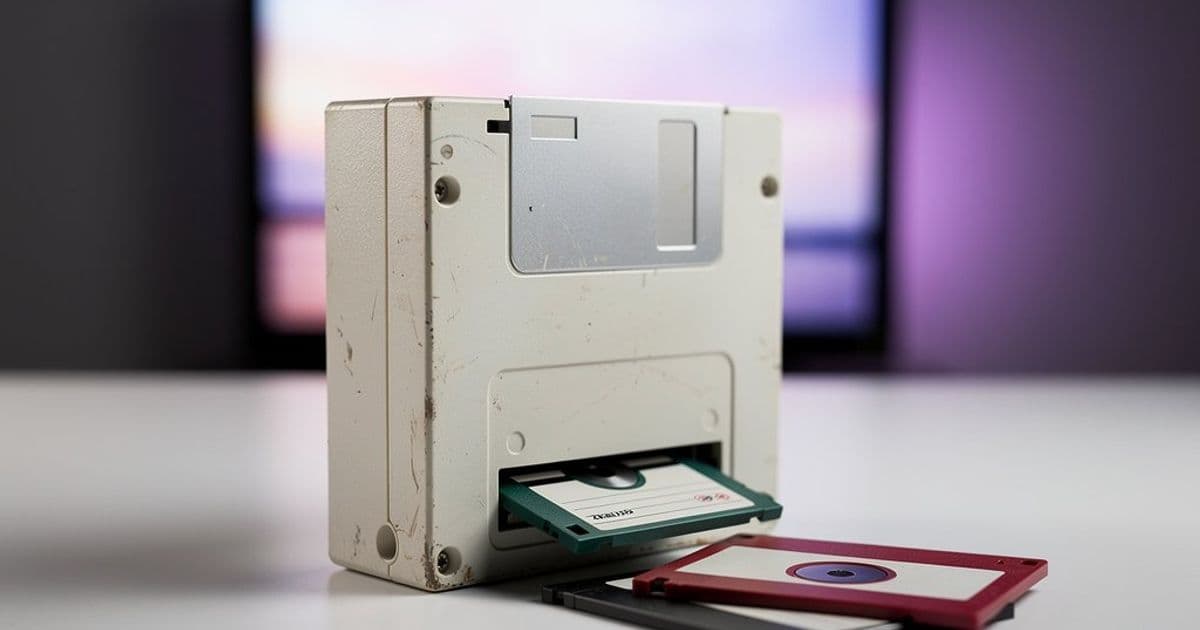
A Danish developer has transformed a 3.5-inch floppy disk drive into a fully functional media remote for his three-year-old son, using physical disks to trigger specific TV shows and music playlists. The project addresses the complexity of modern smart TV interfaces by replacing confusing menus with a simple insert-and-play mechanism.
Smart TV interfaces have become increasingly complex, with nested menus, recommendation algorithms, and navigation that requires multiple button presses. For adults, this is merely frustrating. For a three-year-old, it's effectively impossible. Danish developer Mads Olesen faced this exact problem when his toddler couldn't independently select content, leaving him "stranded powerless and comatose in front of the TV" whenever autoplay failed or the wrong menu was opened.
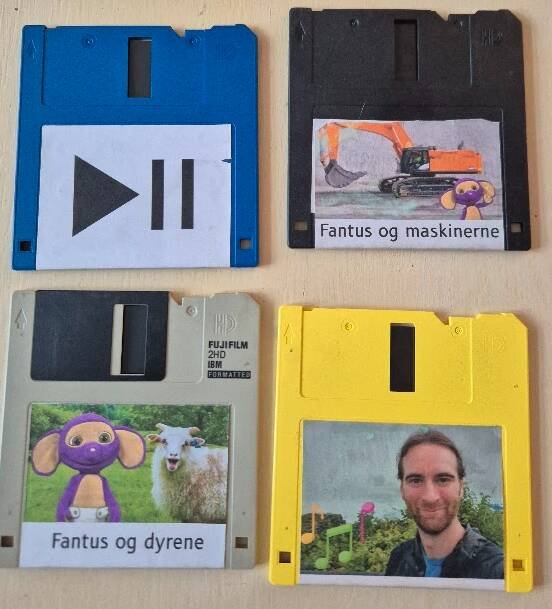
Olesen's solution embraces physical media in a way that would make any retro computing enthusiast proud. He converted a standard 3.5-inch floppy disk drive into a media controller where each disk represents a specific content selection. Inserting a disk starts playback, removing it pauses, and reinserting resumes—creating a tangible connection between physical media and digital streaming that mirrors the experience of popping in a VHS tape or DVD.
The Technical Architecture
The system operates on surprisingly simple principles despite bridging vintage hardware with modern streaming infrastructure. Each floppy disk contains a minimal configuration file—essentially a single line of text specifying which bash script should execute on the server side. For example, a disk labeled "dad-music" triggers a script that streams a curated playlist of kid-appropriate music videos.
The backend consists of a Raspberry Pi running multiple bash scripts, each corresponding to a specific disk. When a disk is inserted, the Pi reads the configuration and uses pychromecast to control a Chromecast device connected to the television. This Python library provides programmatic control over Chromecast functionality, allowing Olesen to initiate streams, pause playback, and manage queue selection without user intervention.
The current setup supports approximately eight to nine distinct disks, each representing different content categories: specific TV shows, music playlists, or themed content collections. Creating new disks requires minimal effort—just writing the configuration file and printing a label—though Olesen notes that label printing has become the primary bottleneck in expanding the system.
Overcoming Hardware Limitations
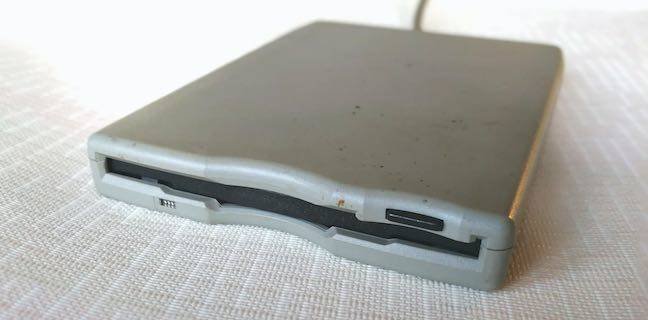
The most significant technical challenge involved achieving true "autoplay" functionality with hardware that was never designed for it. While Windows 95-era systems supported AutoRun from floppy disks, modern operating systems and floppy drives lack the hardware-level detection mechanisms necessary for instant response.
Standard 34-pin floppy drive connectors include a "disk change" pin (pin 34) designed to signal media insertion to the host system. However, Olesen discovered that most modern floppy drives—particularly those salvaged from old systems—lack this feature or don't implement it reliably. Without this signal, the system couldn't detect disk insertion until the OS attempted to access the drive, introducing unacceptable latency.
His solution involved physically modifying the floppy drive with a custom rolling switch mechanism that engages when a disk is inserted. This mechanical addition provides the instant detection necessary for the "insert-to-play" experience. The switch connects to an Arduino microcontroller that wirelessly transmits signals to the Raspberry Pi server, creating a bridge between physical media detection and digital command execution.
Power delivery required additional engineering. The entire assembly—modified drive, Arduino, and wireless transmitter—runs on battery power to maintain portability and eliminate tethering. While Olesen didn't specify battery life, the wireless architecture suggests careful power management to ensure reliable operation.
Real-World Performance and User Experience
Months after deployment, the system remains a favorite of Olesen's son. The tactile nature of disk selection provides clear feedback that touchscreen interfaces cannot match. Each disk's label and physical characteristics create distinct associations, helping the child understand cause and effect: insert disk, get content.
The system also benefits from built-in limitations. Unlike streaming platforms with infinite scrolling recommendations, the floppy remote offers finite choices. This constraint actually improves the experience by reducing decision paralysis—a common problem even for adults using modern streaming services.
Olesen reported that while his son's content preferences have evolved, the floppy disk mechanism continues to engage him. The physical act of inserting media maintains its appeal, and the music playlist disks receive particular enthusiasm for dance sessions.
Potential Improvements
Despite the project's success, Olesen identified several refinements for a hypothetical redesign. First, he would eliminate the Chromecast entirely, connecting a computer directly to the television. The Chromecast introduces noticeable latency between disk insertion and playback start, breaking the illusion that the disk itself contains the media.
Second, he wishes he'd implemented audio feedback from the drive itself. Each disk could trigger a unique melody or sound effect played by the floppy drive's internal speaker, providing immediate confirmation of successful detection. This would be technically feasible using the drive's existing audio hardware and would enhance the tactile feedback loop.
Open Source Availability
Recognizing that other parents and retro computing enthusiasts might face similar challenges, Olesen has published the complete codebase and project files on GitHub. The repository includes:
- Bash scripts for content management
- Python code for Chromecast control
- Arduino sketches for drive modification
- Hardware schematics for the rolling switch mechanism
- Setup documentation for Raspberry Pi configuration
The project represents a clever intersection of nostalgia and practical problem-solving, demonstrating how vintage hardware can solve modern usability challenges. It also highlights a growing sentiment among developers: physical interfaces often provide superior user experiences for specific use cases, particularly for users who cannot navigate complex digital menus.
For parents struggling with smart TV interfaces, or for anyone seeking to repurpose aging hardware, Olesen's approach offers a blueprint that balances technical sophistication with child-friendly simplicity. The complete implementation details are available in his blog post and GitHub repository.
Comments
Please log in or register to join the discussion