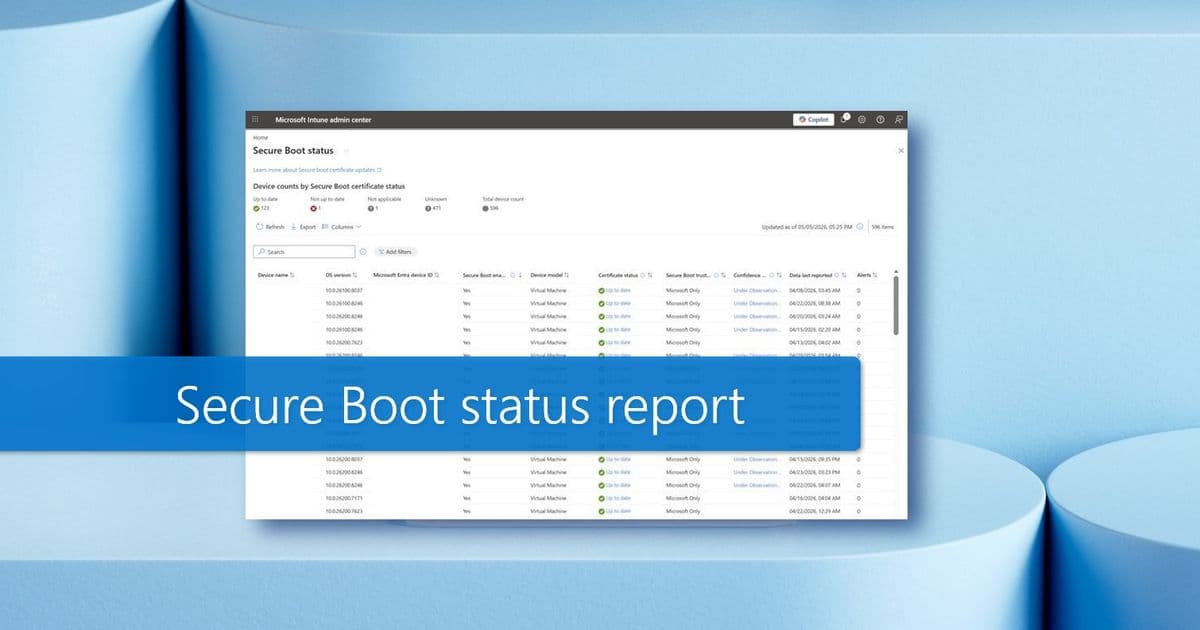
Microsoft's enhanced Secure Boot status report in Windows Autopatch provides unprecedented device-level visibility into certificate status, trust configuration, and readiness, enabling IT administrators to make data-informed decisions about Secure Boot certificate deployments with reduced risk and improved efficiency.
Enhanced Visibility: Microsoft's Updated Secure Boot Status Report Transforms Windows Autopatch Management
Microsoft has significantly improved the Secure Boot status report within Windows Autopatch, offering IT administrators granular device-level visibility into certificate status, trust configuration, and readiness for Secure Boot certificate updates. This enhancement addresses a critical need for organizations managing complex Windows environments, particularly as Secure Boot certificates evolve and older certificates approach expiration.
What Changed: New Capabilities in the Secure Boot Status Report
The updated report introduces several key features designed to provide actionable insights into Secure Boot readiness across Windows Autopatch-managed devices:
Certificate Status Visibility
The new report includes a dedicated "Certificate status" column that provides an aggregate view of certificate status across devices. This column displays three possible states:
- Up to date: No action required
- Not up to date: Devices require certificate updates
- Not applicable: Secure Boot isn't enabled
Administrators can drill into any device's certificate status to view details for each of the four required certificates, eliminating the need for custom scripts or manual validation. This granular view shows whether Secure Boot is enabled, the trust setting, and individual certificate status.
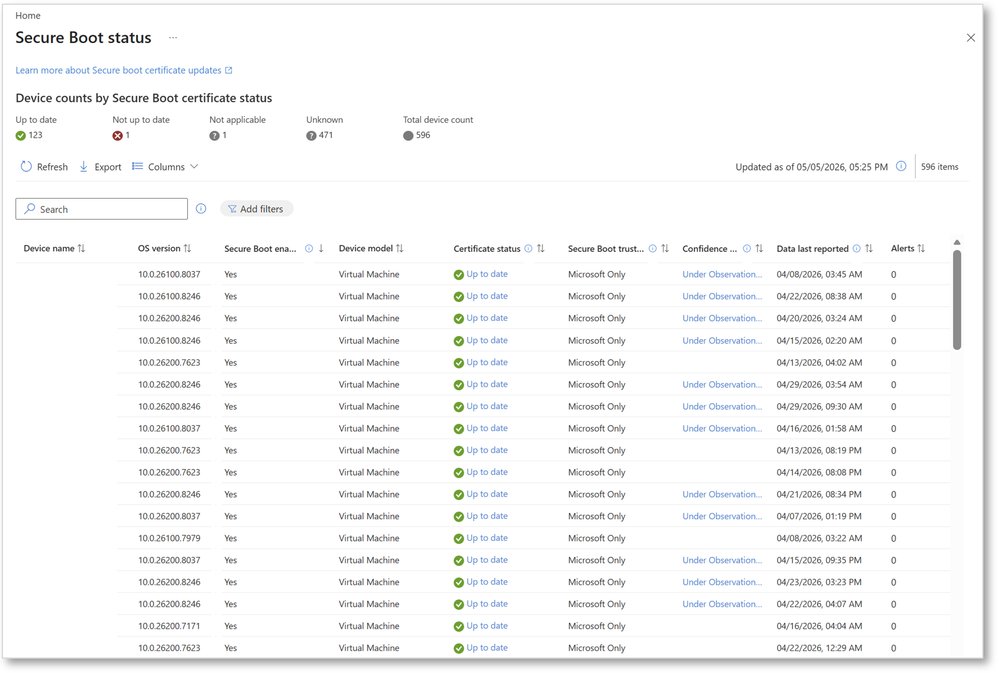 The Secure Boot status report in Windows Autopatch includes new columns for certificate status, trust configuration, and confidence level.
Trust Configuration Analysis
The "Secure Boot trust setting" column reveals whether a device trusts:
- Microsoft-only components
- Both Microsoft and non-Microsoft components
This distinction is crucial because certificate applicability depends on device configuration, not just what exists on disk. For example, a device may be fully compliant even if certain certificates aren't present if those certificates aren't required for that specific configuration.
Confidence Level Indicators
One of the most significant additions is the "Confidence level" column, which guides deployment decisions based on Microsoft-observed data across similar devices and firmware configurations. Selecting any confidence level cell displays a flyout with:
- Status description
- Recommended action
- Whether high-confidence deployment policy is allowed
The confidence levels include:
- High confidence: Deploy certificates automatically if policy allows
- Under observation: Test updates in controlled rollout
- No data observed: Validate updates before broad deployment
- Temporarily paused: Avoid deployment due to known issues
- Not supported: Exclude from automation
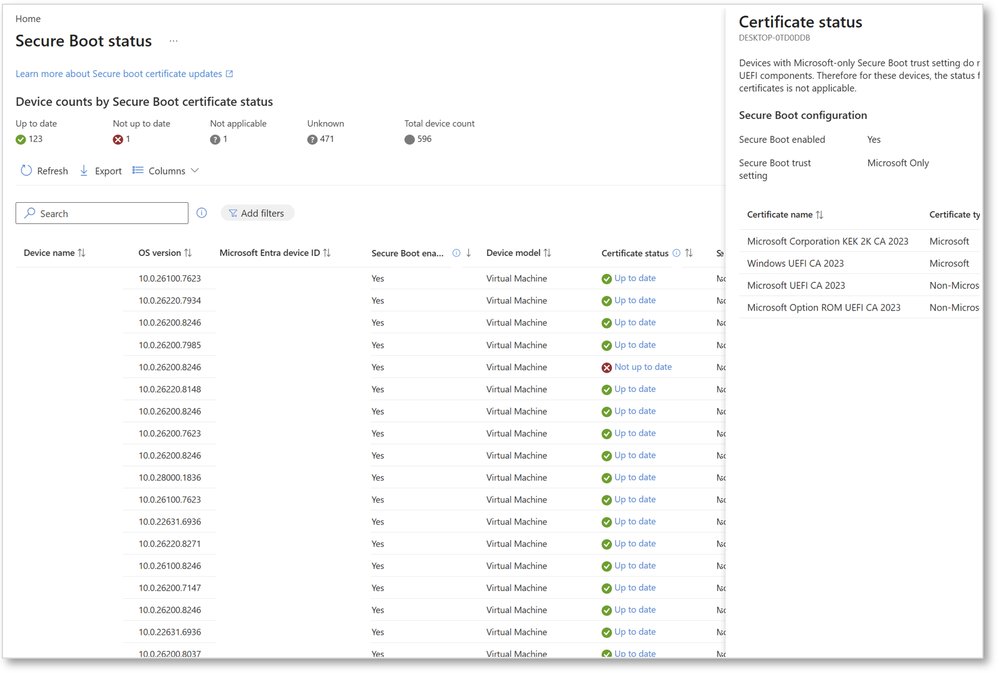 The Certificate status flyout shows Secure Boot configuration and lists status for each of the four certificates on a selected device.
Operational Alerts and Timestamps
A new "Alerts" column helps validate reporting freshness and prioritize action by surfacing:
- Devices missing diagnostic data
- Devices requiring action
- Timestamp of last reported diagnostic data
These signals enable administrators to identify which devices need immediate attention and ensure data freshness when validating rollout progress.
Provider Comparison: Windows Autopatch vs. Alternative Management Solutions
While Microsoft's Windows Autopatch provides integrated Secure Boot management, organizations should consider how it compares to alternative approaches:
Windows Autopatch Advantages
- Integrated Ecosystem: Native integration with Microsoft Intune and the broader Microsoft ecosystem reduces configuration complexity.
- Automated Updates: The EnableSecurebootCertificateUpdates policy automatically sends certificate updates to supported and eligible devices.
- Centralized Reporting: Single-pane-of-glass visibility across Windows Autopatch-managed devices.
- Microsoft-observed Data: Confidence levels based on Microsoft's extensive device telemetry.
Alternative Solutions Considerations
- Third-party Endpoint Management: Tools like SCCM or third-party MDM solutions may require additional configuration for similar visibility.
- Custom Scripts: Organizations without Windows Autopatch might develop custom PowerShell scripts to monitor Secure Boot status, but these lack Microsoft's confidence level data and require ongoing maintenance.
- Cloud-based Security Platforms: Solutions like CrowdStrike or Sentinel offer security visibility but may not provide the same level of integration with Windows-specific features like Secure Boot certificate management.
Migration Considerations
Organizations considering migration to Windows Autopatch for Secure Boot management should evaluate:
- Device Compatibility: Not all devices support the full range of Secure Boot features, particularly older hardware.
- Policy Transition: Moving from custom management solutions to Windows Autopatch requires careful policy mapping.
- Data Collection Timeline: The new report relies on diagnostic data that can take up to 12 hours after device restart to appear, requiring adjustment in monitoring processes.
- Hotpatch Update Implications: Organizations using hotpatch updates will need to adjust their deployment strategy, as these devices don't receive the monthly non-security preview updates that contain updated high-confidence data.
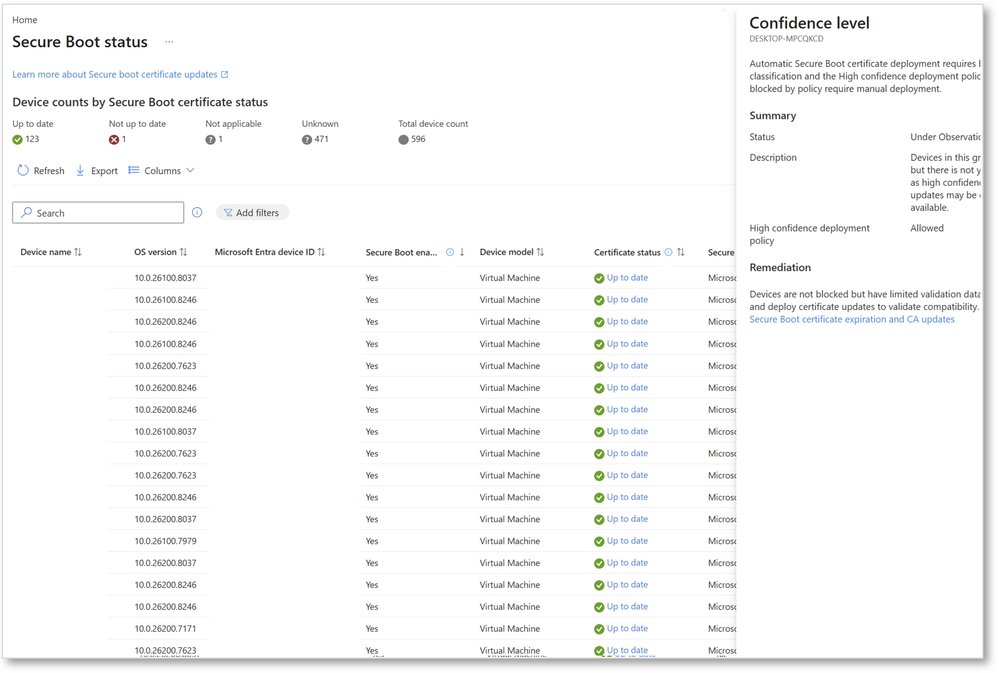 A Confidence level flyout shows the status with its description and remediation guidance.
Business Impact: From Reactive Management to Proactive Strategy
The enhanced Secure Boot status report transforms how organizations approach Secure Boot certificate management, shifting from reactive troubleshooting to proactive strategy:
Risk Reduction
By providing clear visibility into device readiness, the report helps organizations avoid:
- Missing required updates that could leave devices vulnerable
- Deploying updates too broadly, potentially causing compatibility issues
- Misinterpreting device readiness based on incomplete data
Operational Efficiency
The targeted visibility enables more efficient resource allocation:
- Identify which devices require attention without manual inspection
- Plan targeted remediation instead of broad deployments
- Use confidence levels to prioritize testing efforts
Strategic Decision Making
The confidence level data provides Microsoft-observed insights that would be difficult to replicate internally:
- High-confidence devices can receive automatic updates with minimal oversight
- Devices under observation can be included in phased rollouts
- Unsupported devices can be excluded from automation to prevent issues
Maintenance Window Optimization
Understanding which devices require updates and their confidence levels allows for more precise maintenance scheduling:
- High-confidence devices can be updated during standard maintenance windows
- Devices with limited data can be scheduled for validation during less critical periods
- Devices with known issues can be temporarily paused to avoid disruption
Implementation Recommendations
Organizations adopting the enhanced Secure Boot status report should consider these best practices:
Baseline Assessment: Begin by assessing the current state of Secure Boot across the organization to identify immediate priorities.
Confidence Level Strategy: Develop a documented approach for handling different confidence levels, including criteria for manual validation and testing.
Hotpatch Update Planning: For organizations using hotpatch updates, plan for the one-time strategy change and consider temporary pauses during Secure Boot rollout periods.
Alert Thresholds: Configure appropriate alert thresholds for the "Alerts" column to ensure timely intervention without notification fatigue.
Documentation: Update runbooks and documentation to reflect the new reporting capabilities and decision-making framework.
Conclusion
Microsoft's enhanced Secure Boot status report represents a significant advancement in Windows security management. By providing device-level visibility into certificate status, trust configuration, and confidence levels, the report enables IT administrators to make data-informed decisions about Secure Boot certificate deployments.
The shift from broad deployments to targeted remediation reduces risk while improving operational efficiency. Organizations leveraging these capabilities can better navigate the complexities of Secure Boot certificate management, particularly as certificates evolve and approach expiration.
For organizations managing large Windows deployments, this enhancement transforms Secure Boot certificate management from a potentially disruptive necessity to a streamlined, data-informed process. The integration of confidence levels based on Microsoft's observed data provides insights that would be difficult to replicate through custom solutions, offering a compelling reason to leverage Windows Autopatch for this critical security function.
Learn more about the Secure Boot status report in Windows Autopatch and explore additional resources on Windows Secure Boot certificate expiration and the Secure Boot playbook for certificates expiring in 2026.
Comments
Please log in or register to join the discussion