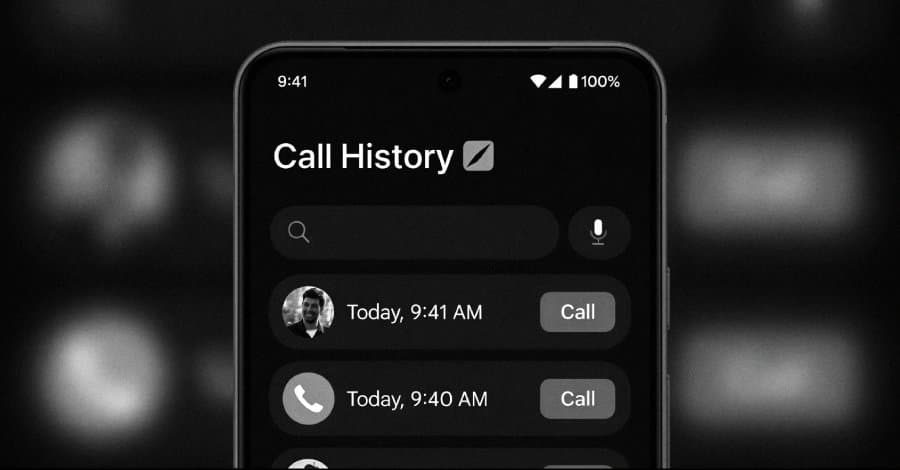
A wave of fraudulent Android apps promising call‑history lookups amassed over 7 million downloads before Google removed them. Researchers explain how the scams worked, why they slipped past review, and what steps users and developers can take to avoid similar threats.
 )
)
A wave of fake “call‑history” apps that claimed to reveal any phone number’s call log, SMS and WhatsApp activity has been pulled from Google Play after racking up more than 7.3 million downloads and charging users anywhere from $6 to $80. The apps, tracked by Slovakian security firm ESET under the internal name CallPhantom, targeted Android users in India and the broader Asia‑Pacific region. In total, 28 variants were identified, one of which alone accounted for over three million installs before disappearing from the storefront.
How the scam worked
- False promise, no permission – The apps presented a simple UI that asked for a phone number and then displayed a “Unlock” button. They requested no sensitive permissions (no access to contacts, call logs, or SMS), which helped them pass automated Play Store checks.
- Subscription trap – Tapping “Unlock” opened a payment screen that used either Google Play’s billing API, a third‑party UPI app (Google Pay, PhonePe, Paytm) or a raw credit‑card form. After payment, the app returned randomly generated data that was hard‑coded into the APK.
- Deceptive push notification – If a user tried to exit without paying, the app fired a fake notification saying the call history had been emailed. Clicking the notification redirected to the subscription page, increasing conversion rates.
- Impersonation of trusted brands – One version listed the developer as "Indian gov.in", a clear attempt to borrow authority from a government‑style name.
ESET researcher Lukáš Štefanko summed up the approach: "The apps are deliberately lightweight – they avoid any dangerous permissions and hide the malicious intent in the payment flow, which is why they slipped through Play Store’s automated scans."
Why Google Play didn’t catch them sooner
- No malicious code – The APKs contained no code that accessed call logs, SMS, or network resources. The only “malicious” behavior was the financial deception.
- Legitimate billing APIs – When developers use Google Play’s billing library, the transaction is treated as a normal in‑app purchase, which is not flagged as risky.
- Obfuscation of intent – The apps’ descriptions and screenshots were crafted to look like legitimate utilities, and the keyword “call history” is not on Google’s prohibited list.
These factors illustrate a growing trend: financial scams masquerading as utility apps can evade traditional malware detection because the threat lies in the business model, not the code.
Related threat activity
The CallPhantom campaign appears to be a front‑end for a broader fraud operation uncovered by Group‑IB. Bad actors combine the fake apps with phishing on WhatsApp, malicious APK sideloading, and voice‑phishing (vishing) to deliver Android RATs such as Gigabud, MMRat, and Taotie. Once installed, those payloads harvest credentials, perform account‑takeover, and move money from compromised accounts. The campaign has already cost Indonesian users an estimated $2 million.
Practical steps for users
| Action | Why it matters |
|---|---|
| Check the developer name – Look for official branding, verified badges, and a realistic contact email. | Fake government or corporate names are a red flag. |
| Review app permissions – If an app claims to read call logs but requests no permissions, it’s likely a scam. | Legitimate call‑history tools need READ_CALL_LOG or similar. |
| Use Google Play’s refund window – Purchases made through Google’s billing can be refunded within 48 hours, and sometimes later if the app is removed. | ESET notes that refunds are possible for Play‑store purchases. |
| Monitor bank/UPI statements – Unauthorized recurring charges can appear weeks after the initial purchase. | Third‑party UPI payments are not covered by Google’s refund policy. |
| Install a reputable mobile security app – Solutions that scan for known fraudulent packages can alert you before installation. | Early detection prevents accidental installs from side‑loaded links. |
Guidance for developers and app store operators
- Enforce stricter description verification – Require developers to provide proof of ownership for brand names used in the app title or developer field.
- Add a “financial‑risk” check – Flag any app that includes in‑app purchases for data that cannot be verified (e.g., call‑history lookup) for manual review.
- Monitor sudden spikes in install counts – Apps that jump from a few hundred to millions of installs within weeks should trigger a deeper audit.
- Educate users via Play Store listings – Include warnings about apps that claim to provide data that is not publicly accessible.
- Collaborate with payment providers – UPI platforms can share transaction metadata with Google to identify patterns of abuse linked to specific app package names.
Takeaway
The CallPhantom episode shows that financial deception can be just as dangerous as traditional malware. Even when an app’s code is harmless, the business model can cause real monetary loss and open the door to more sophisticated threats. Users should stay skeptical of “free” data services, verify developer identities, and act quickly on suspicious charges. Meanwhile, app store operators need to broaden their review criteria beyond code analysis to include the economic intent of an app.
For more detailed analysis, see the full ESET report here.
Comments
Please log in or register to join the discussion