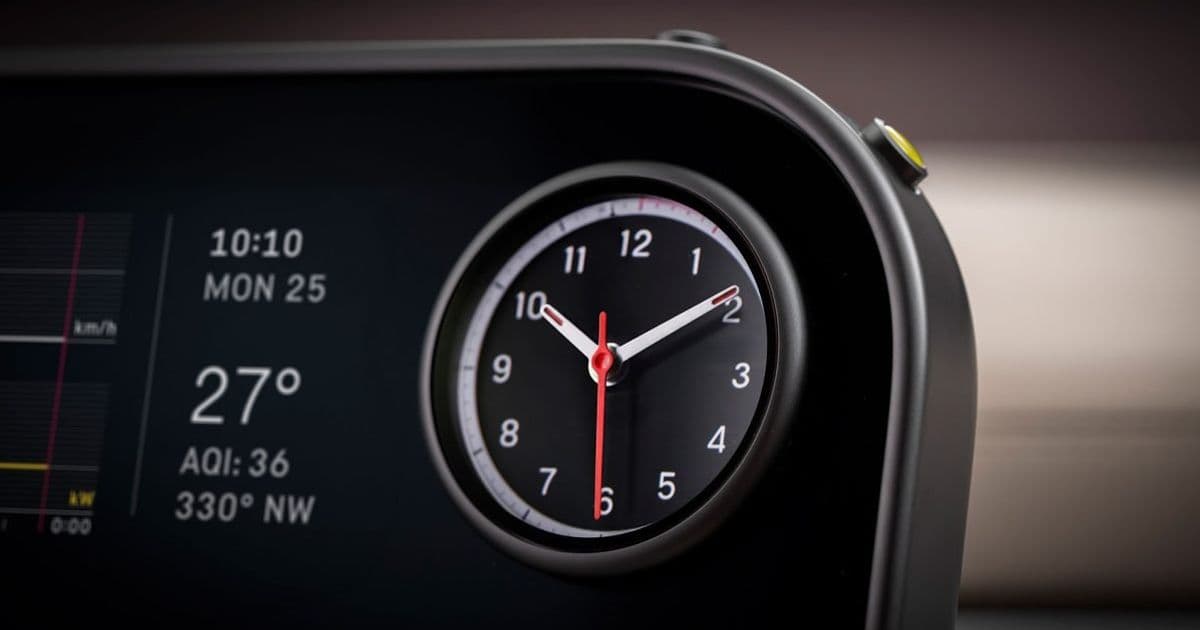
Ferrari’s first electric supercar, the Luce, debuts with a Jony Ive‑designed minimalist cockpit that favors physical controls over touchscreens. The design choices raise interesting questions for iOS, Android, and cross‑platform UI developers about hardware integration, haptic feedback, and the future of in‑car app ecosystems.
Ferrari has finally revealed the full design of the Luce, its inaugural electric supercar, and the most talked‑about element is the cockpit crafted by Jony Ive’s LoveFrom studio. While the automotive world is buzzing about the sleek glass‑and‑aluminum cabin, mobile developers should pay attention to the hardware‑centric UI philosophy that could influence the next generation of in‑car platforms.
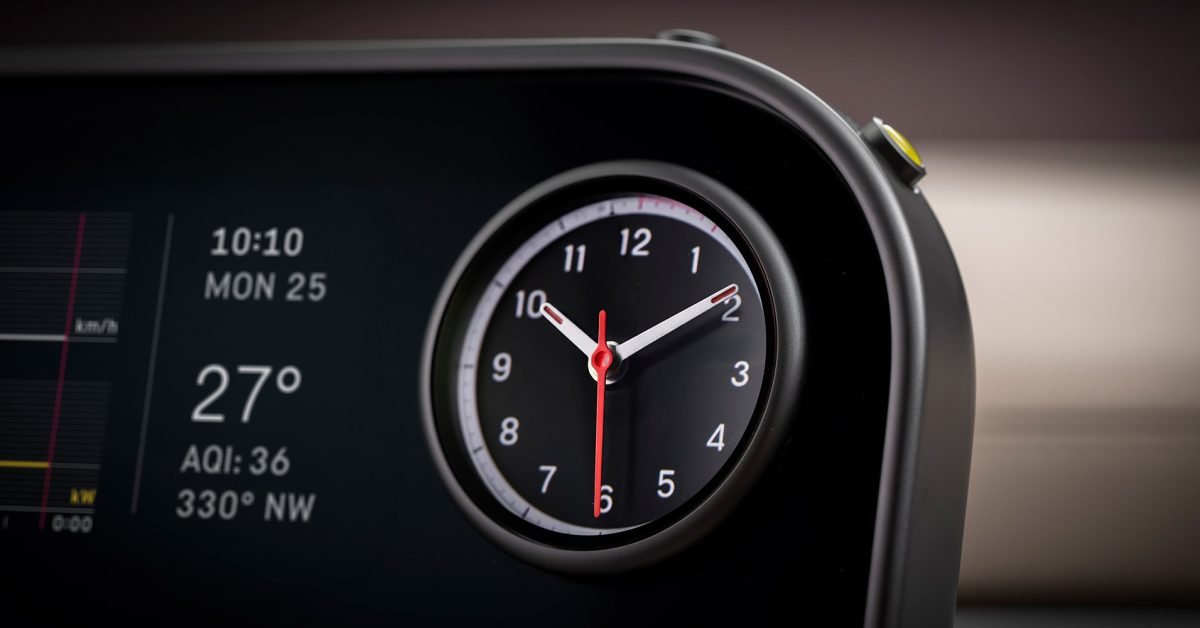
Platform update – a physical‑control‑first interior
When Ferrari first announced the Luce in February, the company highlighted that the interior would eschew large touchscreens in favor of dedicated knobs, switches, and a mechanical clock. The reveal video shows a steering wheel surrounded by tactile levers, a dashboard with a slim glass panel, and side panels that host physical buttons for climate, driving mode, and infotainment.
For developers, this signals a shift away from the “everything‑on‑screen” model that dominates iOS and Android today. Instead, the car’s UI will rely heavily on hardware‑level APIs that expose button events, rotary encoders, and haptic actuators directly to the software stack.
Developer impact – SDKs and platform requirements
Android Automotive OS
- API level 35 (Android 15) is expected to be the baseline for the Luce’s infotainment system. The new
android.hardware.inputextensions provide direct access to physical controls viaKeyEventandMotionEventwith custom key codes for rotary inputs. - The Vehicle HAL (Hardware Abstraction Layer) now includes a
PhysicalControlinterface that lets apps query the presence and state of each button, enabling dynamic UI adaptation when a control is added or removed. - Developers must target minSdkVersion 35 to guarantee the new APIs, though backward‑compatibility shims are available for older Android Automotive devices.
iOS / CarPlay
- Apple’s CarPlay 17 SDK introduces the
CPPhysicalButtonclass, mirroring the Android side’s approach. It allows apps to register for button‑press callbacks without relying on the touchscreen. - To use these APIs, your app’s
Info.plistmust declare theUIRequiresPersistentWiFikey and set theUISupportedExternalAccessoryProtocolsto includecom.apple.carplay.physical. - Minimum deployment target: iOS 18 (or later), because earlier versions lack the physical‑control bindings.
Cross‑platform frameworks
- Flutter 3.22 now ships with a
PhysicalControlwidget that abstracts both Android’sPhysicalControlHAL and iOS’sCPPhysicalButton. The widget automatically maps the platform‑specific events to a common callback signature. - React Native 0.75 adds a
usePhysicalControlshook, exposing a JavaScript‑friendly API for button presses and rotary gestures. Under the hood, it bridges to the native modules described above. - For Unity developers targeting the Luce’s infotainment screen (e.g., for performance dashboards), the new
VehicleInputpackage provides a C# interface to the same hardware events, ensuring consistent behavior across Android and iOS.
Migration roadmap for existing apps
- Audit UI flow – Identify screens that currently rely on large touch targets. Replace them with physical‑control‑friendly alternatives (e.g., list navigation via rotary encoder, confirm actions with a dedicated button).
- Add platform checks – Use
Platform.isAndroidandPlatform.isIOSguards to import the correct SDK classes. For cross‑platform code, wrap calls in a service layer that selects the appropriate implementation at runtime. - Test on hardware simulators – Both Android Studio and Xcode now include in‑car hardware simulators that emulate button presses and haptic feedback. Run your UI tests against these simulators to catch missing event handling.
- Update manifest and entitlements – Declare the new hardware capabilities (
android.hardware.type.automotiveandcom.apple.developer.carplay) and request thePHYSICAL_CONTROLpermission where required. - Iterate on UX – Physical controls demand clear affordances. Conduct user testing with mock‑up cockpits (Ferrari’s interior images can serve as visual references) to ensure that button placements feel natural.
Why the industry might follow suit
Ferrari’s partnership with Jony Ive underscores a broader trend: premium automotive brands are looking to differentiate the tactile experience rather than simply port a smartphone UI onto a dashboard. For developers, this means more opportunities to build context‑aware, hardware‑centric experiences that can leverage the precision of physical knobs and switches.
If you’re already building apps for Android Automotive or CarPlay, now is the time to experiment with the new physical‑control APIs. Even if your app isn’t destined for a supercar, the same principles apply to smart home hubs, wearables, and AR glasses where space is limited and tactile feedback is prized.
Further reading
- Official Ferrari Luce reveal video (YouTube) – https://www.youtube.com/watch?v=luce‑reveal
- Android Automotive 15 release notes – https://developer.android.com/about/versions/15/automotive
- Apple CarPlay 17 documentation – https://developer.apple.com/documentation/carplay
- Flutter 3.22 changelog – https://flutter.dev/docs/whats-new#322
- React Native 0.75 release blog – https://reactnative.dev/blog/2026/05/20/version-075
Stay tuned for deeper dives into how to implement rotary navigation in Flutter and how to test physical‑control interactions with the new simulators.
Comments
Please log in or register to join the discussion