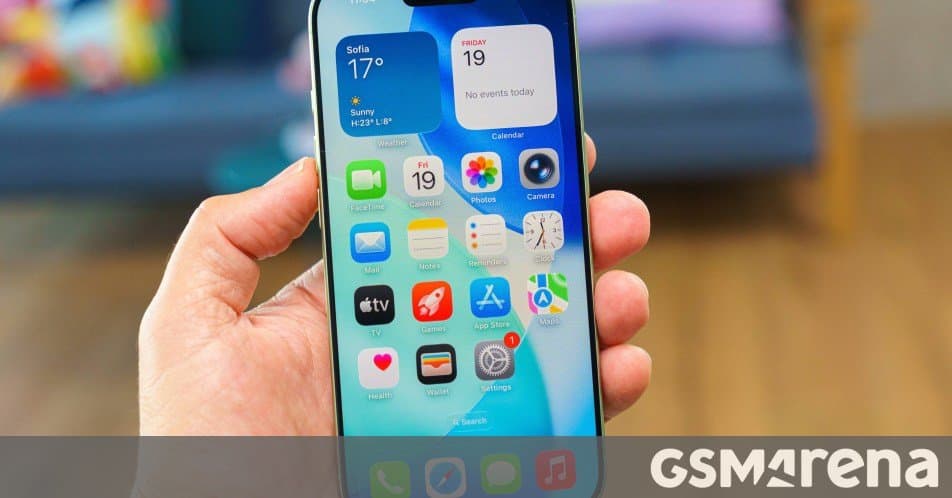
At the Android I/O 2026 keynote Google unveiled an expanded data‑transfer tool that will let iPhone users move almost all of their personal data to Android devices. The feature lands with Android 17 and Samsung’s One UI 9 on upcoming Galaxy Z Flip 8, Z Fold 8 and Z Fold 8 Wide, reducing the friction that has kept many users locked into iOS.
Google and Apple Streamline iOS‑to‑Android Migration with Android 17
During the Android I/O 2026 keynote, Google announced a major upgrade to its cross‑platform migration tool. Starting with Android 17, users will be able to transfer a far broader set of data from an iPhone to an Android handset, addressing one of the longest‑standing pain points for anyone considering a platform switch.
What’s new in the migration suite?
| Category | Previously transferable | Newly supported items |
|---|---|---|
| System settings | Accessibility options | Full accessibility profile (voice‑over, magnification, font size) |
| Alarms & timers | None | All configured alarms, timer presets |
| Apps | Free apps without user data | Free apps with user data (e.g., game progress, notes) |
| Calendar & contacts | Basic calendar entries | Full calendar, contacts, and even custom reminders |
| Call history | None | Complete call log |
| Email accounts | Only Gmail | Any IMAP/POP/Exchange accounts (including Outlook, Yahoo) |
| eSIM | None | eSIM profiles, activation codes |
| Media files | Photos & videos (limited) | All media, including RAW images, 4K videos, audio files |
| Messages | SMS only | iMessage threads (where possible), MMS, group chats |
| Notes | Simple text notes | Rich‑text notes, checklists, sketches |
| Passwords | None | Passwords stored in iCloud Keychain (with user consent) |
| Wallpapers | None | Home‑screen and lock‑screen wallpapers |
| WhatsApp data | None | Chat history, media, and settings |
| Home screen layout | None | Icon arrangement, widget placements |
The tool works through a refreshed version of Google’s Smart Switch app, now able to read iOS backups stored on iCloud or a local Mac/PC. After authenticating the iCloud account, the Android device pulls the selected data sets over a secure, end‑to‑end encrypted channel.
First‑look devices and rollout plan
Google confirmed that the feature will be pre‑installed on the upcoming Pixel 9 line and on Samsung’s flagship foldables that will ship with One UI 9. The first devices expected to carry the updated Smart Switch are:
- Galaxy Z Flip 8 (July 2026 release)
- Galaxy Z Fold 8 and Z Fold 8 Wide
- Pixel 9 Pro (standard Android 17 launch)
Samsung has already opened a One UI 9.0 beta program, meaning early adopters may test the migration flow before the official July rollout. After the initial launch on these high‑end models, the feature will be rolled out to mid‑range and budget Android phones via an OTA update, typically within three to six months.
Why this matters for ecosystem lock‑in
Apple’s iOS has long benefited from a tightly controlled ecosystem: iCloud backs up virtually everything, but the data is stored in proprietary formats that Android devices cannot read without a dedicated bridge. The new migration path reduces that friction in two ways:
- Data completeness – By supporting eSIM profiles, WhatsApp chats, and even home‑screen layouts, the tool removes the last‑minute “what will I lose?” hesitation that keeps many users on iOS.
- Cross‑platform parity – Apple’s own iOS 27 will later introduce an AI‑extension system for third‑party models, but it still does not expose a universal export format. Google’s approach of pulling directly from iCloud and translating the data into Android‑native equivalents levels the playing field, making the Android ecosystem more attractive for power users who rely on deep personalization.
For users entrenched in Google services (Gmail, Photos, Drive), the migration feels almost native. For iOS‑centric users, the ability to keep their WhatsApp history and eSIM without contacting carriers is a tangible benefit.
How to use the upgraded Smart Switch
- Back up your iPhone – Ensure iCloud backup is up‑to‑date. Go to Settings → Apple ID → iCloud → iCloud Backup → Back Up Now.
- Install Smart Switch – On the new Android device, open the pre‑installed Smart Switch app (or download it from the Play Store if missing).
- Sign in to iCloud – The app will prompt you for your Apple ID and a two‑factor authentication code.
- Select data categories – Choose which of the newly supported items you want to transfer.
- Start the transfer – The device will download the data over Wi‑Fi; large media libraries may take 30‑60 minutes.
- Verify – After completion, review the transferred items in Settings, Photos, and individual apps.
Google provides a step‑by‑step guide in the official Android documentation, and Samsung lists the same process on its One UI support page.
Potential drawbacks and what to watch
- Apple‑only services – Subscriptions tied to Apple IDs (Apple Music, Apple TV+, iCloud Drive) still require re‑sign‑in on Android equivalents; the migration does not transfer licensing.
- App availability – Some paid iOS apps have no Android counterpart, meaning you’ll need to find alternatives.
- Data privacy – The transfer process involves moving data from Apple’s servers to Google’s; both companies state the transfer is encrypted, but privacy‑focused users may want to review the privacy policy before proceeding.
The bigger picture
Google’s move signals a shift toward inter‑platform fluidity. While Apple has hinted at opening its ecosystem with the upcoming iOS 27 AI extensions, the company has not announced a comparable bulk‑migration tool. By making the switch easier, Google not only hopes to attract former iPhone users but also to encourage manufacturers like Samsung to showcase the feature as a selling point for premium devices.
If the rollout goes smoothly, we could see a measurable uptick in Android market share during the second half of 2026, especially among users who value flexibility over brand loyalty.
For further reading on the Android I/O announcements, see the full Google I/O 2026 keynote recap.
Comments
Please log in or register to join the discussion