Netflix announced that ads will soon appear in its new vertical video feed and in more of its podcasts. The move has immediate implications for iOS, Android and cross‑platform developers who integrate Netflix content or build companion apps, especially around SDK version requirements, ad‑network updates, and UI adjustments.
Netflix expands ad placements to vertical feed and podcasts – what mobile developers need to say
Netflix’s latest upfront revealed two concrete changes to its ad strategy:
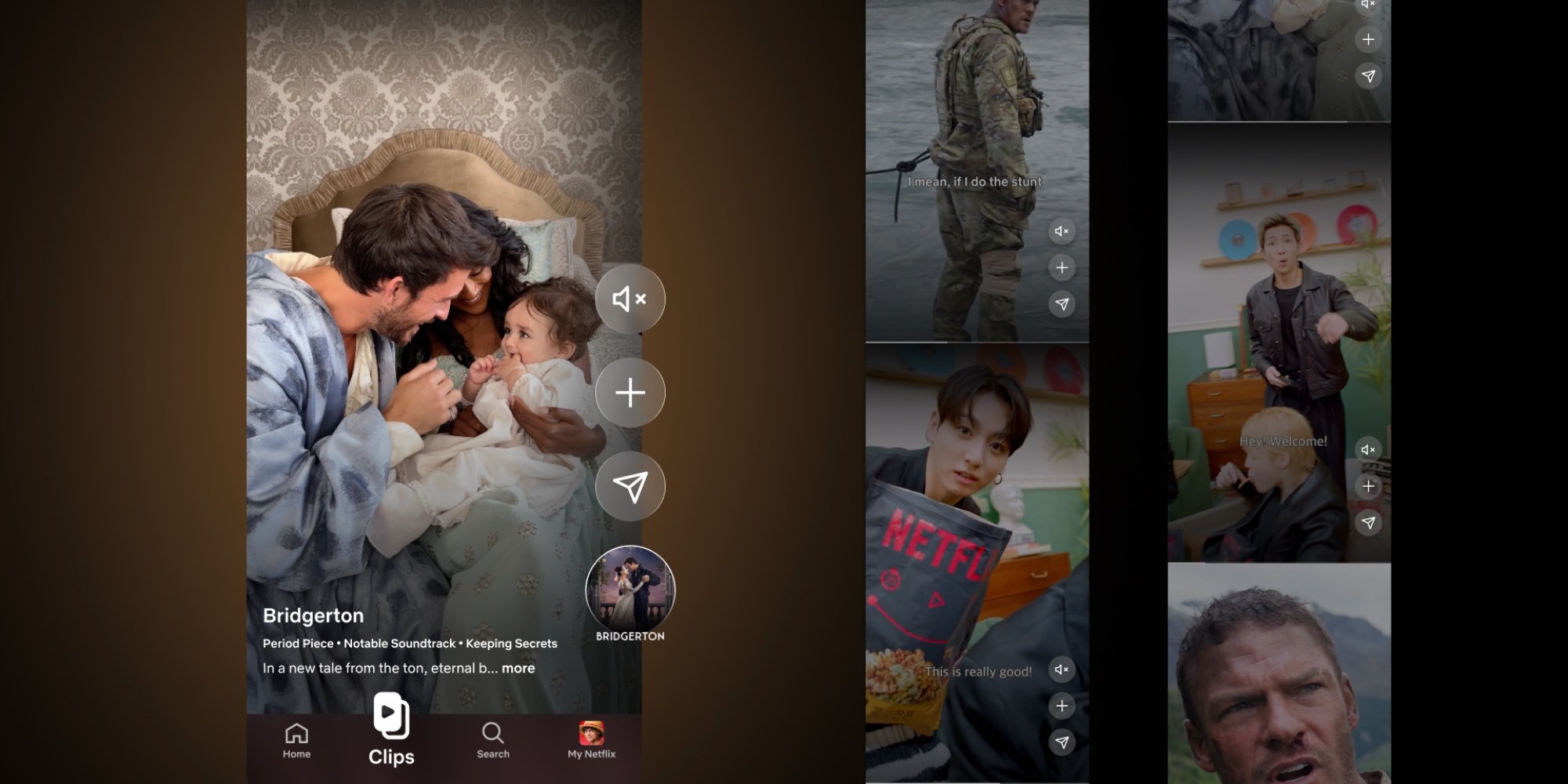
- Ads will appear in the new vertical video feed that the service rolled out earlier this year.
- More Netflix podcasts will carry pre‑roll and mid‑roll ads.
Both moves are aimed at boosting the company’s ad revenue as subscriber growth slows. For developers who embed Netflix content, run companion apps, or use Netflix‑related SDKs, the announcement triggers a set of practical considerations.
Platform update
iOS
- Minimum iOS version: Netflix’s ad‑delivery stack now requires iOS 16.0 or later. The change is tied to the use of the latest SKAdNetwork v4.0 features for view‑through attribution.
- SDK bump: The Netflix iOS SDK (available through the official developer portal) jumps from 2.3.1 to 2.5.0. The new version adds support for AVPlayerViewController‑based vertical scrolling and introduces a PodcastAdManager class.
- UI changes: The vertical feed uses a UICollectionViewCompositionalLayout with a 9:16 aspect ratio. Existing apps that embed Netflix’s UI must adapt their layout constraints to avoid clipping.
Android
- Minimum Android version: The ad engine now targets API 33 (Android 13) as the baseline. Devices running older versions will fall back to a static banner‑only experience.
- SDK update: Android developers should upgrade to Netflix Android SDK 3.1.0 (released 2026‑04‑28). This release adds a VerticalFeedAdapter and a PodcastAdProvider that work with Google Play Services Ads v22.
- Gradle changes: The new SDK depends on androidx.lifecycle:lifecycle‑runtime‑ktx:2.8.0 and androidx.recyclerview:recyclerview‑compose:1.4.0. Updating these libraries is required for successful compilation.
Cross‑platform (React Native, Flutter, Unity)
- React Native: The community‑maintained react-native-netflix‑ads bridge now supports version 0.9.0, which wraps the iOS 2.5.0 and Android 3.1.0 SDKs. Developers must also enable the android:exported flag for the ad service activity when targeting Android 13.
- Flutter: The netflix_ads plugin (v1.2.0) adds a VerticalFeedWidget and PodcastAdWidget. It requires Flutter SDK ≥3.22 and Dart 3.5 because of null‑safety improvements.
- Unity: For games that integrate Netflix’s video player, the NetflixUnitySDK 5.0 release adds a VerticalFeedRenderer component. Unity 2022.3 LTS or newer is now the minimum supported version.
Developer impact
Ad‑network integration
- Netflix now relies on SKAdNetwork v4 on iOS and Google Mobile Ads SDK 23 on Android for attribution. If your app already uses these networks, you will need to update your mediation adapters to avoid duplicate impression reporting.
- The vertical feed introduces view‑ability metrics that count a view only after 2 seconds of continuous exposure. Existing analytics pipelines should be adjusted to capture this new threshold.
UI/UX considerations
- The vertical feed mimics TikTok‑style scrolling. Apps that previously displayed Netflix content in a grid must redesign navigation to keep the feed fluid. Pay attention to safe‑area insets on iPhone 14 Pro Max and the gesture navigation bar on Android 13.
- Podcast ad insertion follows the VAST 4.2 standard. If you host your own podcast player, ensure the player can parse elements and handle skip‑after‑5‑seconds logic.
Testing and compliance
- New ad placements trigger COPPA and GDPR checks for users under 16. Update your consent‑flow to request permission before loading the vertical feed.
- Apple’s App Store Review Guidelines now require a clear disclosure that “ads may appear in vertical video feed and podcasts” in the app description. Failure to add this note can result in rejection.
Migration path
- Audit your current SDK versions
- Run
pod outdated(iOS) or./gradlew app:dependencyInsight(Android) to identify Netflix SDK versions.
- Run
- Upgrade the SDKs
- iOS:
pod 'NetflixSDK', '~> 2.5' - Android: add
implementation 'com.netflix.sdk:ads:3.1.0'
- iOS:
- Update UI components
- Replace any
UITableView‑based Netflix lists with the newVerticalFeedViewController(iOS) orVerticalFeedAdapter(Android).
- Replace any
- Integrate podcast ad classes
- Instantiate
PodcastAdManager(iOS) orPodcastAdProvider(Android) before loading any podcast stream.
- Instantiate
- Refresh consent handling
- Add a consent dialog that appears before the first ad request. Use the UserMessagingPlatform SDK for Android and AppTrackingTransparency for iOS.
- Test on the minimum OS versions
- Verify that devices on iOS 16.0 and Android 13 display ads correctly and fall back gracefully on older OSes.
- Submit updated builds
- Include the new disclosure text in the App Store and Play Store listings.
What this means for the broader ecosystem
Netflix’s shift signals that even premium streaming services are treating ads as a core product feature rather than a sidecar. Mobile developers can expect more frequent SDK updates that align with ad‑network innovations. Keeping dependencies current, especially for attribution and viewability, will become a regular part of the release cycle.
For deeper guidance on the new SDKs, see the official Netflix developer docs:
Comments
Please log in or register to join the discussion