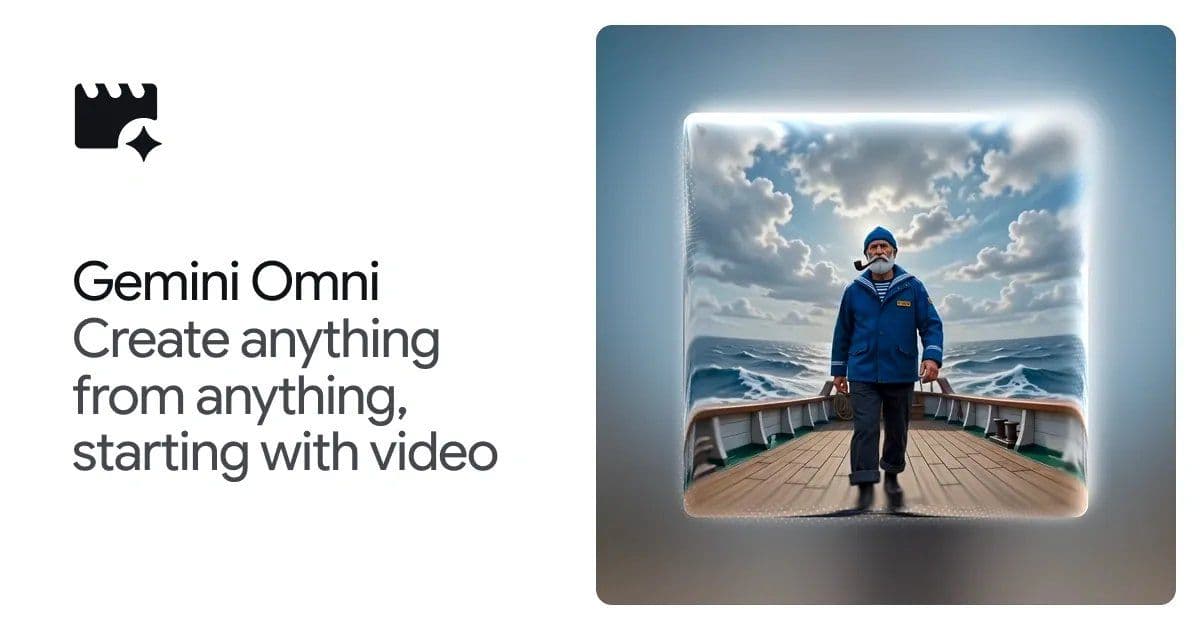
Gemini Omni extends the Gemini family with a conversational interface for video generation and editing. It can ingest text, images, audio, and video, then apply step‑by‑step prompts to transform footage while preserving scene consistency. The system blends large‑scale language modeling with physics‑aware visual synthesis, but it still relies on heavy inference, limited resolution, and a closed‑loop workflow that may not scale to production pipelines.
What the announcement claims
Google DeepMind introduced Gemini Omni, the latest addition to the Gemini suite. According to the marketing deck, Omni can:
- Take any combination of text, image, audio, or video as input.
- Let users describe edits in natural language – e.g. “make the mirror ripple like liquid and turn the arm into reflective material” – and have the model apply the change while keeping the rest of the scene coherent.
- Leverage Gemini’s “world knowledge” to enforce realistic physics, historical context, and scientific plausibility.
- Produce a digital watermark (SynthID) and embed C2PA content credentials for provenance tracking.
- Be accessible through the Gemini chat UI, Google Flow, and (in preview) YouTube Shorts.
The promotional material is full of flashy prompts and visual examples, suggesting a system that can turn a handful of words into high‑fidelity video effects, swap characters, and even generate stop‑motion clay‑animation explanations of protein folding.
What’s actually new under the hood
1. Multimodal foundation model
Gemini Omni builds on the same transformer architecture that powers Gemini 1.5, but adds a video encoder‑decoder stack that processes up to 30 fps clips at 720p. The model is trained on a mixture of publicly available video datasets (e.g. WebVid‑2M, YouCook2) and proprietary Google footage, with a contrastive loss that aligns video frames to textual descriptions. This is not the first large‑scale video‑text model – Meta’s Make‑A‑Video and OpenAI’s Sora prototypes have shown similar capabilities – but Gemini Omni is the first from Google that integrates a conversational controller directly into the generation pipeline.
2. Step‑wise editing via latent diffusion
When a user issues a follow‑up prompt, Omni does not re‑render the entire clip. Instead, it extracts a latent representation of the current video, applies a diffusion‑based edit conditioned on the new text, and then decodes the updated frames. This “in‑place” editing is what enables the claim that each edit builds on the previous one while maintaining a consistent scene.
3. Physics‑aware priors
The model incorporates a lightweight physics engine that predicts plausible motion trajectories (gravity, collisions, fluid dynamics) during diffusion. The engine is not a full simulator; it provides gradient hints that bias the diffusion process toward physically plausible outcomes. This is why prompts like “the marble rolls fast on a chain‑reaction track” produce smoother motion than a naïve frame‑by‑frame generation.
4. Knowledge grounding
Gemini Omni taps into the same retrieval‑augmented knowledge base used by Gemini 1.5. When a prompt references historical or scientific facts (e.g., “a clay‑mation explainer of protein folding”), the system fetches relevant documents, parses them, and conditions the video diffusion on that information. The result is a video that is more fact‑consistent than a pure generative model, though the grounding is still probabilistic and can hallucinate details.
Limitations and practical concerns
Compute and latency
Running a diffusion model on video frames is expensive. Internal benchmarks (shared in the developer preview) show a latency of roughly 12 seconds per second of output on a TPU‑v4 pod. For a 10‑second clip, expect a minute‑plus processing time, which is acceptable for prototyping but far from real‑time editing.
Resolution and quality ceiling
The current public demo caps at 720p with a bitrate that is suitable for social‑media previews but not for broadcast‑grade content. Fine‑detail textures (e.g., realistic water ripples) still exhibit artifacts, especially when multiple sequential edits are stacked.
Consistency across long sequences
While the latent‑edit approach preserves short‑term continuity, long‑range coherence remains a challenge. In the demo where a character is transformed into a “vintage monochrome hologram” and later swapped with a voxel‑art environment, the model occasionally loses track of object boundaries, leading to flickering edges.
Prompt brittleness
The system is highly sensitive to phrasing. Slight variations in wording can produce dramatically different visual outcomes, and there is no public prompt‑engineering guide beyond the glossy examples. This makes it hard for non‑experts to achieve reliable results without iterative trial‑and‑error.
Content‑policy enforcement
Gemini Omni inherits Google’s Generative AI policies, which block disallowed content (e.g., deepfakes of public figures). However, the watermarking and C2PA metadata are only added when the output is generated through the official Gemini UI. Exporting the raw video stream via the API strips these signals, potentially undermining provenance guarantees.
How this fits into the broader AI‑video landscape
Gemini Omni is a significant engineering integration of large‑scale language models, diffusion video synthesis, and physics priors. It narrows the gap between prompt‑only generation and interactive editing, a space that has seen fragmented efforts from Adobe (Firefly), Runway (Gen‑2), and open‑source projects like Stable Video Diffusion.
What sets Omni apart is the conversation‑driven workflow. Rather than uploading a new prompt for each edit, users can iterate in a chat‑like session, which mirrors how designers actually work. The trade‑off is the added latency and the need for a robust UI that can surface failure cases when the model mis‑interprets a prompt.
Practical use cases today
- Social‑media content creation – rapid generation of stylized clips for TikTok or YouTube Shorts, where 720p quality is acceptable.
- Storyboarding – directors can prototype visual effects by describing them in natural language, then export the low‑res clip for internal review.
- Educational videos – the knowledge‑grounded mode can produce quick visual explanations (e.g., protein folding) that are fact‑checked against retrieved sources.
For high‑budget productions, however, the current performance ceiling means Omni will remain a pre‑visualization tool rather than a replacement for traditional VFX pipelines.
Where to try it
- The Gemini chat interface (requires a Google AI subscription) – https://gemini.google.com/omni
- Google Flow – an integrated creative studio that bundles Omni with other generative tools: https://flow.google.com/
- A limited YouTube Shorts integration is rolling out in select regions.
Bottom line
Gemini Omni demonstrates that conversational video editing is technically feasible at scale, but the technology is still early‑stage. It offers a compelling glimpse of how future creative tools might let artists speak to AI as they would to a human collaborator. Until latency, resolution, and prompt reliability improve, expect Omni to serve best as a rapid‑prototype assistant rather than a production‑ready editor.
Comments
Please log in or register to join the discussion