iOS 26.2 brings AirPods Live Translation to European Union users for the first time, expanding Apple's real-time translation feature beyond its initial rollout. Here's how to set up and use this powerful new AirPods Pro capability.
iOS 26.2 is the latest major iPhone update, and among its many new features, AirPods Live Translation expanded to a lot more users. Here's how to use AirPods' powerful recent addition.
AirPods Live Translation: How to use the new feature
Apple has been slowly rolling out its powerful new AirPods feature: Live Translation. The feature has evolved through several iOS updates:
- iOS 26.0 launched the feature in select territories and languages
- iOS 26.1 added support for five new languages
- iOS 26.2 expanded AirPods Live Translation to EU users for the first time
Whether you're just now gaining access to AirPods Live Translation, or have just never tried it, here's how to set it up and use it.
Requirements
Before getting started, make sure you have:
- AirPods Pro 3, AirPods Pro 2, or AirPods 4 with ANC
- An iPhone that supports Apple Intelligence
- The latest iOS update installed
Setting up AirPods Live Translation
- Wear your AirPods and open the Settings app
- Tap your AirPods' name near the top of Settings
- Scroll down to the 'Translation' section
- Tap 'Languages'
- Hit the download icon next to all languages you want to use
Once your preferred languages are downloaded, you're all set up to use AirPods Live Translation.
How to start a Live Translation session
You can start a Live Translation session in several different ways:
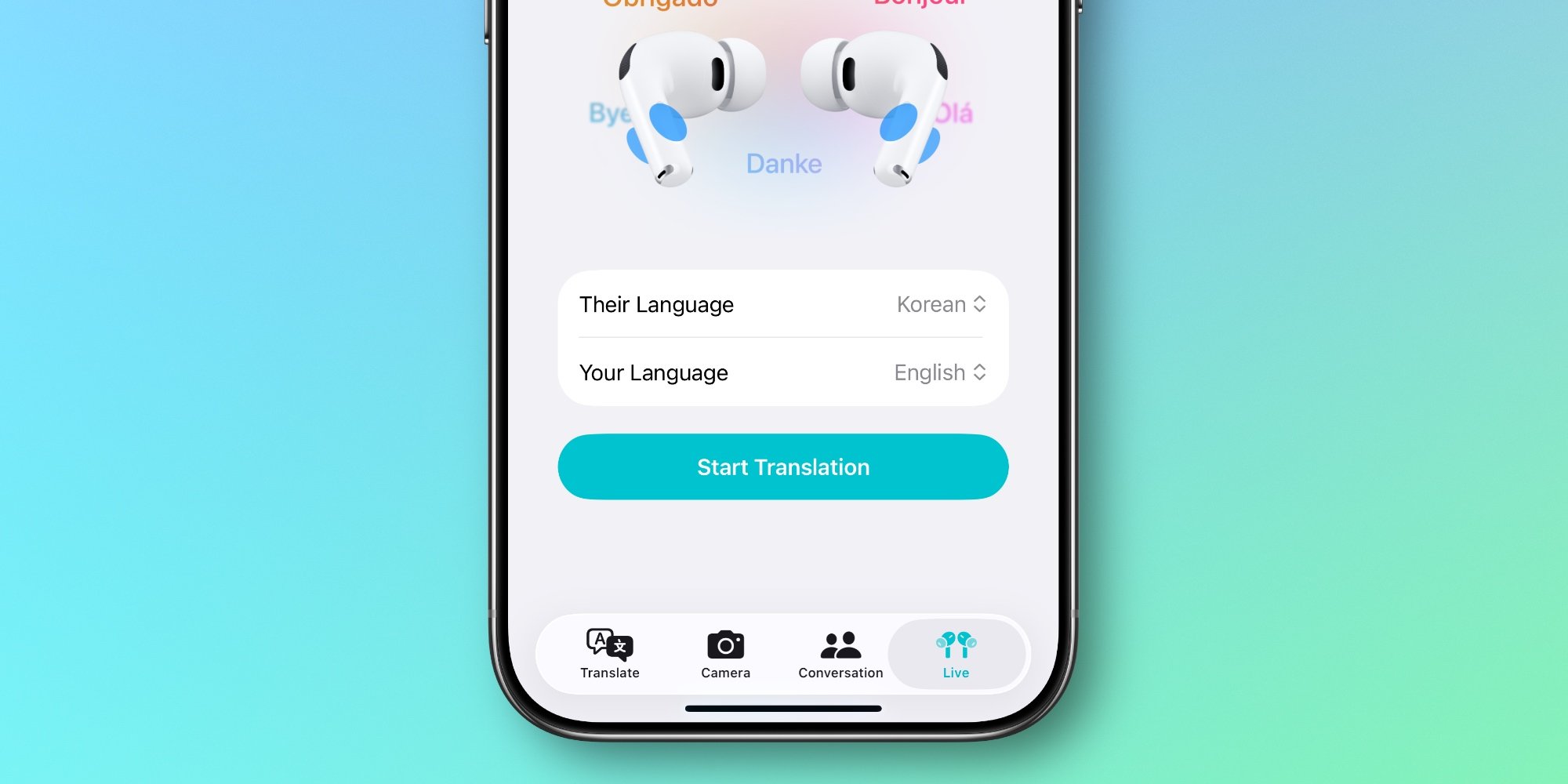
- Inside Apple's Translate app under the 'Live' tab
- By pressing and holding both AirPods stems simultaneously
- Using the Translate control in Control Center
- Via iPhone's Action button
- Asking Siri to 'start Live Translation'
The first time you use the feature, you'll want to use the Translate app, as it's the go-to place to set your language and the language of the person you're speaking with.
The expansion with iOS 26.2
iOS 26.2 marks a significant expansion of AirPods Live Translation, bringing the feature to European Union users for the first time. This follows the initial rollout in select territories with iOS 26.0 and the addition of five new languages in iOS 26.1.
This gradual rollout approach allows Apple to refine the feature and ensure it works reliably across different languages and regions before expanding access more broadly.
Real-world usage
Have you used AirPods Live Translation yet, and if so, how has it worked for you? The feature represents a significant step forward in real-time translation technology, potentially making cross-language conversations much more natural and accessible.
The ability to have conversations translated in real-time through your AirPods could be particularly valuable for travelers, international business professionals, or anyone who regularly communicates with people who speak different languages.
Getting the most from your AirPods
If you're using AirPods Pro 3, you might be interested to know they're currently on sale for $184, down from $249. Other useful accessories include Apple's new AirTag 2 (available in 1-pack or 4-pack options), a 10-year AirTag battery case 2-pack, a MagSafe Car Mount for iPhone, and a 100W USB-C fast charging power adapter.
AirPods Live Translation represents one of the most practical applications of Apple's AI and machine learning capabilities, bringing sophisticated language processing directly to users' ears in real-time. As the feature continues to expand to more languages and regions, it could become an indispensable tool for global communication.
Comments
Please log in or register to join the discussion